Redwood: Review Purchase Agreement Change and Revision Histories
Review the change and revision histories of purchase agreements from Redwood pages as a buyer or supplier. You can view how agreements changed from creation to the latest revision.
You can access the Revision History and Change History pages from the View Agreement History action that's available on both the Redwood Purchase Agreements page and the View Purchase Agreement page. Click the View Agreement History action to open a drawer that displays these tabs:
- Document History: Displays a sequential list of all actions taken on a specific purchase agreement.
- Change History: Lists all submitted change orders and lets you review the associated changes.
- Revision History: Lists all change orders that resulted in a new revision of the document.
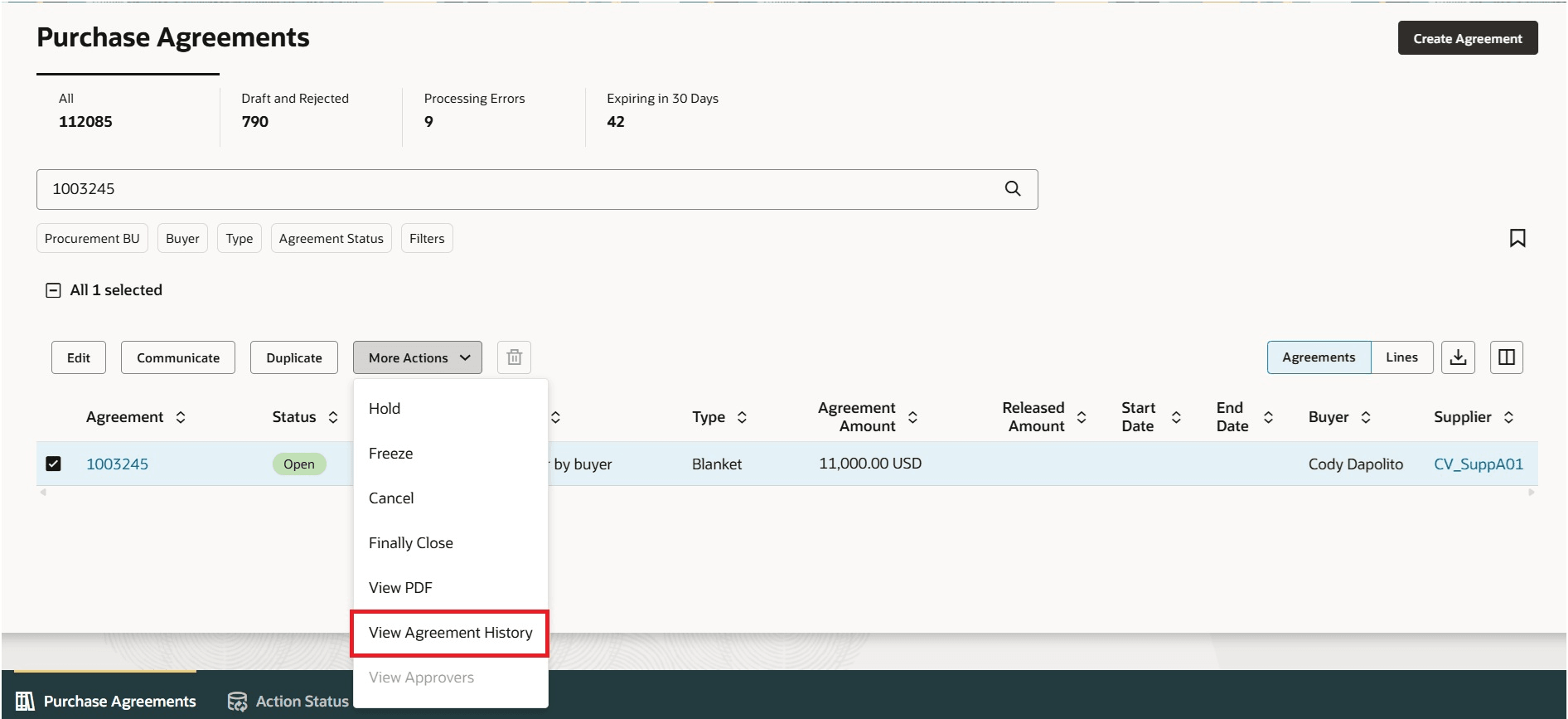
View Agreement History Action on the Redwood Purchase Agreements Page
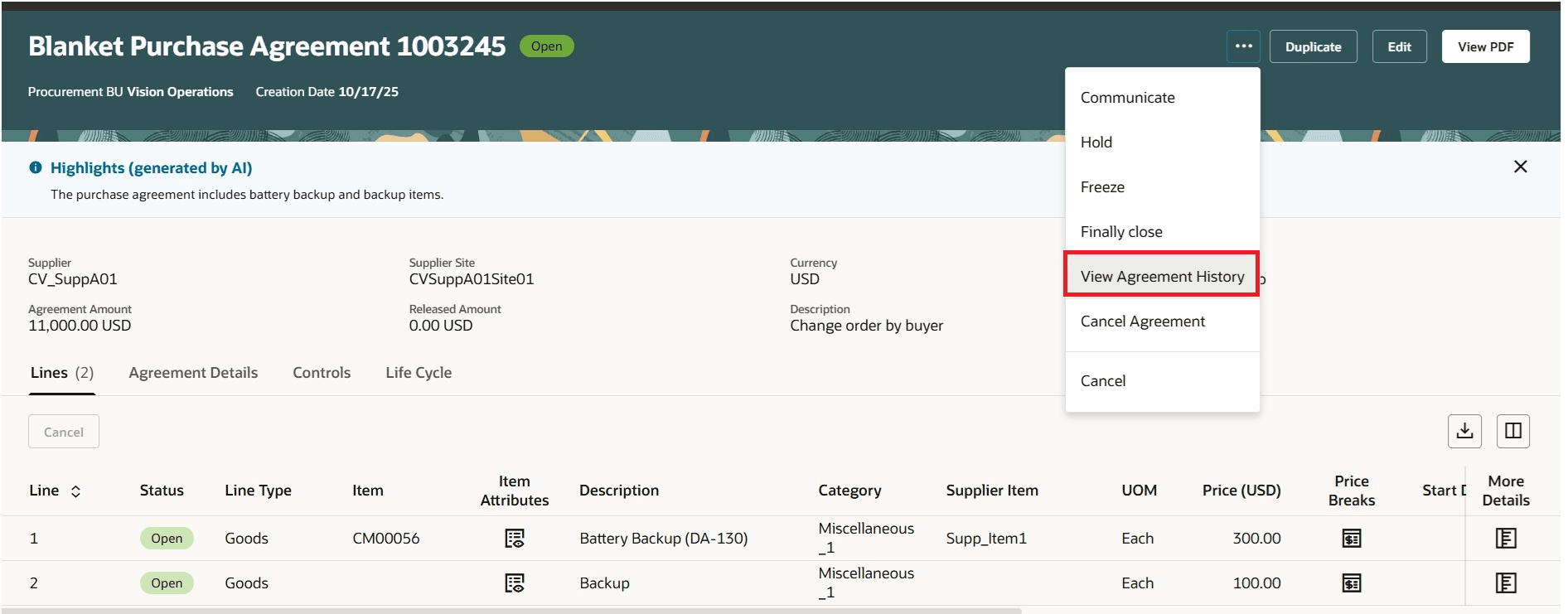
View Agreement History Action on the View Purchase Agreement Redwood Page
You can perform these actions from the Change History and Revision History tabs. To perform an action, select the record and click the action.
- View Change Details: Review the modifications made in the selected version of the change order.
- Compare to Original: Compare the selected change order version with the original version of the purchase agreement.
- Communicate: Communicate purchase agreement changes to suppliers.
- This action is disabled for internal change orders.
- Communicate action isn't available for suppliers.
- View PDF: Download the purchase agreement changes in PDF format.
- Export to excel: Export the data in Excel format.
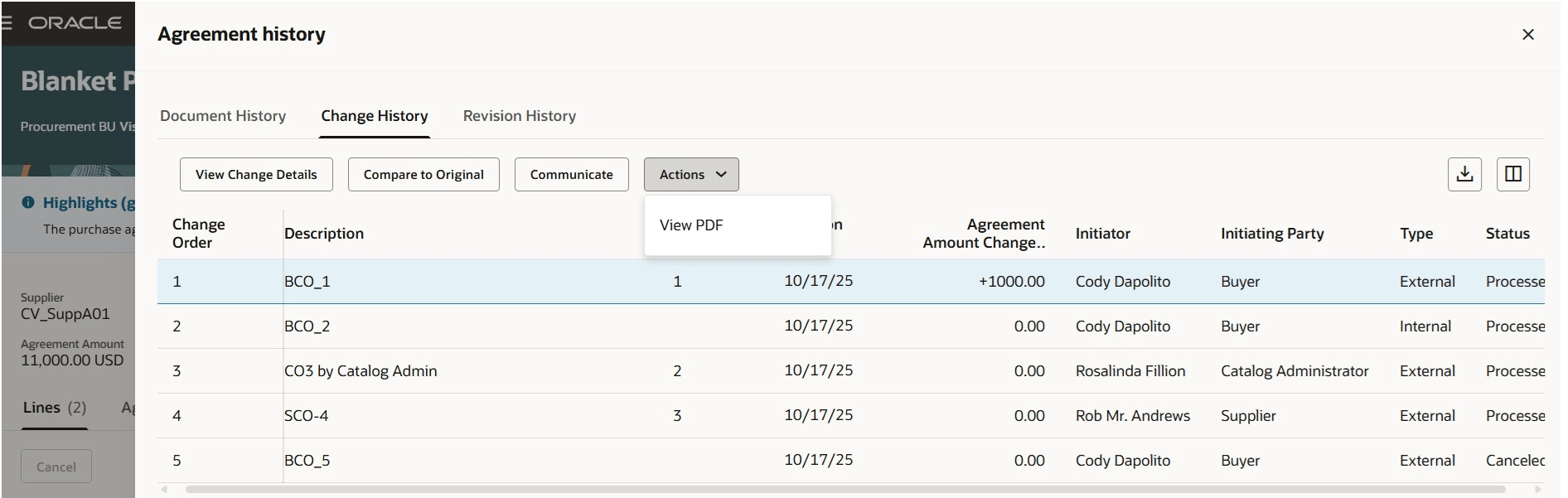
View Change History as a Buyer
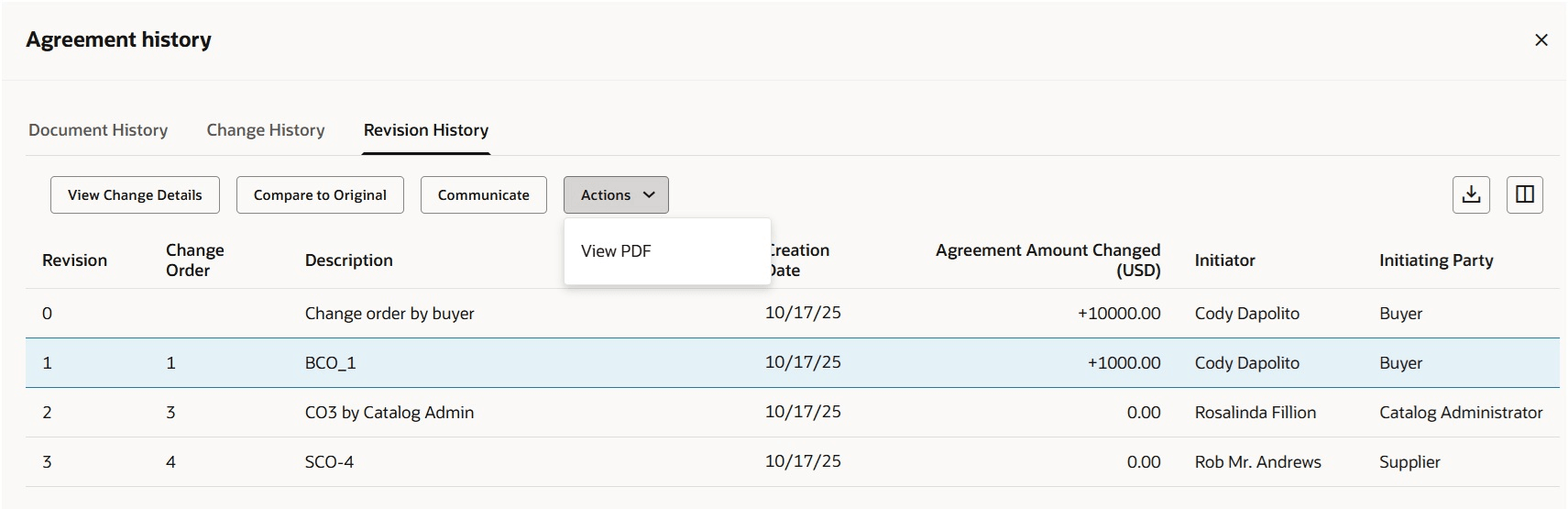
View Revision History as a Buyer
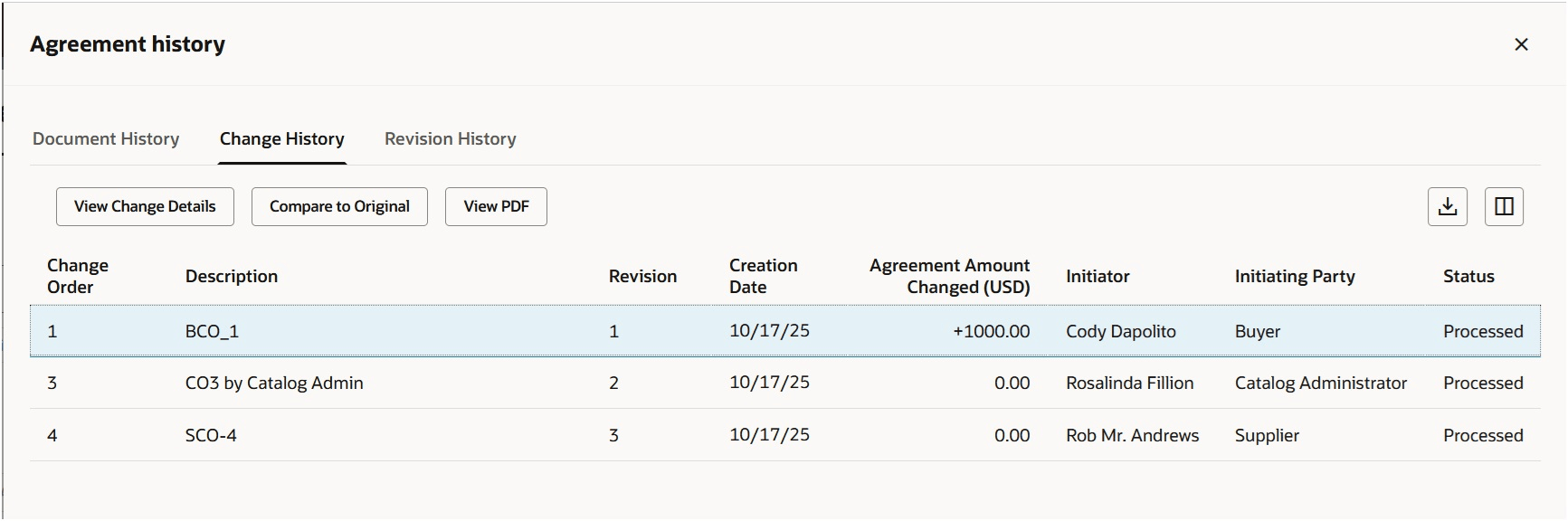
View of Change History as a Supplier
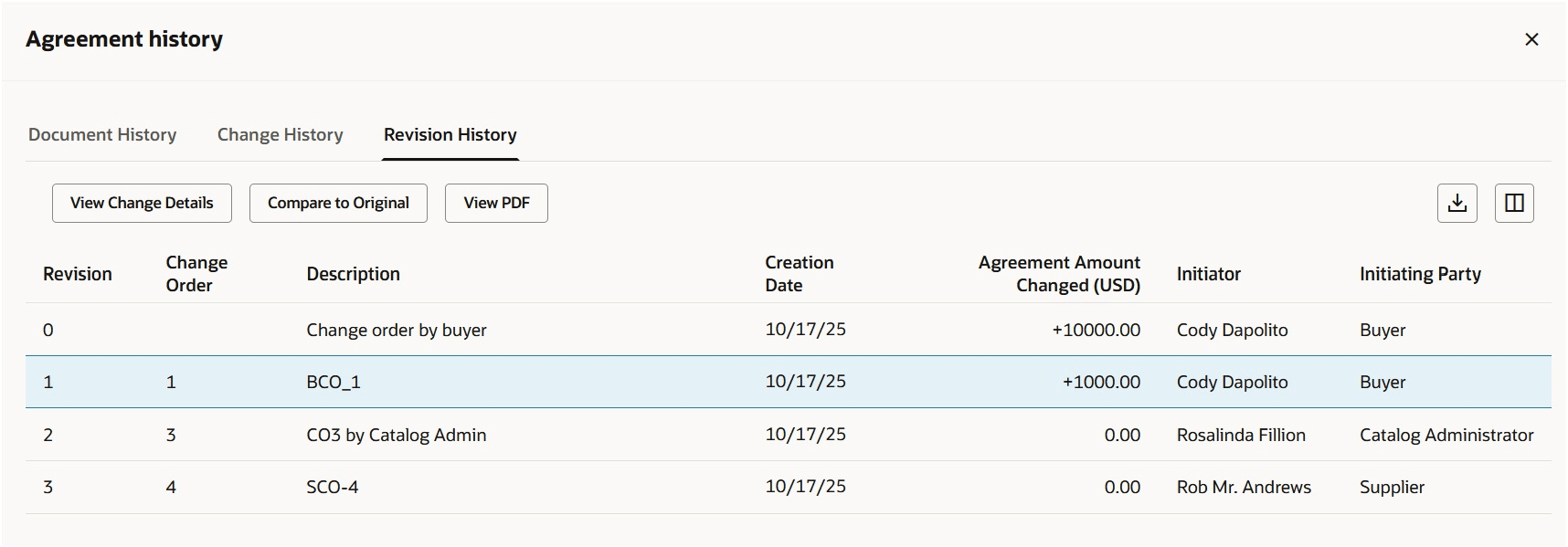
View of Revision History as a Supplier
Steps to enable and configure
You don't need to do anything to enable this feature.
Tips and considerations
- As a supplier, you can only view processed external change orders in the Document History and Change History tabs.
- By default, the Type and Status columns in the Change History tab are hidden. You can use the column management to configure the columns that are hidden.
- Support for extensibility capabilities is available for both the Change History and Revision History pages.
Key resources
- To enable Redwood for Purchasing, see the Getting Started with Redwood in Purchasing topic on the SCM Resource Center in Customer Connect.
- For information about using Oracle Visual Builder Studio to extend your Redwood application pages, see Oracle Fusion Cloud HCM and SCM: Extending Redwood Applications for HCM and SCM Using Visual Builder Studio.
Access requirements
No specific privileges are needed to review change and revision histories.