Redwood: Acknowledge Purchase Agreements and Change Orders
Acknowledge purchase agreements and purchase agreement change orders using a Redwood page as a supplier or buyer.
You can acknowledge your documents from the Redwood Purchase Agreements page when viewing your purchase agreements and change orders. If you are using the Redwood: Use and Configure Redwood-Style Purchasing Document Acknowledgment FYI Notifications feature and Redwood: Enable the New Supplier Portal Home Page Experience feature, the acknowledgement notifications to your suppliers will link to the Redwood Acknowledge Purchase Agreements page.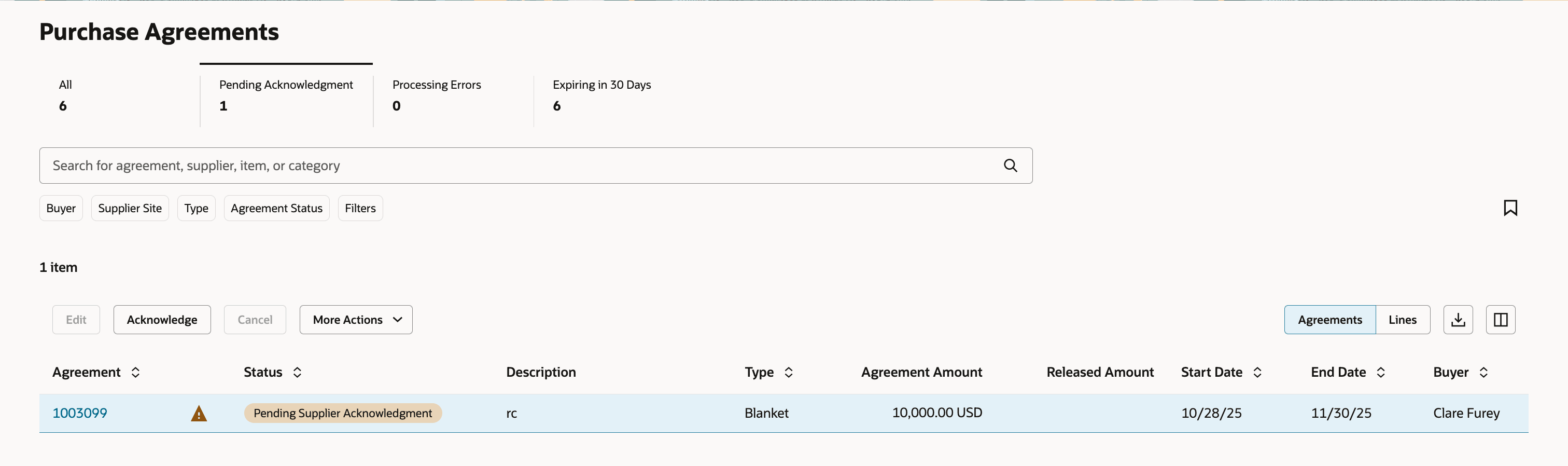
Take the Acknowledge Action
Enter and submit your response on the Redwood Acknowledge Purchase Agreement page. You can also view the document PDF, or review changes on a purchase agreement change order.
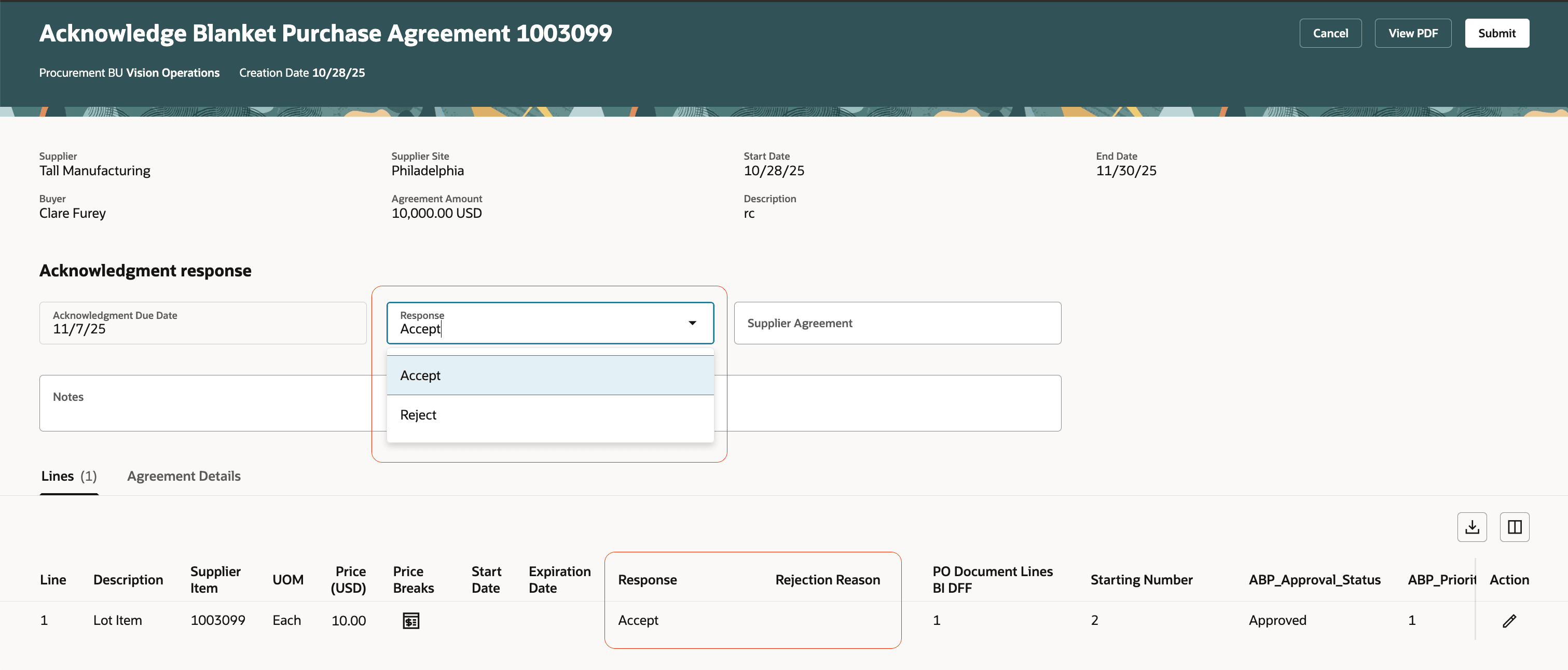
Respond at Header and Line Level
You can view the purchase agreements and purchase agreement change orders awaiting acknowledgment, and record your response at the header and the line level.
The Contract Terms tab is available on the Acknowledge page, allowing you to review the terms before acknowledging the agreement or its change order.
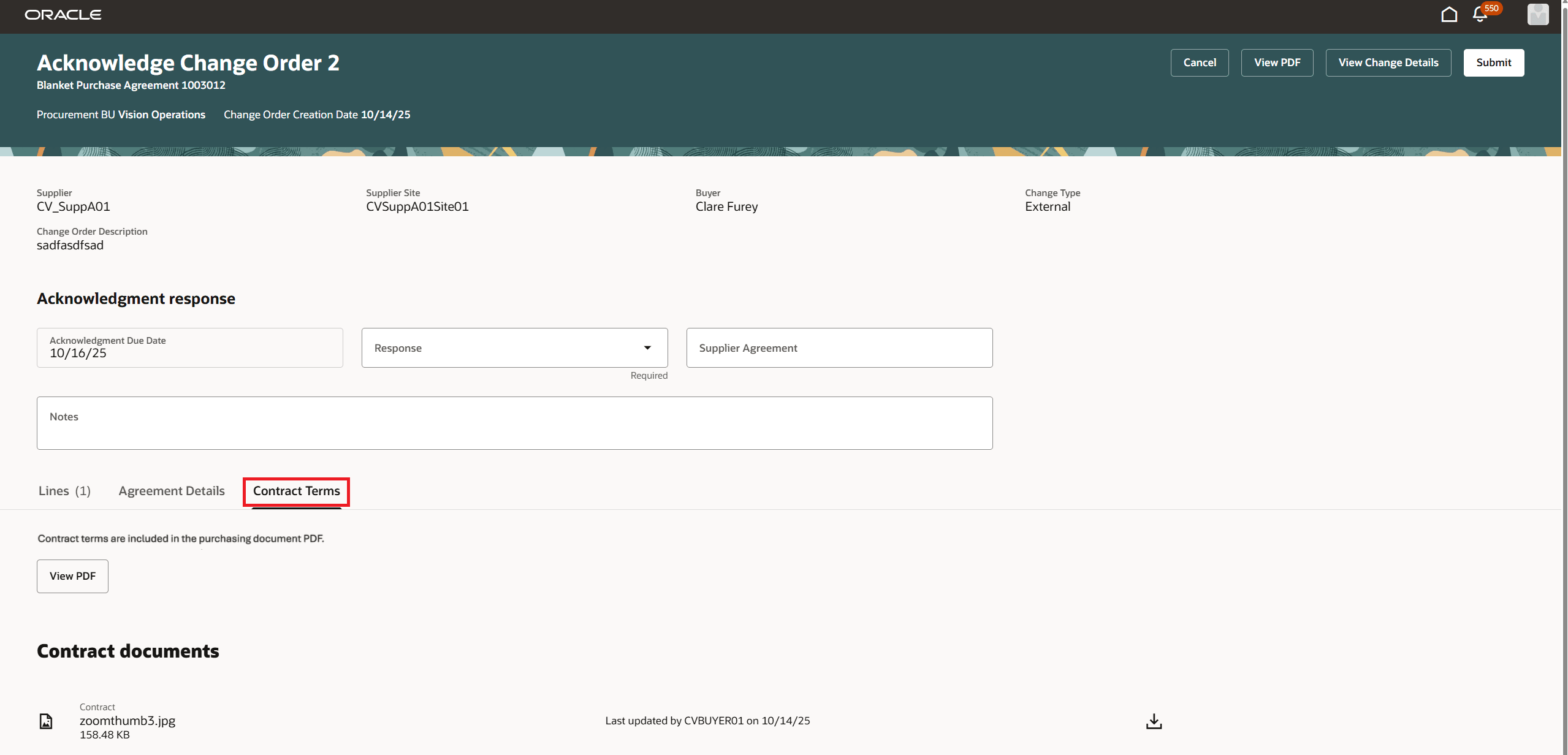
Contract Terms
Steps to enable and configure
You don't need to do anything to enable this feature.
Tips and considerations
- If the purchase agreement requires document and line acknowledgment and you reject all the lines, the application will record a rejection acknowledgment response for the document.
- You can only provide a header response for a purchase agreement cancellation change order requiring acknowledgment.
- A buyer can record a supplier's acknowledgment on the supplier's behalf, using the Acknowledge action on the purchase agreement.
- You can access the Redwood Acknowledge Purchase Agreement page from the Redwood Purchase Agreements page, the Redwood View Purchase Agreement or Redwood View Purchase Agreement Change Order page, or the Redwood approval notification.
- To access the contract terms on purchase orders, you must enable the Enable Contract Terms in Oracle Fusion Procurement opt in available under the Procurement Contracts functional area within the Procurement offering if it's not already enabled.
Key resources
- To enable Redwood for Purchasing, see the Getting Started with Redwood in Purchasing topic on the SCM Resource Center in Customer Connect.
- For information about using Oracle Visual Builder Studio to extend your Redwood application pages, see Oracle Fusion Cloud HCM and SCM: Extending Redwood Applications for HCM and SCM Using Visual Builder Studio.
- For details on how to manage contract terms on a purchasing document, refer to the Redwood: Manage Contract Terms on Purchasing Documents feature, available in Oracle Fusion Cloud Procurement What's New, update 25D.
Access requirements
Users who are assigned a configured job role that contains this privilege can acknowledge a purchase agreement:
- Acknowledge Purchase Agreement (PO_ACKNOWLEDGE_PURCHASE_AGREEMENT_PRIV)
Users who are assigned a configured job role that contains this privilege can review any contract terms associated with the agreement:
- View Contract Terms (OKC_VIEW_CONTRACT_TERMS_AND_CONDITIONS_PRIV)
These privileges were available prior to this update.