Redwood: Add Line Details with Spreadsheet
Import negotiation line details such as line attributes, cost factors, price tiers, and price breaks using the Excel spreadsheet template.
Export negotiation lines to MS Excel, and use the same file to add, update, or delete line details like external cost factors, price breaks, price tiers, and line attributes along with your lines. In the Redwood experience, a new improved MS excel template is available to easily import line details using distinct worksheets when creating a draft negotiation. Click on the download icon over the lines table to export the template (.xls format). Enter line details information in the respective worksheets, then use the Import action to upload to the draft negotiation. Any errors found in the data when importing the file will be displayed in the panel drawer for your review. You can fix the errors and import the file again.
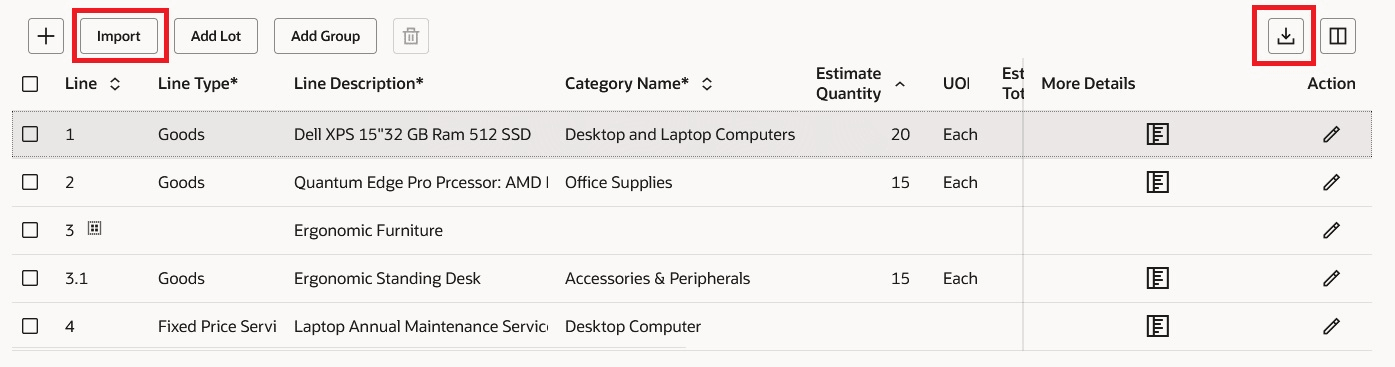
Export and Import Lines Template
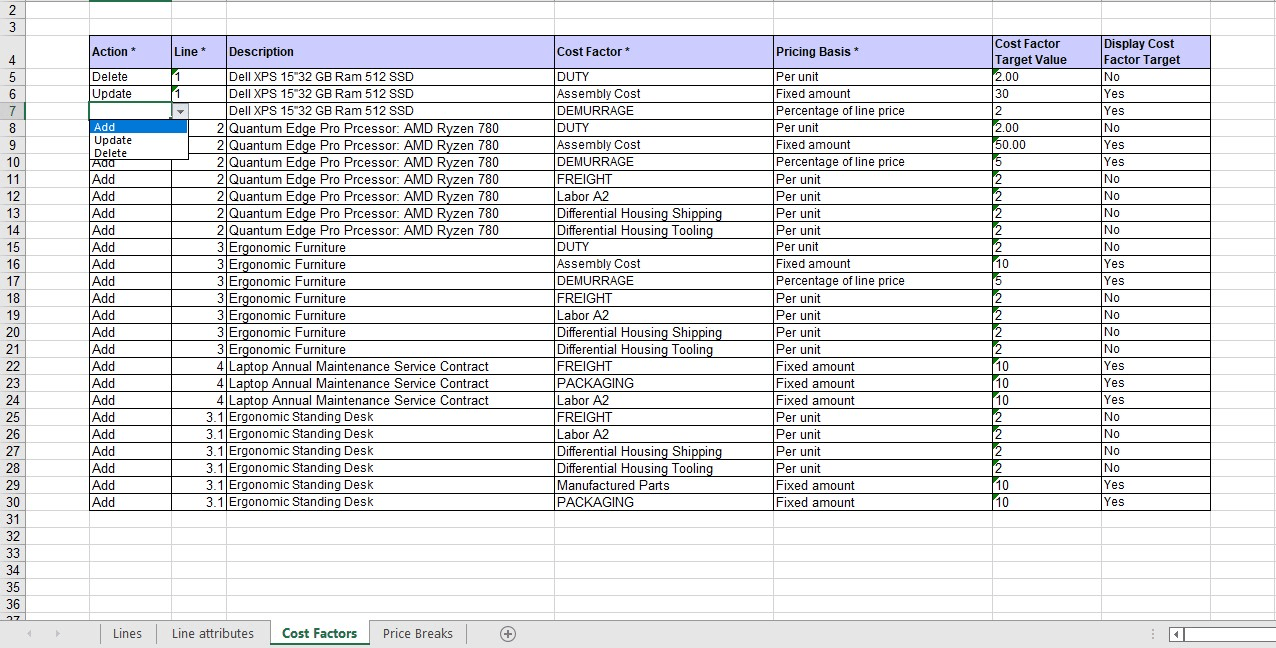
Add, Update, and Delete Action on Lines Worksheet
Steps to enable and configure
To use this feature, you must enable these profile options if you haven't already.
- Redwood Pages for Sourcing Enabled (ORA_PON_SOURCING_REDWOOD_ENABLED).
- Redwood Page to Create Negotiation Enabled (ORA_PON_CREATE_NEGOTIATION_REDWOOD_ENABLED)
For instructions on enabling a profile option, refer to the Set Profile Option Values topic.
Tips and considerations
- Exporting negotiation line details to Excel is supported for both draft negotiations and amendments. DFFs aren't supported.
- Export and import of line details to group and lot line types are supported.
- In classic UI, line import uses a .ZIP file, but the extracted .XLS template is compatible with both the ADF and Redwood UI during the transition.
- Ensure date, time, and price formats in your spreadsheet match your user preferences to avoid formatting errors during import.
- When adding line details, for example ECF, Price Tiers, and so on, the line description automatically populates in the line details spreadsheet. If not, copy the first description and fill down the rows in Excel.
- When entering dates, Excel may convert them to numeric format. To keep them as text, add a single quote before the date or set the cell type to Text.
Key resources
- More info on importing lines in the classic application go Oracle Help Center and refer to this chapter. https://docs.oracle.com/en/cloud/saas/procurement/25b/oaprc/what-happens-when-you-import-lines-to-negotiations-by.html#How-You-Add-Negotiation-Lines-Spreadsheet-Column-Explanations
- Refer to Overview of Guided Journeys in the Oracle Fusion Cloud Human Resources: Implementing and Using Journeys guide, available on the Oracle Help Center.
Access requirements
Users who are assigned a configured job role that contains these privileges can access this feature:
- Create Supplier Negotiation (PON_CREATE_SUPPLIER_NEGOTIATION_PRIV)