Redwood: Apply Internal Cost Factors
Category managers can now apply internal cost factors to supplier responses in the Redwood application to analyze the true total cost of doing business and make more informed award decisions. By incorporating internal costs such as logistics, risk, past performance issues, switching costs, or additional project management needs, the application calculates a transformed amount that goes beyond the supplier’s quoted price and reflects the overall financial impact.
When creating a negotiation using a template with internal cost factors enabled for either the overall response amount or line price, a dedicated internal cost factors step appears in the create negotiation guided process, providing better visibility and easy access to apply and manage cost factors.
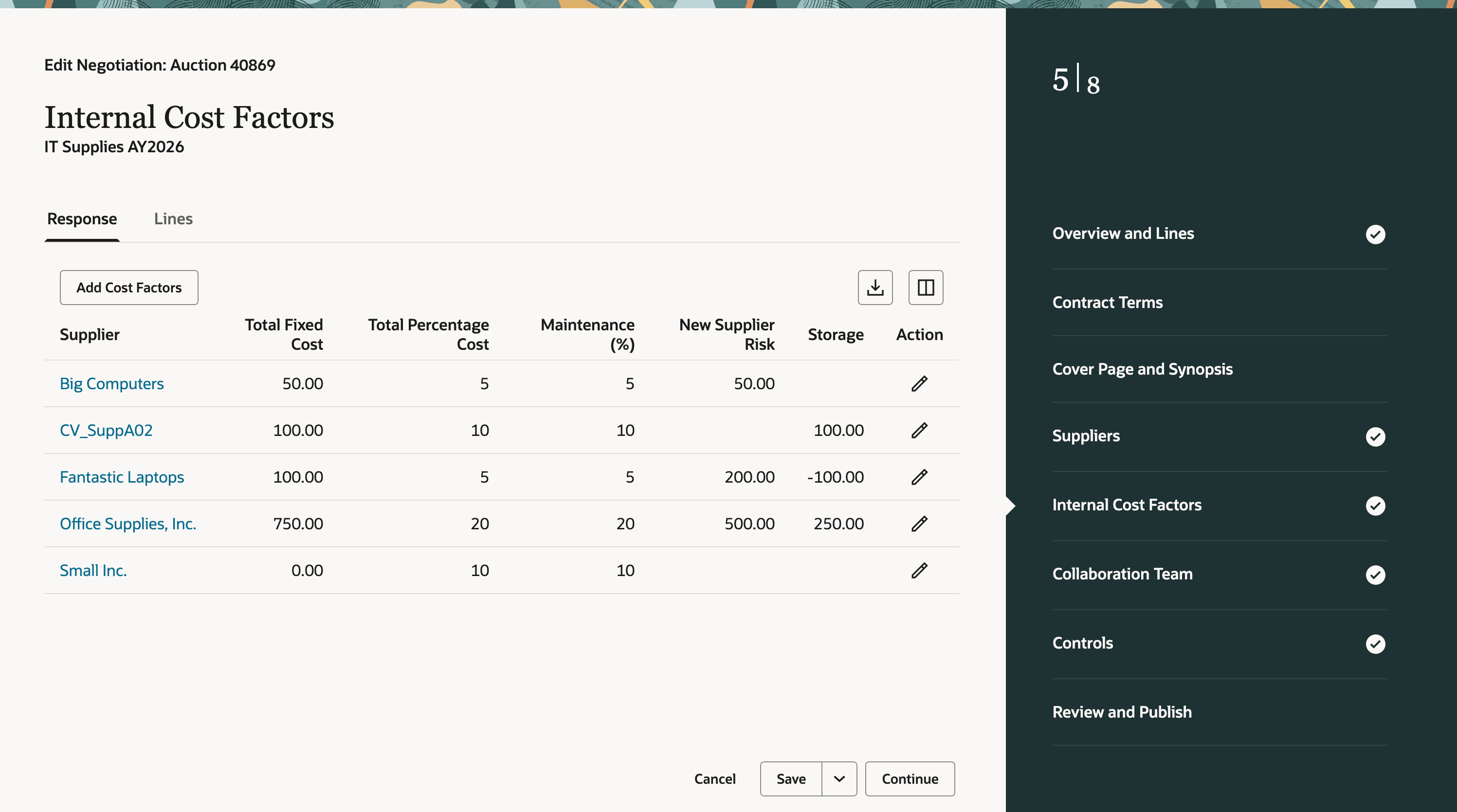
Apply Internal Cost Factors for Supplier Responses When Creating a Negotiation
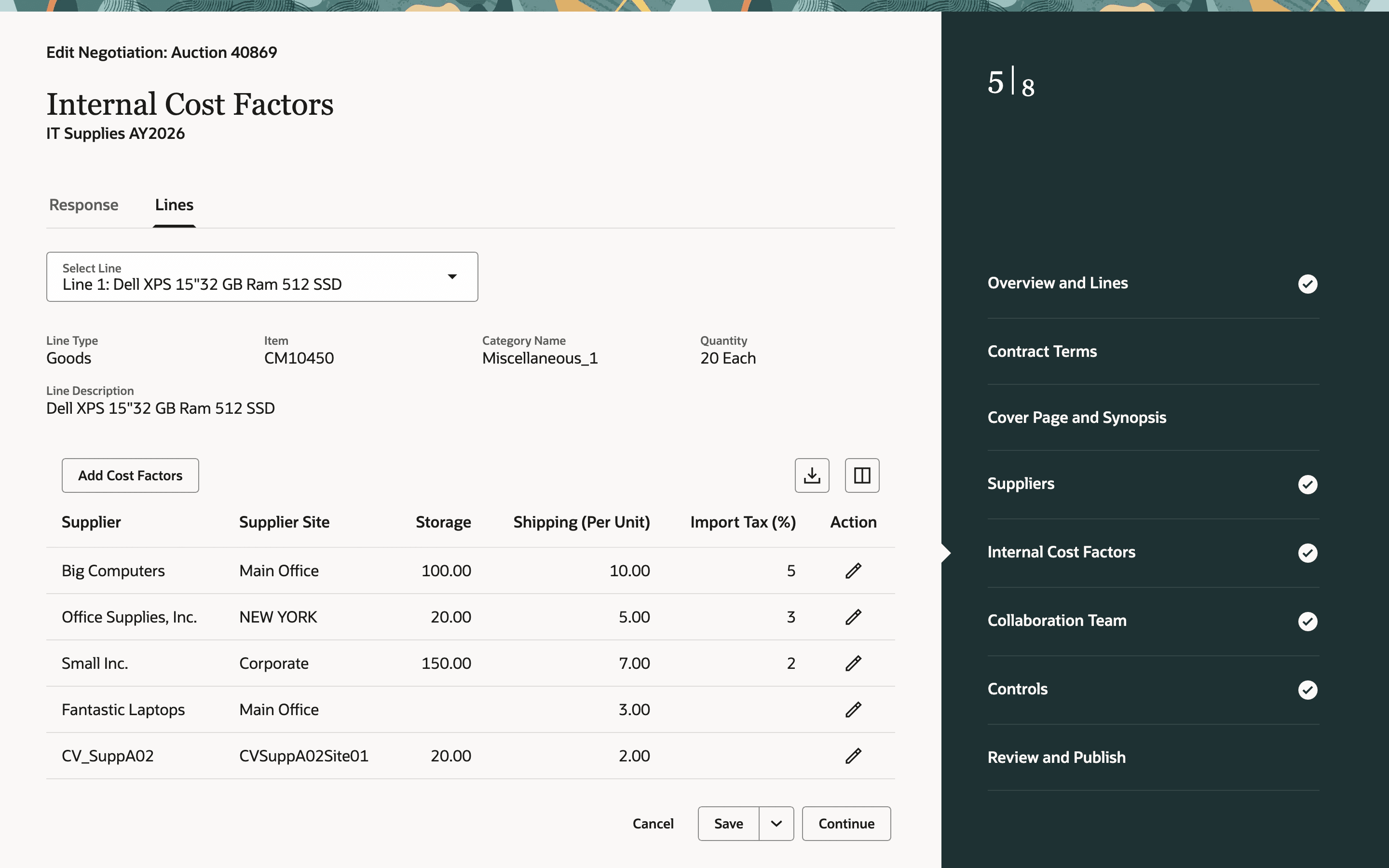
Apply Internal Cost Factors for Lines When Creating a Negotiation
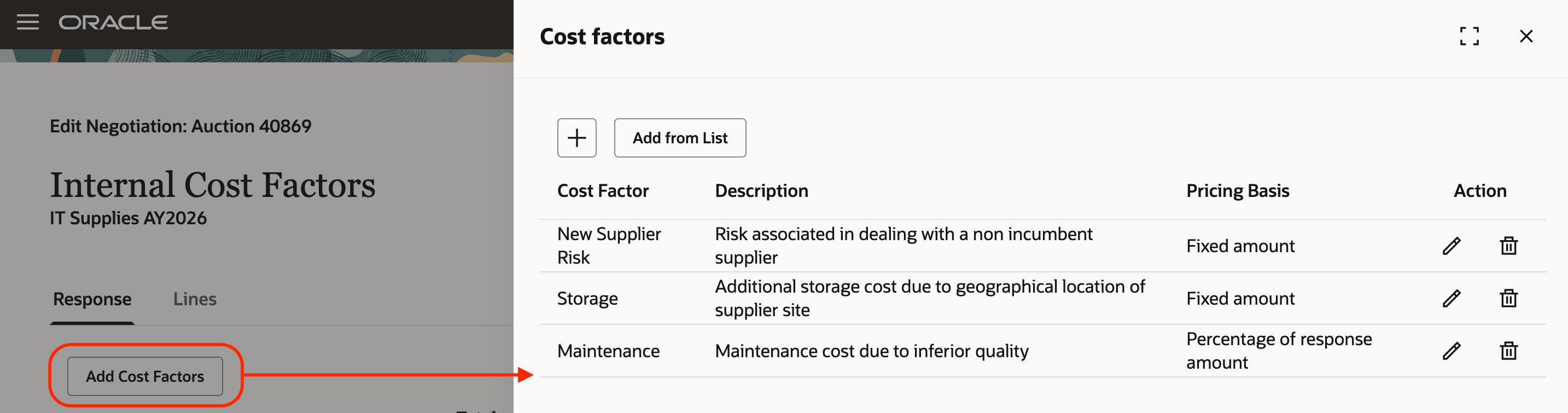
Add Internal Cost Factors When Creating a Negotiation
To drive competitive bidding based on transformed responses and give suppliers visibility into how their bids compare, you can choose to display the transformed amounts and ranks to suppliers by enabling the applicable response rules in controls.
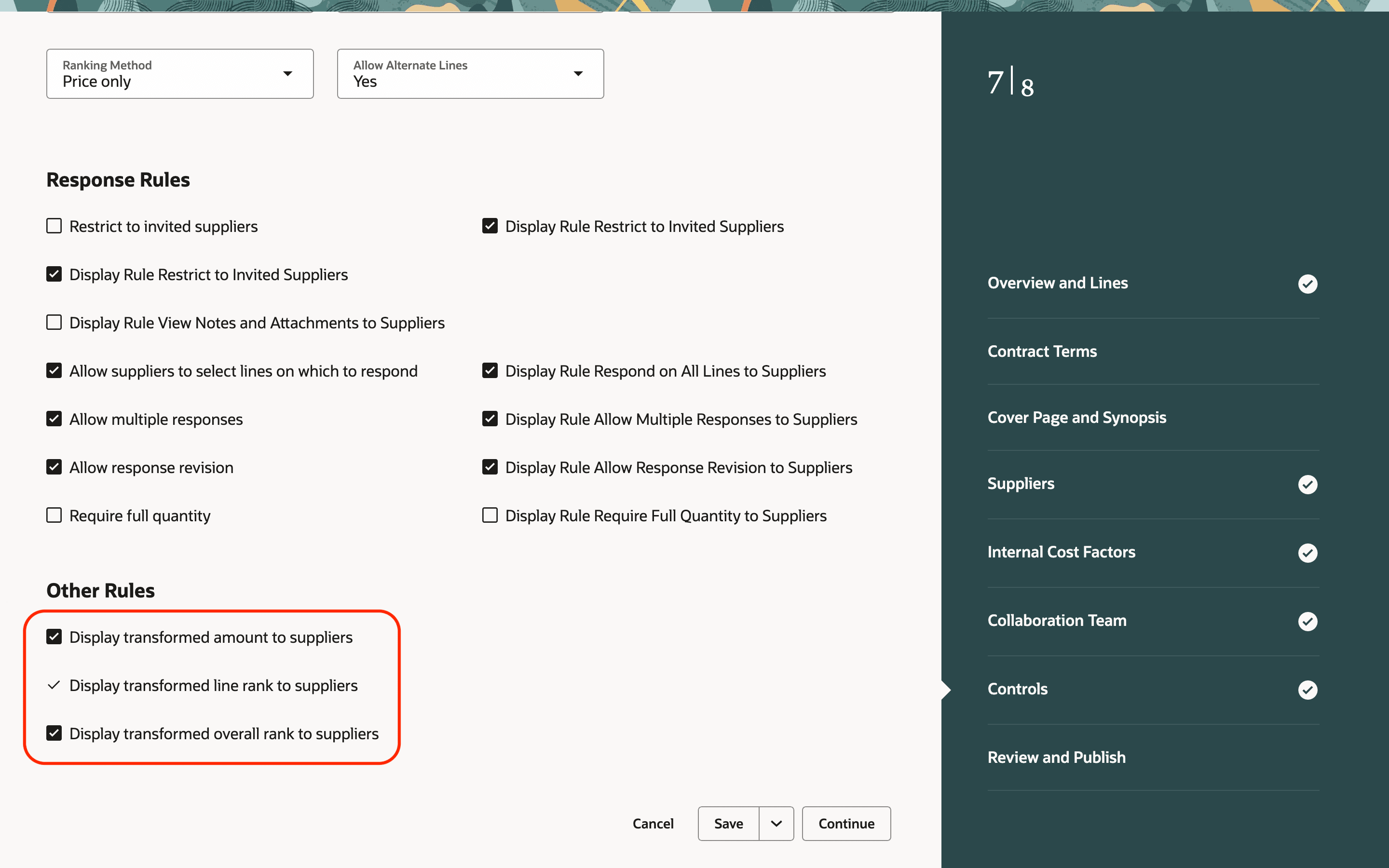
Set Response Rules in Controls When Creating a Negotiation
You can evaluate bids based on the transformed amount that’s calculated by aggregating internal and external cost factors.
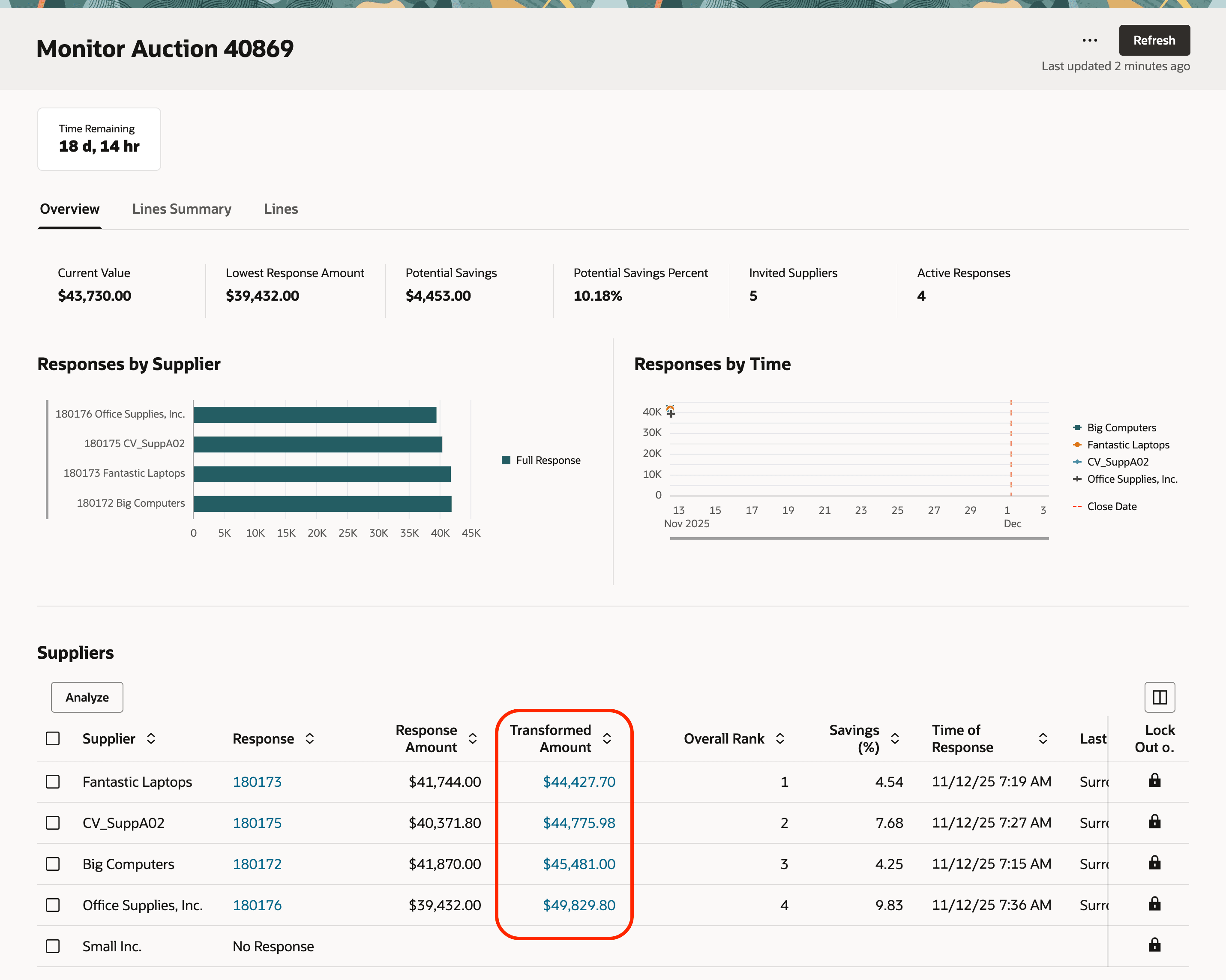
View Transformed Amount and Overall Rank When Monitoring Negotiation
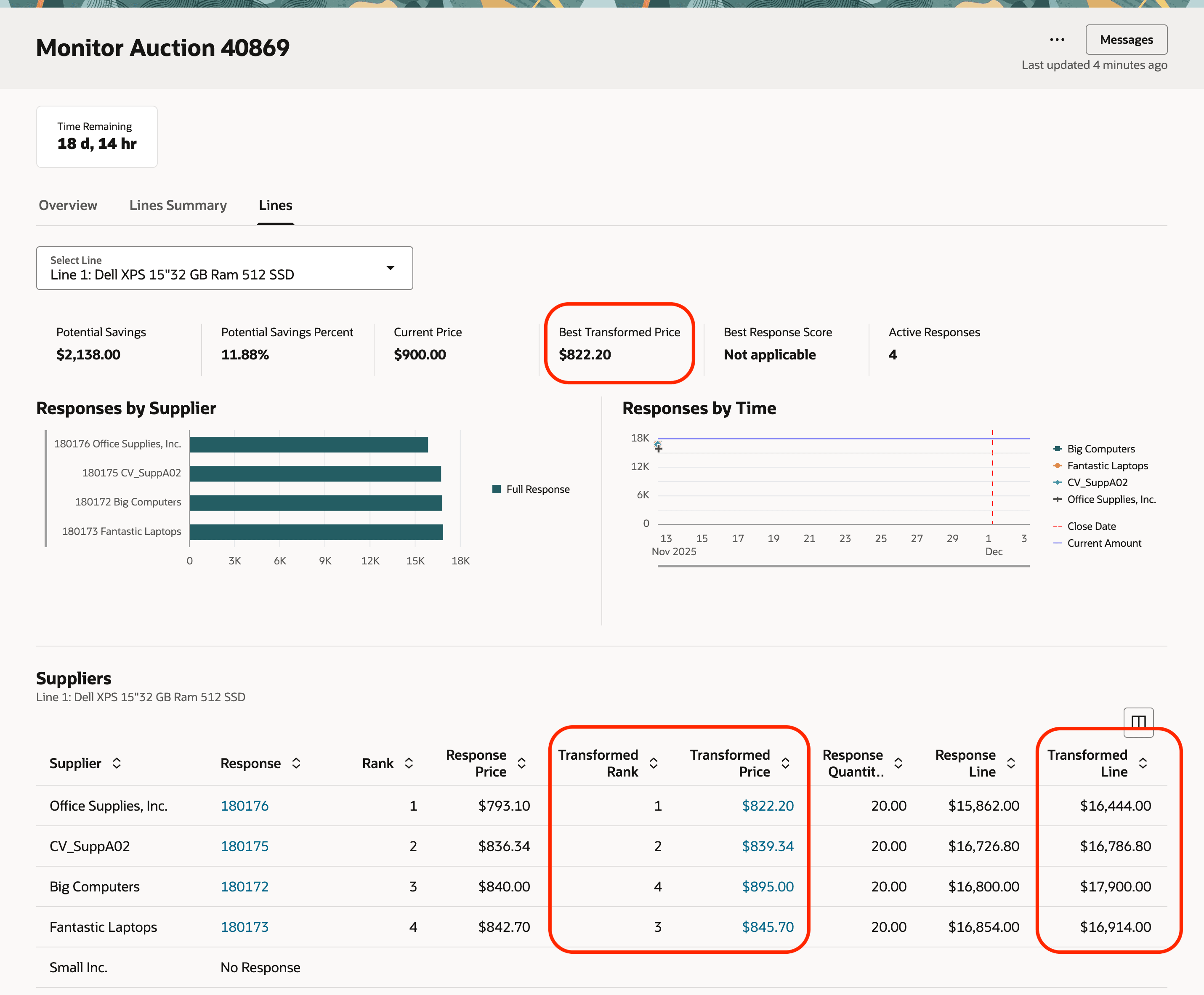
View Transformed Price, Line Amount, and Rank When Monitoring Negotiation
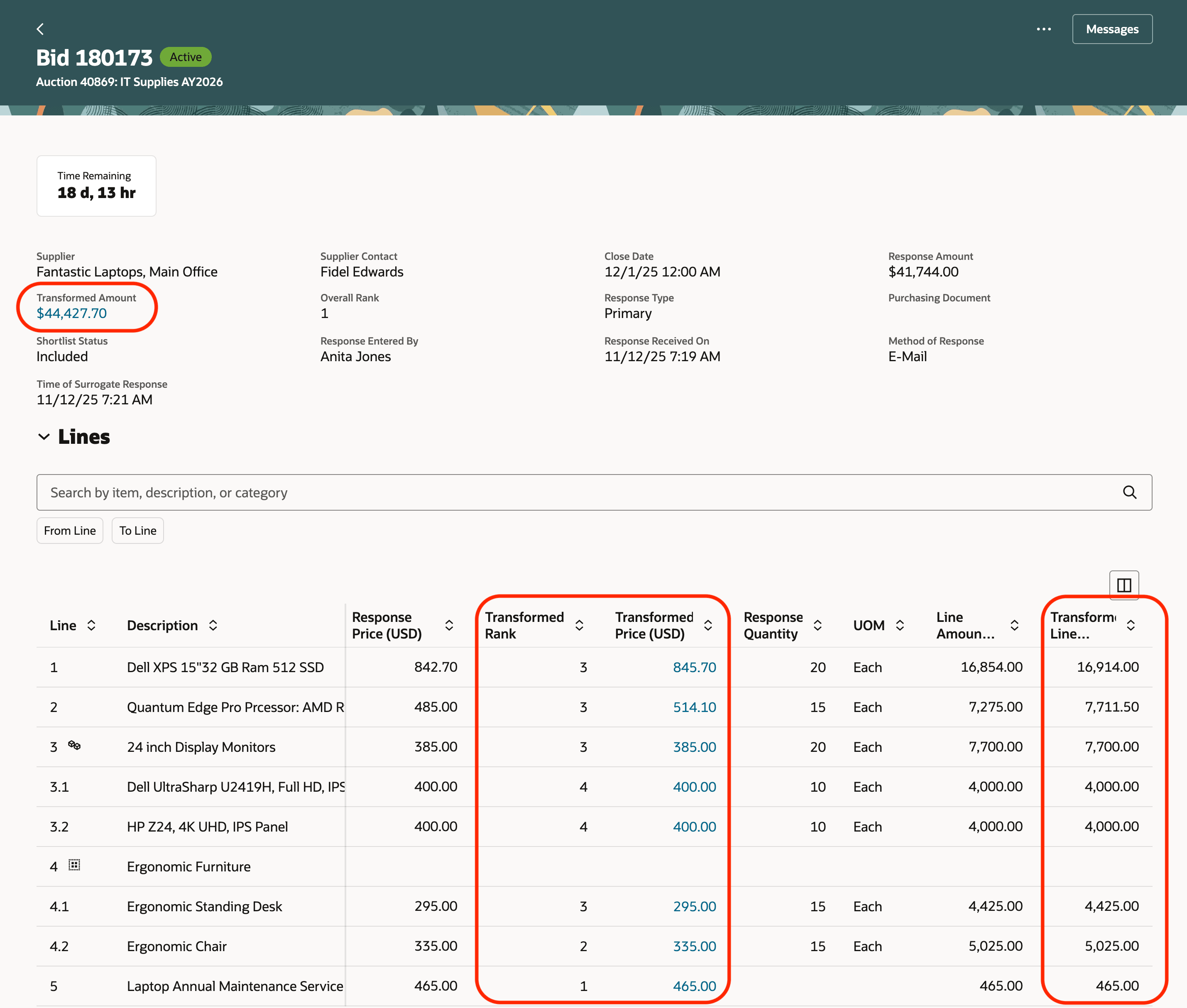
View Transformed Attributes for a Response
When suppliers are allowed to see transformed amounts and rankings while monitoring and viewing responses, it encourages more competitive bidding, and the supplier with the highest rank can emerge as the actual best value option.
Key enhancements in the Redwood application compared to the classic application:
- Internal cost factors as a dedicated step - Internal cost factors now appear as a separate step in the guided Create Negotiation process, offering better visibility and quick access.
In addition, instead of navigating through the multiple drill-down pages, Redwood shows internal cost factors as a collapsible section on the Review and Publish and View Negotiation pages, giving users immediate visibility into cost factors applied at the response or line level without leaving the page.
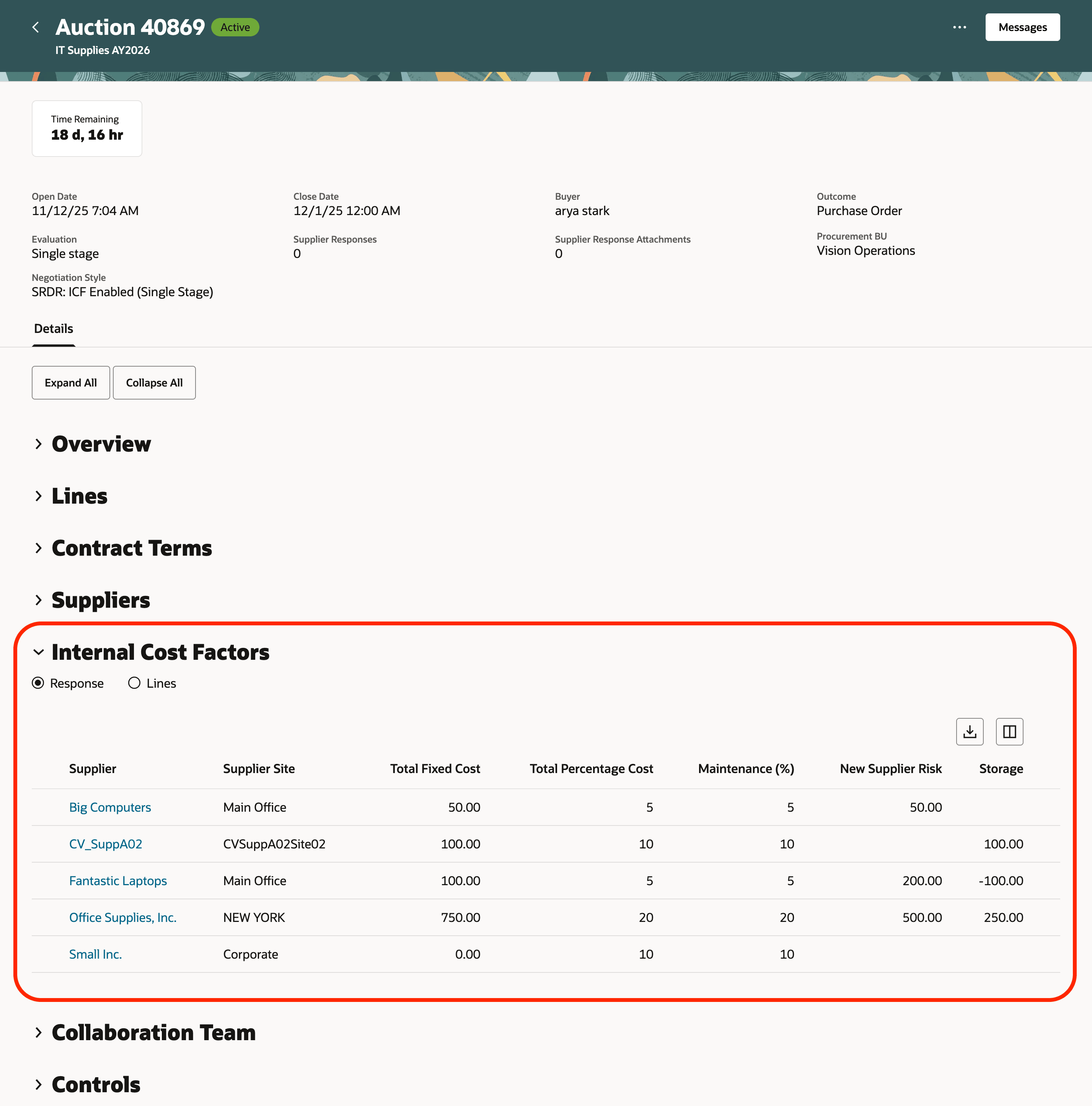
View Internal Cost Factors for Responses and Lines in View Negotiation Page
- Line search capability - Quickly find and select a line in the Lines tab by searching with a keyword that matches either the line number or part of the description when entering or viewing cost factors for lines.
- Cost factor updates streamlined for in-progress negotiations - Adjusting cost factor values when the negotiation is active, closed, or an award is in progress is now integrated into the Update flow, removing the need for a separate drill-down page.
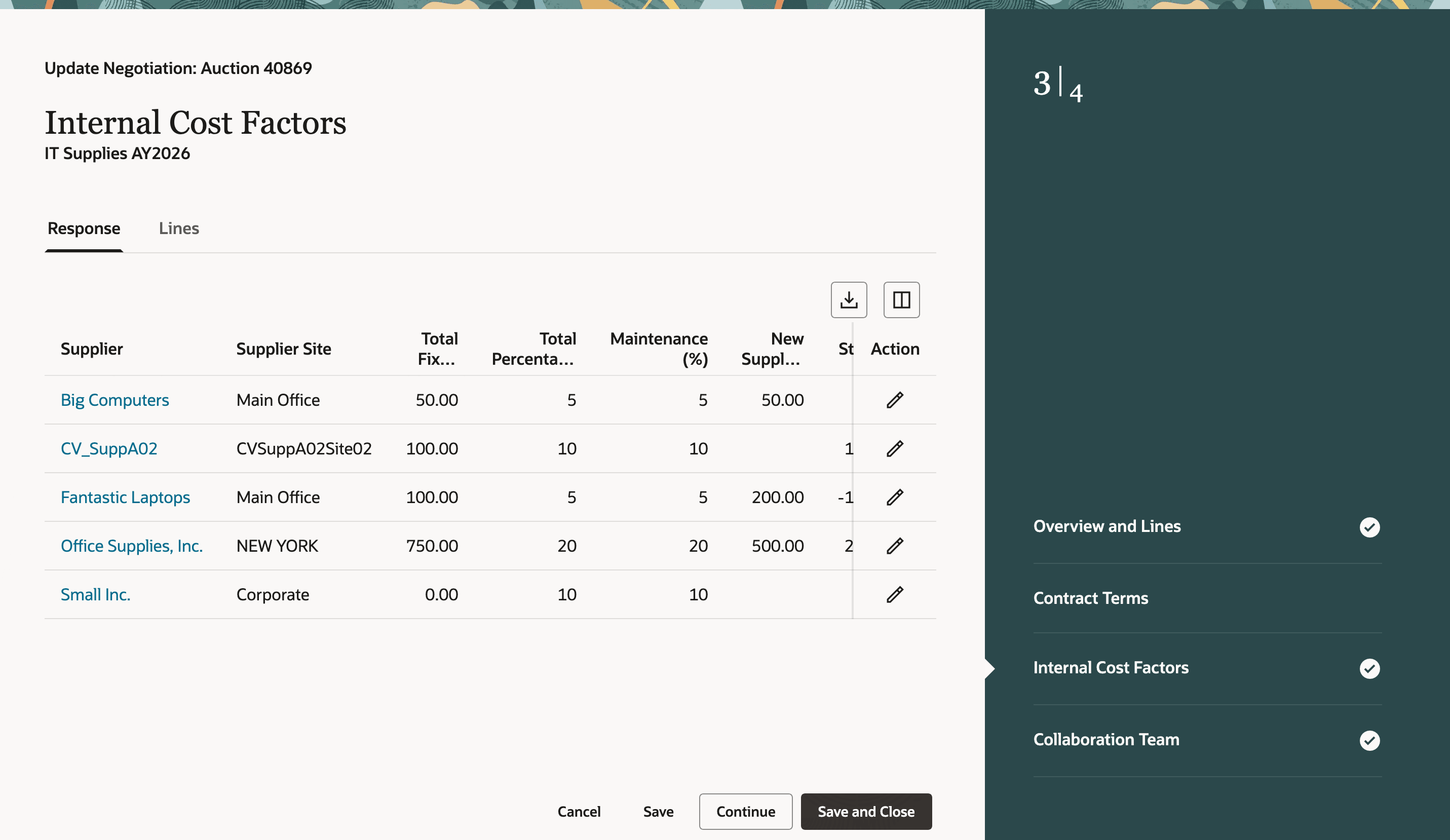
Update Internal Cost Factors for Supplier Responses
- Detailed breakdown of transformed amount and price - Redwood provides an in-context breakdown of how the transformed amount or price is calculated.
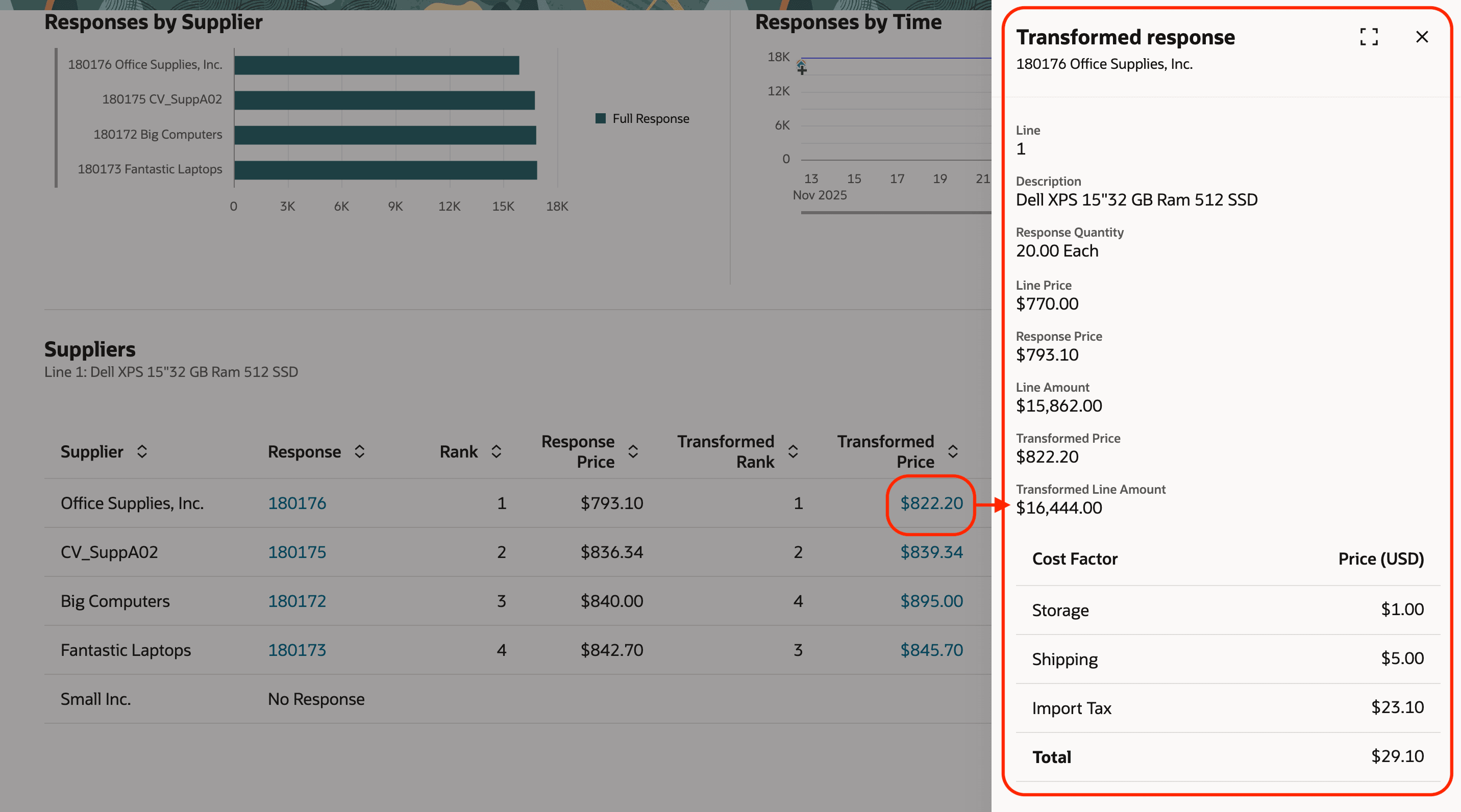
View Detailed Breakdown of Transformed Price and Line Amount
This feature helps organizations make smarter award decisions based on the true total cost of doing business, rather than only comparing quoted prices. It improves sourcing outcomes by identifying the supplier that delivers the best overall value and cost efficiency.
Steps to enable and configure
To use this feature, you must opt in to the required feature and enable the corresponding profile option if you haven’t already.
- Feature: Apply Internal Cost Factors in Supplier Negotiations opt-in within the Sourcing functional area under the Procurement offering. For instructions on opting in to a feature, refer to the Optional Uptake of New Features section of this document.
- Redwood Pages for Sourcing Enabled (ORA_PON_SOURCING_REDWOOD_ENABLED).
- Redwood Page to Create Negotiation Enabled (ORA_PON_CREATE_NEGOTIATION_REDWOOD_ENABLED).
For instructions on enabling a profile option, refer to the Set Profile Option Values topic.
Tips and considerations
- You can define default internal cost factors for lines, which are automatically applied whenever a new line is added to the negotiation.
- Detailed internal cost breakdowns for transformed amount and transformed price on the Award and Analyze pages, as well as side-by-side internal cost comparisons when comparing responses, aren't available in this update but will be available in a future release.
Key resources
- For information about using Oracle Visual Builder Studio to extend your Redwood application pages, see Oracle Fusion Cloud HCM and SCM: Extending Redwood Applications for HCM and SCM Using Visual Builder Studio.
- Refer to Overview of Guided Journeys in the Oracle Fusion Cloud Human Resources: Implementing and Using Journeys guide, available on the Oracle Help Center.
- For more information about internal cost factors, see Apply Internal Cost Factors.
Access requirements
Users who are assigned a configured job role that contains this privilege can access this feature:
- Apply Internal Cost Factors (PON_APPLY_INTERNAL_COST_FACTORS)
This privilege was available prior to this update.