Redwood: Uptake Latest Question Revision in Requirements
When managing negotiation requirements in Redwood, you can now uptake the latest question revision. The action Uptake Latest Revision applies the latest version of the predefined question in a draft negotiation. This way, any requirements copied from the negotiation template that are now outdated, are revised.
Also, the Preview Questionnaire button is now available in the Create Negotiation, Review and Publish step of the guided process and in the View Negotiation page after the negotiation is published. This allows buyers to easily review questionnaire details at every stage of the negotiation lifecycle. You can also preview the questionnaire and apply new search filters for branching and scoring, simplifying the management of large numbers of requirements.
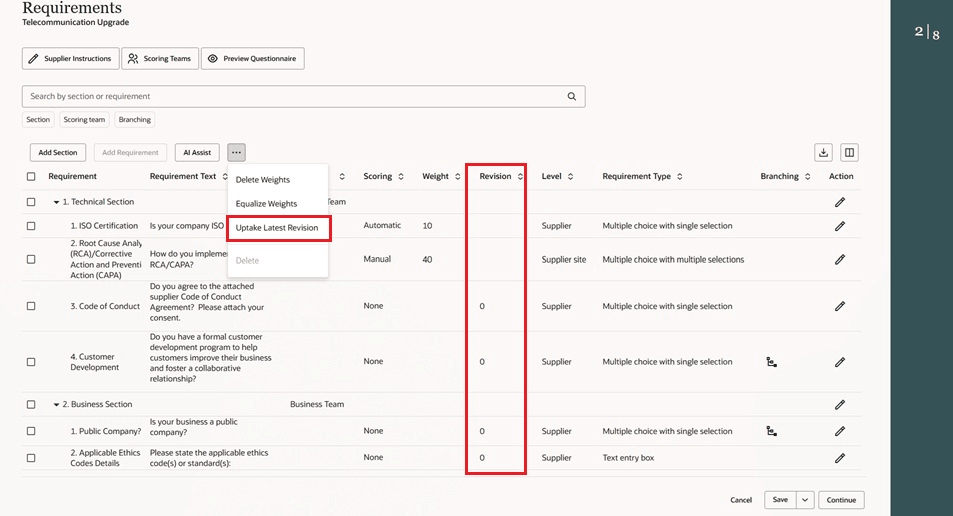
Requirements - Uptake Latest Revision
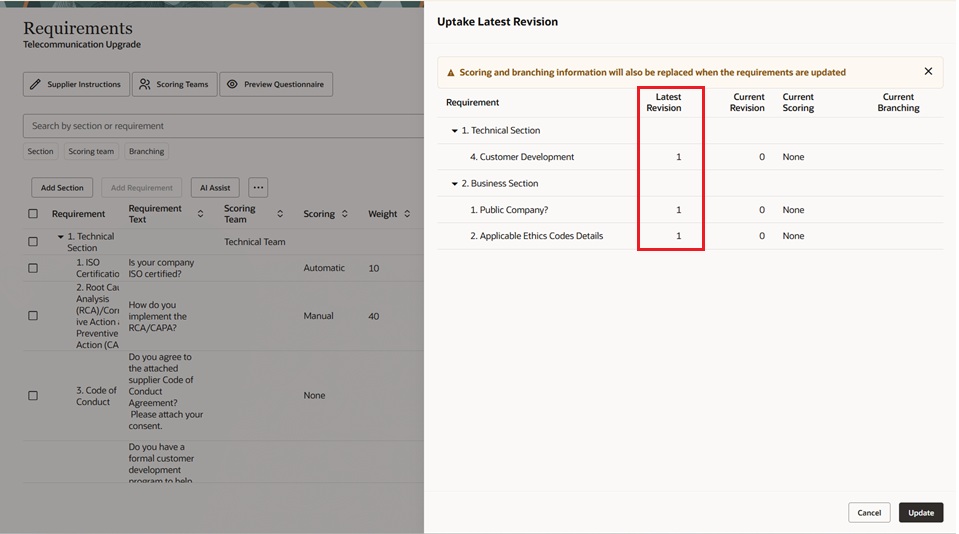
Uptake Latest Revision - Panel drawer
Click on Update, will fetch all the questions which has latest revision.
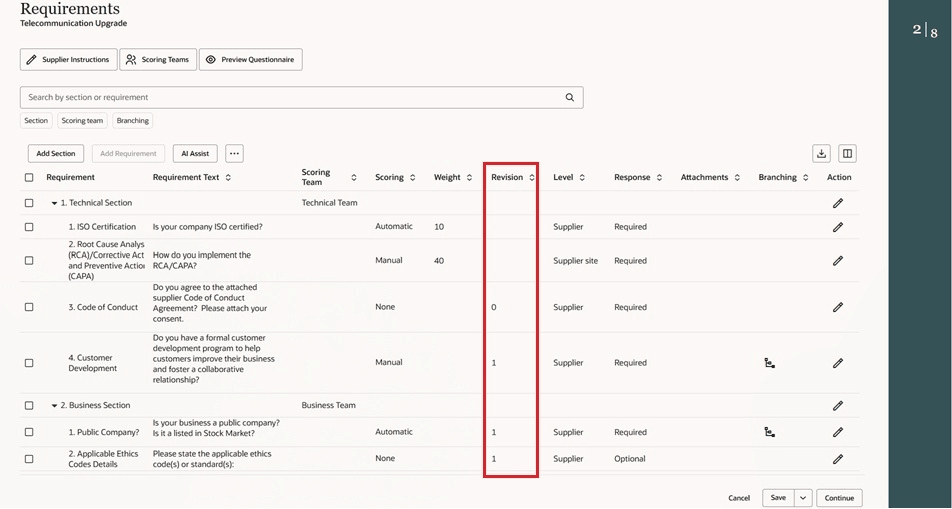
Uptake Latest Revision Drawer Shows the Latest Revision
The new revision is updated in the requirements page.
In Redwood, you can now quickly preview added requirements and sections with the new Preview Questionnaire button in Redwood. This button is visible in the Requirements, Review and Publish, and View Negotiation pages. If a negotiation has fewer than 20 requirements or 5 sections, then the questionnaire appears in a panel drawer. For high-volume negotiations with 20 or more requirements or 5 or more sections, the questionnaire opens in a dedicated page for easier navigation and review.
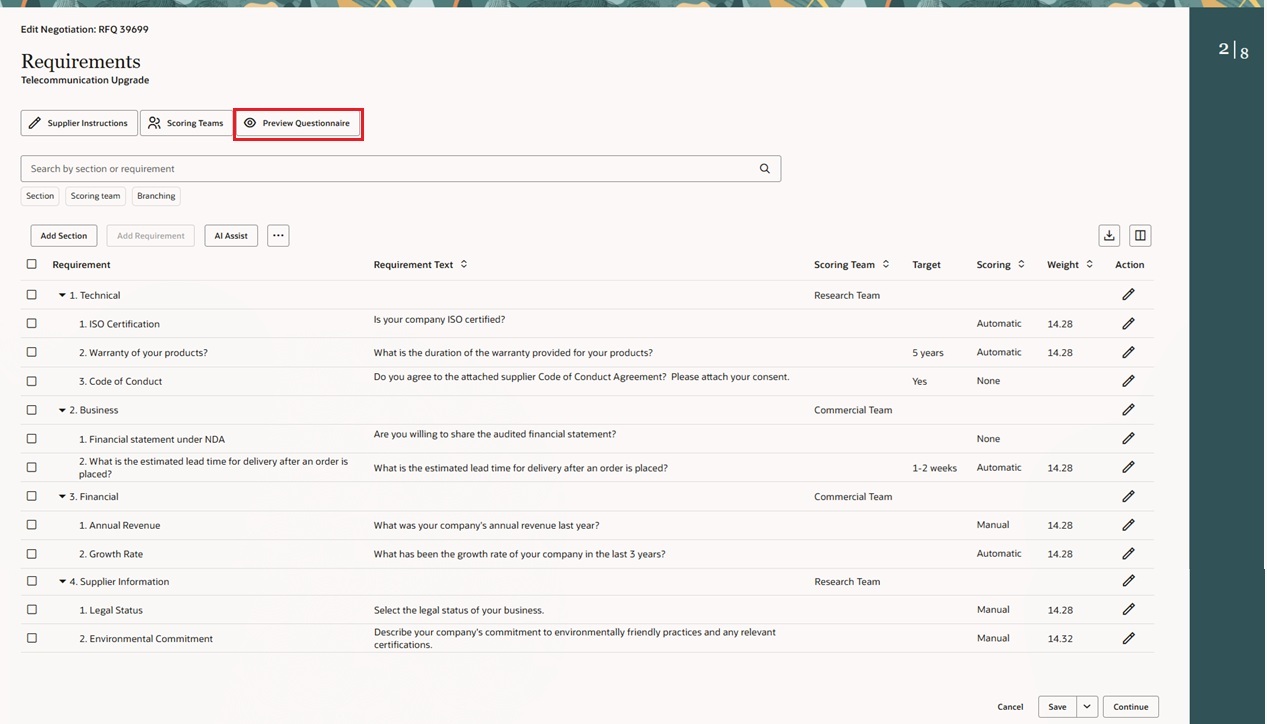
Requirement Guided Process Page - Click on Preview Questionnaire
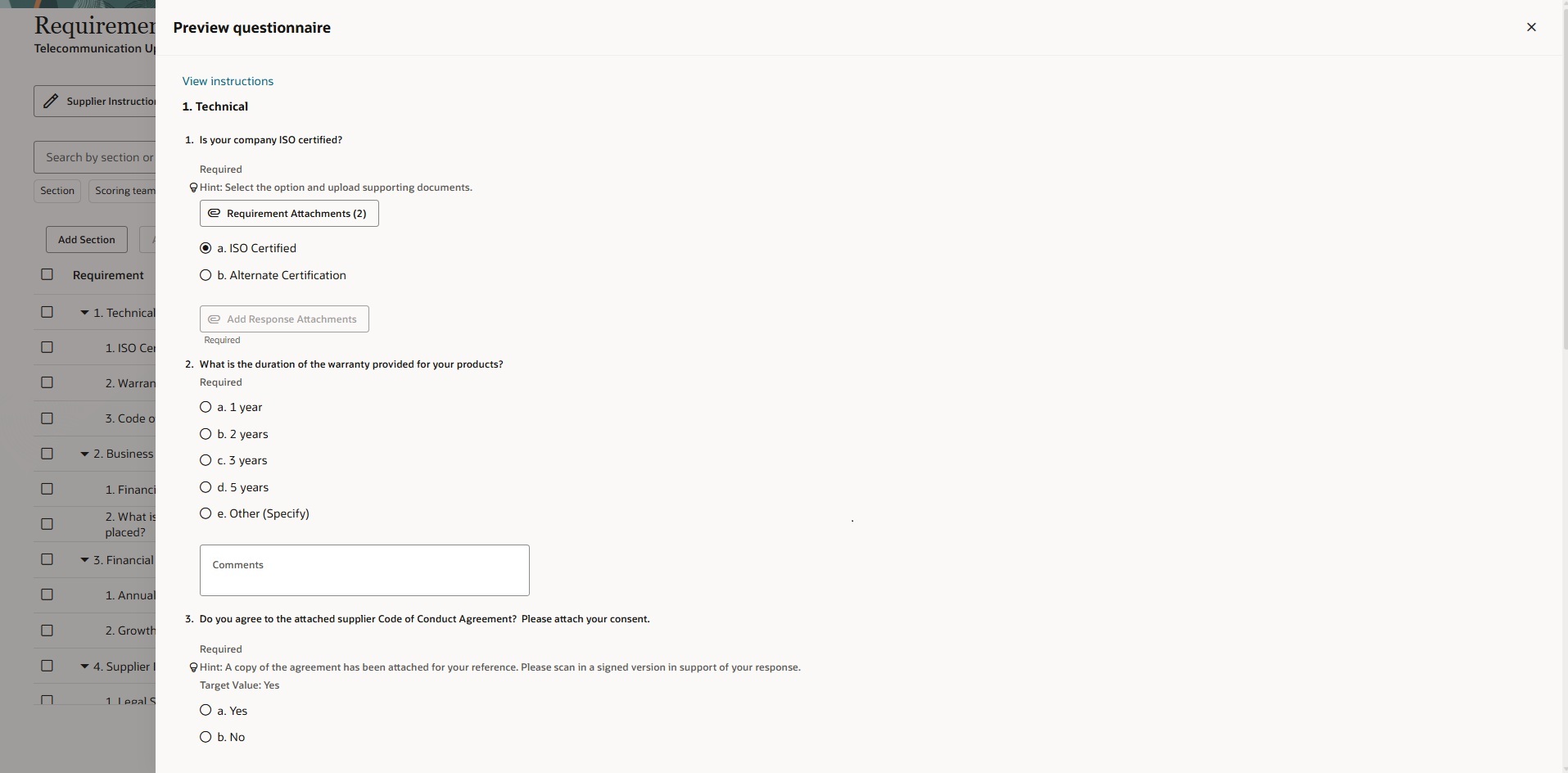
Preview Questionnaire Panel Drawer - Simple Negotiation
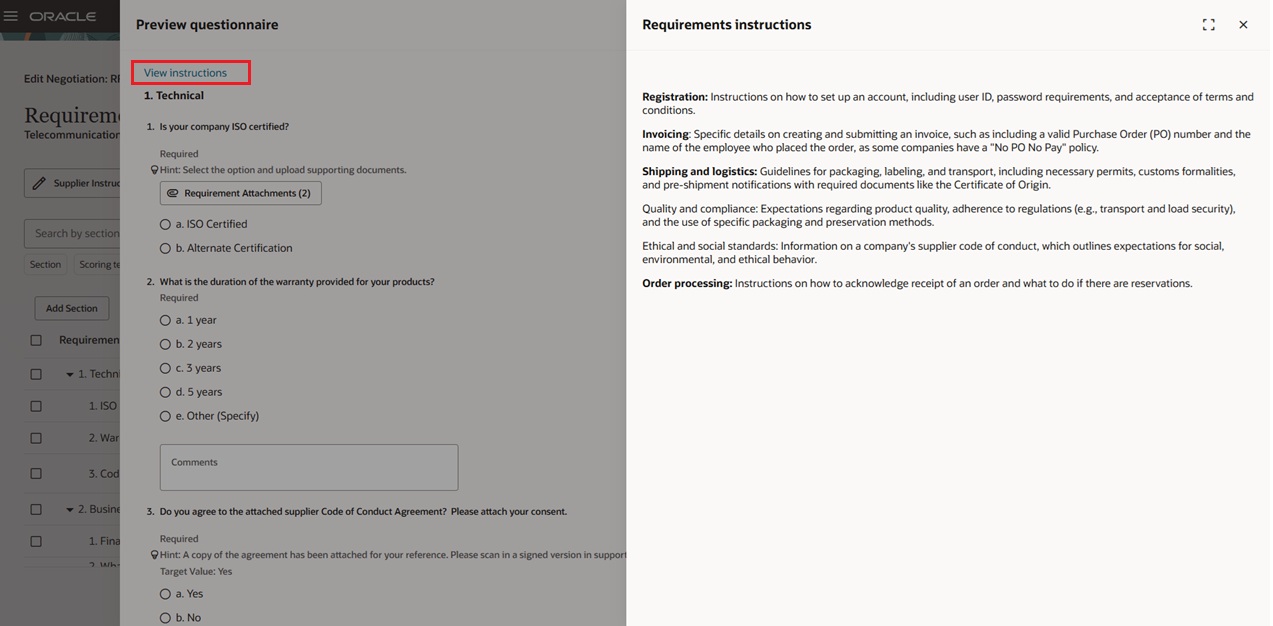
Preview Questionnaire View instructions - Simple Negotiation
You can view the instructions by clicking on the View instructions hyperlink, which opens a panel drawer.
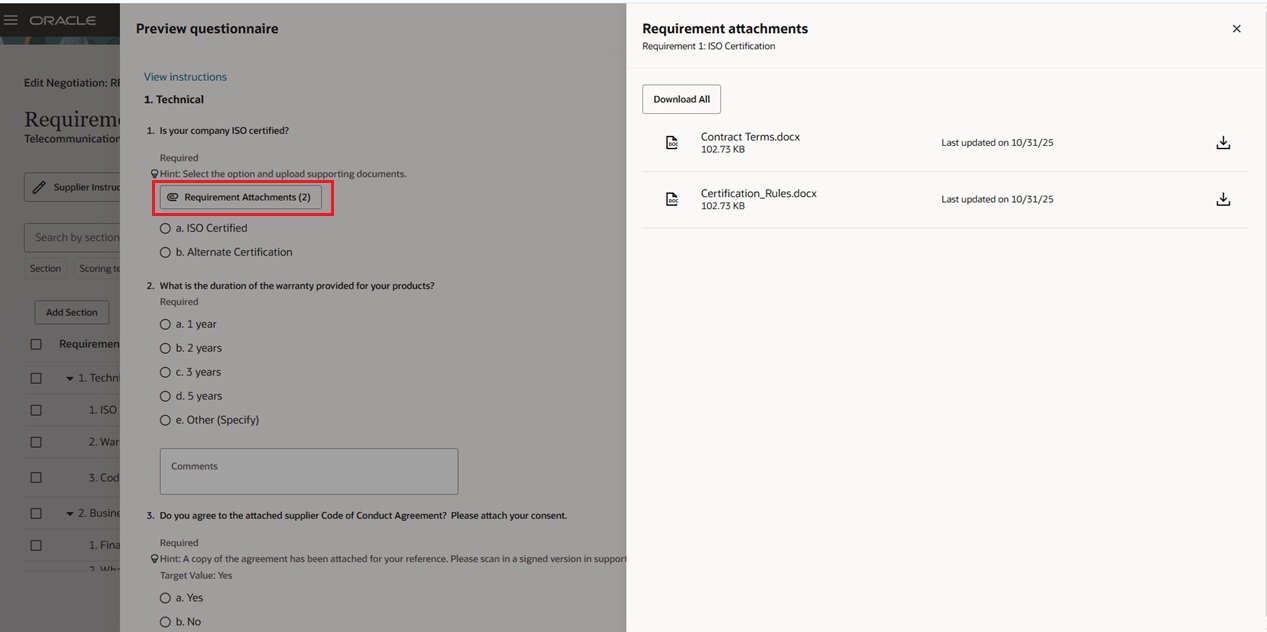
Requirement Attachments – Simple Negotiation
When you click Requirement Attachments, it opens a panel drawer where you can view and download attachments associated with the requirement.
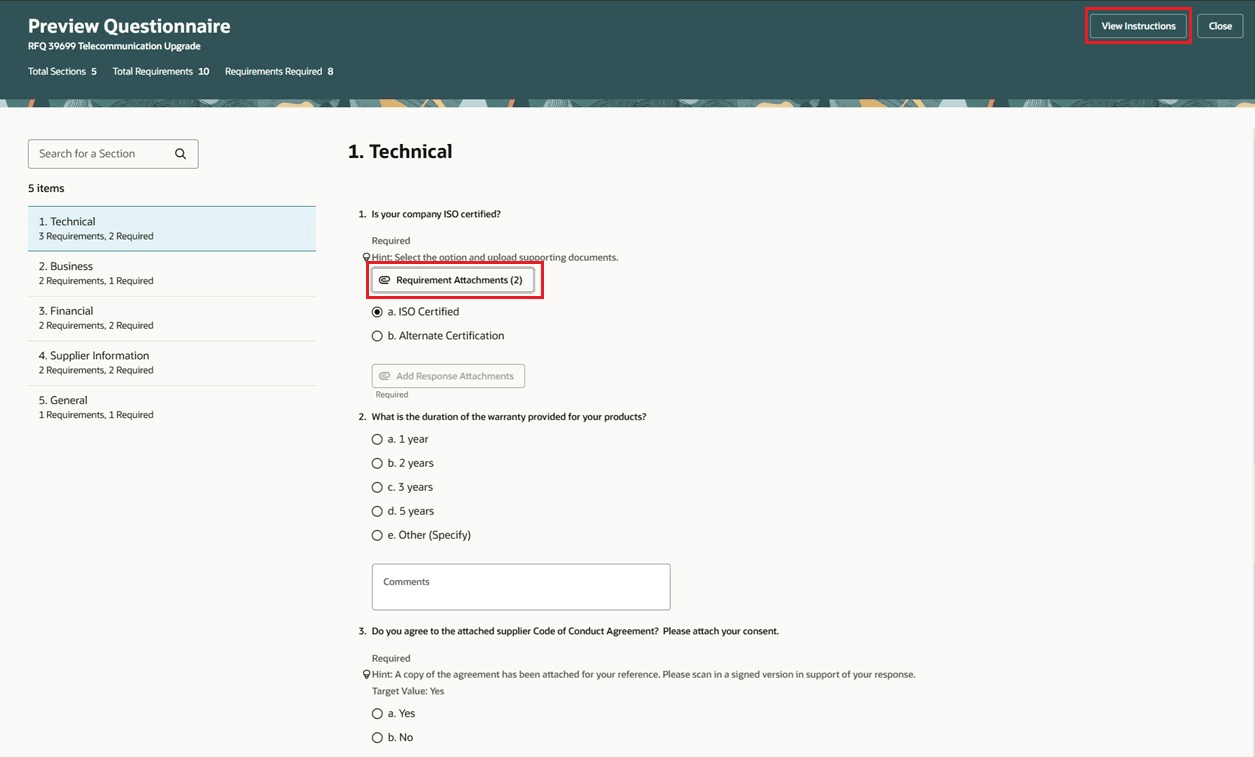
Preview Questionnaire - High Volume Requirements
Click the View instructions button, the requirements instructions opens a panel drawer.
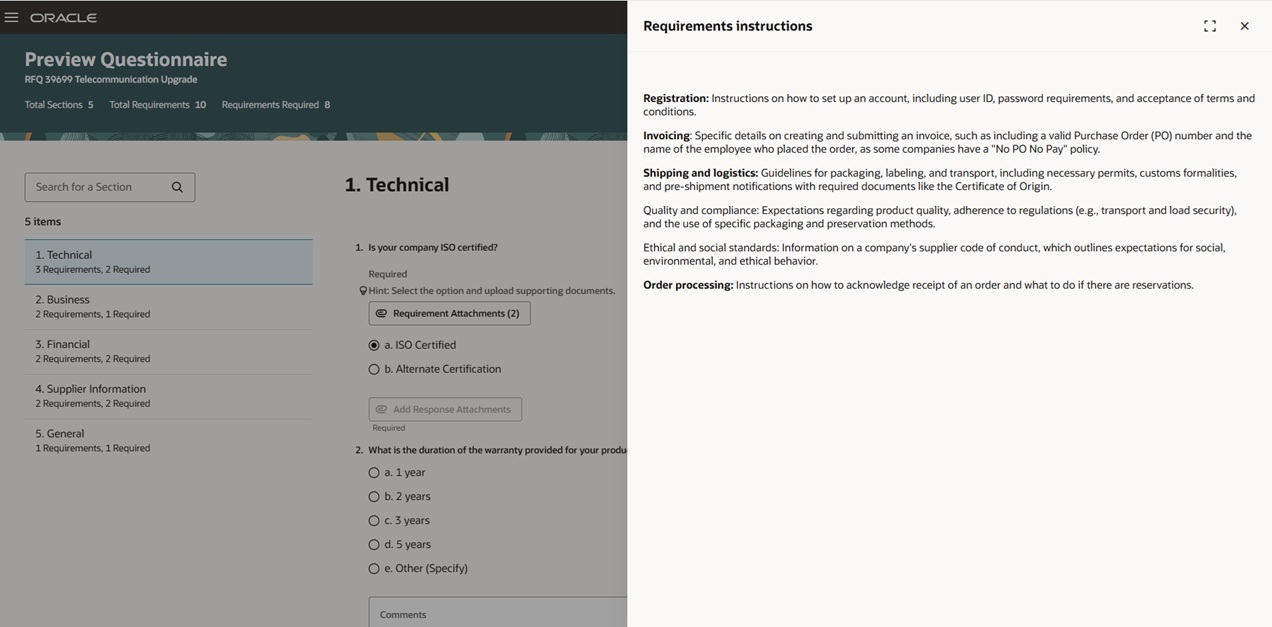
High Volume Requirements - View Instructions
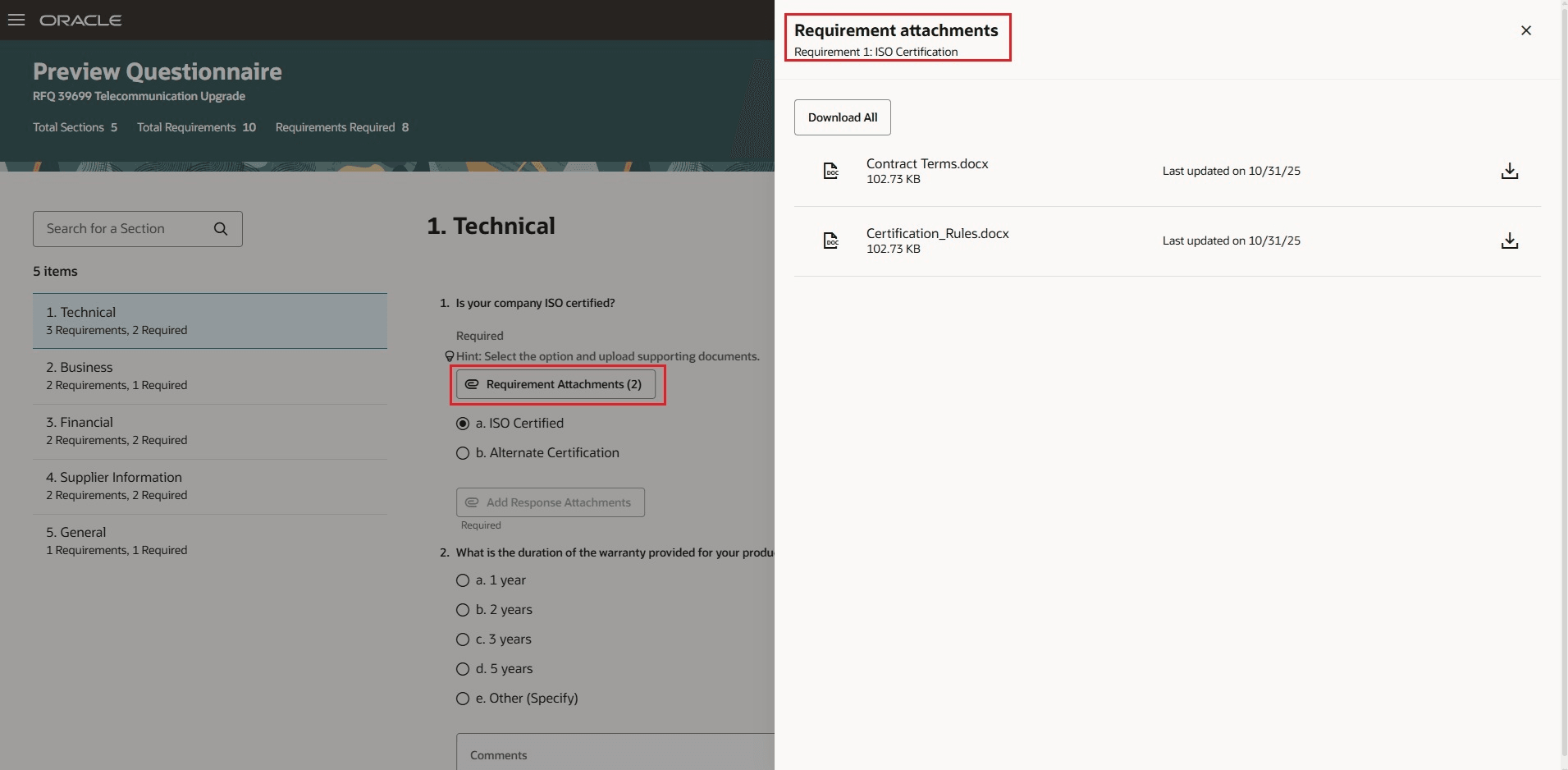
High Volume Requirements – Requirement Attachments
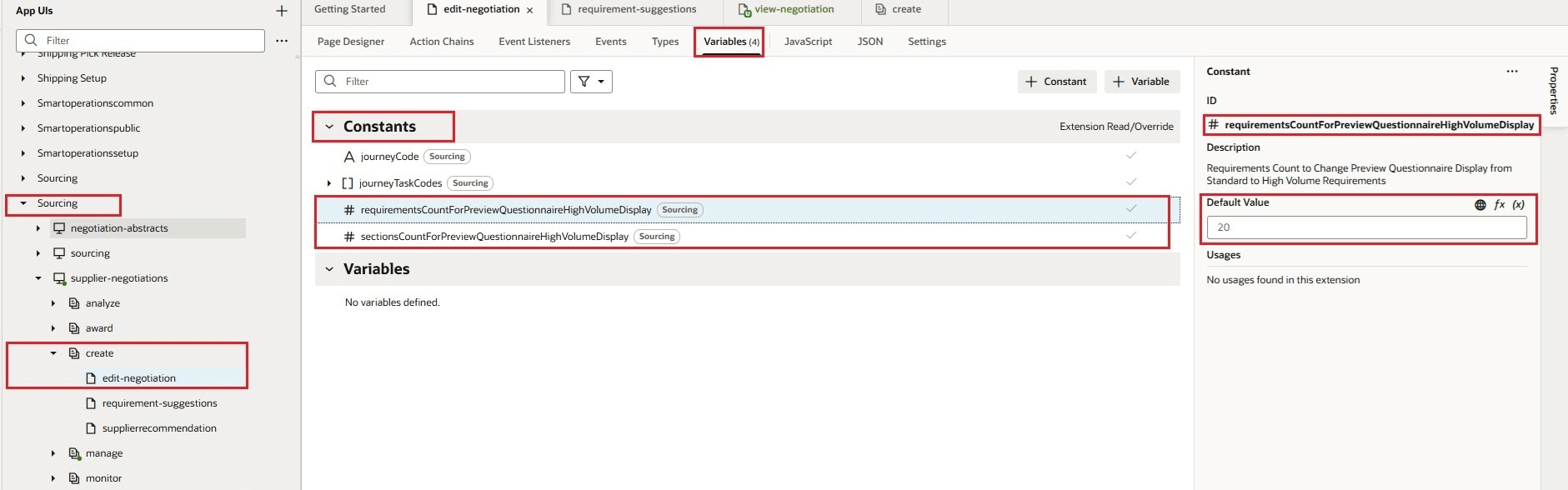
Business Rules Constants Setup for Requirements Count and Sections Count
This Business Rules page is used to set the default values for Requirements Count and Sections Count.
Manage requirements efficiently with these features. Ensure that the requirements in your document follow the latest standards and policies. This reduces manual work, ensures compliance, and keeps your document accurate and up to date.
Steps to enable and configure
To use this feature, you must enable these profile options if you haven't already.
- Redwood Pages for Sourcing Enabled (ORA_PON_SOURCING_REDWOOD_ENABLED).
- Redwood Page to Create Negotiation Enabled (ORA_PON_CREATE_NEGOTIATION_REDWOOD_ENABLED)
For instructions on enabling a profile option, refer to the Set Profile Option Values topic.
Tips and considerations
You can configure the threshold for showing the questionnaire in the panel when you have a few requirements, or open a detailed page for larger lists, where you can view questions by selecting each section.
- By default, if a negotiation has 5 or fewer sections, or 20 or fewer requirements, the questionnaire appears in the panel. If these numbers are higher, it opens in a detailed page instead.
- To change the default values for these thresholds in negotiations, edit the page in Visual Builder Studio. Choose your project, then navigate to SCM > Sourcing > Supplier Negotiations and select Create or Edit Negotiation. Under the Variables tab, you'll find Requirements Count (default: 20) and Sections Count (default: 5). These values can be configured under the Constants section.
Key resources
- For Information about how to setup a question see, Create a Question
- For Information about how to setup a qualification area see, Create a Qualification Area
Access requirements
Users who are assigned a configured job role that contains these privileges can access this feature:
- Create Supplier Negotiation (PON_CREATE_SUPPLIER_NEGOTIATION_PRIV)
- Edit Supplier Negotiation (PON_EDIT_SUPPLIER_NEGOTIATION_PRIV)
- View Supplier Qualification Question (POQ_VIEW_SUPPLIER_QUALIFICATION_QUESTION)
These privileges were available prior to this update.