Redwood: Update Schedule for Approved Negotiations
Update and fix expired dates on negotiations that are approved but not published.
The negotiation approval process can have unexpected delays with reviewers, which can result in its dates expiring when it's finally approved. This prevents it from getting published to suppliers. You can now update expired dates on approved negotiations in the status Approved (Not Published) . A banner is displayed on the View Negotiation page, providing an option to update the schedule using the Update Schedule link or the Update Schedule action from the Actions menu. Both options open a panel drawer where you can modify the negotiation schedule details such as open date, award date, preview date, and close date. Finally, clicking the Update button in the panel drawer automatically applies the new dates.
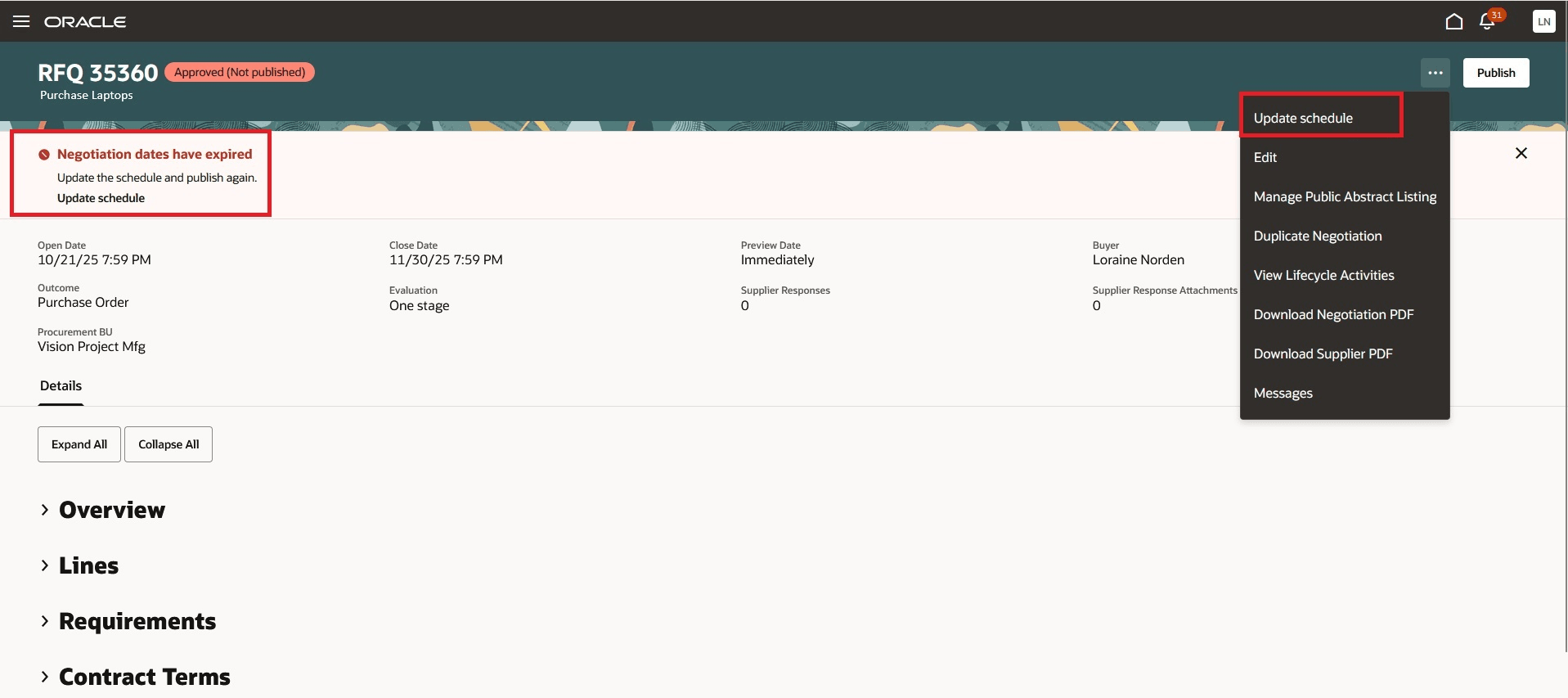
Update Schedule Action
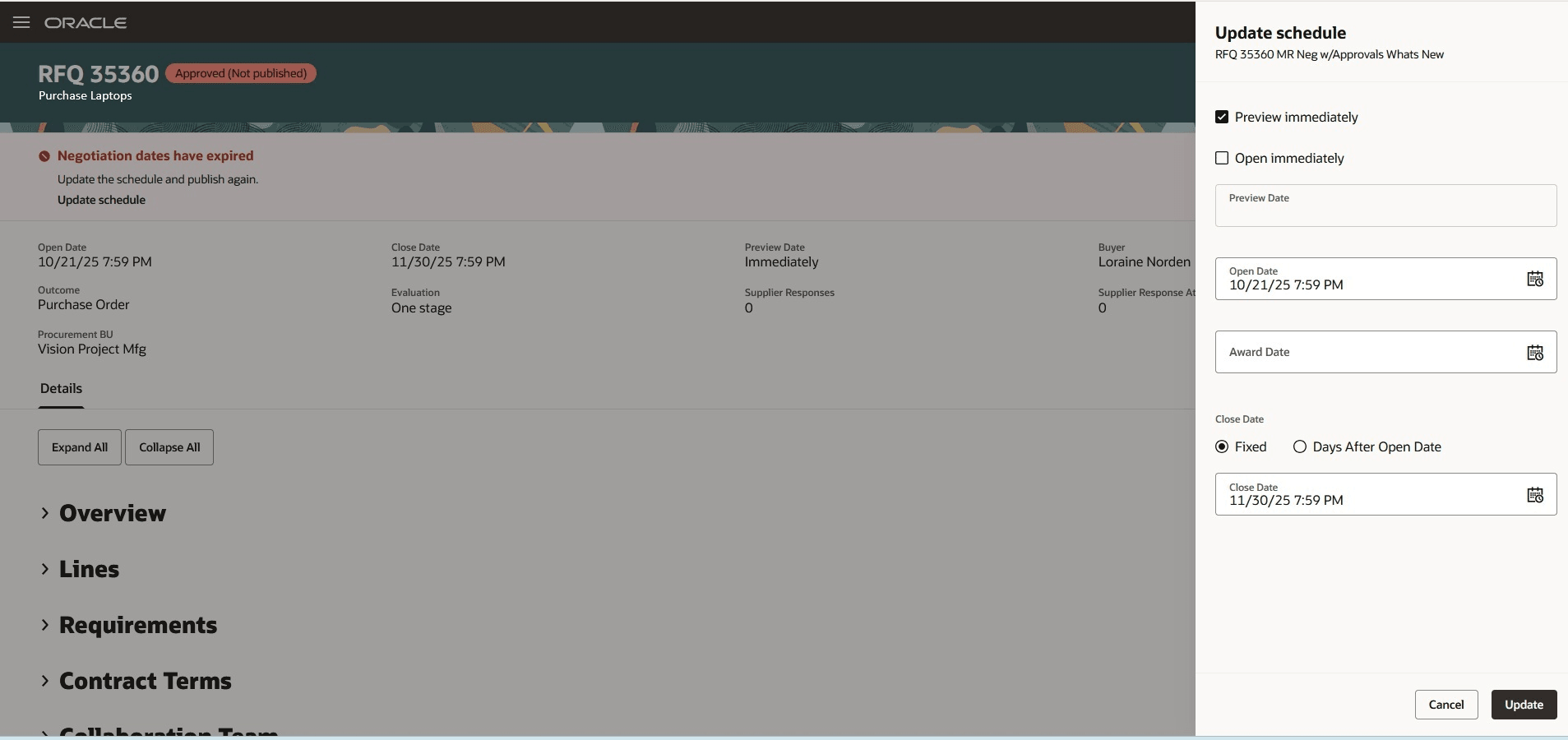
Update Schedule Panel Drawer
Steps to enable and configure
To use this feature, you must enable these profile options if you haven't already.
- Redwood Pages for Sourcing Enabled (ORA_PON_SOURCING_REDWOOD_ENABLED).
- Redwood Page to Create Negotiation Enabled (ORA_PON_CREATE_NEGOTIATION_REDWOOD_ENABLED)
For instructions on enabling a profile option, refer to the Set Profile Option Values topic.
Tips and considerations
- Clicking Update in panel drawer immediately applies the changes and moves the negotiation to Active without resubmission for approval.
- For additional changes beyond date updates, select Edit Negotiation from the Actions menu to access the guided negotiation process.
Key resources
- For information about using Oracle Visual Builder Studio to extend your Redwood application pages, see Oracle Fusion Cloud HCM and SCM: Extending Redwood Applications for HCM and SCM Using Visual Builder Studio.
- Refer to Overview of Guided Journeys in the Oracle Fusion Cloud Human Resources: Implementing and Using Journeys guide, available on the Oracle Help Center.
Access requirements
Users who are assigned a configured job role that contains these privileges can access this feature:
- Create Supplier Negotiation (PON_CREATE_SUPPLIER_NEGOTIATION_PRIV)