Get the Best-Fit Purchasing Category Recommendation for a Noncatalog Request
When creating a Noncatalog request, Smart Form request, or using the Enter Requisition Line page, you can now get a recommendation for the best-fit purchasing category based on the item's description. This recommendation is based on a classifier which is built by training on approved agreement and purchase order lines.
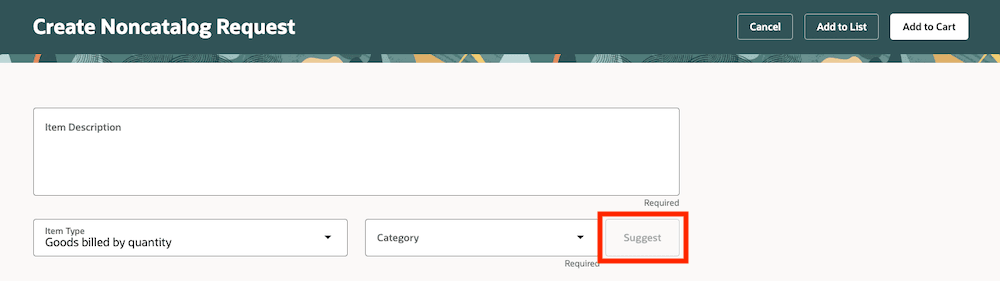
Suggest a Category Button
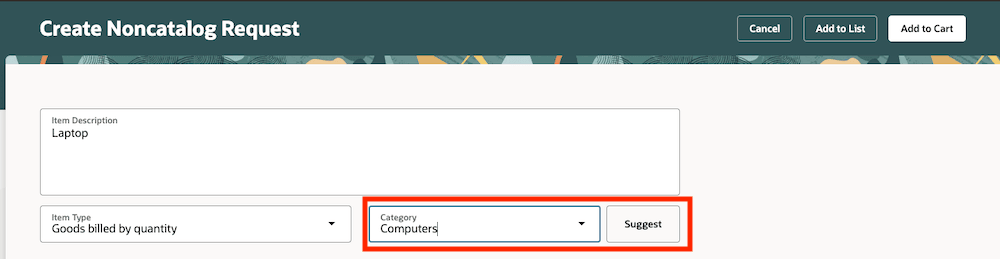
Retrieved Category
Steps to enable and configure
- The Suggest button is hidden by default. To make it visible, go to the Business Rules section in Oracle Visual Builder Studio and update the relevant page, such as the Noncatalog Request, Smart Form Request, or Enter Requisition Line page, as needed.
- You must first run the Prepare the Purchasing Category Suggestion Model (POR_PREPARE_PURCHASING_CATEGORY_SUGGESTIONS_MODEL) scheduled job. This job creates the classifier that suggests a category for requisition lines based on their item description.
- The training will be based on agreements and purchase orders.
- Schedule the scheduled job to run at regular intervals (this way the training or classifier is updated as more data becomes available).
Tips and considerations
- When the button is visible, it's disabled until you provide an item description and exit (tab out of) the field.
- If the classifier isn't able to determine a matching category, a blank value will be returned.
- You can override the returned suggested category.
Key resources
- To know how to provide the required privileges to your requesters to use your own configured role instead of the Requisition Self Service User role, refer to the Privileges Required for a Predefined Role for a Requisition Self Service User topic.
- For information about using Oracle Visual Builder Studio to extend your Redwood application pages, see Oracle Fusion Cloud HCM and SCM: Extending Redwood Applications for HCM and SCM Using Visual Builder Studio.