Procure Items from GHX Healthcare Catalog via Oracle Healthcare Marketplace
Global Healthcare Exchange (GHX) is now a data provider for the Oracle Healthcare Marketplace. You can now search the GHX healthcare item catalog through Oracle Healthcare Marketplace in Redwood Self Service Procurement.
Oracle Healthcare Marketplace gives your requesters access to a vast list of healthcare items that have been cleansed and enriched with GTINs, manufacturer part numbers and relevant healthcare attributes. If a requester can't find what they need within the local catalog or extended contracts, they can search an extensive healthcare product catalog within the same shopping experience. A non-catalog request submitted with items from the Oracle Healthcare Marketplace provides the buying organization the key product details for buying and sourcing efficiency.
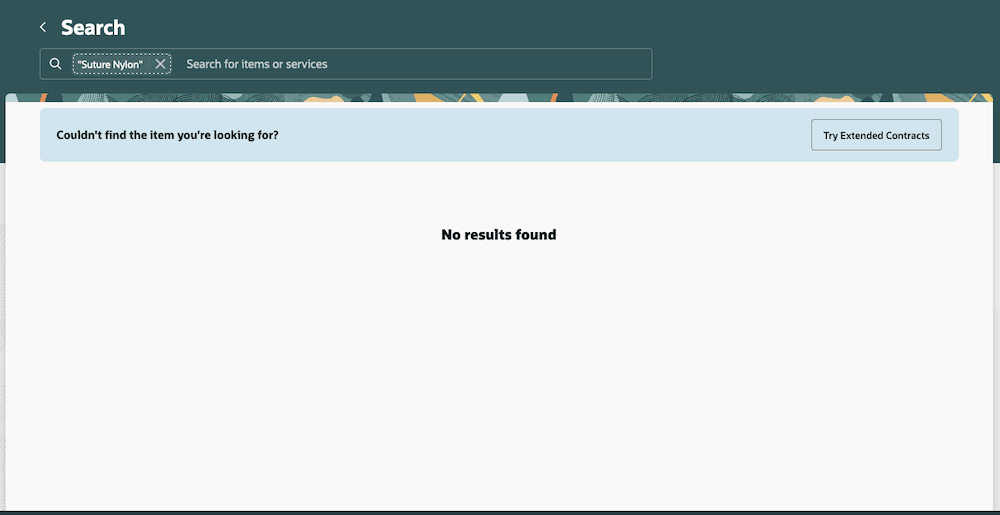
Local Catalog Search Showing no Results
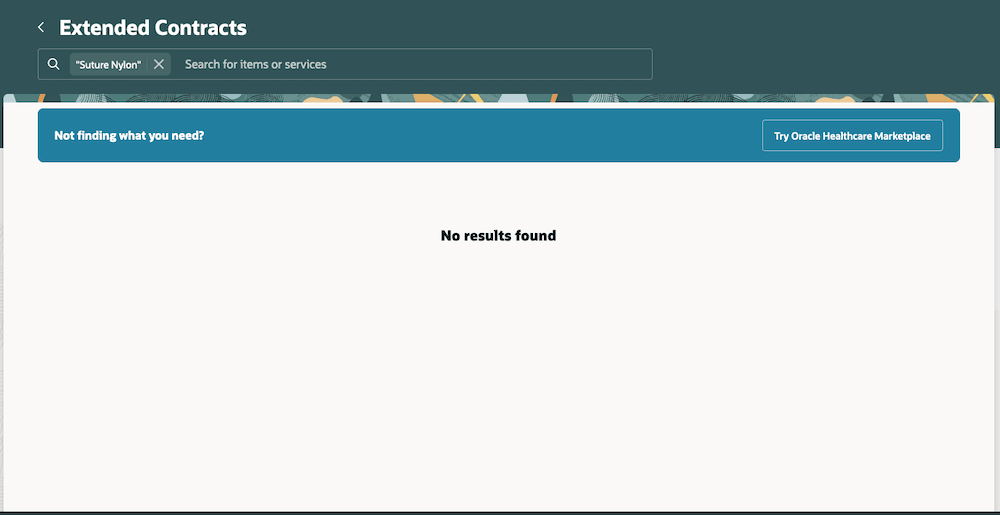
Extended Contracts Search Showing no Results
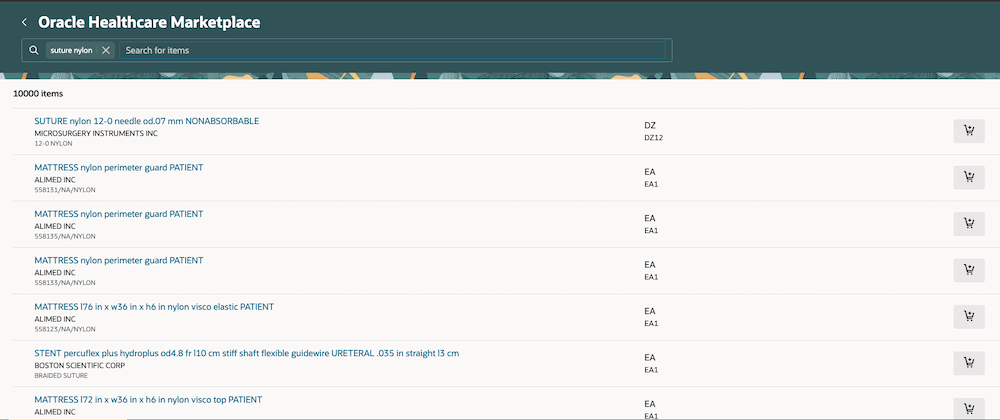
Oracle Healthcare Marketplace Search Showing Returned Items
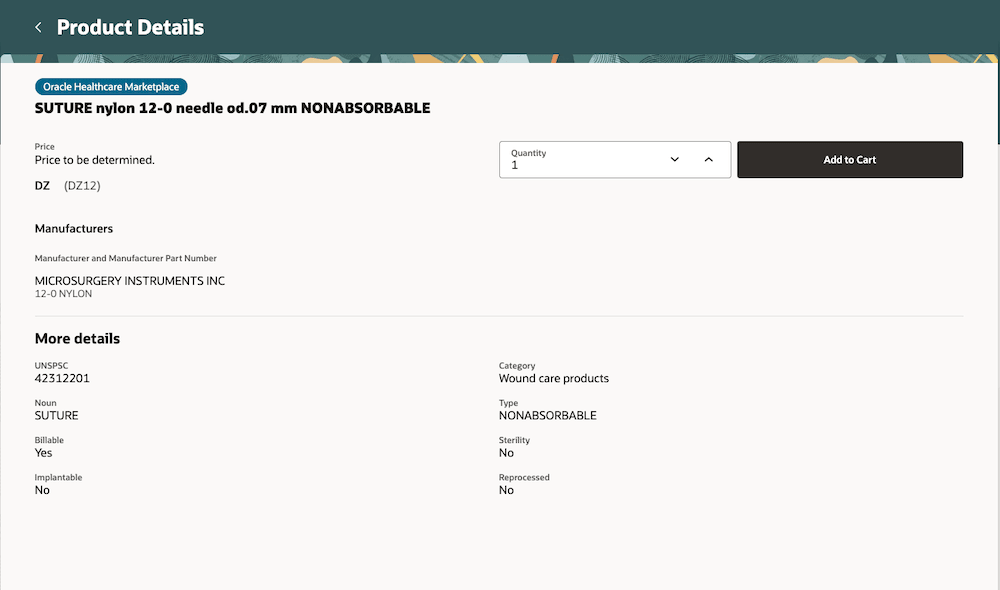
Product Details
The access to Oracle Healthcare Marketplace and ability to search across different sources without switching applications helps in increased productivity, access to more products, reduced operating costs, and improved buyer productivity.
- Increased productivity: You can search across both a local and a heathcare product catalog without switching applications. This helps improve the buying experience and reduce ordering time.
- Access to more products: You have access to a broader set of products to deliver healthcare services.
- Reduced operating costs: You can reduce the overhead of maintaining data despite a high rate of data churn.
- Improved Buyer productivity: Items from the marketplace are enriched with GTINS, part numbers, and other attributes. This information helps buyers find the right suppliers for the items being purchased.
Steps to enable and configure
You must opt in to the feature, Procure Items from Oracle Healthcare Marketplace
You must also set up the connection configuration, which is the URL to connect to the marketplace and the authentication credentials
Tips and considerations
- You must first search in your local catalog before you search in Oracle Healthcare Marketplace.
- You must have the requisite privilege to search in Oracle Healthcare Marketplace.
- Currently, price and source aren't available for items returned from a search in Oracle Healthcare Marketplace.
- When you try to to add one of the search results to your shopping cart, the system tries to match the returned UOM and Category to a corresponding Fusion UOM and Category. If no match is found, the value is blank. You still have the option to pick/change a UOM and Category.
- Purchase Orders can't be automatically created for items from Oracle Healthcare Marketplace. The lines must go to a buyer for manual processing into a purchase order. This also means a requester can't select the Negotiated checkbox while shopping.
- You must have an agreement with GHX before you can enable search in Oracle Healthcare Marketplace.
Key resources
- To know how to provide the required privileges to your requesters to use your own configured role instead of the Requisition Self Service User role, refer to the Privileges Required for a Predefined Role for a Requisition Self Service User topic.
- For more information on how to enable a guided journey for Redwood pages, refer to the Enable a Guided Journey for Redwood Pages topic.
- For information about using Oracle Visual Builder Studio to extend your Redwood application pages, see Oracle Fusion Cloud HCM and SCM: Extending Redwood Applications for HCM and SCM Using Visual Builder Studio
- To know how to configure the URL to the marketplace and setup authentication credentials, see Create a Backend
Access requirements
Users who are assigned a configured job role that contains these privileges can execute a search against Oracle Healthcare Marketplace in the Redwood Self Service Procurement application:
- Search Oracle Healthcare Marketplace for Items (POR_SEARCH_ORACLE_HEALTHCARE_MARKETPLACE)