View Negotiation Details from Requisitions Using a Redwood Page
You can now drill down to the negotiation linked to your requisition and view its details as a preparer or requester in the Redwood Self Service Procurement application. This is available from the View Life Cycle page.
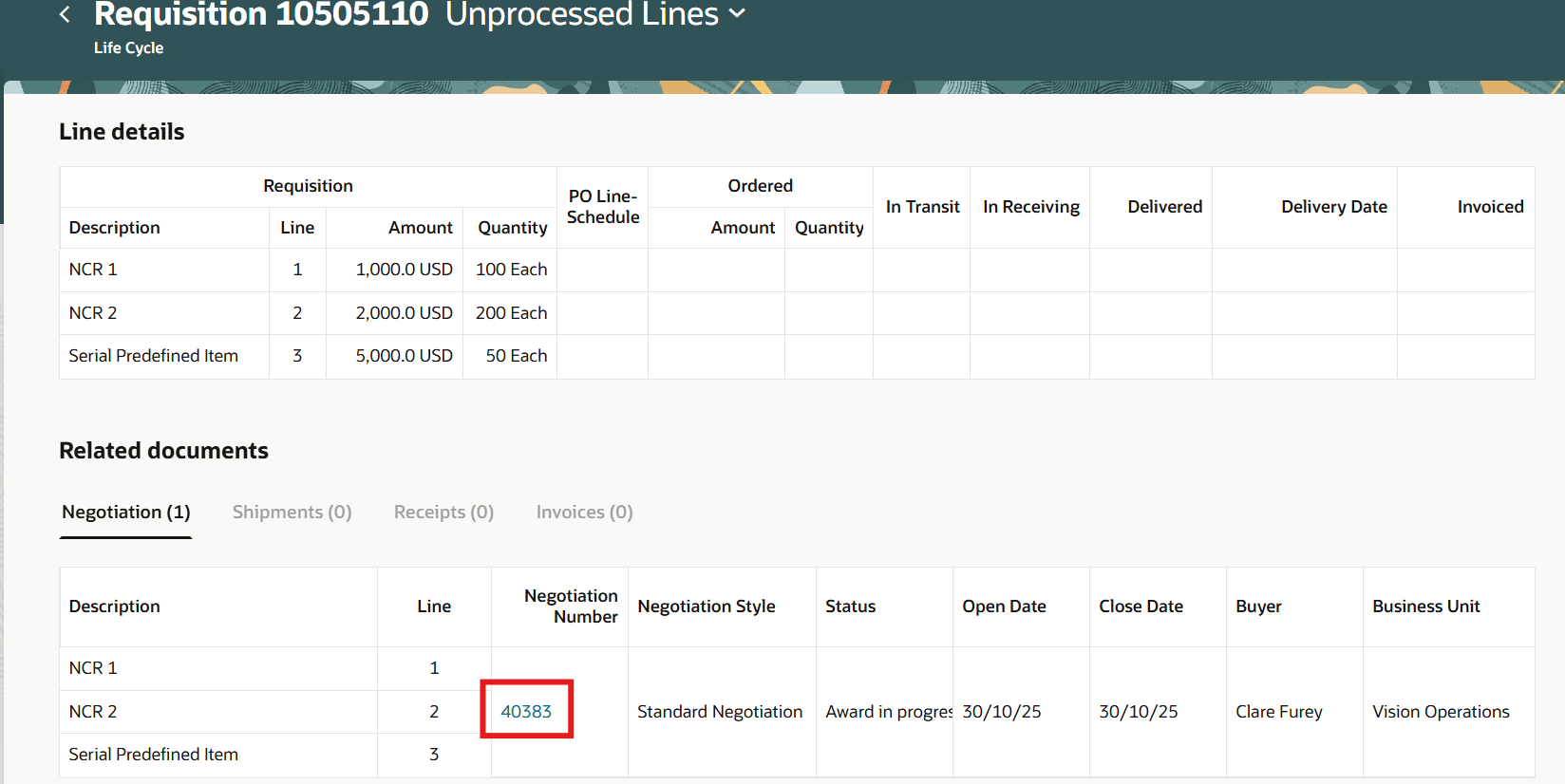
Drilldown to the Redwood Negotiation Details Page
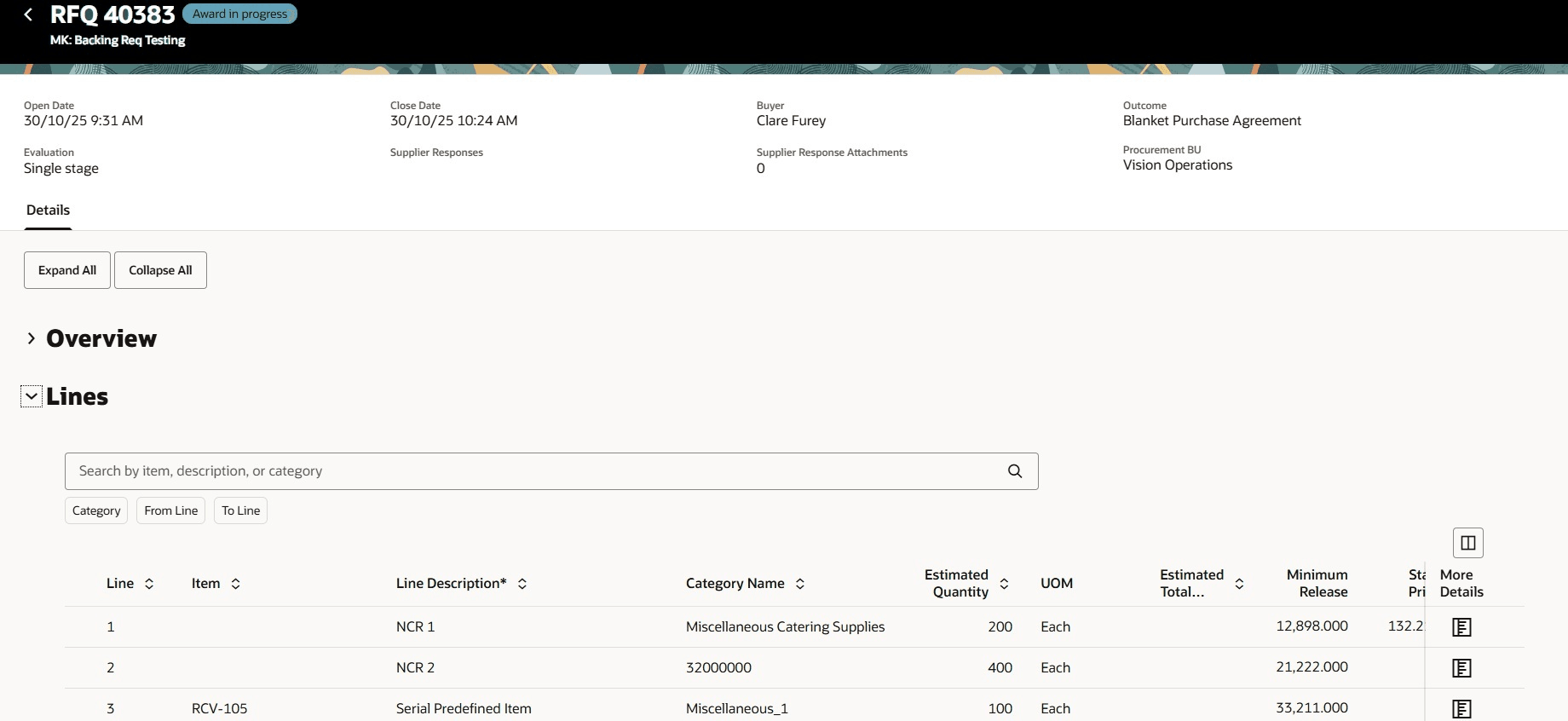
Negotiation Details Page
The Negotiation Details page opens in the current browser tab. After reviewing, you can return to the View Life Cycle page using the back arrow.
Steps to enable and configure
You don't need to do anything to enable this feature.
Tips and considerations
-
The link to the negotiation drilldown isn't available for negotiations in Draft status.
-
To use this feature, you must enable the Redwood Pages for Sourcing Enabled (ORA_PON_SOURCING_REDWOOD_ENABLED) profile option.
- Users that aren't defined as procurement agents with Manage Negotiations access or aren't defined as a negotiation collaboration team member can't view the negotiation details. An error will be displayed indicating that the user doesn't have access upon clicking the link.
Key resources
- For details on configuring, using, and accessing the Redwood Requisition Life Cycle page, refer to the Redwood: View Requisition Lifecycle Information feature, available in Oracle Fusion Cloud Self Service Procurement What's New, update 24B.
Access requirements
Users who are assigned a configured job role that contains this privilege can access this feature:
- View Supplier Negotiation (PON_VIEW_SUPPLIER_NEGOTIATION_PRIV).
This privilege was available prior to this update.