View Purchase Order Approvers for Requisitions Through Document History
You can now view past, current, and future approvers for purchase orders pending approval on a requisition in the Redwood Self Service Procurement application.
As a preparer or requester on the requisition, you can access the approval details for a purchase order from the requisition's document history page. Use the Submission of PO approval link in the Document History page for a requisition once a purchase order is submitted for approval.
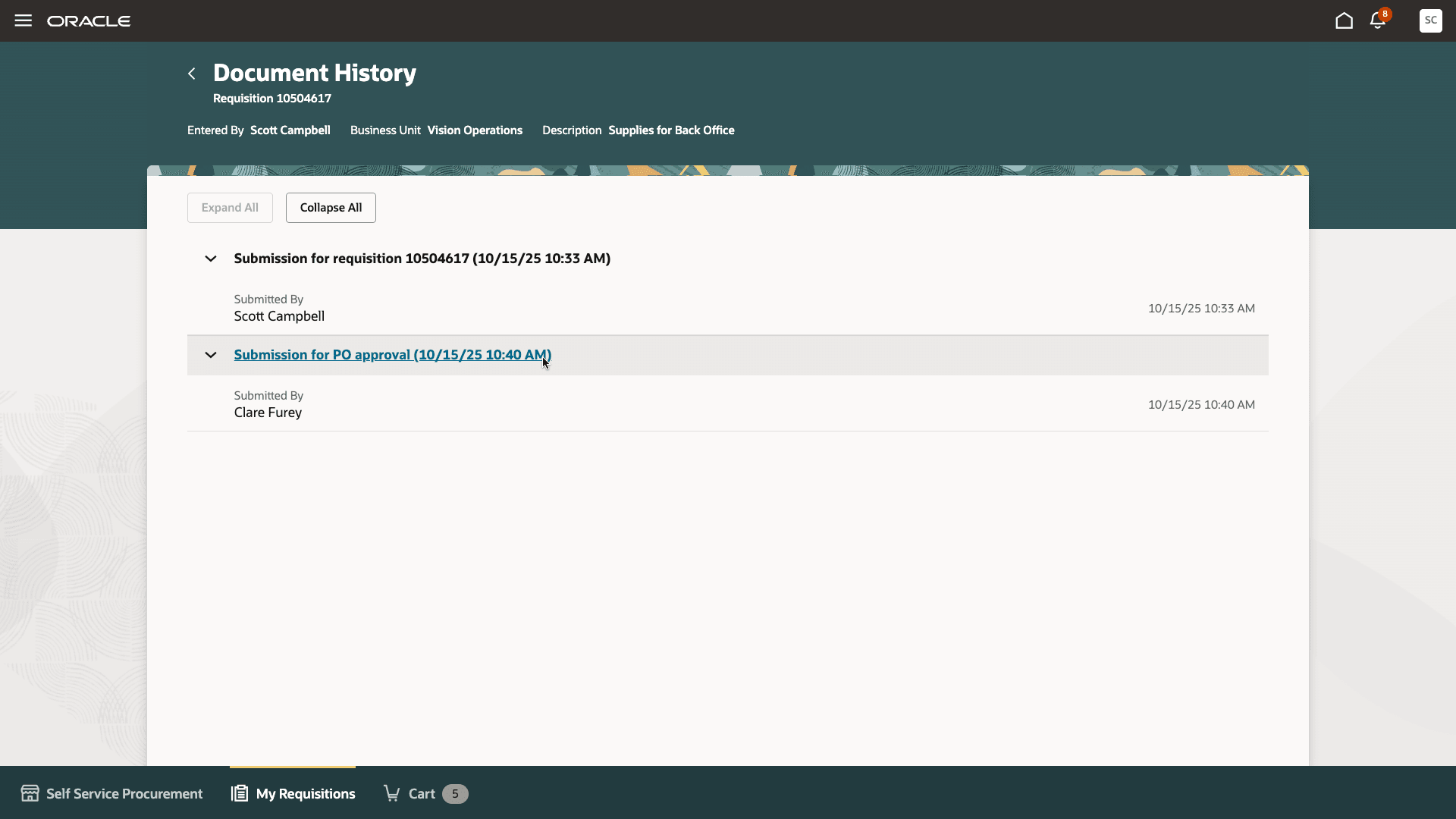
Viewing Approval Progress for Purchase Orders from the Document History Page
You can view the current approval progress for the purchase order in a drawer.
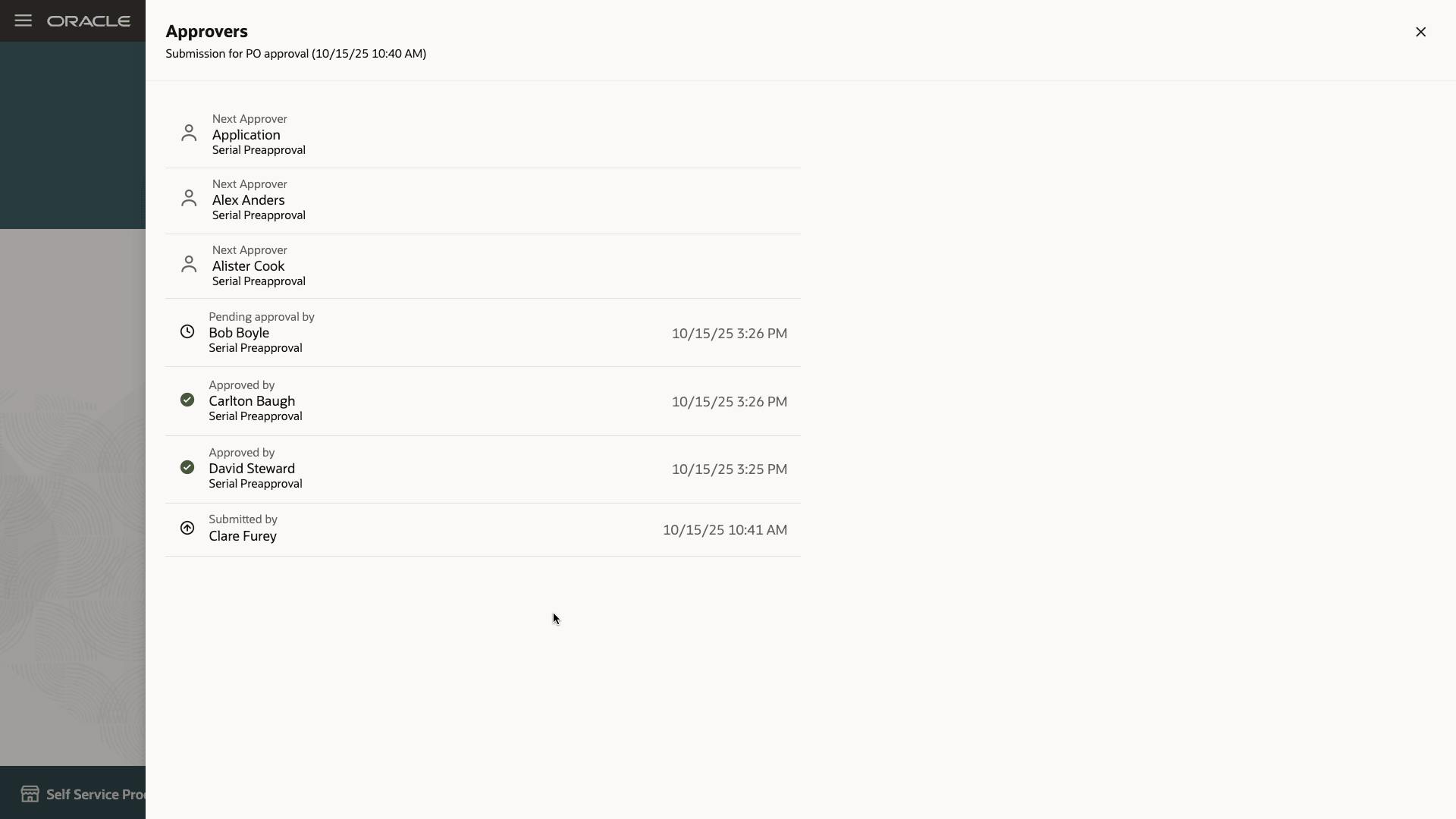
View Purchase Order Approvers
Steps to enable and configure
You don't need to do anything to enable this feature.
Tips and considerations
- The link to view approvers won't be available if approvals are bypassed.
- The drawer displays only the current approval cycle details, not the previous submission history.
- You can extend the application to disable this feature using Oracle Visual Builder Studio.
Key resources
- To know how to provide the required privileges to your requesters to use your own configured role instead of the Requisition Self Service User role, refer to the Privileges Required for a Predefined Role for a Requisition Self Service User topic.
- For more information on how to enable a guided journey for Redwood pages, refer to the Enable a Guided Journey for Redwood Pages topic.
- For information about using Oracle Visual Builder Studio to extend your Redwood application pages, see Oracle Fusion Cloud HCM and SCM: Extending Redwood Applications for HCM and SCM Using Visual Builder Studio.