View Document History on a Draft Requisition
You can now view document history for draft requisitions in the Redwood Self Service Procurement application. This enhancement builds on the existing document history feature that was available only after requisitions were submitted for approval.
To access this feature, use the View Document History option available on the My Requisitions page.
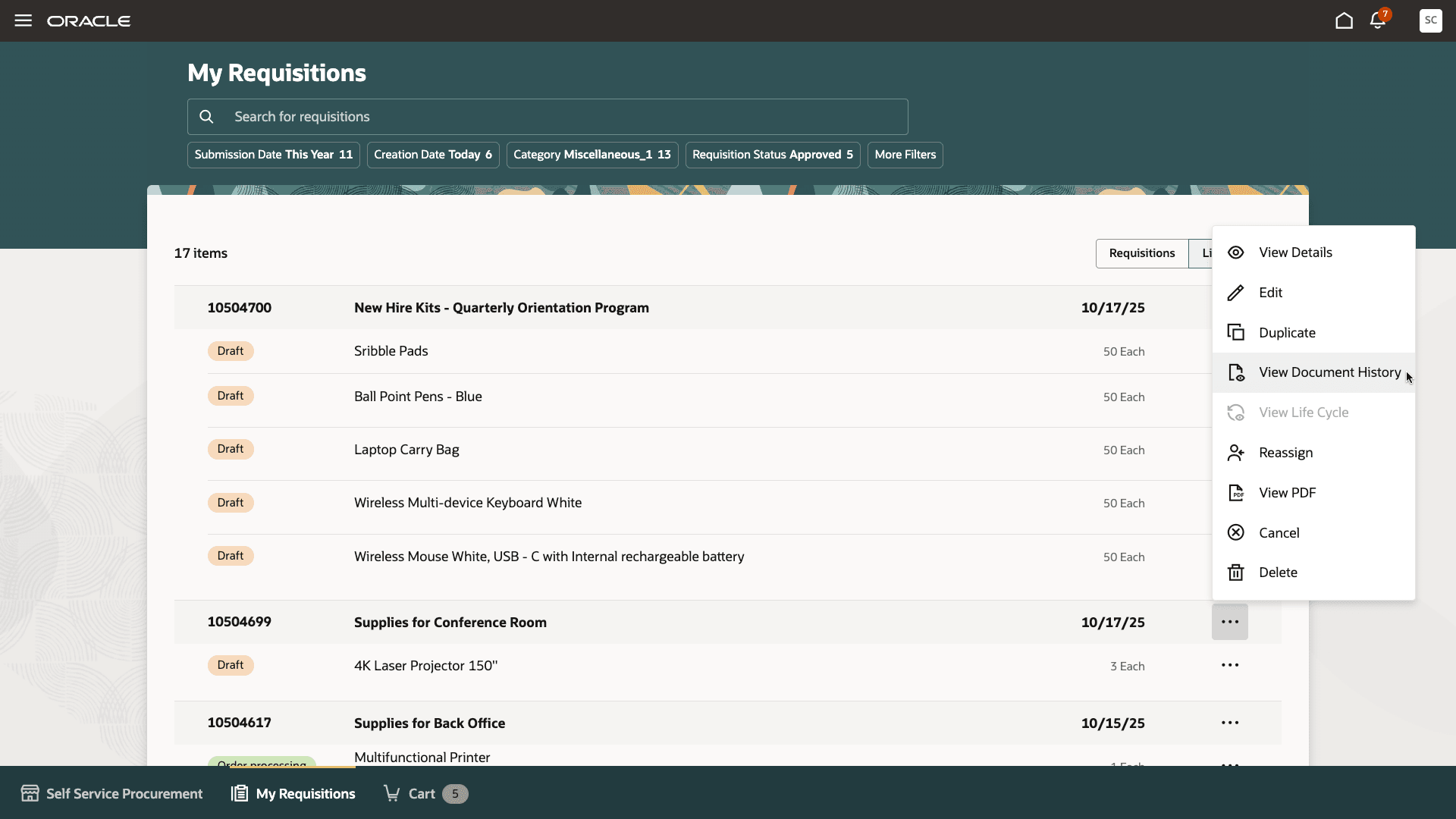
View Document History for a Draft Requisition
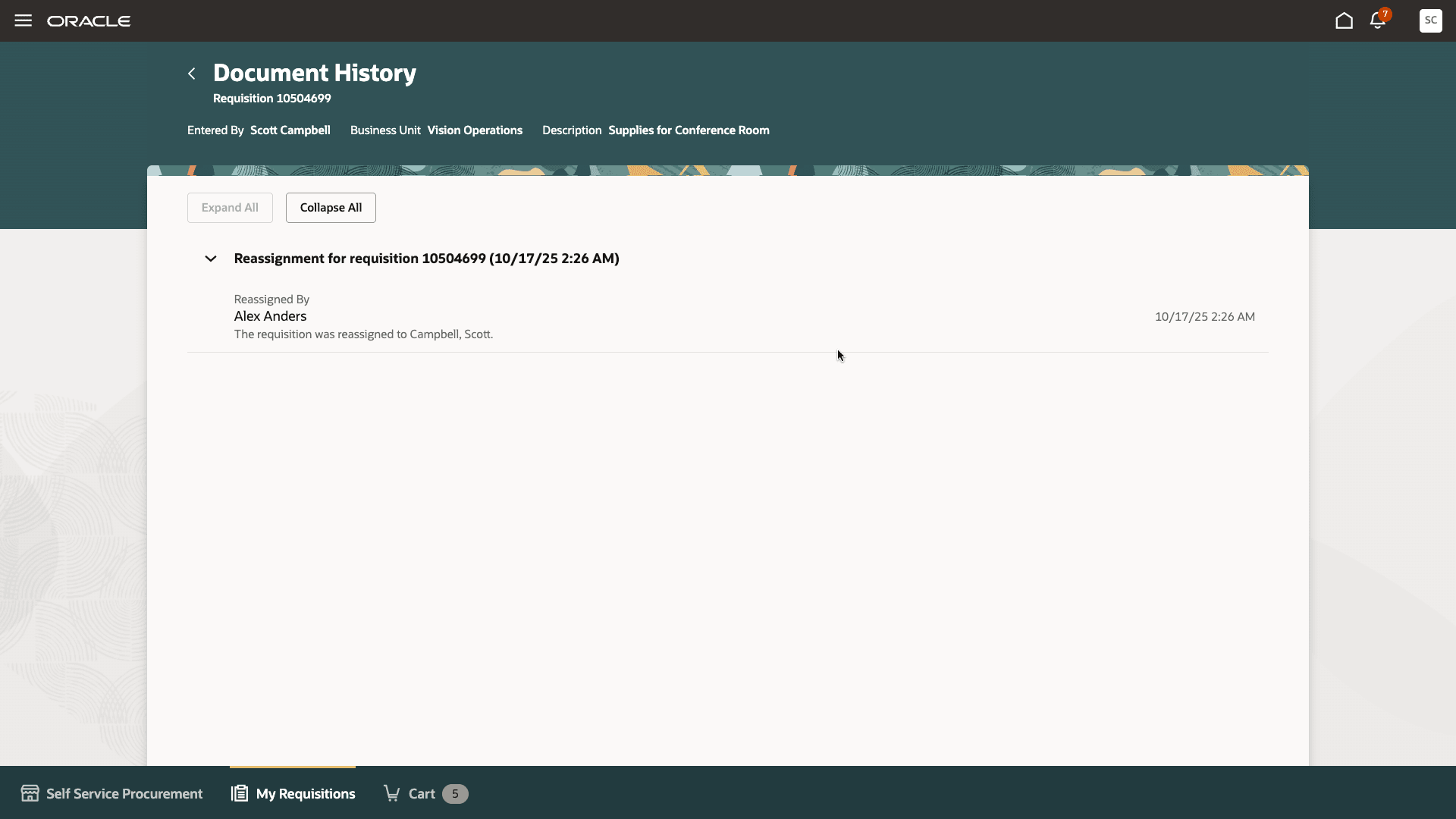
View Details of Reassignment for a Draft Requisition
A user with the 'View Requisitions - All' privilege can also access this information on a draft requisition.
Steps to enable and configure
You don't need to do anything to enable this feature.
Key resources
- To know how to provide the required privileges to your requesters to use your own configured role instead of the Requisition Self Service User role, refer to the Privileges Required for a Predefined Role for a Requisition Self Service User topic.
- For more information on how to enable a guided journey for Redwood pages, refer to the Enable a Guided Journey for Redwood Pages topic.
- For information about using Oracle Visual Builder Studio to extend your Redwood application pages, see Oracle Fusion Cloud HCM and SCM: Extending Redwood Applications for HCM and SCM Using Visual Builder Studio.