Make Requested Delivery Date Optional on Requisition Lines Except for Planned Items or Internal Transfers
Make requested delivery date optional on requisition lines except for requisition lines sourced internally or lines containing planned items. Before this update, you had to provide a requested delivery date for all requisition lines. With this feature, for eligible lines, when editing a requisition line, you can remove the previously defaulted value. For lines on which a date is required, an error is displayed upon update if one isn't provided.
These screen captures illustrate some of these scenarios:
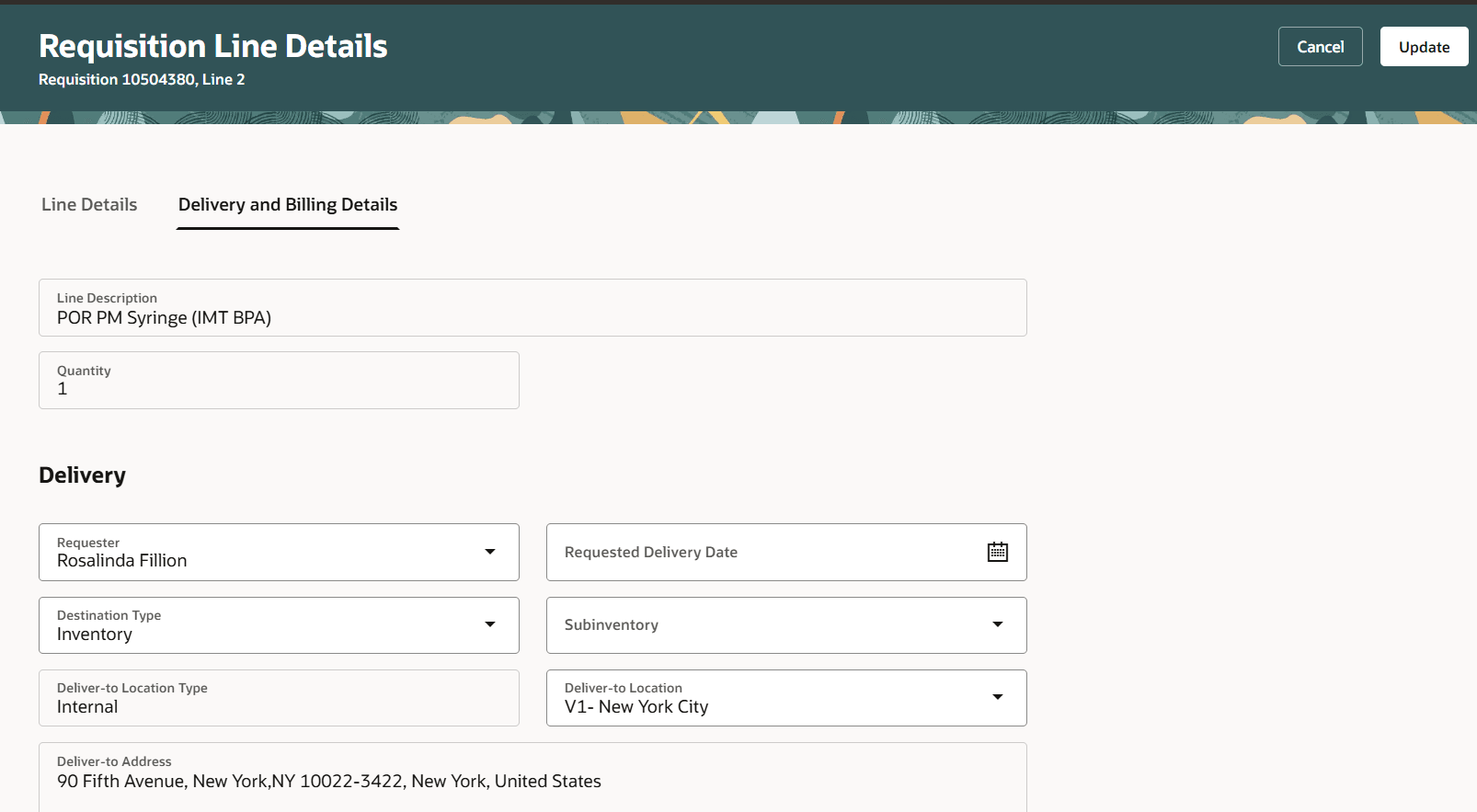
Item for Which Requested Delivery Date Is Optional
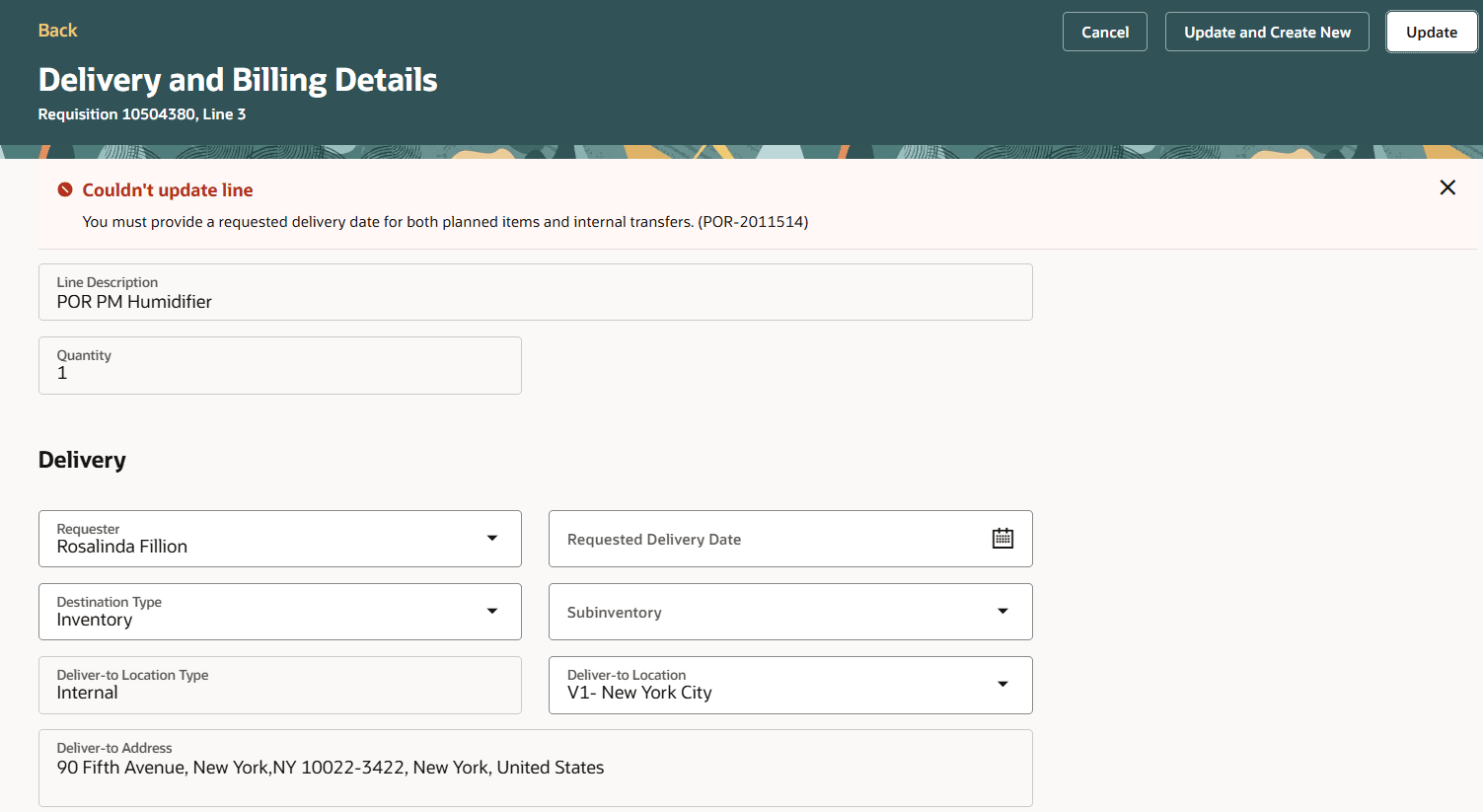
Error Scenario Where Requested Delivery Date Is Required
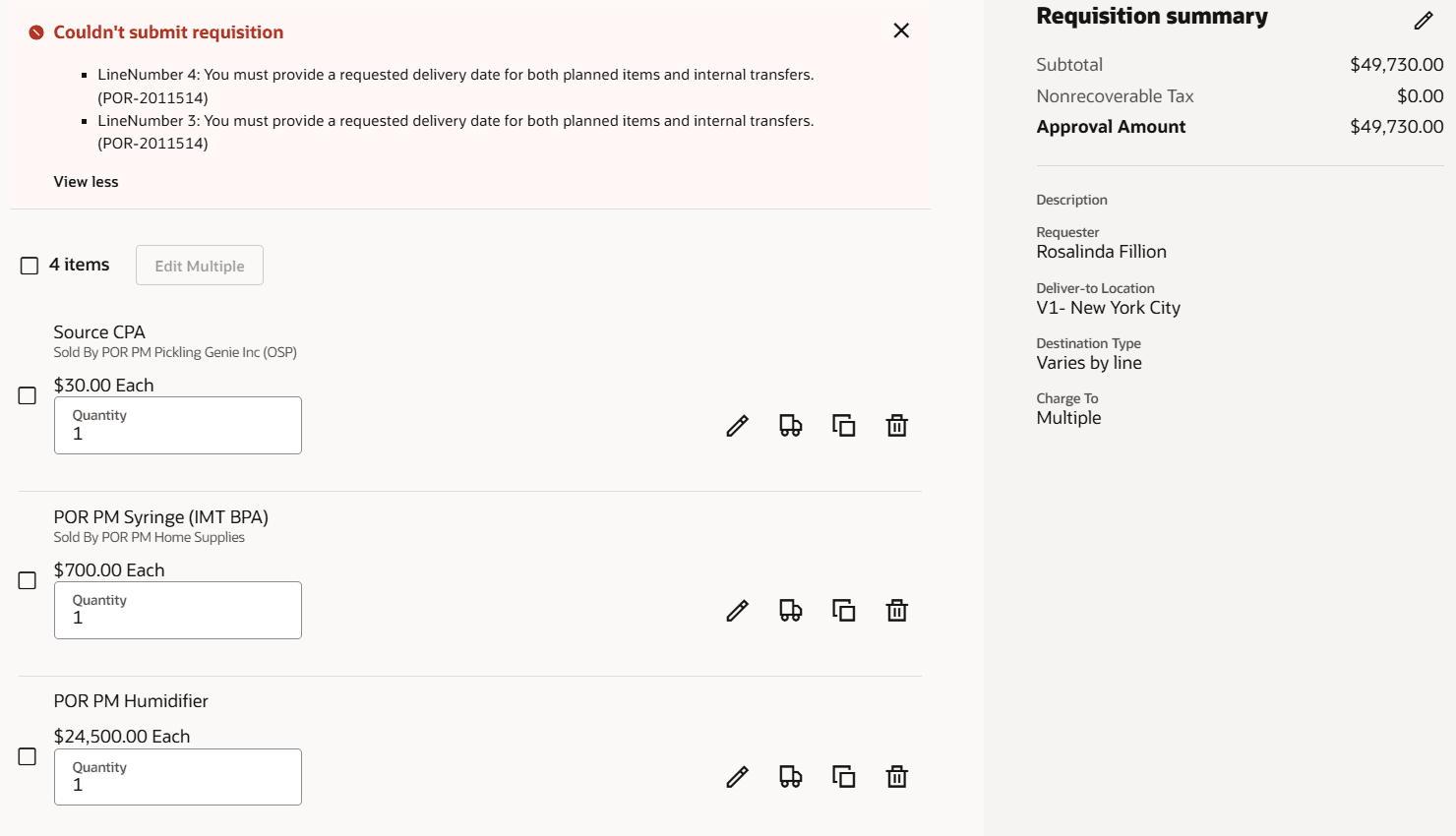
Error When Submitting a Requisition
If all lines on a requisition have the same date, the information will also be available in the Requisition Details Summary view under the More information section.
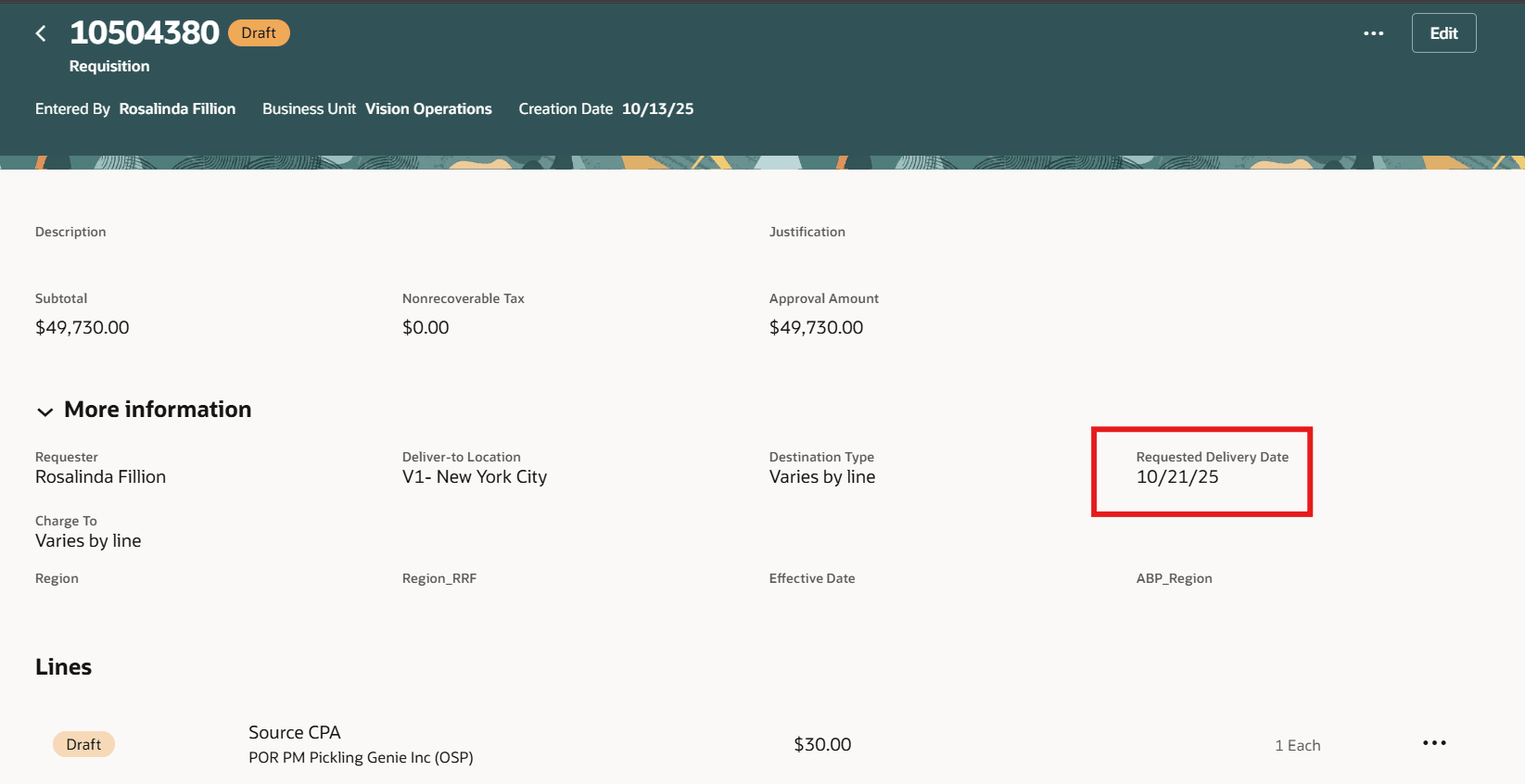
Requisition Details More Information Display of Requested Delivery Date
If you remove the requested delivery date on all lines using the Requisition Summary page, you can't submit the requisition, if there is at least one line with a planning item. If the requisition contains at least one internally sourced line, you can't remove the delivery date using this page.
For items or services where delivery terms are prenegotiated, you may not be required to provide specific requested delivery dates in such cases. Allowing this date to be optional provides buying organizations flexibility in formulating their procurement processes related guidance.
Steps to enable and configure
You don't need to do anything to enable this feature.
Tips and considerations
- When duplicating a requisition from the My Requisitions page, requested delivery date will always default in the new line even if the existing line doesn't contain a value.
- When duplicating a requisition line in the shopping cart, the value from the existing line will be copied exactly as it is. If no value exists, none will be defaulted.
- When creating a requisition line using the Enter Requisition Line page:
- If you have removed the requested delivery date value and then proceed to select an agreement, the application will display agreements valid on the system date.
- The requested delivery date will default each time you switch between source type of Inventory and Supplier.
- You can use extensibility to enforce a value for the requested delivery date even if it's optional for the line.
Key resources
- To know how to provide the required privileges to your requesters to use your own configured role instead of the Requisition Self Service User role, refer to the Privileges Required for a Predefined Role for a Requisition Self Service User topic.
- For more information on how to enable a guided journey for Redwood pages, refer to the Enable a Guided Journey for Redwood Pages topic.
- For information about using Oracle Visual Builder Studio to extend your Redwood application pages, see Oracle Fusion Cloud HCM and SCM: Extending Redwood Applications for HCM and SCM Using Visual Builder Studio.