Use the Barcode to Search Catalog Items
Use the barcode to search catalog items in the Redwood Self Service Procurement application. The extracted GTIN or UPC code of the item will be used to search for available items.
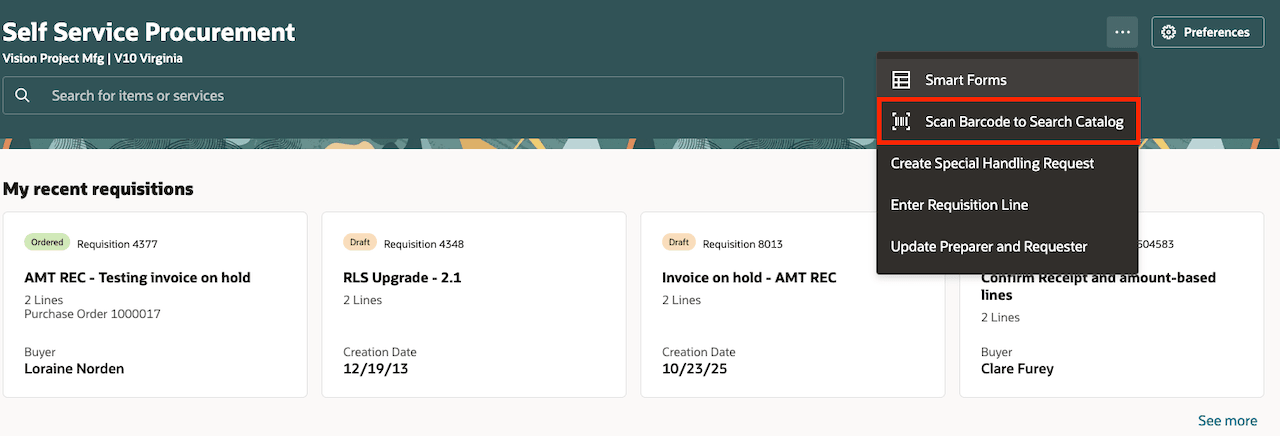
Scan Barcode to Search Menu Entry
Some of the benefits of the scanning a barcode to search the catalog are:
-
Increased Efficiency and Speed: Quickly scanning barcodes on items allows you to streamline the requisition creation process, eliminating the need to manually type in keywords, and significantly reducing the time spent searching for products.
-
Improved Data Accuracy:
Barcode scanning helps minimize human errors, such as typos or incorrect item codes, that can occur with manual data entry. This ensures that the correct items are accurately added to the requisition.
Steps to enable and configure
You don't need to do anything to enable this feature.
Tips and considerations
- The feature (browser) requires access to your device's camera.
- The value (number) extracted from the barcode scan is used to execute a search across all of the catalog's searchable fields.
- If the value (number) extracted from the barcode scan has fewer than 14 digits, leading zeros will be added to ensure it has a total of 14 digits. This adjustment is necessary because the Product Information Management (PIM) system requires a 14-digit Global Trade Item Number (GTIN).
Key resources
- To know how to provide the required privileges to your requesters to use your own configured role instead of the Requisition Self Service User role, refer to the Privileges Required for a Predefined Role for a Requisition Self Service User topic.
- For more information on how to enable a guided journey for Redwood pages, refer to the Enable a Guided Journey for Redwood Pages topic.
- For information about using Oracle Visual Builder Studio to extend your Redwood application pages, see Oracle Fusion Cloud HCM and SCM: Extending Redwood Applications for HCM and SCM Using Visual Builder Studio.