View the More Information Section Expanded by Default
You can now view the More information section in an expanded state by default on the Shopping Cart and Requisition Details pages of the Redwood Self Service Procurement application. This feature helps you quickly access key details of the requisition.
Administrators can use extensibility rules to configure whether this section appears expanded or collapsed based on business needs.
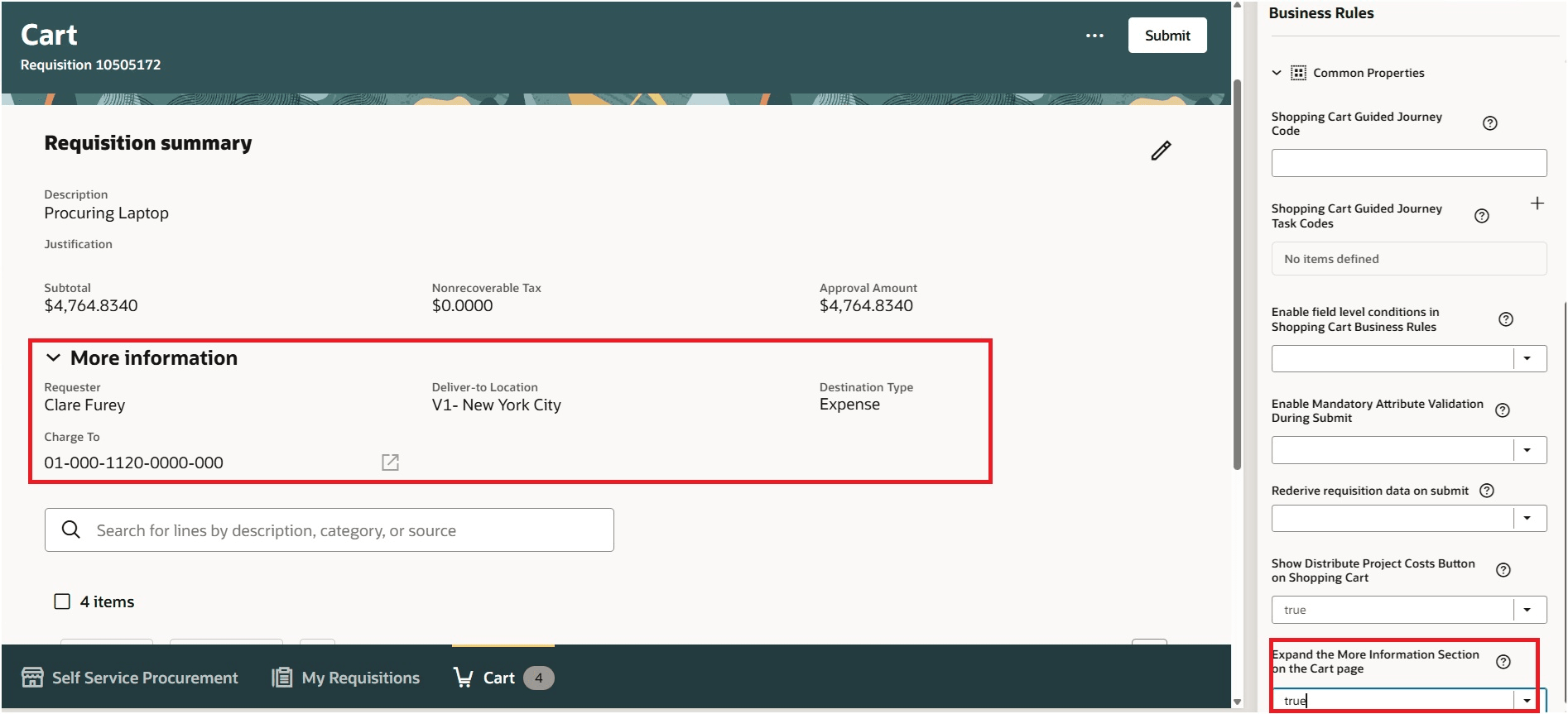
More Information on the Cart Page
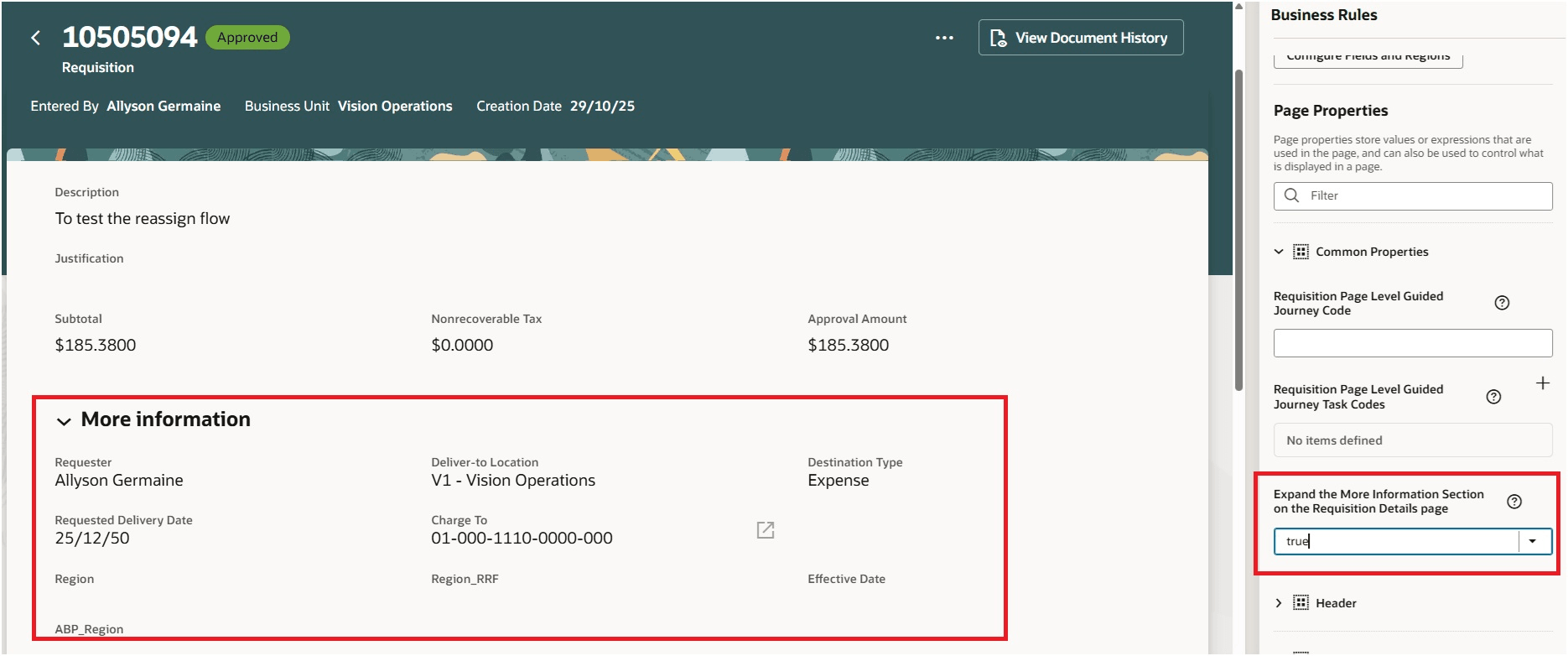
More Information on the Requisition Details Page
By default, the More information section is collapsed on the Shopping Cart, Requisition Details, and Public Requisition Details pages. To set the region to be expanded by default, update the page and change the relevant constant value to true.
These Oracle Visual Builder Studio constants to be used to make the region expanded:
- Shopping Cart: Expand the More information Section on the Cart page.
- Requisition Details: Expand the More information Section on the Requisition Details page.
- Public Requisition Details: Expand the More information Section on the Public Requisition Details page.
Steps to enable and configure
You don't need to do anything to enable this feature.
Tips and considerations
The extensibility settings work for the approver checkout flow as well.
Key resources
- For information about using Oracle Visual Builder Studio to extend your Redwood application pages, see Oracle Fusion Cloud HCM and SCM: Extending Redwood Applications for HCM and SCM Using Visual Builder Studio.