 Use Improved Search in the Redwood Self-Service Receiving Application
When you receive ordered goods, it’s important to quickly locate the relevant order lines in the application and receive them promptly to move the order forward. To do this, you need effective search filters and the ability to easily reuse commonly applied filters. Now, you can use these additional search filters available on the Orders to Receive page in the Redwood Self-Service Receiving application to filter required information.
- Supplier
- Supplier Item
- Transfer Order
- Shipment
Additionally, the following search filters are available in the My Receipts page:
- Receipt
- Supplier
- Supplier Item
- Purchase Order
- Transfer Order
For example, the Supplier search filter helps you easily locate and view your orders to be received from a specific supplier. In addition to the supplier name, you can also view a count of matching orders to receive for a given supplier.
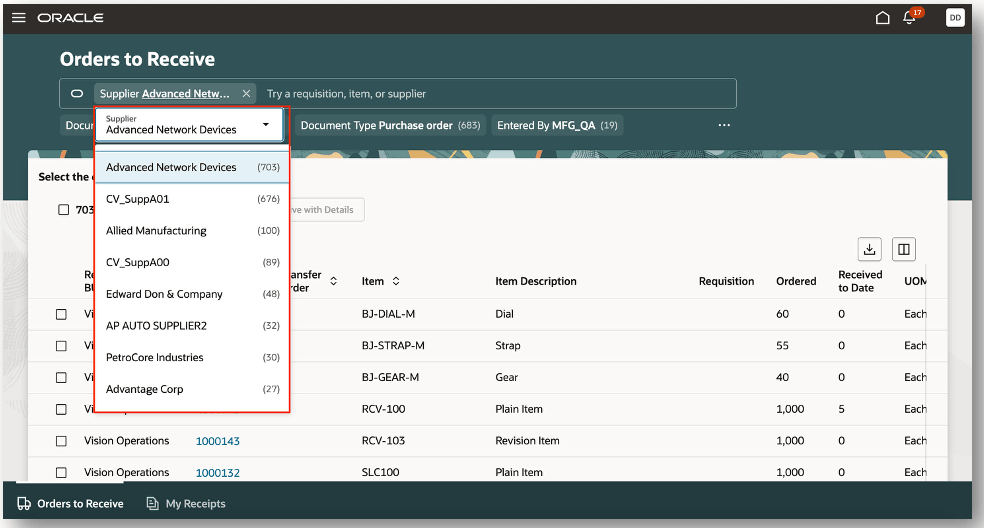
Search by Supplier
The shipment filter helps to view shipment details of your order. In some cases, you may have an inbound shipment number awaiting receipt. You can now search for a specific shipment and view the count of orders or receive associated with the shipment number.
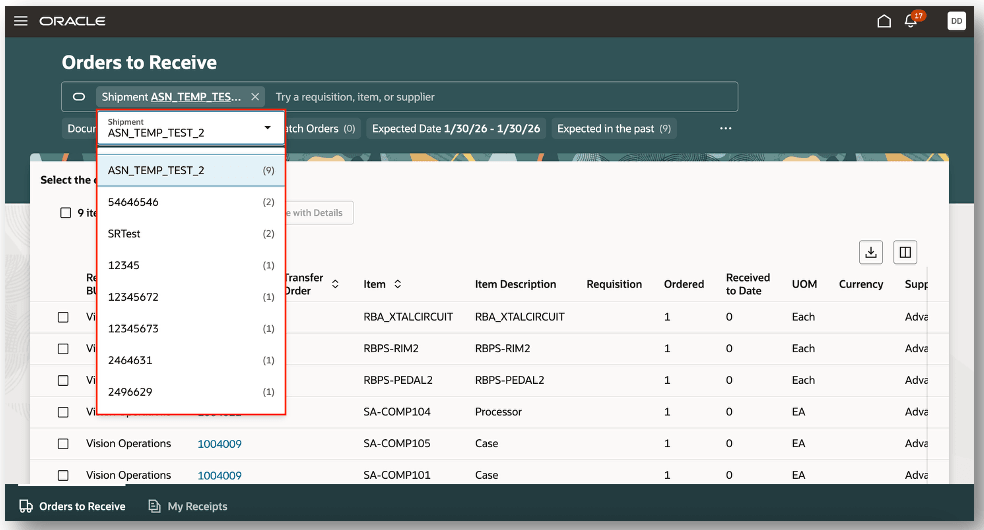
Search by Shipment
Filters also include the most frequently used searches. For example, most frequently searched purchase orders when searching for orders to receive.
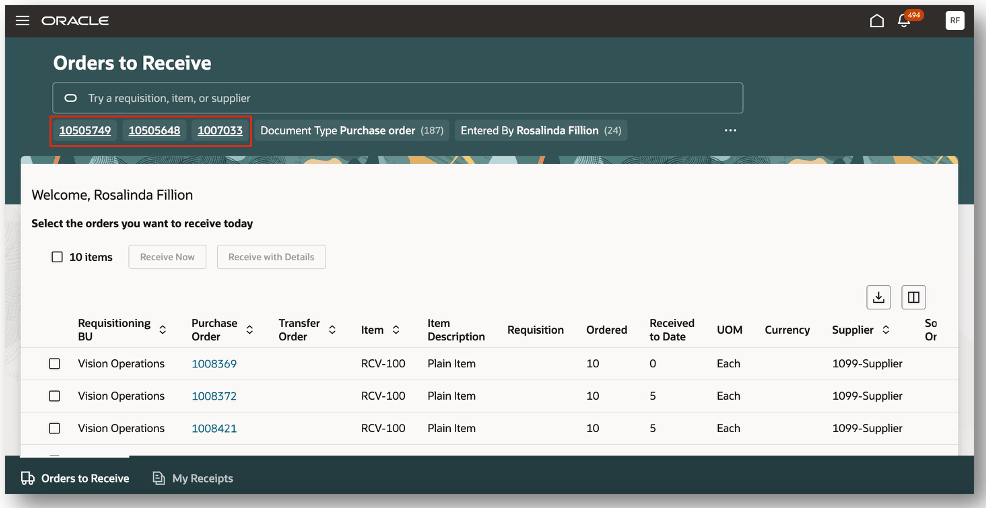
Search by Most Frequently Used
In addition to the Orders to Receive page, new search filters are added to the My Receipts page. Use the receipt filter to easily search for a specific receipt. You can also view a count of matching records associated with the receipt.
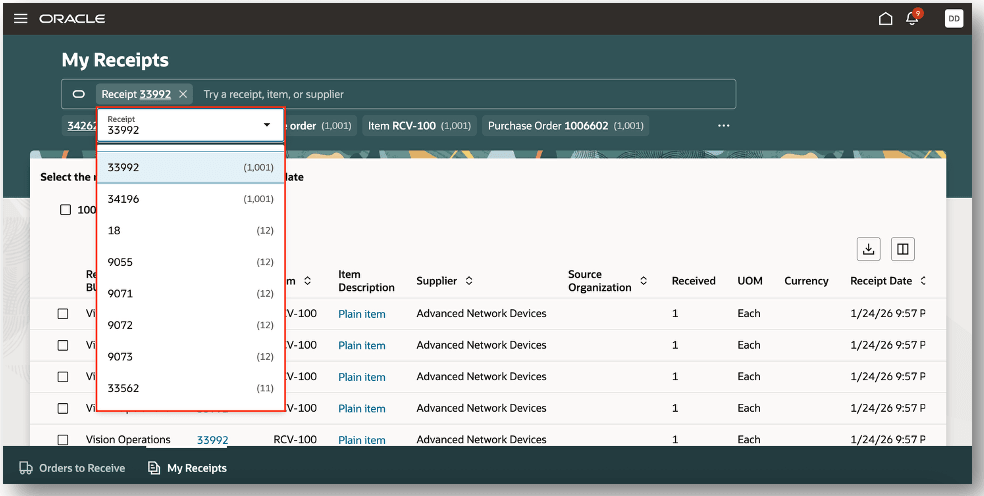
Search by Receipt
This feature saves you time and improves the visibility of your inbound supply by significantly reducing the time and effort it takes to search for your orders to receive and receipts.
Steps to enable and configure
You don't need to do anything to enable this feature.
Key resources
- Oracle Fusion Cloud SCM: Using Receiving guide, available on the Oracle Help Center.
- Oracle Fusion Cloud SCM: Implementing Manufacturing and Supply Chain Materials Management guide, available on the Oracle Help Center.
- Oracle Fusion Cloud SCM: Security Reference for Manufacturing and Supply Chain Materials Management on the Oracle Help Center
Access requirements
No additional access is required. Users with existing access to Redwood Self-Service Receiving can use this feature to expand their search capabilities.