Redwood: Use the All Organizations Option When Selecting an Organization
Certain roles within your organization, such as supply chain operations managers or regional managers, often require access to data across multiple inventory organizations to effectively oversee and coordinate activities at various locations. To gain a comprehensive view and perform their daily responsibilities efficiently, these roles need to see consolidated data for all the organizations they manage. To assist in performing these tasks, you can now view data from all organizations on multiple pages within Oracle Fusion Cloud Inventory Management.
All Organizations in Organization Chooser
You can now use the All organizations option in the organization chooser on supported Redwood pages to view and analyze data across multiple organizations in a single search. This feature brings parity with legacy ADF functionality by enabling cross-organization visibility on Redwood pages where users previously had to select and query one organization at a time.
With this update, regional and enterprise users can search, review, and compare inventory-related information across all organizaitons they're authorized to access, without switching context between individual organizations.
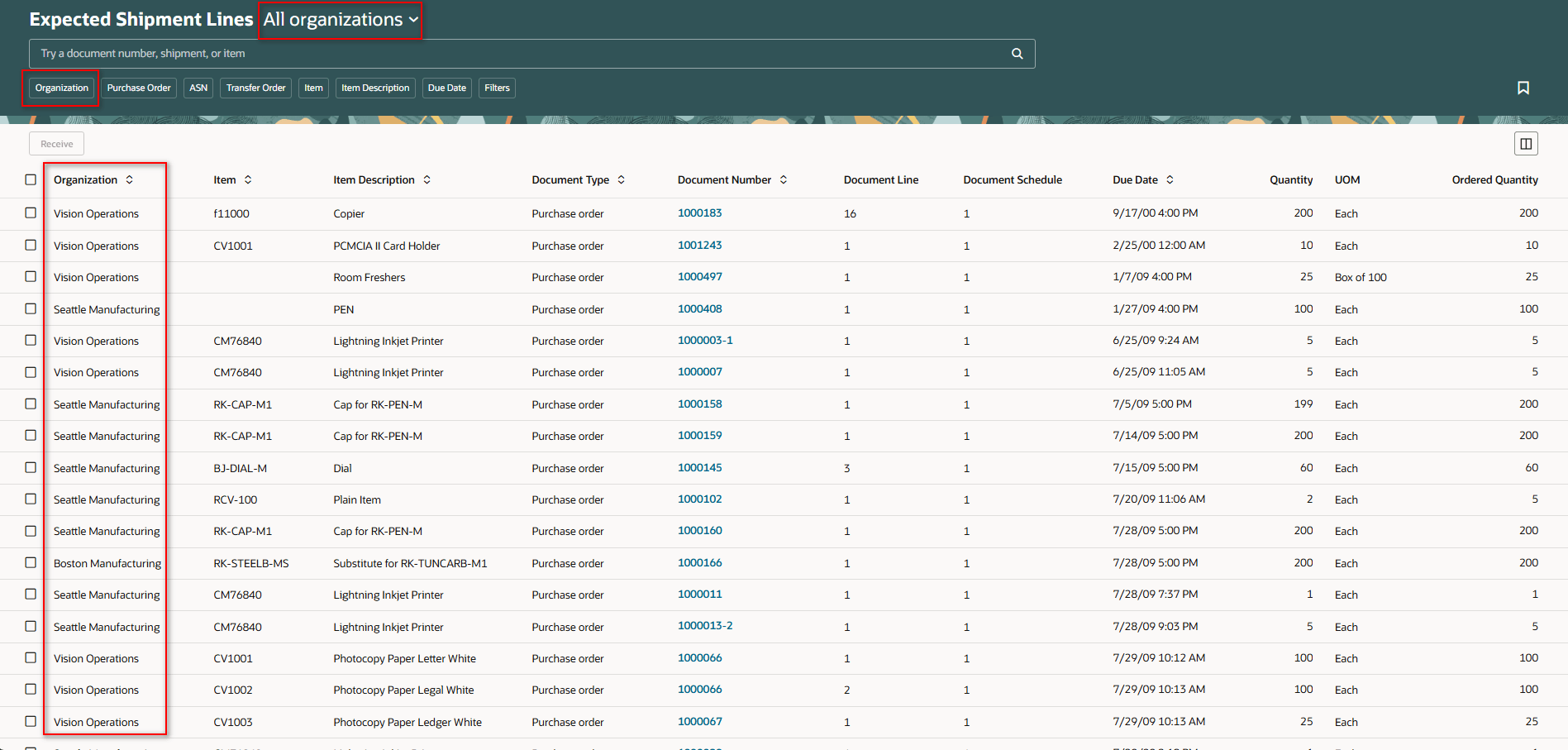
Organization Chooser for All Organizations
Organization Filter Enabled for All Organizations
When you select All organizations in the organization chooser on supported Redwood pages, organization-related filter group facets and filter chips are enabled.
The Receipt Organization filter group becomes available in the filters panel, allowing you to filter results by organization name or organization code. No organization filters are applied by default.
In addition, organization filter chips are displayed along with existing filter chips, enabling you to refine results using one or more organization-related filters without changing the organization context.
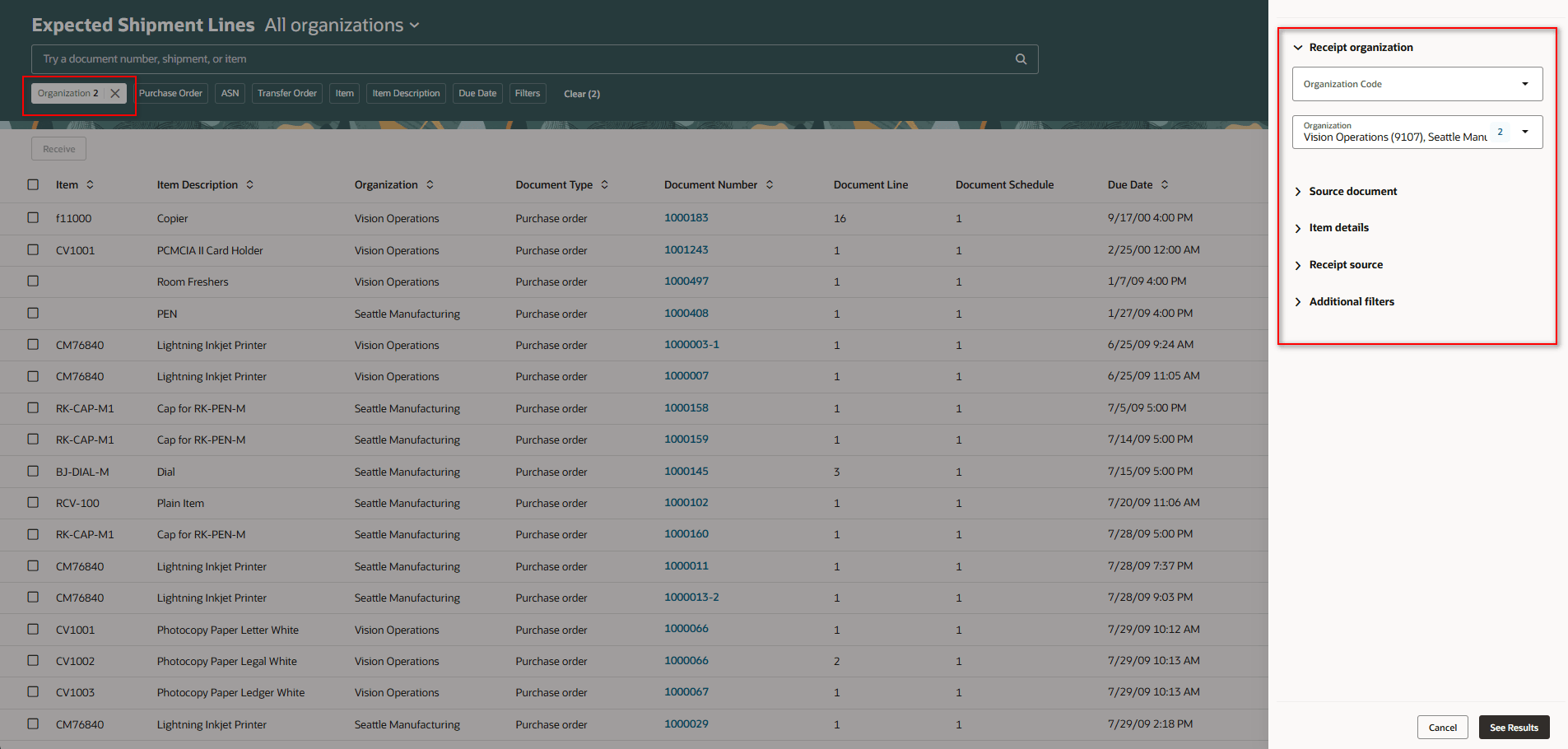
Organization Filter Chip and Filter Group Facets
Filter Organizations by Name or Code
On supported Redwood pages, organization filter facets and filter chips support filtering by organization name or organization code.
This allows you to quickly locate and filter organizations using either identifier, based on your preference.
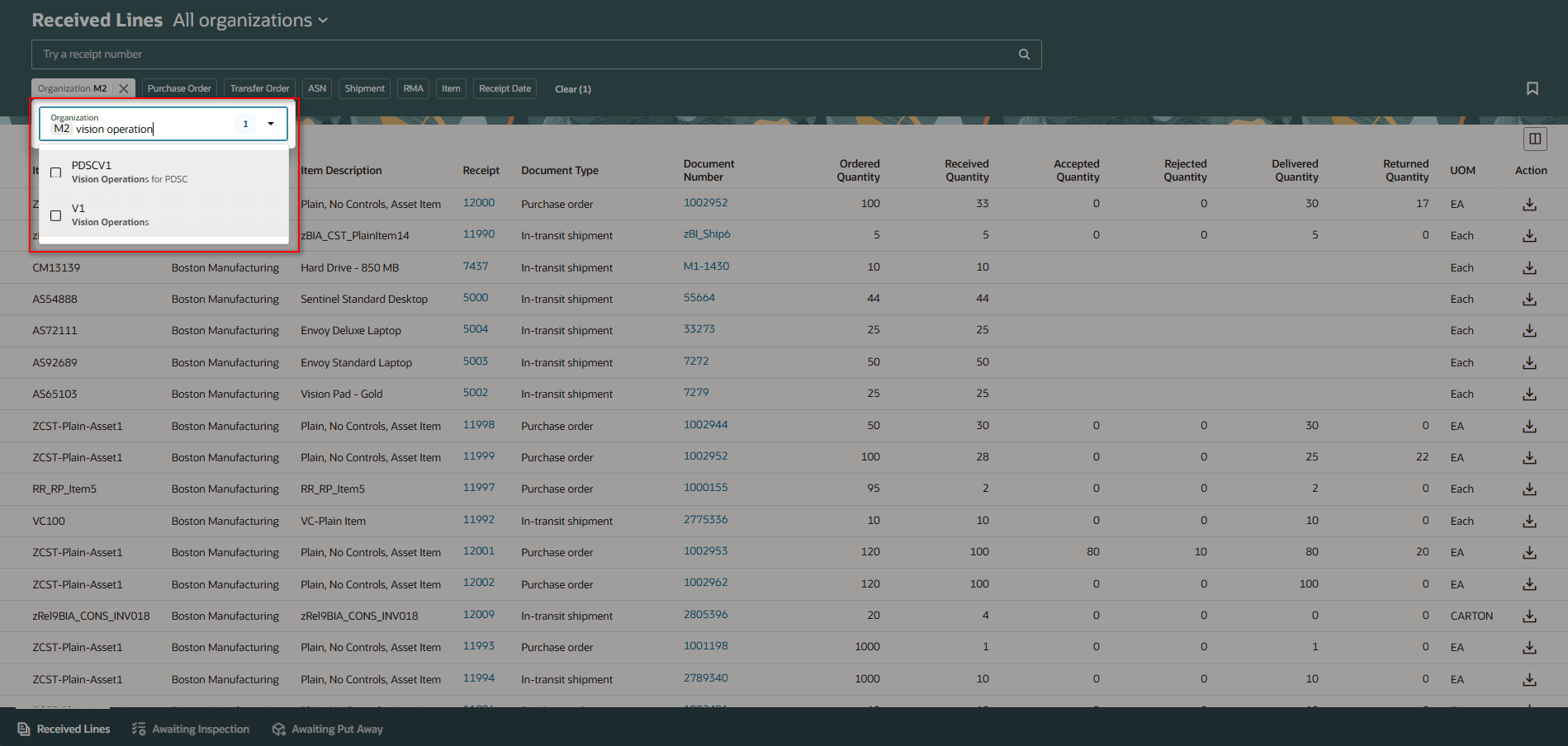
Search by Organization Name or Code
Organization Name and Organization Code Added to Search Results
On supported Redwood pages, Organization and Organization Code are now available as columns in the search results when All organizations is selected.
The Organization column is displayed by default, while the Organization Code column is hidden and can be shown or hidden by users based on their preferences.
This helps you easily identify and differentiate records belonging to multiple organizations when reviewing results across all organizations.
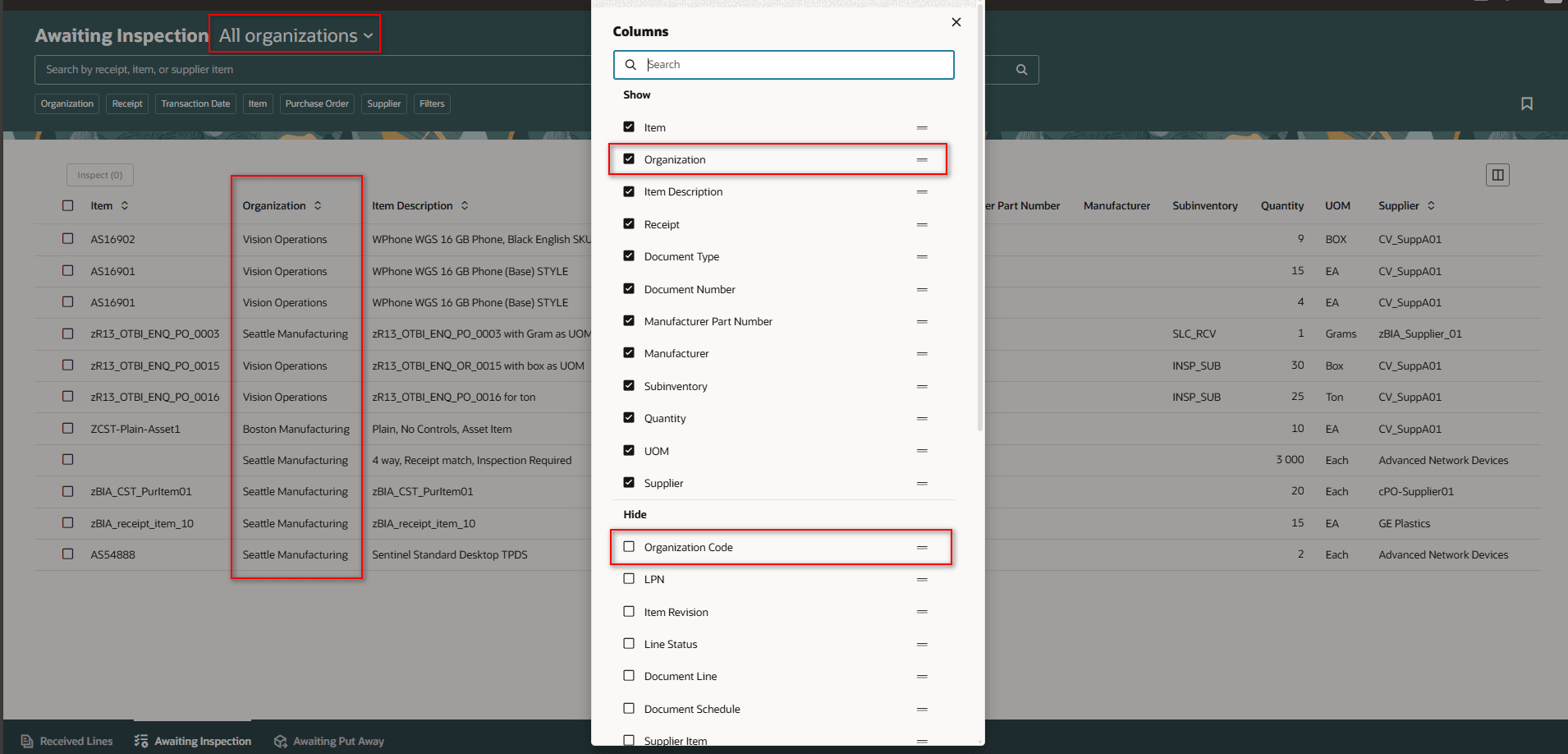
Search Results with the Organization
Supported Redwood Pages
Here are the Redwood pages that support this new functionality:
| Redwood Pages | Supports All Organizations New LOV | Organization Filter Chip | Organization Filter group Facets | Search by Organization Name or Code |
|---|---|---|---|---|
| Inventory Transactions (Pending and Completed Transactions) |
Yes | Yes | No | No |
| Record Cycle Counts | Yes | Yes | No | No |
| Cycle Count Approvals | Yes | Yes | No | No |
| Expected Shipment Lines | Yes | Yes | Yes | No |
| Receipts Awaiting Inspection | Yes | Yes | Yes |
No |
| Receipts Awaiting Put Away | Yes | Yes | Yes | No |
| Received Lines | Yes | Yes | No | Yes |
This feature helps streamline oversight and decision making by providing a single view of data across organizations.
Steps to enable and configure
You don't need to do anything to enable this feature.
Key resources
- Oracle Fusion Cloud SCM: Using Inventory Management guide, available on the Oracle Help Center.
- Oracle Fusion Cloud SCM: Implementing Manufacturing and Supply Chain Materials Management guide, available on the Oracle Help Center.
Access requirements
No additional access is required. This feature allows you to select the All Organizations option when choosing which organization you want to view information for on Redwood pages.