 Redwood: Export All Search Results on the Completed Transactions Page
The Completed Transactions page serves as a critical auditing and investigative tool, providing visibility into historical inventory activity used to research and reconcile on-hand inventory discrepancies. If a discrepancy does occur, you might need to review this data offline so you can compare it with hard-copy records and mark your findings manually. You can now export the full set of search results directly from the Completed Transactions page.
Use the Export All button to download the complete set of search results from the Completed Transactions page. This feature allows you to export all records returned by your search criteria in a single CSV file (compatible with Excel), without requiring you to scroll through the results table to load additional rows.
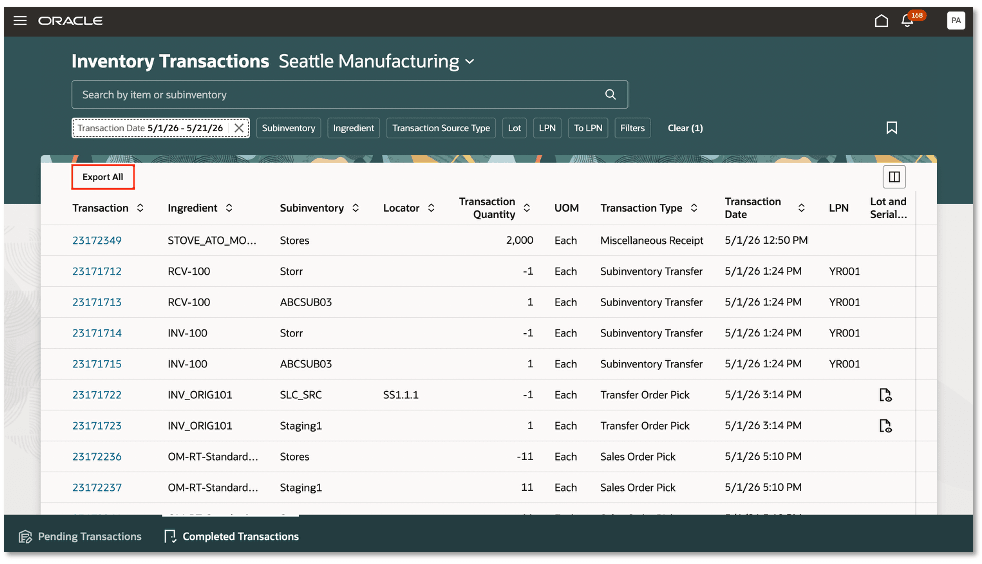
Inventory Transactions - Export All
This feature allows you to efficiently analyze, share, and reconcile inventory data outside the system, improving visibility, reducing manual effort, and supporting more informed operational decisions.
Steps to enable and configure
You don't need to do anything to enable this feature.
Tips and considerations
The Export All action in 26B replaces the Export icon in release 26A.
Key resources
- Oracle Fusion Cloud SCM: Using Inventory Management guide, available on the Oracle Help Center.
Access requirements
Users who are assigned a configured job role that contains this privilege can access this feature:
- Review Completed Inventory Transaction (INV_REVIEW_COMPLETED_INVENTORY_TRANSACTION_PRIV)
This privilege was available prior to this update.