Enable Accurate Capture and Fiscal Processing for Prepayments Under the New Tax Regime
You can now record, tax, and track supplier prepayments against purchase orders before goods are received in Brazil’s standard procure-to-pay fiscal flows.
With the new Prepayment fiscal flow for source document type Purchase Order, the system automatically associates and applies prepayments to final invoices, ensuring:
- Accurate tax calculation
- Proper invoice matching
- Fiscal compliance
This enhancement allows you to capture incoming fiscal documents created for the payment of prepayment invoices matched to purchase orders using the following CFOP codes:
Outbound CFOPs:
- 5922 – Billing of Future Sales
- 6922 – Billing of Future Sales
Inbound CFOPs:
- 1922
- 2922
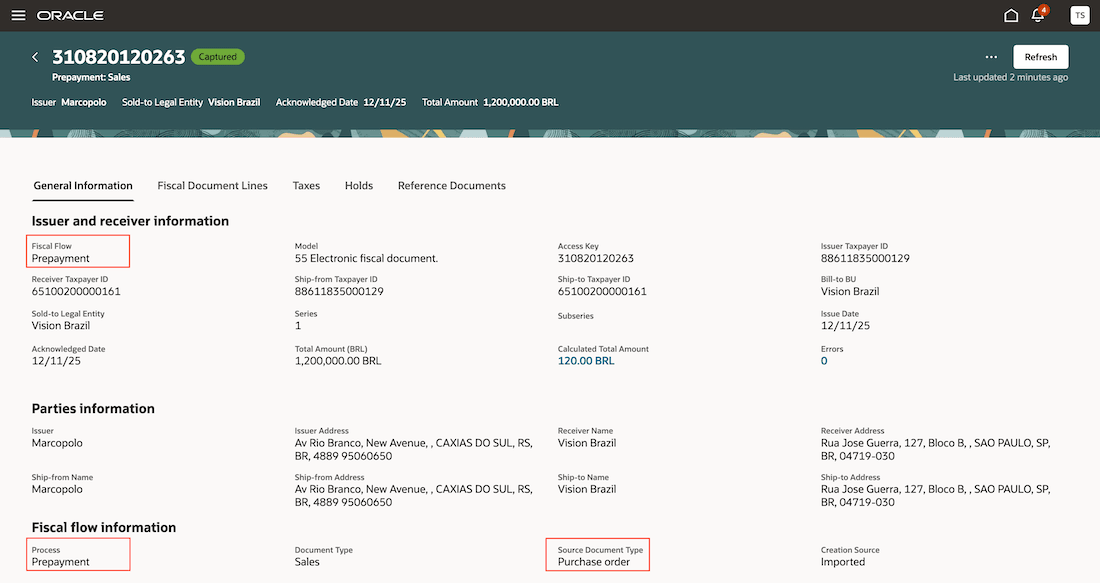
A fiscal document for Prepayment fiscal flow.
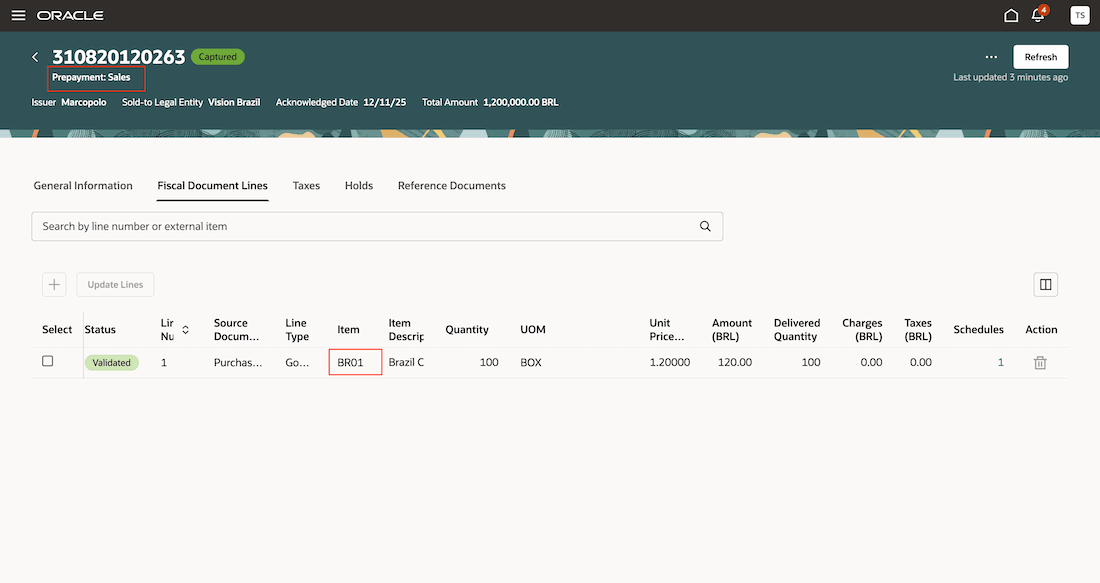
Prepayment fiscal flow document with line and schedule.
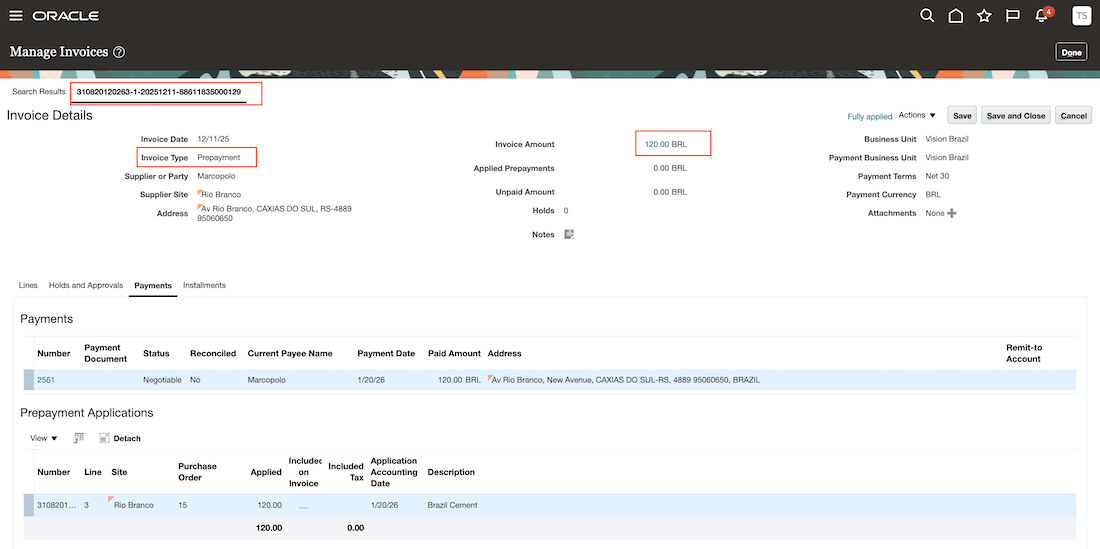
Prepayment invoice in payables.
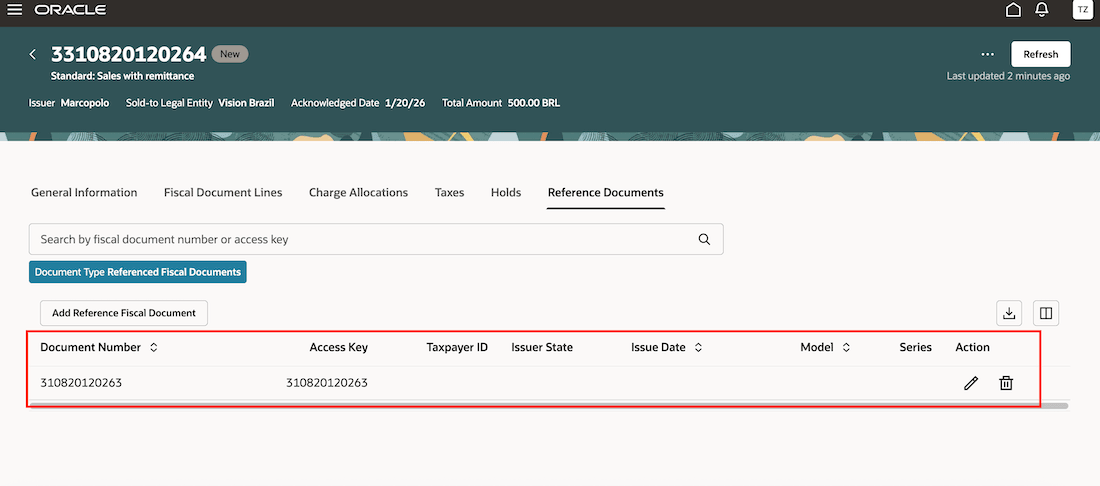
Standard fiscal document with reference of the applicable prepayment fiscal document.
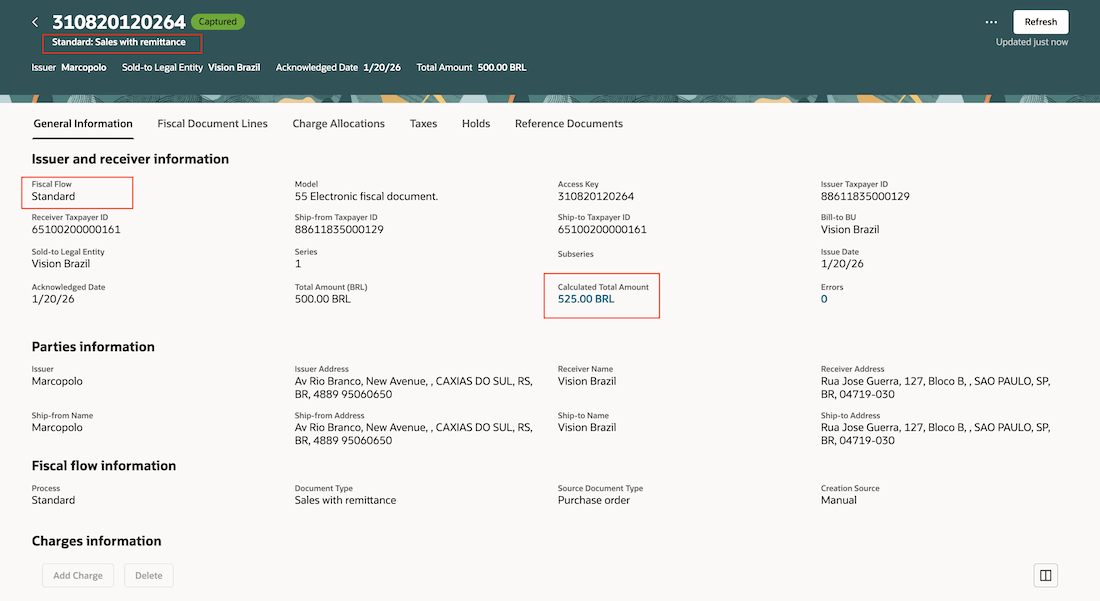
Standard fiscal document captured.
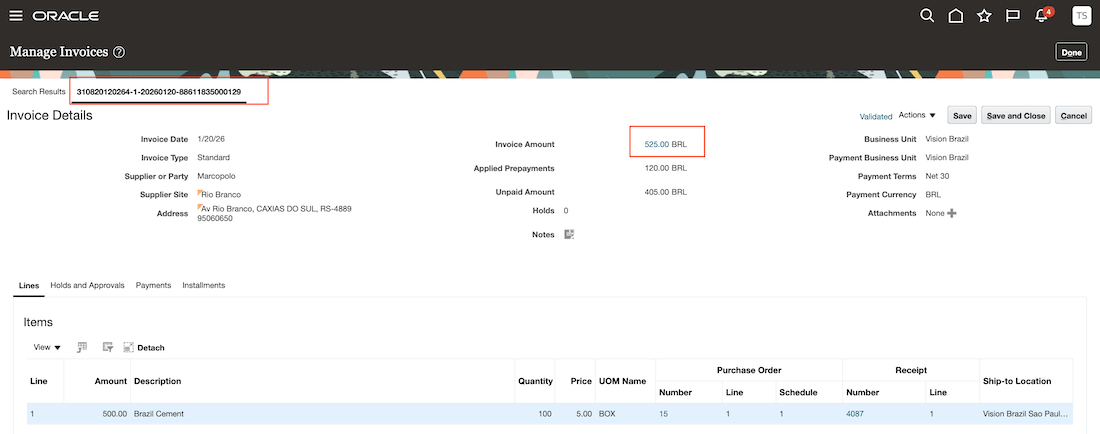
Payables Invoice from standard fiscal document.
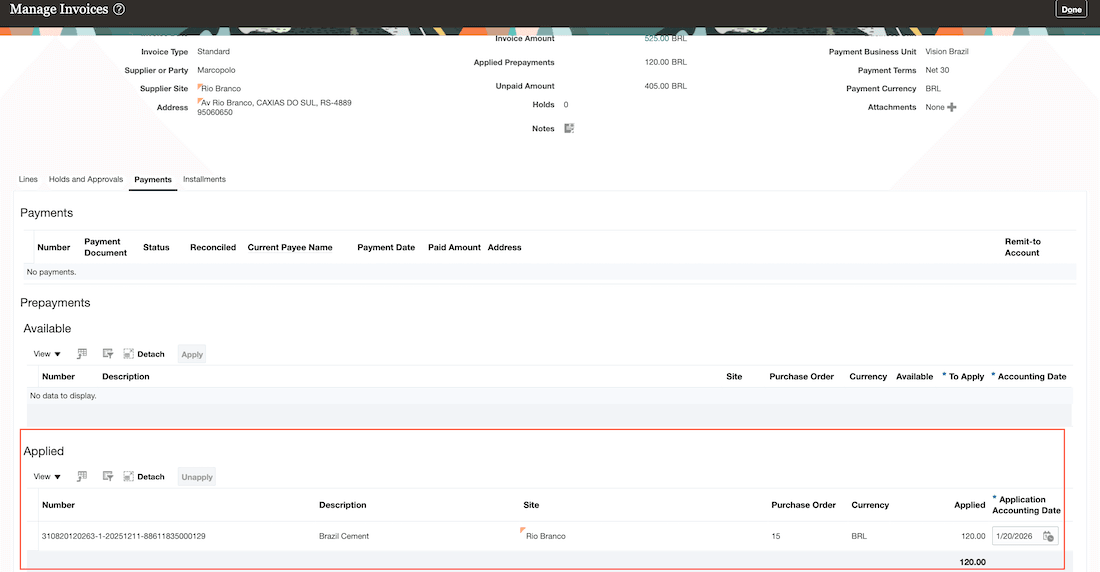
Prepayment invoice auto applied to standard invoice.
- Enhances fiscal compliance and tax accuracy by ensuring correct tax calculation and reporting of supplier prepayments.
- Improves cash flow management and forecasting through early recognition of prepayments and automated application to final invoices.
- Reduces manual effort and errors by automating the matching process across purchase orders, prepayments, fiscal documents, and final invoices.
Steps to enable and configure
You don't need to do anything to enable this feature.
Tips and considerations
- Since Outbound CFOPs are available under multiple fiscal flows, you must make them
- Inactive in other flows, and
- Active specifically for the Prepayment Fiscal Flow to use this capability.
- Charges are not applicable for Prepayment Fiscal Documents.
- No receipt is created for the purchase order when it is matched with a Prepayment Fiscal Document.
- Prepayment fiscal documents can include lines matched to a purchase order, as well as lines without a source document.
- If a fiscal document line has no source, the resulting payables invoice line will not reference a purchase order. In this case, users must manually select the available supplier prepayment invoices to apply against the standard invoice.
- Only standard prepayment fiscal documents are supported. Complementary fiscal documents for prepayments are not supported.
- The prepayment fiscal document accounts for withholding taxes, while regular tax accounting is performed when the standard fiscal document for the purchase order is captured.
Key resources
- Oracle Fusion Cloud SCM: Using Fiscal Document Capture, available on the Oracle Help Center.
- Oracle Fusion Cloud SCM: Implementing Manufacturing and Supply Chain Management - Fiscal Document Capture, available on the Oracle Help Center.
Access requirements
Users who are assigned a configured job role that contains these privileges can access this feature:
- Set Up Fiscal Flows (CMF_FISCAL_FLOWS)
- Manage Fiscal Flows by Web Service (CMF_FISCAL_FLOWS_WEB_SERVICE_PRIV)
- Capture Fiscal Document (CMF_ENTER_FISCAL_DOCUMENT)
- Process Electronic Fiscal Documents (CMF_PROCESS_E_FISCAL_DOCUMENTS)
- Review Fiscal Documents with Exceptions by Web Service (CMF_LANDING_PAGE_SUMMARY_OF_EXCEPTIONS_WEB_SERVICE)
- Record Incoming Fiscal Documents using a Web Service (CMF_ENTER_FISCAL_DOCUMENT_WEB_SERVICE)
- Manage Holds for Fiscal Documents by Web Service (CMF_MANAGE_FISCAL_DOCUMENT_HOLDS_WEB_SERVICE)