Redwood: Further Enhance Disposition and Processing of Returns
Enhance Returns Disposition Processing with Asset Meter Reading History and Entry:
Use meter reading capabilities in the Reverse Logistics Dispositions flow to track and validate asset usage during returns and dispositions. A new View Meters action is now available from both the Dispositions search results list and the Disposition Details page. Using this action, users can access the Meter Reading Redwood UI to view the list of meters associated with asset items included in the disposition.
From the meter list, you can select a meter to review its full reading history and previous usage and readings across the asset lifecycle. You can also enter new readings.
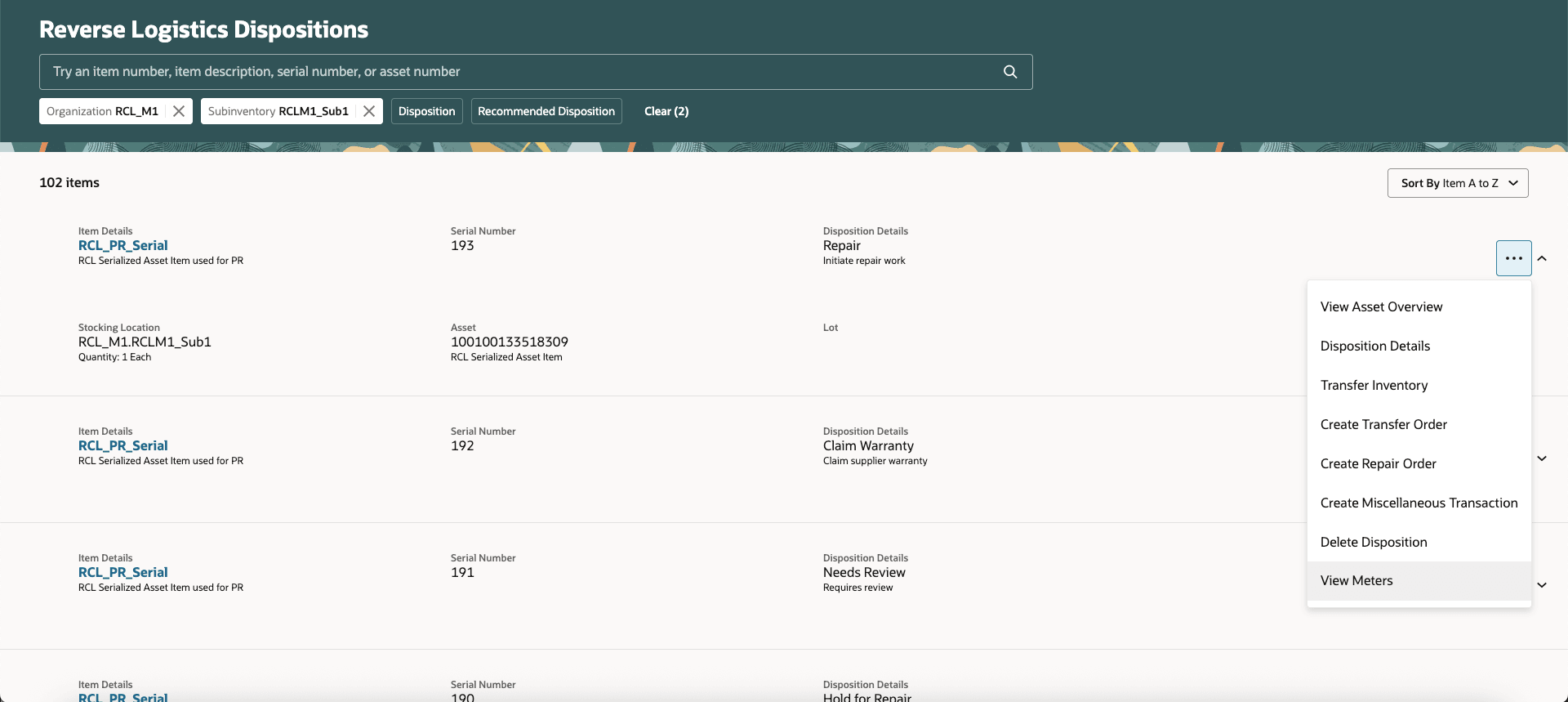
Reverse Logistics Dispositions Search List with View Meters Action
Select the View Meters action from either the Dispositions search results or the Disposition Details page to access the Meter Reading UI
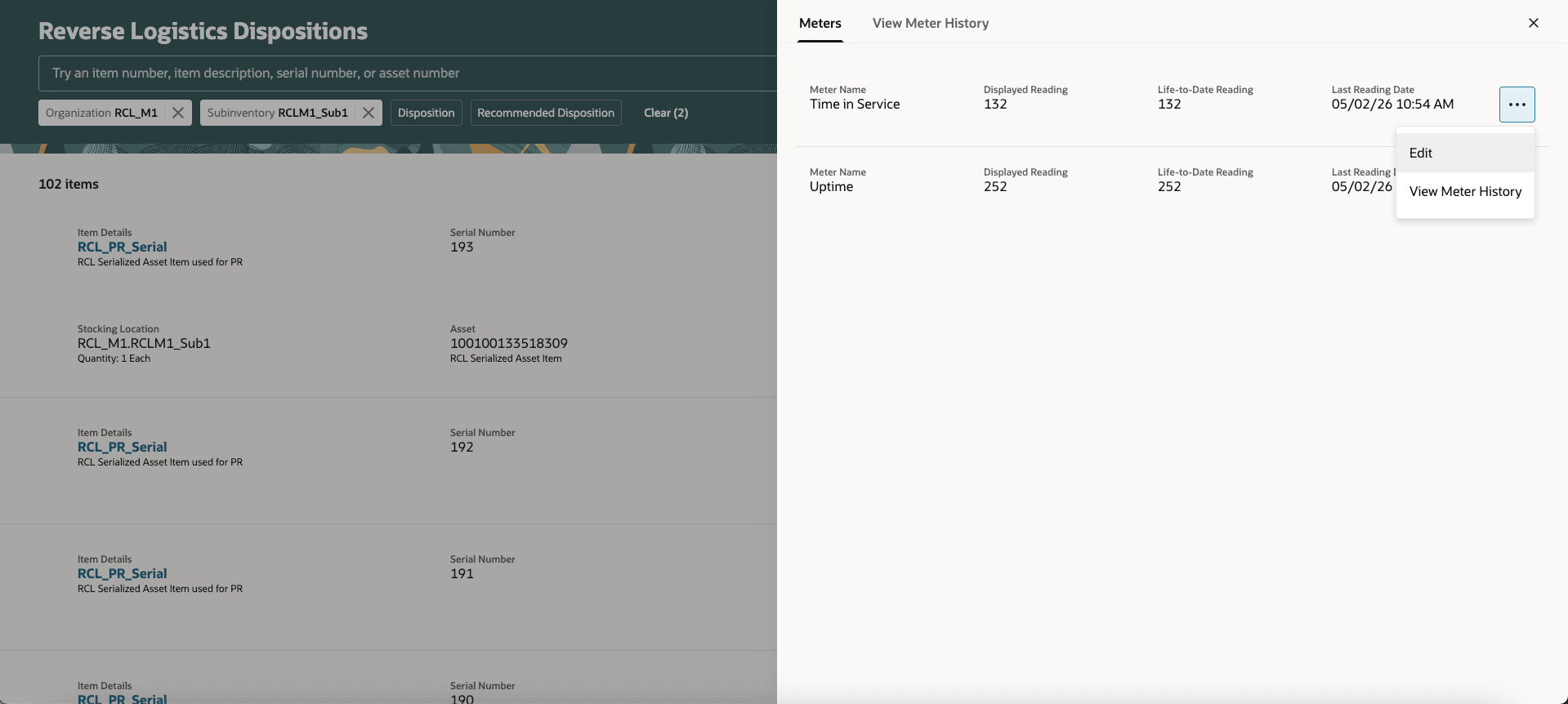
Reverse Logistics Dispositions Meters List for Asset
To capture the latest usage at return, use the Edit option. This ensures you capture the most up-to-date usage information at the point of return.
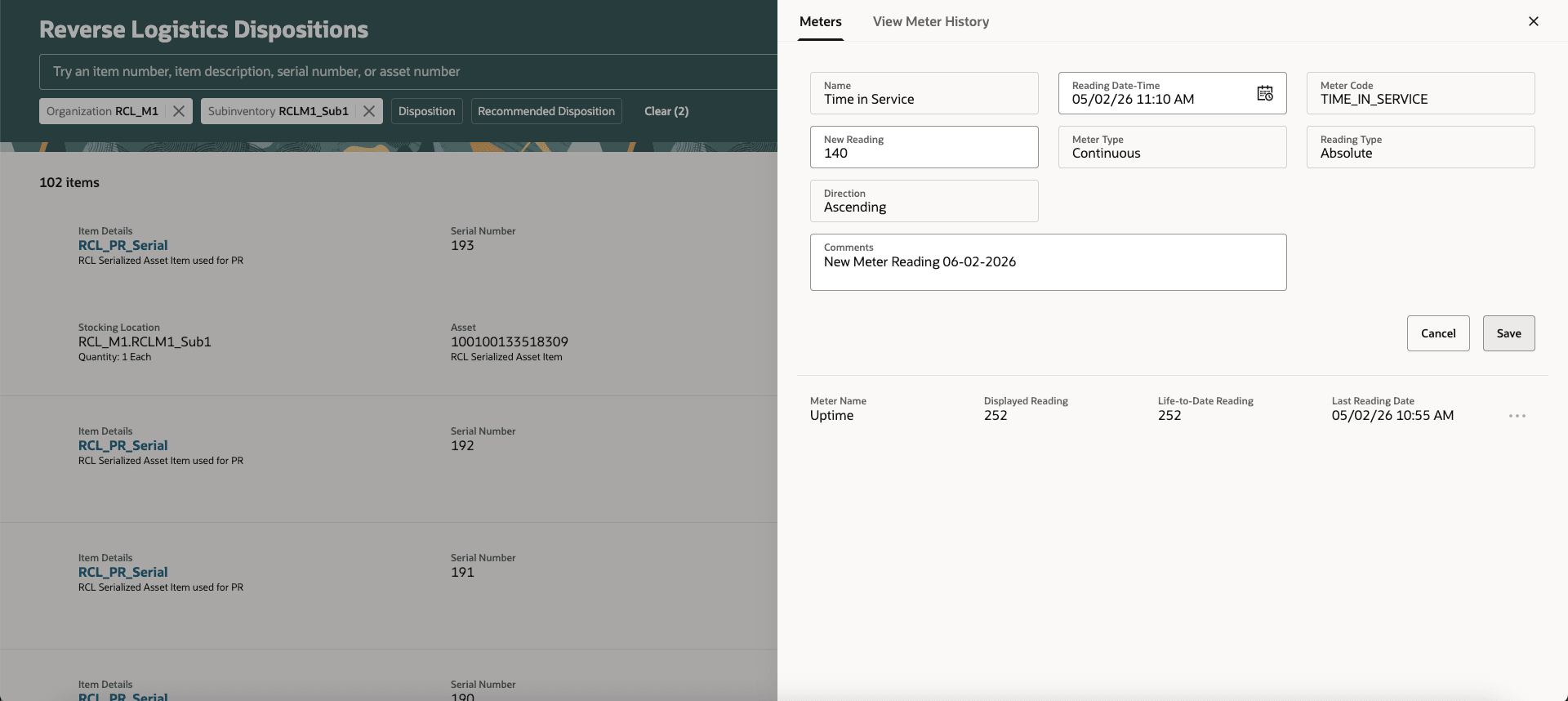
Reverse Logistics Dispositions Meters - New Meter Reading for Asset
In the Meters tab, you can now enter a new meter reading.
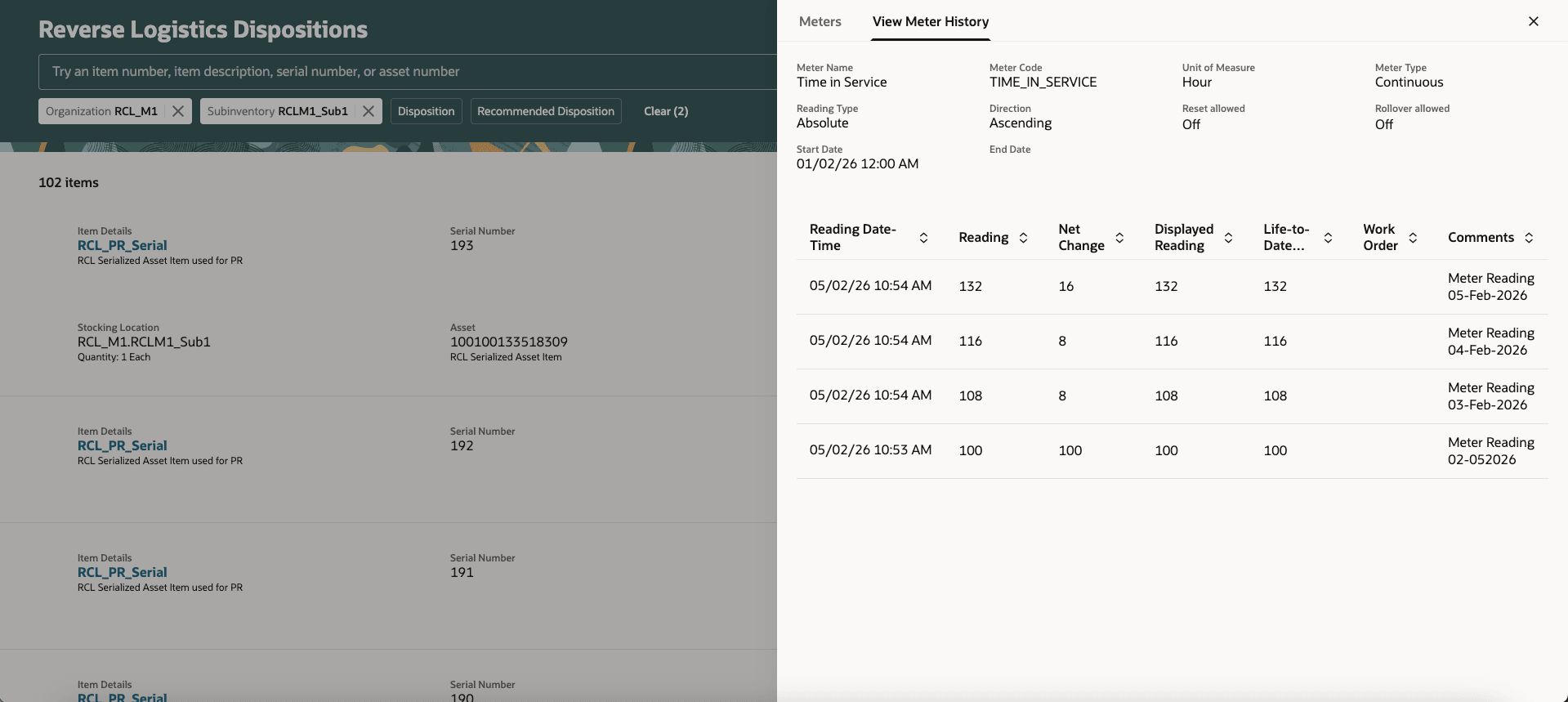
Reverse Logistics Dispositions View Meter History for Asset
In the View Meter History tab, you can view meter readings across the asset lifecycle.
This enhancement ensures the consistent capture of meter readings for returned assets during disposition processing, improving the accuracy of asset condition assessments and disposition decisions.
Steps to enable and configure
You don't need to do anything to enable this feature.
Access requirements
Users who are assigned a job role that contains these privileges can access this feature:
- Record Meter Readings by Service (Existing Mnt Priv) - MNT_RECORD_METER_READINGS_BY_SERVICE_PRIV
- Manage Meter Reading History by Service (Existing Mnt Priv) -MNT_MANAGE_METER_READING_HISTORY_BY_SERVICE_PRIV