Redwood: View Asset Costs
Manage your installed base assets more effectively with the enhanced Asset Information Management page, which now includes maintenance cost details for an asset.
Here's a screenshot of the Cost tab that shows the material cost, labor cost, equipment cost, and total maintenance cost of the asset for the selected period. It also displays the asset cost's currency, as well as the inventory organization, cost organization and cost book.
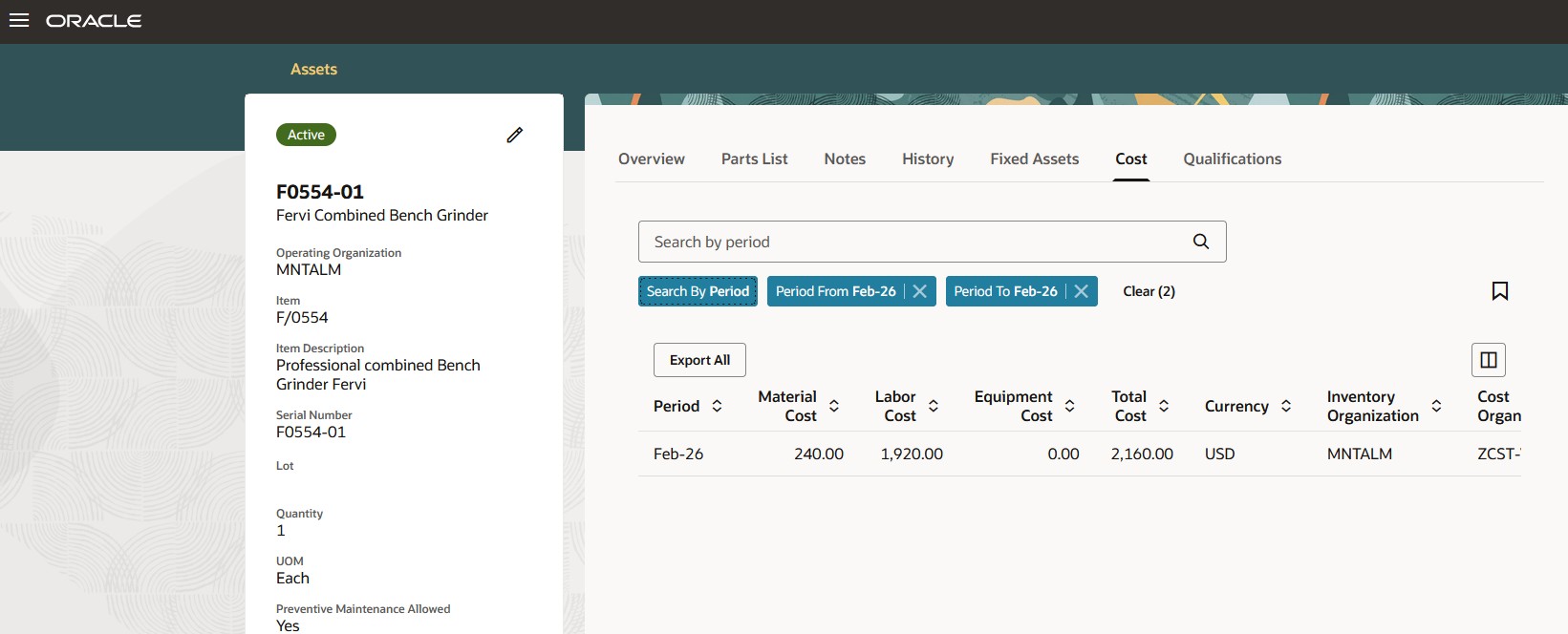
Asset Information Management: Cost Tab
You can search asset cost by period or by work order, as shown in the screenshot below.
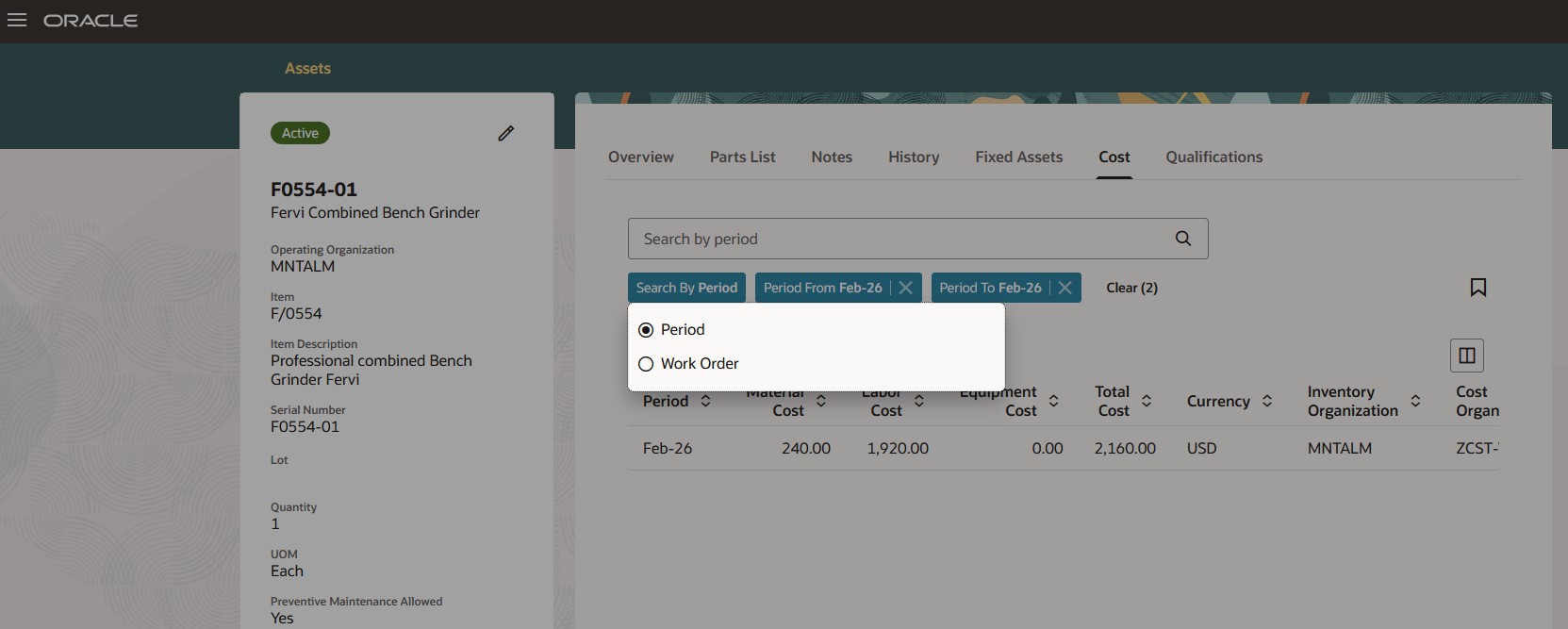
Asset Information Management: Search Cost by Period
The Cost tab, shown in the screenshot, displays the cost information obtained after applying the Search by Work Order and To and From Period filters. You can also export this cost information.
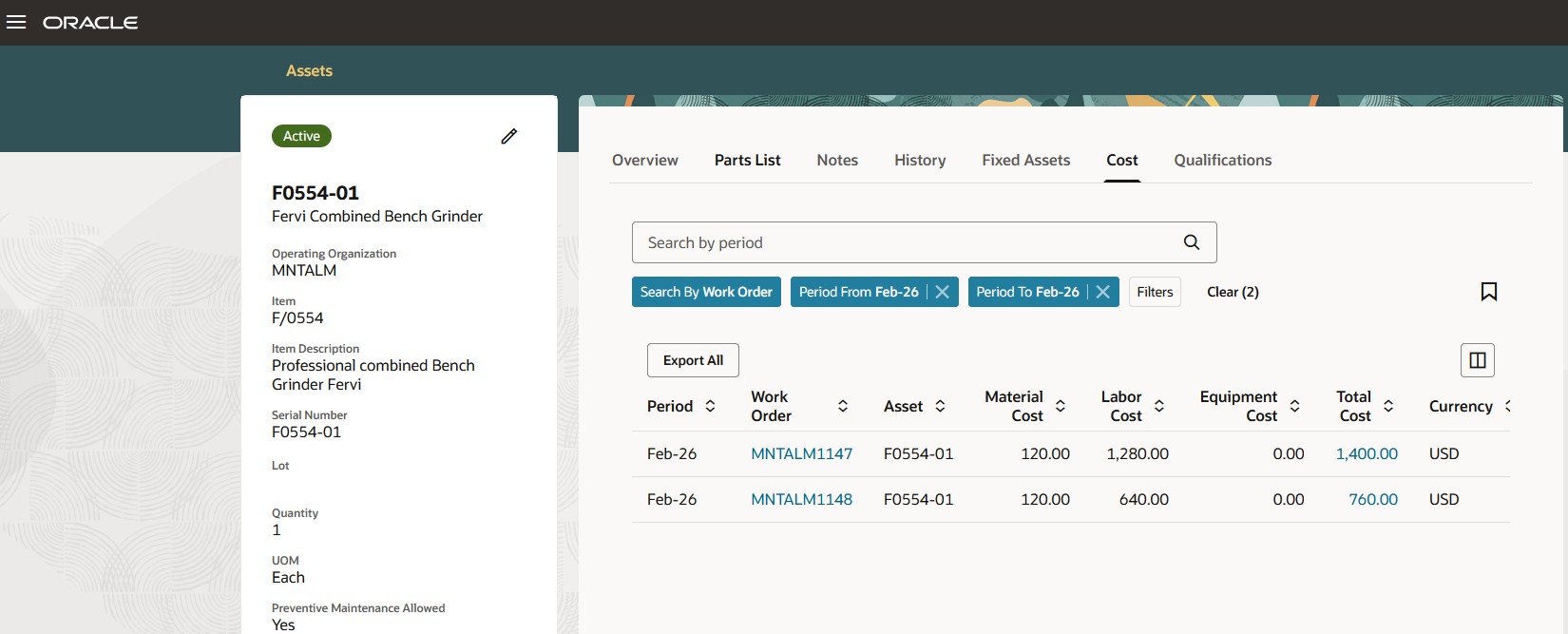
Asset Information Management: Search Cost by Work Order
In the search results, you can drill down on a Work Order to see the associated maintenance work order detail.
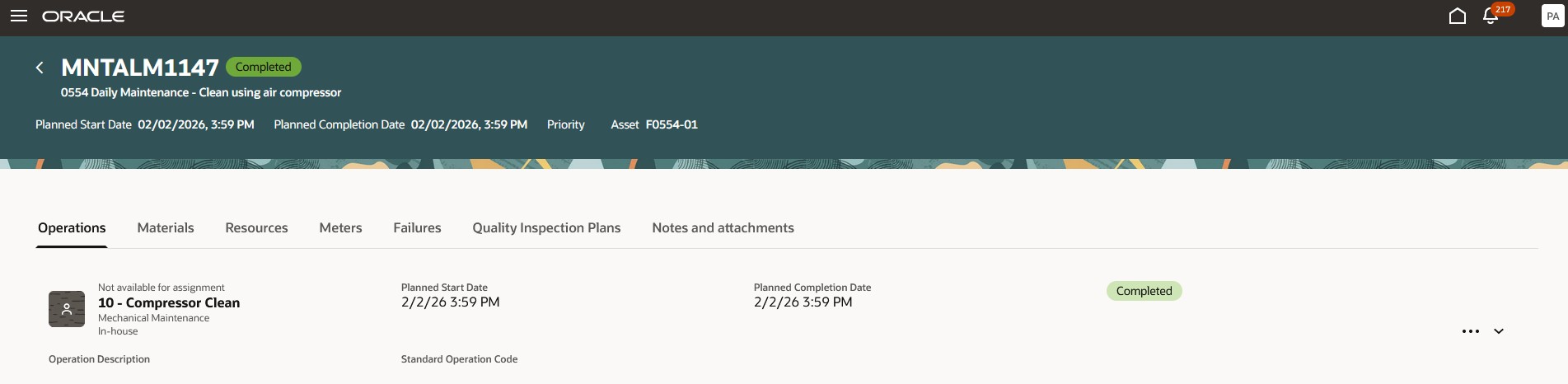
Maintenance Work Order Details
You can also drill down on the Total Cost to see further maintenance cost details, as shown in the screenshot here.
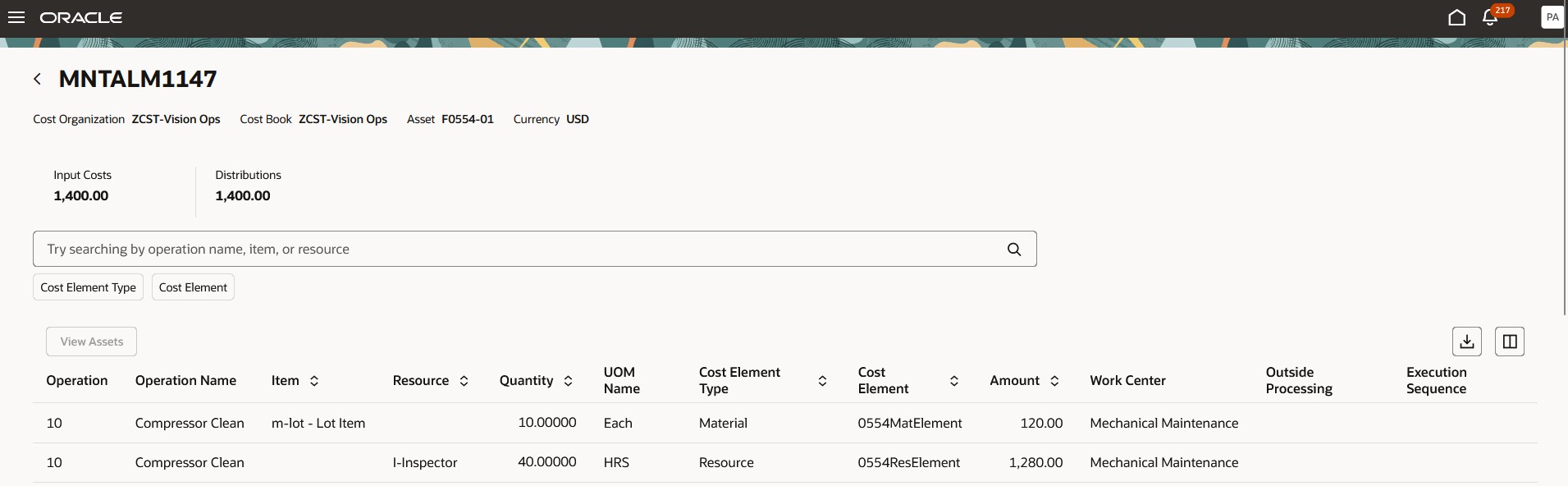
Maintenance Work Order Cost Detail
Here's a screenshot showing the maintenance expense analysis that helps you get insights on material and resource costs, and any overheads in the operation.
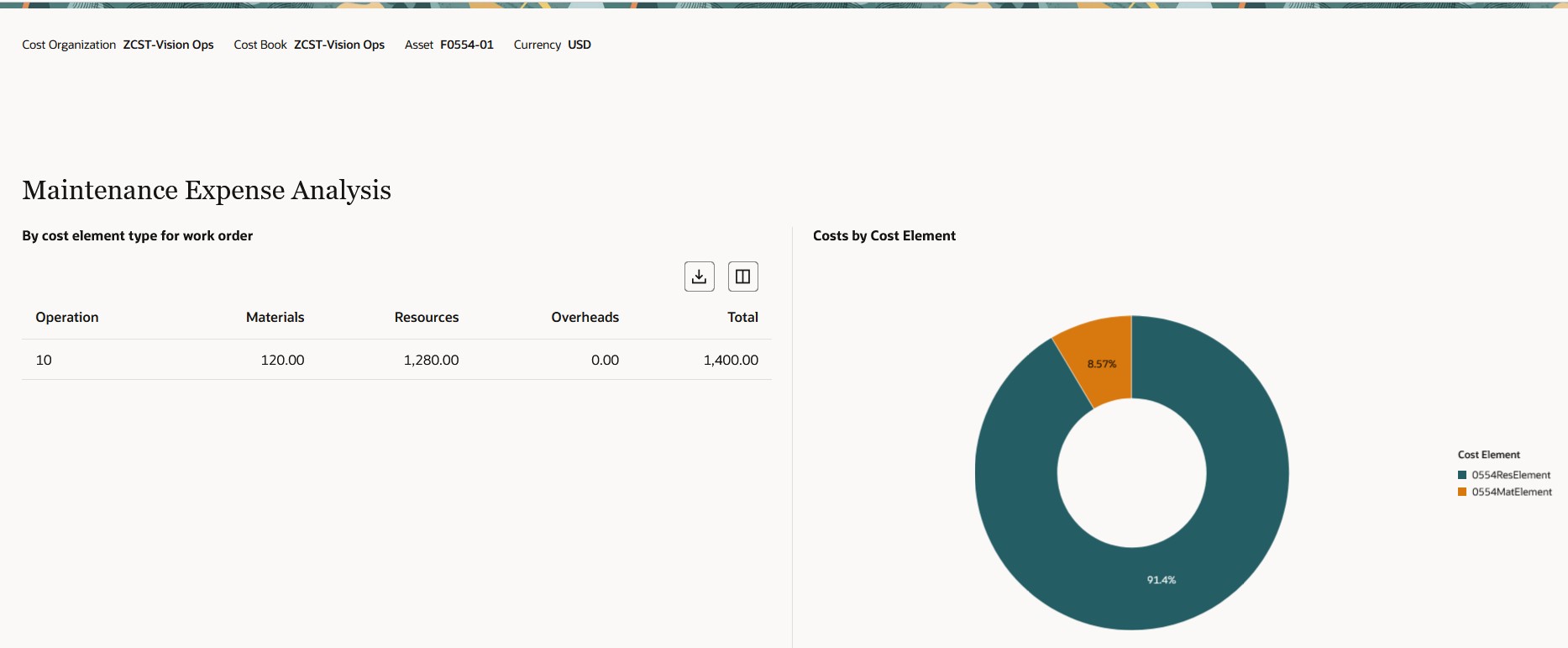
Maintenance Work Order Cost Detail: Maintenance Expense Analysis
Gain better control over an asset's lifecycle cost with an enhanced Asset Information Management tab that provides clear visibility into the asset's maintenance cost.
Steps to enable and configure
Use the Opt In UI to enable this feature. For instructions, refer to the Optional Uptake of New Features section of this document.
Offering: Manufacturing and Supply Chain Materials Management
To enable this feature:
- Enable the Use Smart Search to Search For and View Assets in the New Assets UI Opt In.
Note: This Opt In will be obsolete in a future release.
2. Set the Enable Asset Details Redwood UI (ORA_MNT_ASSET_DETAILS_REDWOOD_ENABLED) Profile option to Yes
Note:
-
Enabling this profile option disables the Manage Assets and Edit Asset pages and directs users to the new Asset Information Management Redwood UI for viewing and editing asset details.
-
To use Asset Information Management Smart Search:
-
Enable the Oracle Search Extension Framework to create indexes, ingest predefined indexes, and manage search capabilities.
-
Routinely run the scheduled process meant to run Bulk ingest to OSCS process to ingest asset updates from Manufacturing, Receiving, Inventory, Order Management, and FBDI.
-
Refer to Implementing Manufacturing and Supply Chain Materials Management for further details.
-
If the Asset Information Management Redwood UI doesn't open after setting the above profile option, do this:
- Go to Tasks and select Search.
- Type in Manage Profile Categories in the Search field, select Search, and then select the Manage Profile Categories link.
- In the Search Results region of the Manage Profile Categories page, select the Add icon.
- Search for the ORA_FND_AUTH_REST_ACCESS category code.
- In the ORA_FND_AUTH_REST_ACCESS profile options, select Add.
- Enter Profile Name: Enable Asset Details Redwood UI and then, save and close the page.
Tips and considerations
The following functionality isn't available in this release:
- Apps Composer support for the Asset Information Management UI
- Currently, Apps Composer is only enabled for the Visual Builder tool
Access requirements
Users who are assigned a configured job role that contains this privilege can access this feature:
- ORA_MNT_ASSET_DETAILS_REDWOOD_ENABLED