Advanced Filtering with the Redwood Smart Search for Maintenance
Use the new Redwood Smart Search component for filtering data. With Smart Search, you can combine filters and keywords to create advanced, compound query conditions. Here's how you can use Smart Search to narrow down your search results:
- Enter words, partial word, numbers, etc. to search by.
- Click on one of the filters directly below the search bar and when prompted enter numbers or text.
- Click in the search bar to see a full list of all filters available and select any of them, then enter number or text.
- If available, select the Saved Searches to see a list of saved queries.
You can use Smart Search to narrow down the search results on the following Maintenance pages:
- Failure Sets
- Meter Templates
- Qualification Profiles
- Qualification Requirements
- Asset Information Management
- Maintenance Forecasts
- Supplier Warranty Contracts
- Supplier Warranty Claims
- Supplier Warranty Coverages
- Maintenance Work Definitions
- Standard Repair Times
- Labor Reimbursement Rates
The results section of the page populates automatically based on what is in the search bar. Here is a screenshot showing the old search component in Asset Information Management.
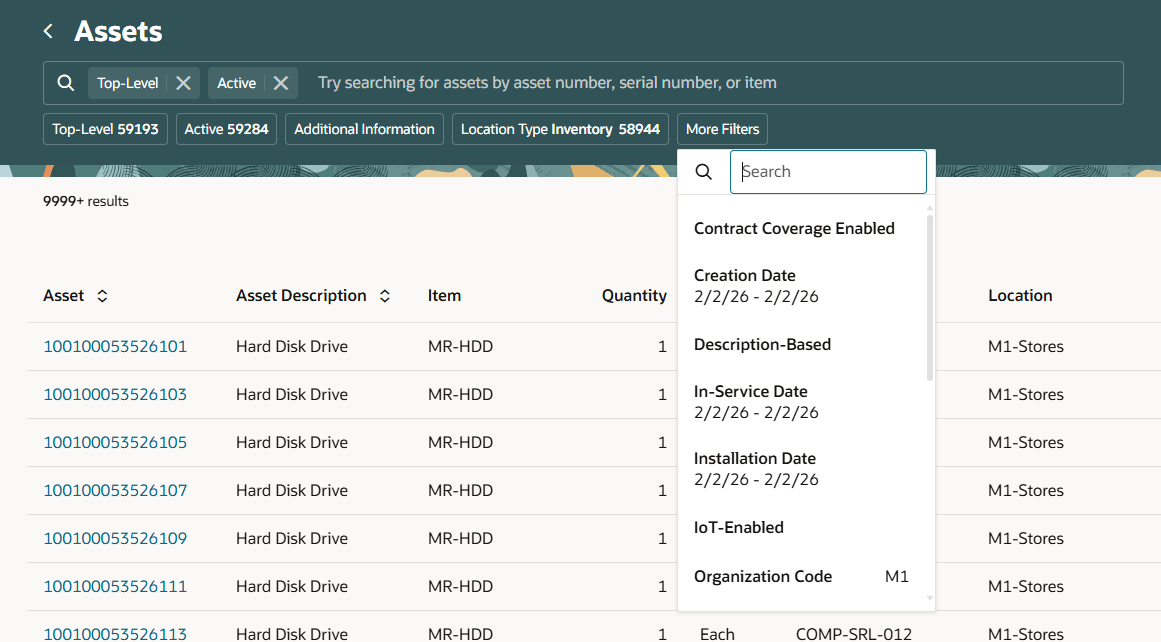
Asset Information Management Smart Search and Filters Component
Here is a screenshot that shows the enhanced search functionality in Asset Information Management.
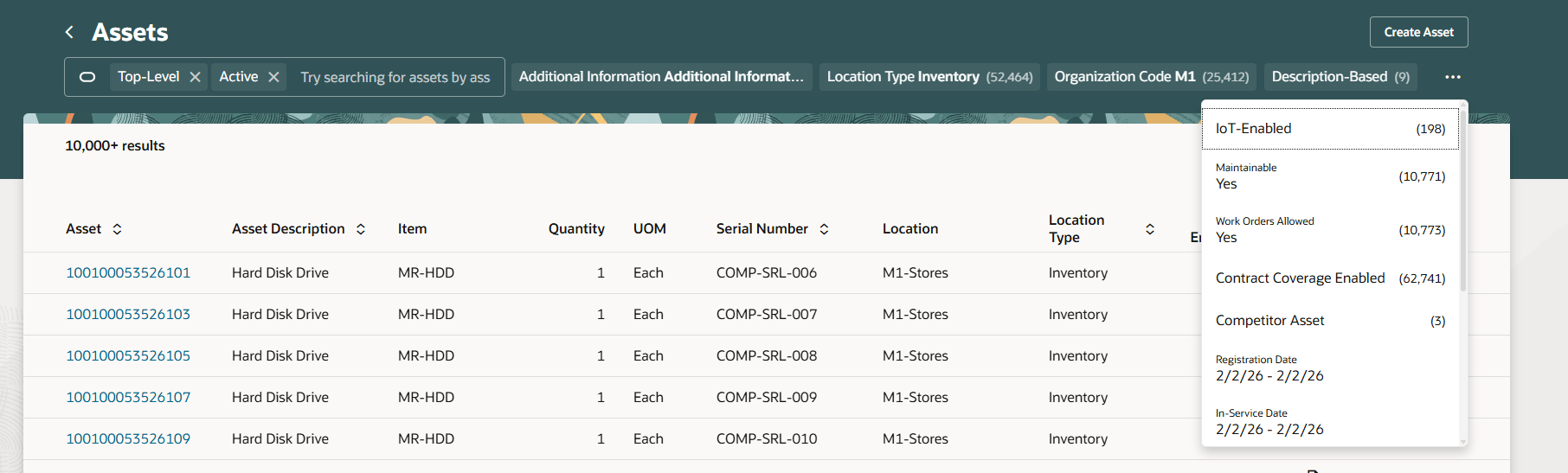
New Smart Search in Asset Information Management
The new Smart Search streamlines and enhances the searching process, that let users quickly find relevant information by combining filters and keywords.
Steps to enable and configure
You don't need to do anything to enable this feature.