Report Scrap Without Inspection Against a Flow Schedule
Although quality is central to lean manufacturing, bad quality products may still be yielded due to several factors. Such products may be reported as scrap if they cannot be repaired or scrapped. Also in certain situations, there may not be a predefined plan to mandate inspection of products manufactured on a production line.
With this update, operators can directly report scrap at the end of the production line while completing a flow schedule without a predefined inspection plan, using the Complete with Details action.
The sum of the completed quantity and the scrap quantity reported as part of the transaction must be equal to the flow schedule quantity. Scrapped quantity is automatically calculated and displayed in read-only mode based on the completed quantity reported. Materials if any, are backflushed for the total quantity reported as completed and scrapped.
Additionally, operators can select the reason for the scrap from a set of predefined codes, which are recorded in the transaction. User privileges must be enabled for operators to be able to report scrap quantities during production.
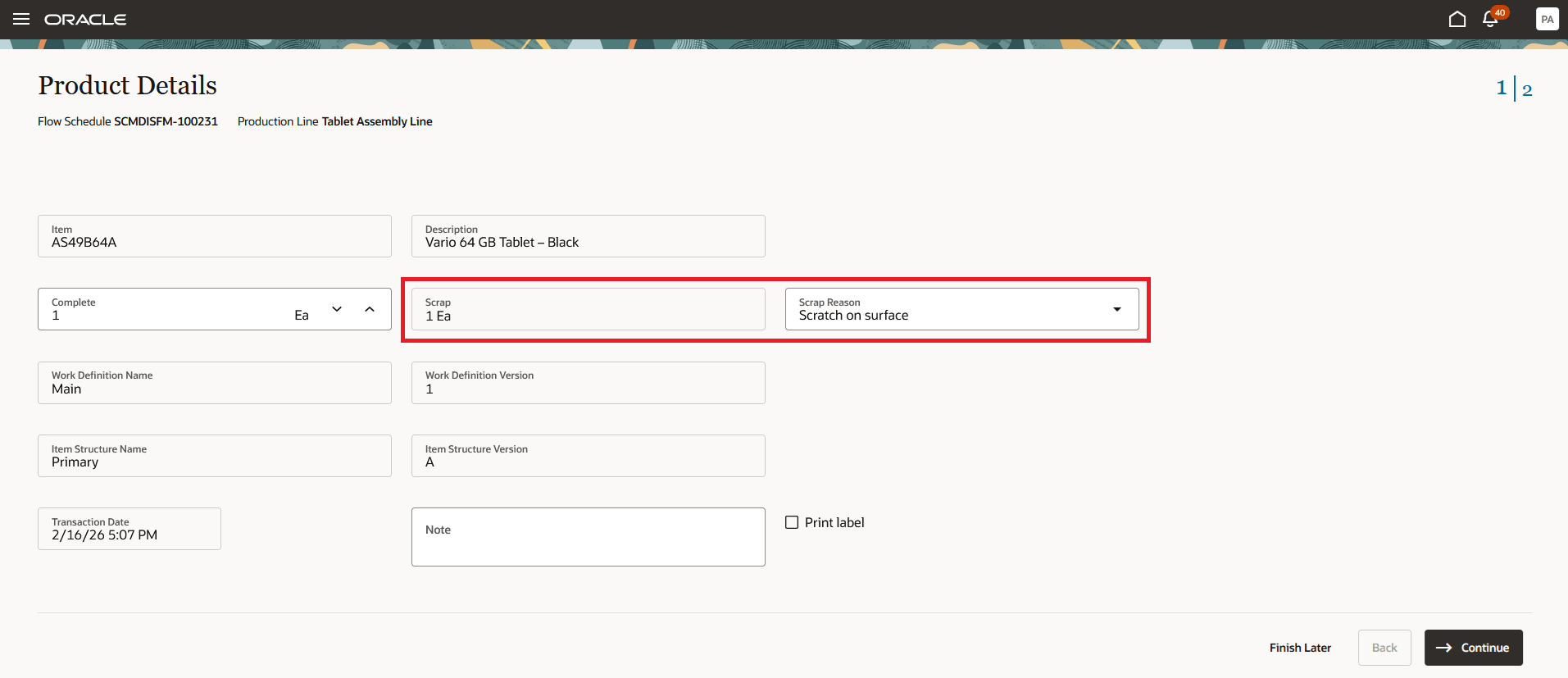
Report Scrap Without a Predefined Inspection Plan Against a Flow Schedule
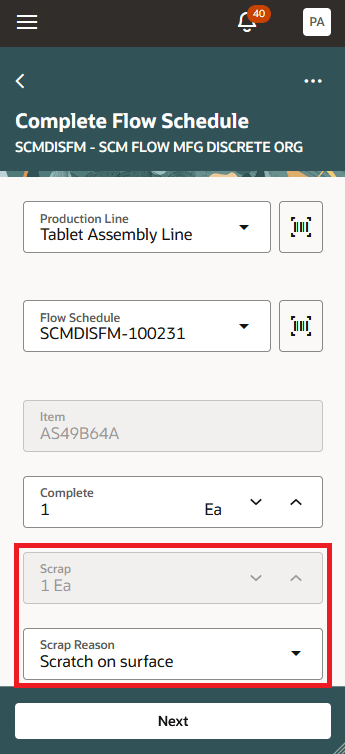
Report Scrap Without a Predefined Inspection Plan Against a Flow Schedule Using an Industrial Handheld Device
This capability supports a simpler, faster scrap reporting process for flow schedules in cases where inspections are not mandated, ensuring efficient capture of scrap data and reducing process delays.
Here's the demo of these capabilities:
Steps to enable and configure
You don't need to do anything to enable this feature.
Tips and considerations
- You can report scrap only at the end of the production line, using the Complete with Details action.
- The sum of the competed and scrap quantity must be equal to the flow schedule quantity.
- You can optionally select a reason for scrapping. Values for reason code can be configured by adding values to the standard lookup type ORA_WIE_REASON_CODE.
- Refer to the related 25B Inspect Flow Schedules at End of the Production Line feature for more information.
Key resources
- Watch the Report Scrap Without Inspection Against a Flow Schedule demo.
- Refer to the Oracle Fusion Cloud SCM: Using Manufacturing guide, available on the Oracle Help Center.
- Refer to the Oracle Fusion Cloud SCM: Implementing Manufacturing and Supply Chain Materials Management guide, available on the Oracle Help Center.
Access requirements
Users who are assigned a configured job role that contains the following privileges can report scrap without inspection against a flow schedule:
- Execute Flow Schedules (WIP_EXECUTE_FLOW_SCHEDULES_PRIV)
- Report Scrap Transactions (WIP_REPORT_SCRAP_TRANSACTIONS_PRIV)
These privileges were available prior to this update.