Redwood: Add Lines from a Catalog to Purchase Orders and Agreements as a Buyer
As a buyer, you can now directly add products or services from the catalog to purchase orders and purchase agreements using the Add from Catalog action. This makes it easier to add lines to a purchase order from an existing blanket purchase agreement and streamlines your ordering process.
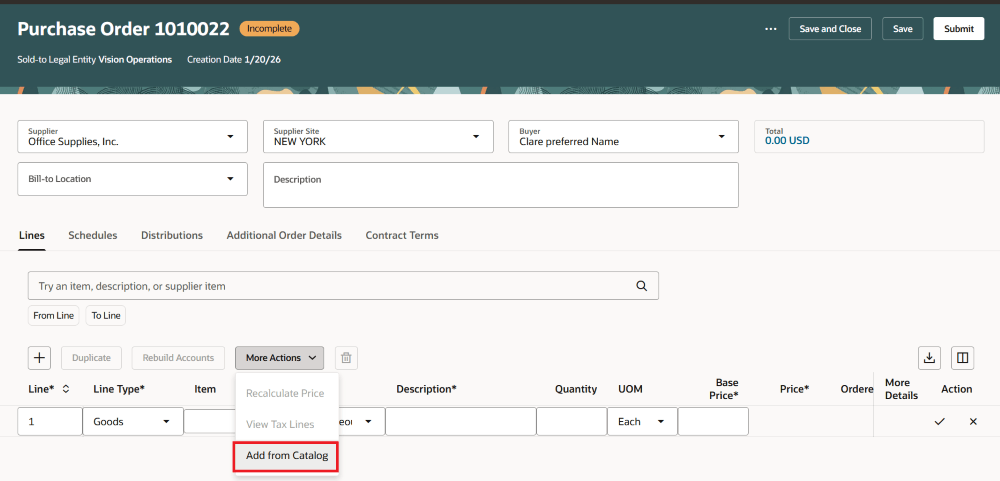
Add from Catalog Action
Use the Add from Catalog action to open a drawer where you can search for items. If a supplier is already listed on the purchase order or purchase agreement, that supplier will be set as the default filter. You can search by keywords or narrow your results using the Supplier, Category, and Manufacturer filters.
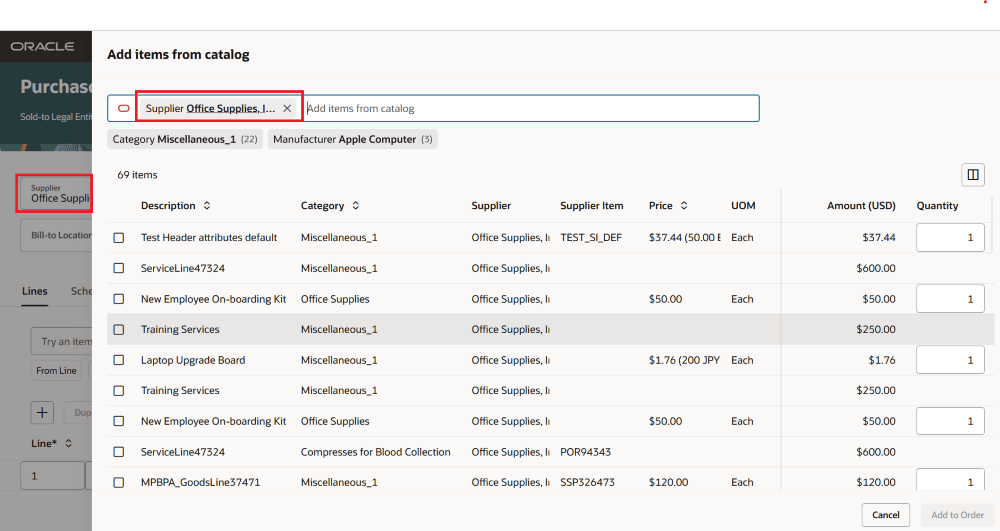
Supplier Set as Default Filter
You can use the Add to Order or Add to Agreement button after you select at least one line. You can add up to 10 lines from the catalog at a time.
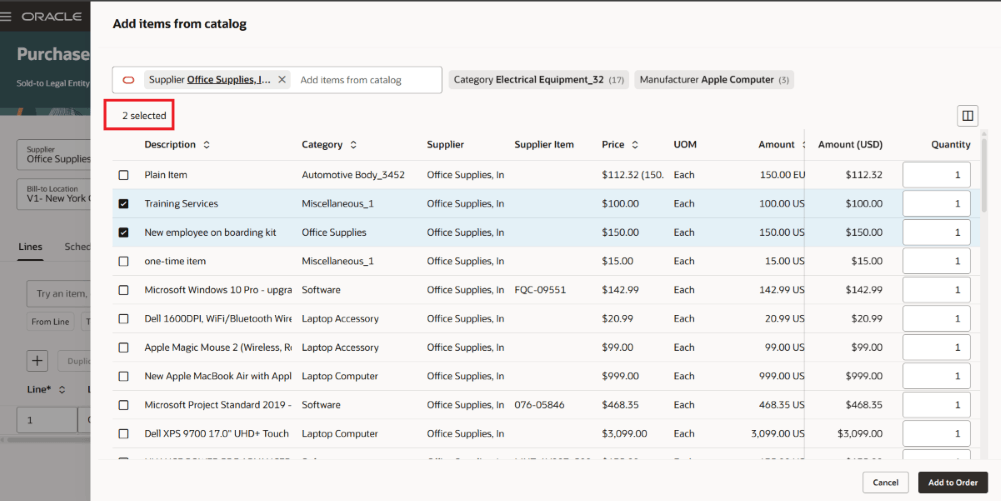
Visual Indication of Lines Selected
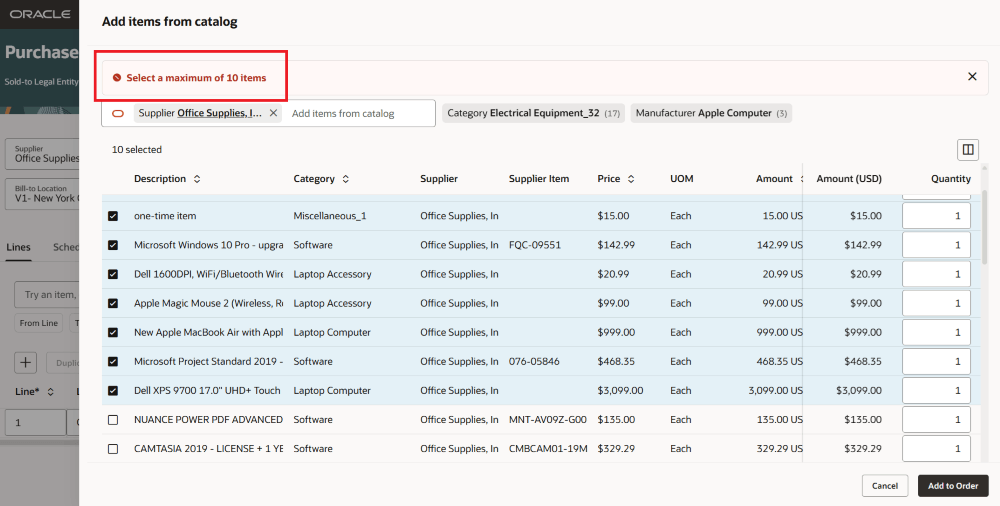
Add Up To 10 Lines at a Time
You can search for existing agreements and add them to the purchase order.
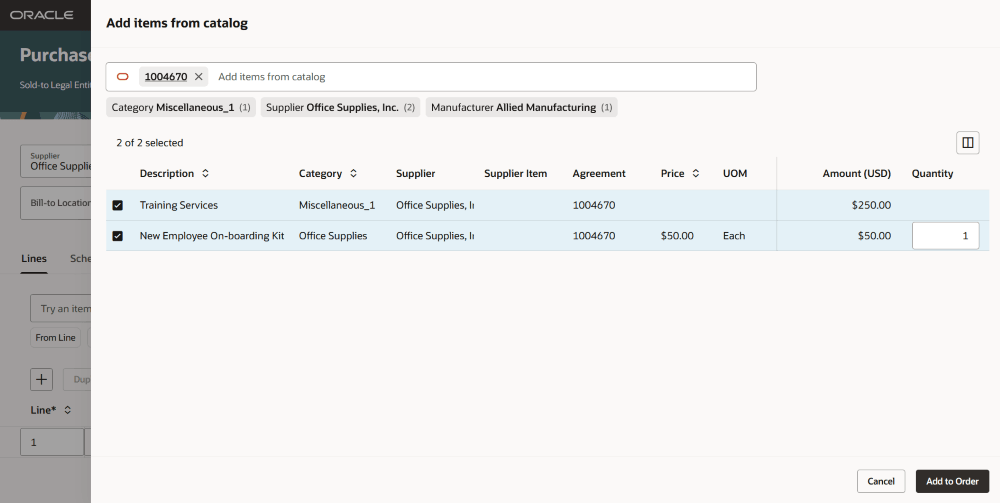
Search for an Existing Agreements
When you select items, they are added to the purchase order.
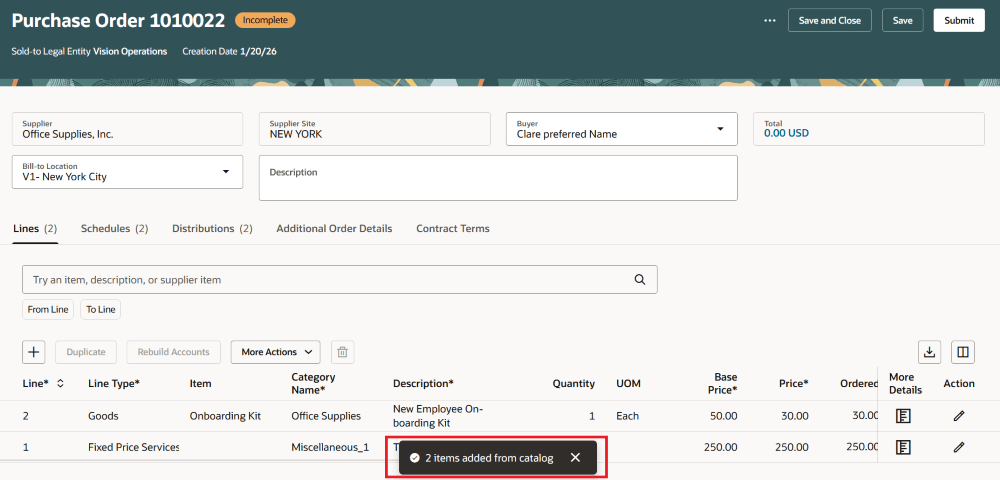
Selected Items Added to the Purchase Order
Steps to enable and configure
If you haven't enabled Redwood for Purchasing, see the Getting Started with Redwood in Purchasing topic on the SCM Resource Center in Customer Connect.
Tips and considerations
- As a buyer, the option to add lines is supported on these pages:
- Edit Purchase Orders
- Edit Purchase Agreements
- Edit Purchase Order Change Orders
- Edit Purchase Agreement Change Orders
- Catalog administrators can add items from the catalog to purchase agreements when they open agreements on the Catalog Agreements Redwood page.
- When you add items from the catalog, key attributes such as item, quantity, price, amount, supplier item, manufacturer, manufacturer part number, and source agreement details are automatically filled in on the target purchase order or agreement.
- When an agreement line is referenced, pricing is based on the agreement price and price breaks. If there's no agreement line, the catalog price applies.
- If the document currency changes due to added lines, you are notified with a warning before proceeding.
- The application validates the purchase basis, document style, item eligibility, agreement validity, supplier, and currency conversion before it adds any lines.
- If the supplier on the purchase order doesn’t have any sourced items, no default filter is applied when you add items from the catalog.
Key resources
To learn more about the Catalog Agreements Redwood page, refer to the Redwood: Manage Purchase Agreements as a Catalog Administrator feature, available in Oracle Fusion Cloud Procurement What's New, update 26B.
Access requirements
Users who are assigned a configured job role that contains these existing privileges can access this feature:
- Create Blanket Purchase Agreement Line from Catalog (PO_CREATE_BLANKET_PURCHASE_AGREEMENT_LINE_FROM_CATALOG_PRIV)
- Create Purchase Order Line from Catalog (PO_CREATE_PURCHASE_ORDER_LINE_FROM_CATALOG_PRIV)