Redwood: Upload Agreement Lines
Upload lines to blanket purchase agreements from a Redwood page as a buyer, catalog administrator, or supplier. You can upload lines during agreement authoring and when creating an agreement change order.
The Upload Lines action opens a drawer where you can configure upload parameters and select your file. Supported formats include CIF, cXML, XML, and tab-delimited (TXT) files. For TXT and XML formats, you can download a resource file to use as a template. When using CIF or cXML format, you can specify the primary classification domain, such as UNSPSC, that were used to categorize the items or services.
You can apply mapping to convert external supplier values into internal application values. You can also specify the maximum number of errors allowed before processing stops.
As a buyer authoring a blanket agreement or as a buyer, catalog administrator, or supplier creating an agreement change order, you have the option to automatically submit the agreement or change order for approval once the upload is successful.
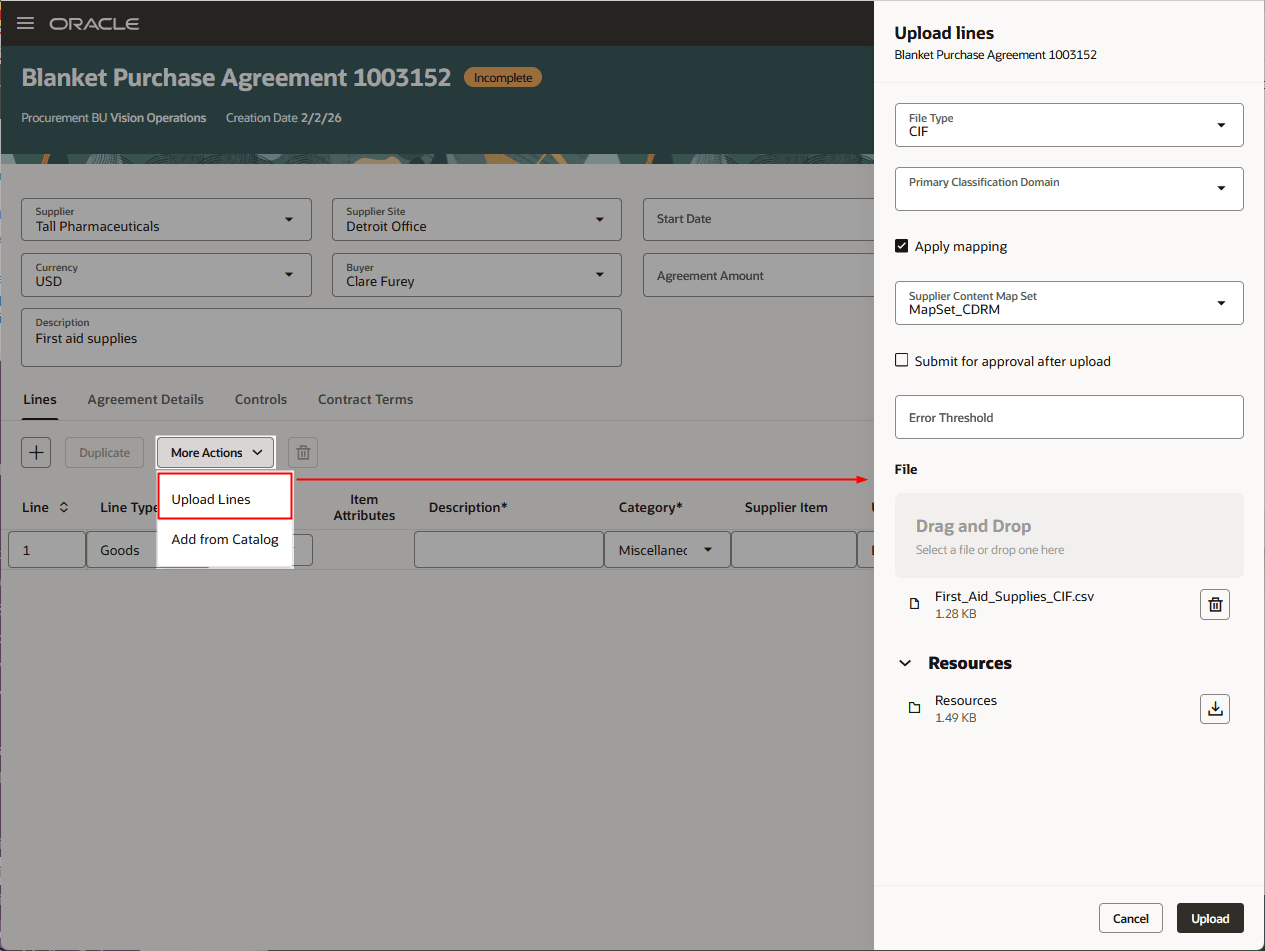
Upload Lines Drawer for Buyer Authoring an Agreement
As a catalog administrator or supplier authoring a blanket agreement, you have the option to automatically transfer the agreement back to the buyer for review once the upload is successful.
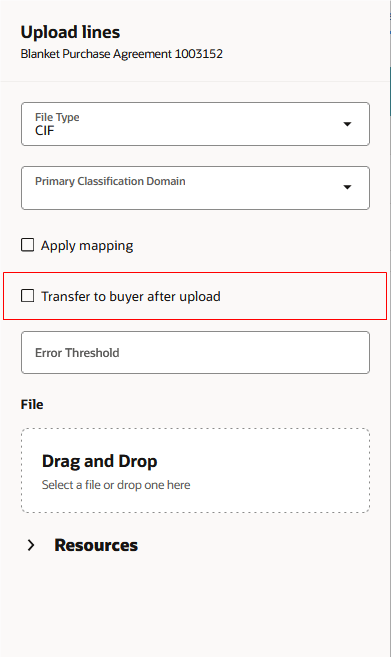
Upload Lines Drawer for Catalog Administrator Authoring an Agreement
Once submitted, you can monitor the process ID to track the progress of the upload. If any errors occur during the upload, a warning will be displayed. In the status drawer, each line’s status is identified by an ID in the format <agreement number - line position in the file>. For example, the line status ID <1003152-2> refers to the status of the upload to agreement number 1003152 for the second line in the upload file. The line position in the file may be different from the agreement line number specified on that line.
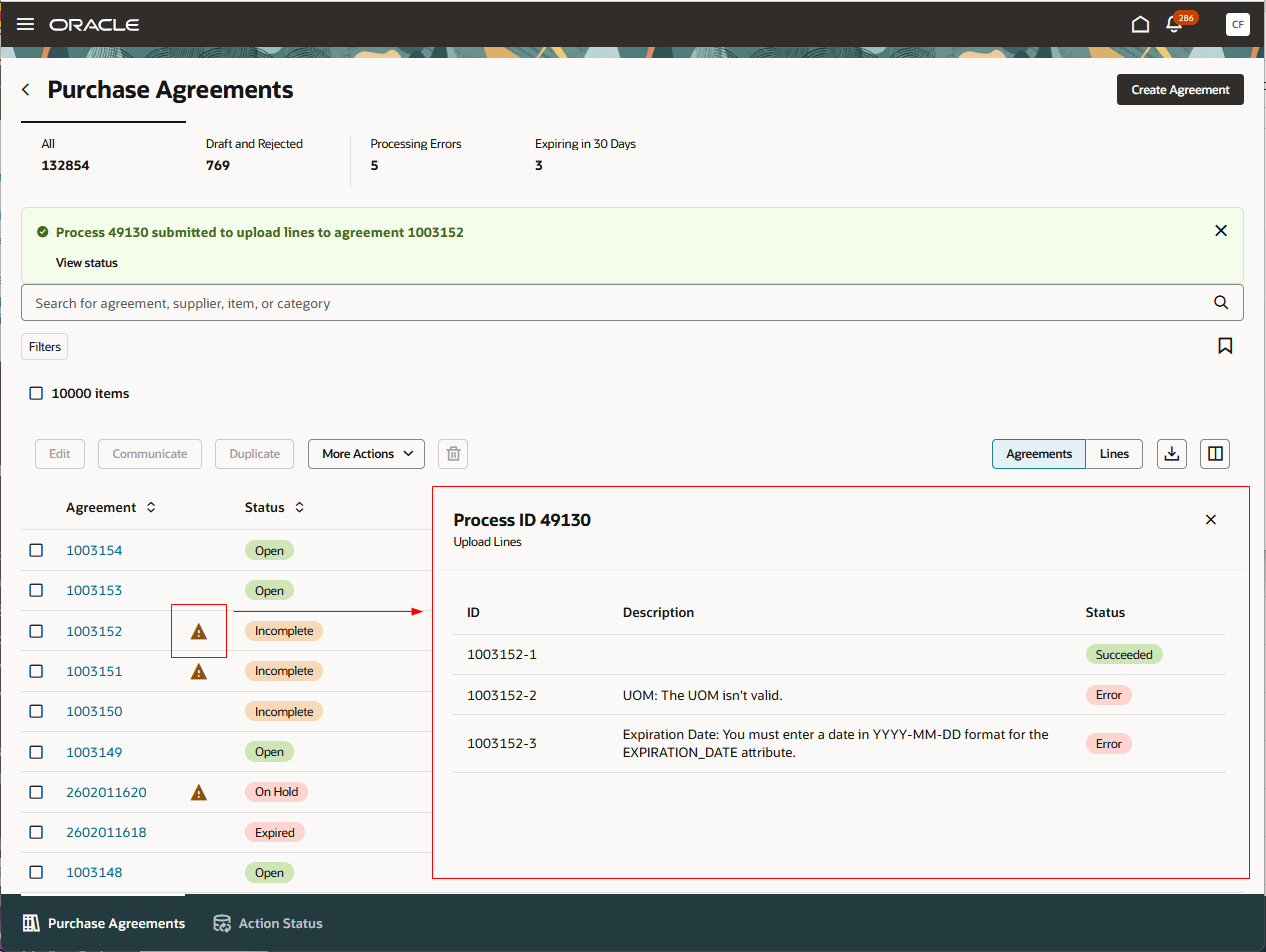
Agreement with Upload Lines Errors
You can also review the status of your agreement lines upload on the Action Status page.
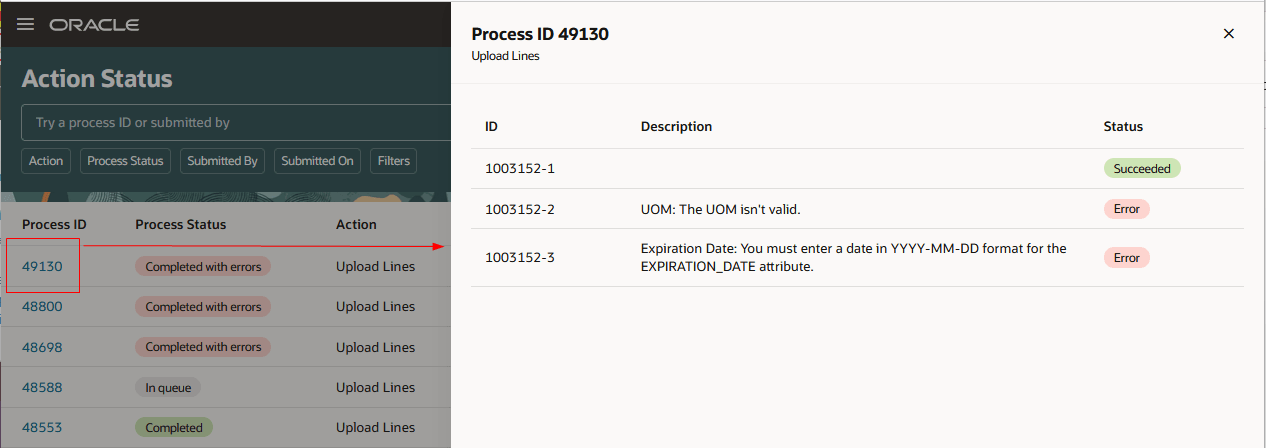
Review Action Status
Steps to enable and configure
If you haven't enabled Redwood for Purchasing, see the Getting Started with Redwood in Purchasing topic on the SCM Resource Center in Customer Connect.
Key resources
- For details on uploading agreement lines, refer to these topics:
Access requirements
Users who are assigned a configured job role that contains this existing privilege can upload agreement lines while editing a blanket purchase agreement or change order:
- Create Blanket Purchase Agreement Line (PO_CREATE_BLANKET_PURCHASE_LINE_PRIV)