Redwood: Renegotiate Blanket Purchase Agreements
Create negotiations from approved blanket purchase agreements using a Redwood page as a buyer.
To start a negotiation, go to the Redwood Purchase Agreement pages and select the Create Negotiation option. This opens a drawer where you can choose a negotiation template and enter a negotiation title. The application will copy lines and price breaks from the blanket purchase agreement into your negotiation.
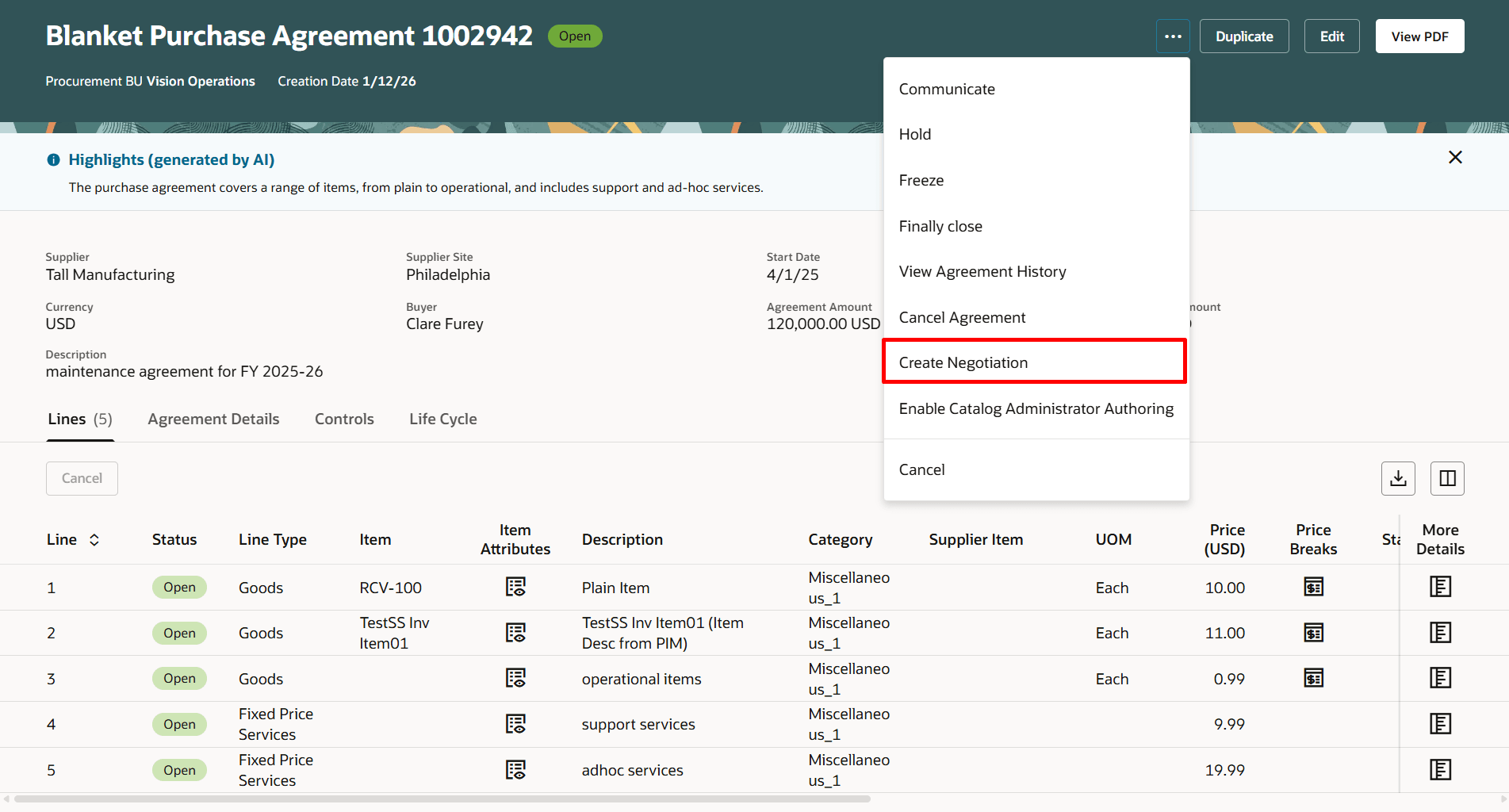
Create Negotiation Action When Viewing a Purchase Agreement
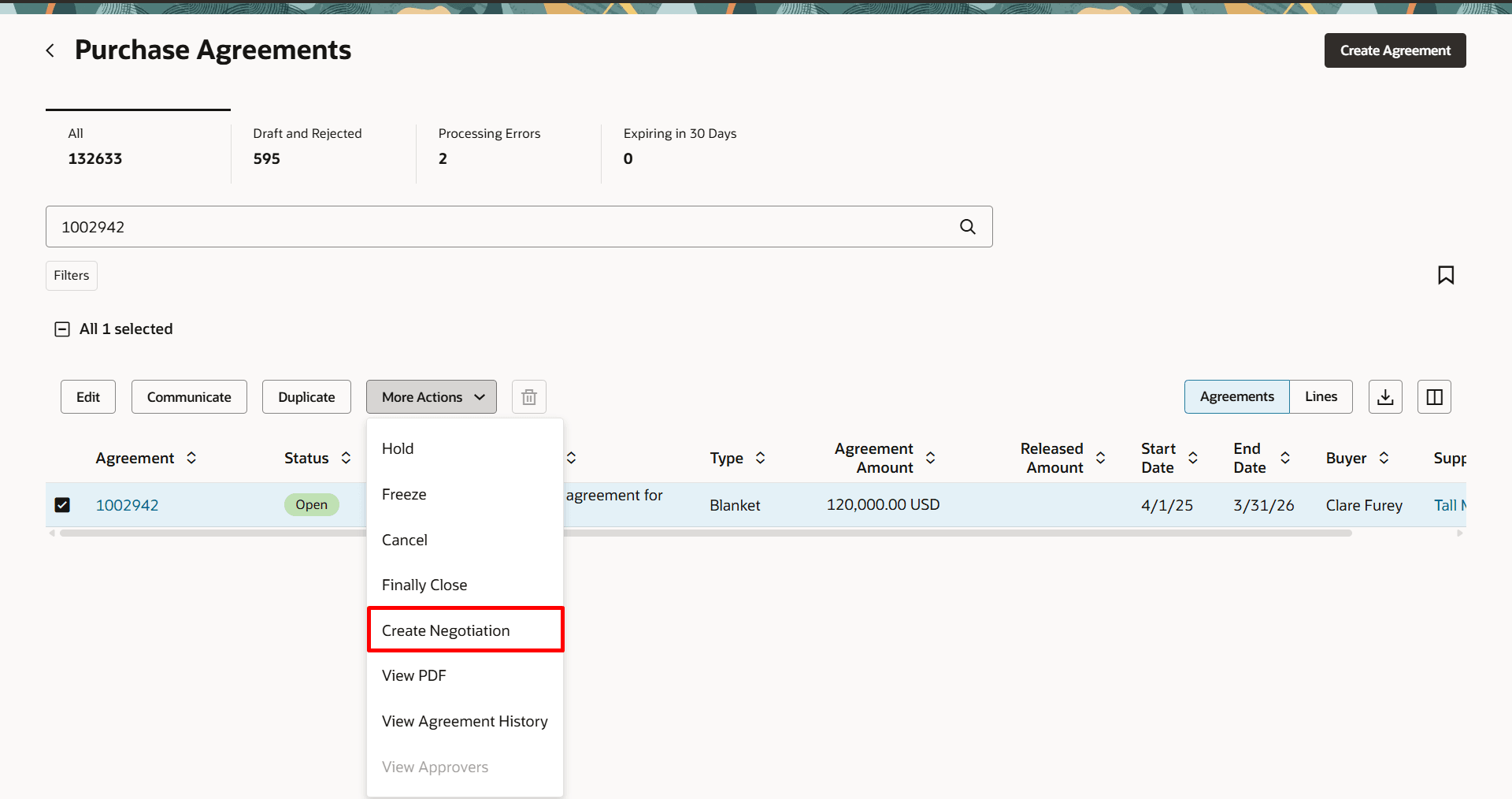
Create Negotiation Action on the Purchase Agreements Page
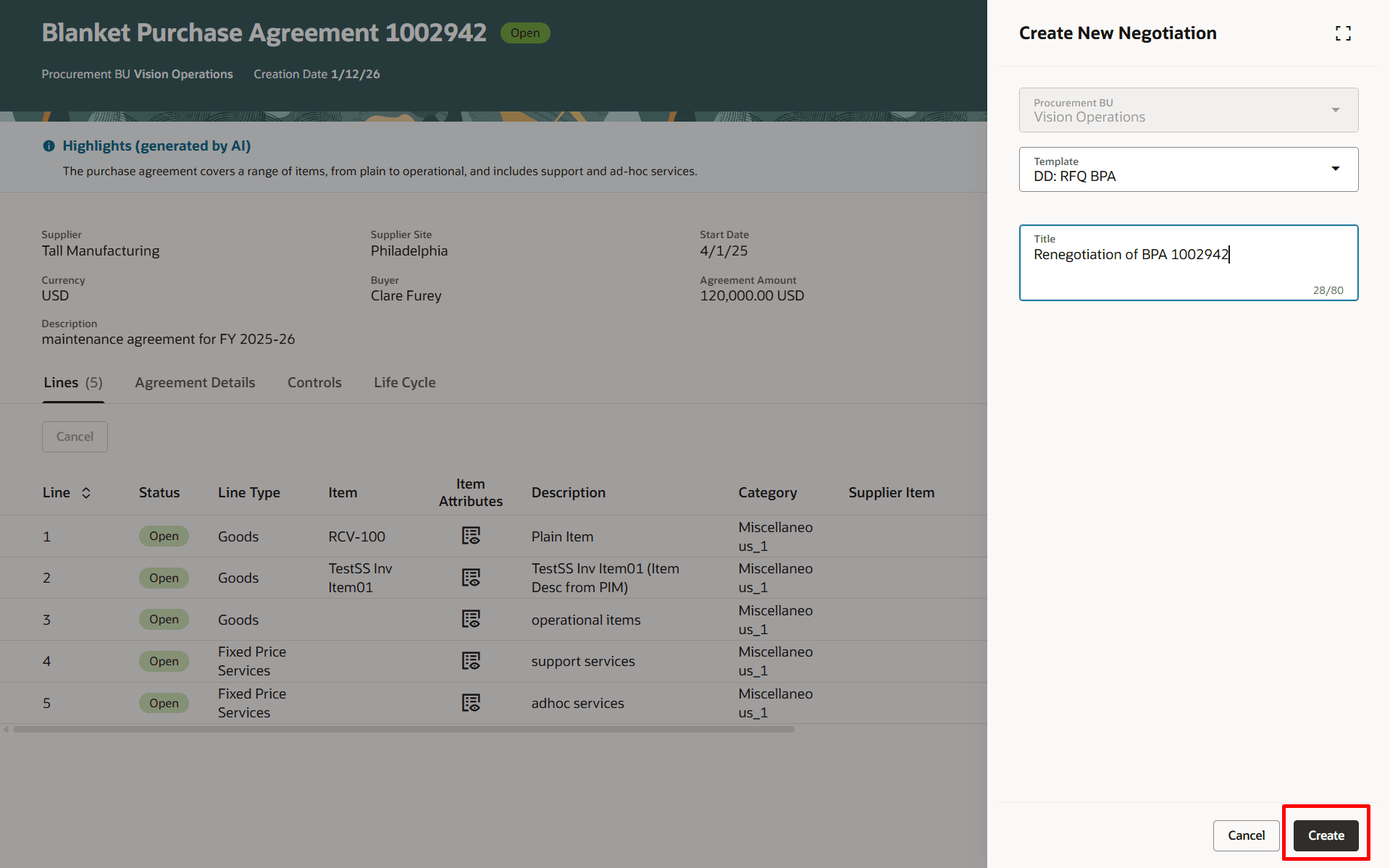
Enter Negotiation Template and Negotiation Title on the New Negotiation Drawer
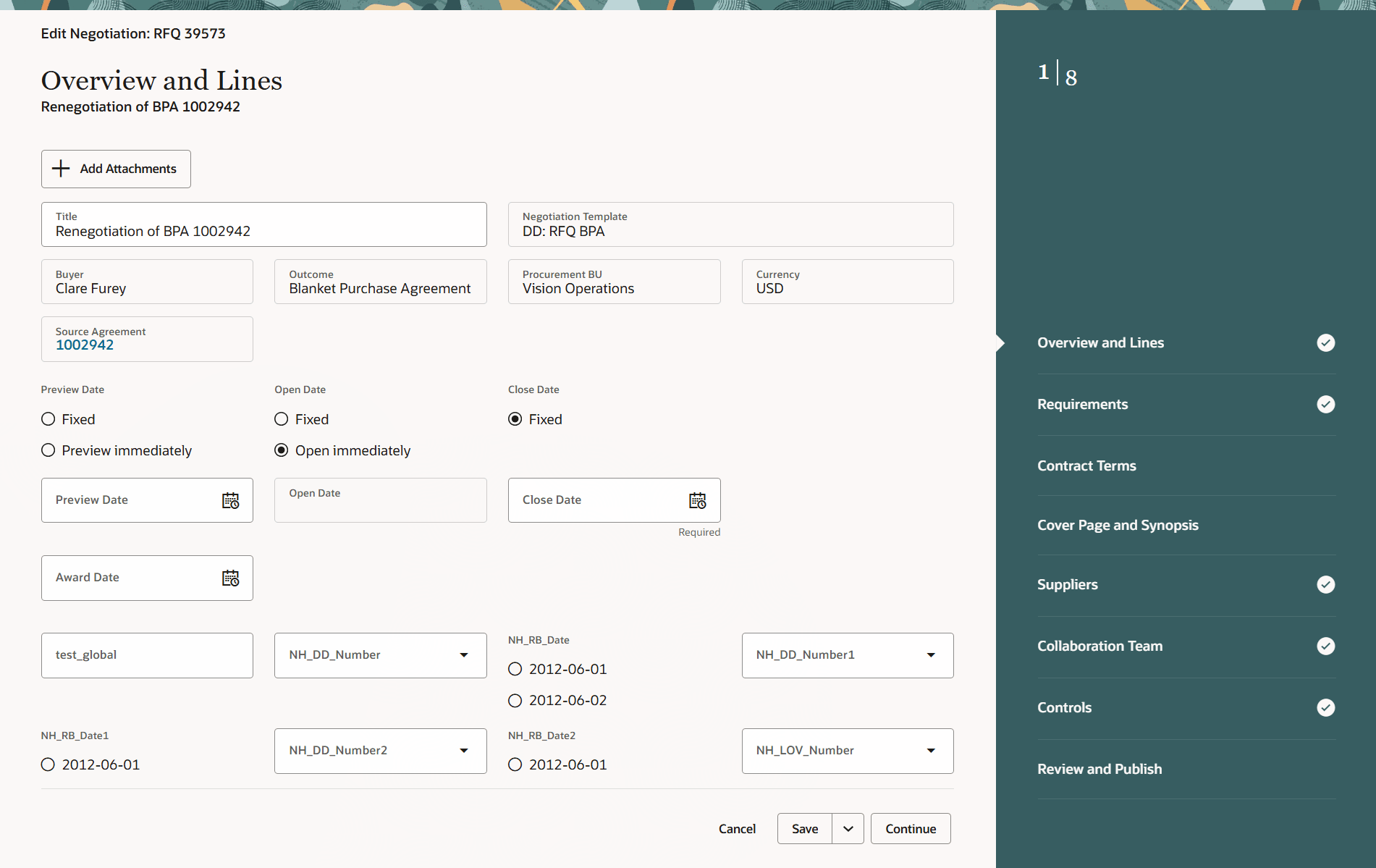
Edit Negotiation Page Created from a Blanket Purchase Agreement
Steps to enable and configure
To access this feature, you must enable these profile options if haven't already done so:
- Redwood Pages for Sourcing Enabled (ORA_PON_SOURCING_REDWOOD_ENABLED).
- Redwood Page to Create Negotiation Enabled (ORA_PON_CREATE_NEGOTIATION_REDWOOD_ENABLED)
To enable the profile options, follow these steps:
- In the Setup and Maintenance work area, search and select the Manage Administrator Profile Values task.
- On the Manage Administrator Profile Values page, search for and select the profile option name or code.
- Set the profile value to Y.
- Select Save and Close. Changes in the profile value will affect users the next time they sign in.
If you haven't enabled Redwood for Purchasing, see the Getting Started with Redwood in Purchasing topic on the SCM Resource Center in Customer Connect.
Tips and considerations
- The Create Negotiation option is enabled on a blanket purchase agreements if the agreement has been approved at least once.
- You can't create negotiations from contract purchase agreements or blanket purchase agreements if configuration ordering is enabled in the document style.
- Create Negotiation action is disabled when multiple agreement records are selected on the Purchase Agreements page.
Key resources
- For details on creating negotiation using a Redwood page, refer to the Redwood: Create Negotiations feature, available in Oracle Fusion Cloud Procurement What's New, update 25D.
- For details on viewing purchase agreements as buyer using a Redwood page, refer to the Redwood: View Purchase Agreements as a Buyer feature, available in Oracle Fusion Cloud Procurement What's New, update 25D.
Access requirements
Users who are assigned a configured job role that contains these privileges can access this feature:
- View Purchase Agreement (PO_VIEW_PURCHASE_AGREEMENT_PRIV)
- Create Supplier Negotiation (PON_CREATE_SUPPLIER_NEGOTIATION_PRIV)
Users who are assigned a configured job role that contains these privileges can edit and submit supplier negotiation:
- Edit Supplier Negotiation (PON_EDIT_SUPPLIER_NEGOTIATION_PRIV)
- Submit Supplier Negotiation (PON_SUBMIT_SUPPLIER_NEGOTIATION_PRIV)
These privileges were available prior to this update.