Redwood: Set Up Purchasing
You can now view and configure these setup pages using the Redwood experience:
- Procurement Agents
- Document Styles
- Change Order Template
- Procurement Document Numbering
- Purchasing Line Types
- Special Handling Types
- Hazard Classes
- UN Numbers
On these pages, you can work faster with the refreshed list view. Apply chip-based filters, change layout, and take inline actions to edit or copy rows.
On the Procurement Agents setup page, you can:
- Assign agents to one or more procurement business units and grant access to specific procurement actions (for example, Manage Requisitions, Purchase Orders, Purchase Agreements, Negotiations, Catalog Content, Suppliers, Supplier Qualifications, Supplier List Entries, and Analyze Spend).
- Control access to other agents’ documents per business unit with None, View, or Full permissions.

Procurement Agents
On the Document Styles setup page, you can create and manage purchasing document styles to control the look and feel of purchasing documents, enable or disable features, and align naming conventions, including styles for purchase orders, blanket purchase agreements, and contract purchase agreements.

Document Styles
On the Change Order Template setup page, you can specify which attributes are visible in the change order. This applies to purchase order, blanket purchase agreement, and contract purchase agreement.

Change Order Template
On the Procurement Document Numbering setup page, you can assign unique sequences for purchase orders, purchase agreements, requisitions, negotiations, assessments, initiatives, and qualifications.
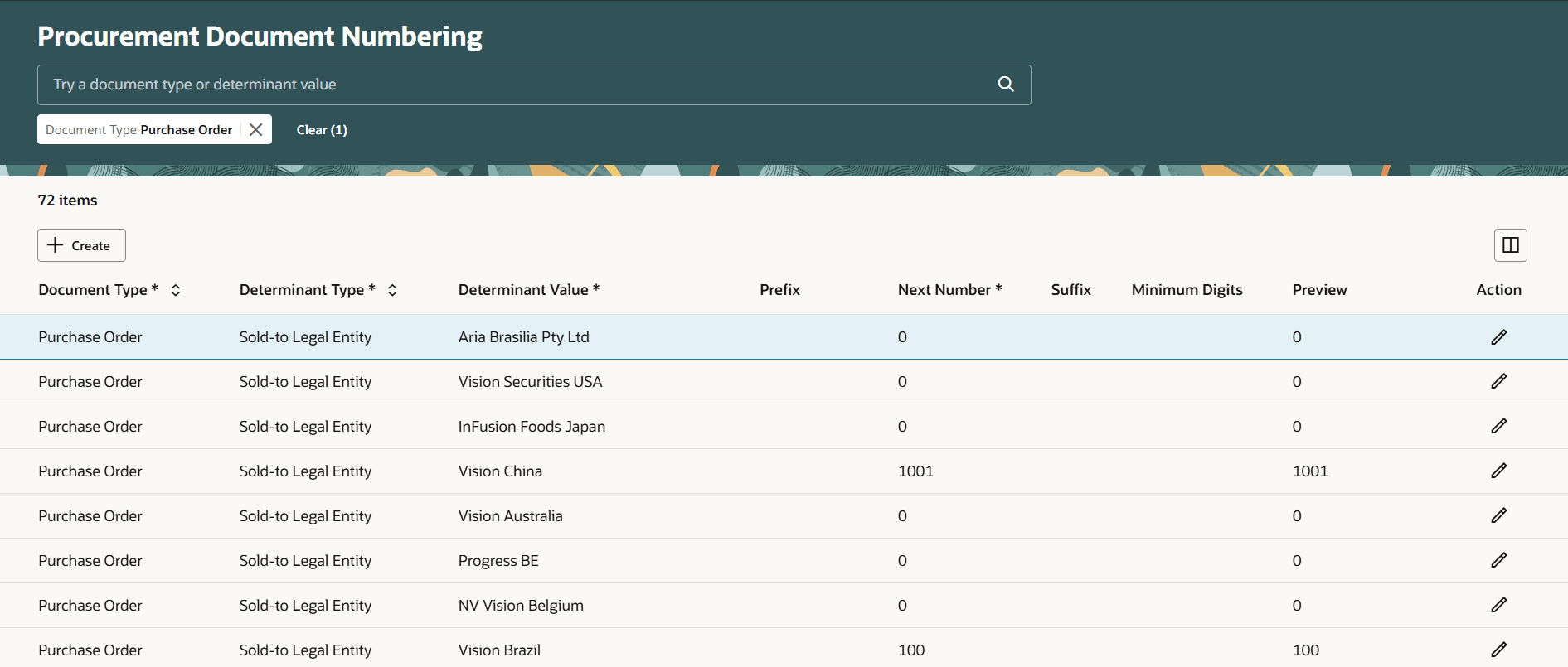
Procurement Document Numbering
On the Purchasing Line Types setup page, you can:
- Control how lines on requisitions, purchase orders, and purchase agreements behave.
- Use predefined line types or define your own.

Purchasing Line Types
On the Special Handling Types setup page, you can change a predefined type or create a new one.

Special Handling Types
On the Hazard Classes setup page, you can create classification of hazardous materials for safety regulations compliance.

Hazard Classes
On the UN Numbers setup page, you can define the United Nations identification numbers for hazardous materials.

UN Numbers
Steps to enable and configure
Use the Opt In UI to enable this feature. For instructions, refer to the Optional Uptake of New Features section of this document.
Offering: Procurement
Note: The feature is enabled by default.
Access requirements
Users who are assigned a configured job role that contains this privilege can use the Procurement Agents setup page:
- Manage Procurement Agent (PO_MANAGE_PRC_AGENT_PRIV)
Users who are assigned a configured job role that contains this privilege can use the Document Styles setup page:
- Manage Purchasing Document Style (PO_MANAGE_PURCHASING_DOCUMENT_STYLE_PRIV)
Users who are assigned a configured job role that contains this privilege can use the Purchasing Change Order Templates setup page:
- Manage Purchasing Change Order Template (PO_MANAGE_PO_CHANGE_ORDER_TEMPLATE_PRIV)
Users who are assigned a configured job role that contains this privilege can use the Procurement Document Numbering setup page:
- Manage Procurement Document Numbering Options (PO_MANAGE_PRC_DOC_NUMBERING_PRIV)
Users who are assigned a configured job role that contains this privilege can use the Purchasing Line Types setup page:
- Manage Purchasing Line Type (PO_MANAGE_PURCHASING_LINE_TYPE_PRIV)
Users who are assigned a configured job role that contains this privilege can use the Special Handling Types setup page:
- Manage Special Handling Type (PO_MANAGE_SPECIAL_HANDLING_TYPE_PRIV)
Users who are assigned a configured job role that contains this privilege can use the Hazard Classes setup page:
- Manage Purchasing Hazard Class (PO_MANAGE_PURCHASING_HAZARD_CLASS_PRIV)
Users who are assigned a configured job role that contains this privilege can use the UN Numbers setup page:
- Manage Purchasing UN Number (PO_MANAGE_PURCHASING_UN_NUMBER_PRIV)
These privileges were available prior to this update.