Redwood: Manage Supplier Capacity Using a New User Experience
You can now use the Redwood user experience to review supplier capacity in plan inputs, in context of a plan, or in a simulation set. You can also edit the value in a cell or mass edit across cells using logical expressions
The Manage Supplier Capacity feature enables planners to model, analyze, and adjust supplier capacity directly within Oracle Fusion Cloud Supply Planning. This capability helps ensure feasible plans by aligning supply decisions with real-world supplier constraints.
Manage Supplier Capacity strengthens supply planning by bringing supplier-side capacity visibility and control into the planning process.
Key benefits include:
- Feasible planning: Ensures that planned production and purchase orders do not exceed the actual capacity of suppliers.
- Exception-based resolution: Highlights supplier capacity bottlenecks so planners can focus on resolving critical issues.
- Scenario simulation: Enables simulation of different supplier capacity levels to assess their impact before committing to decisions.
- End-to-end integration: Integrates seamlessly with other Oracle Supply Planning Cloud modules to optimize material and capacity constraints together.
Accessing the Supplier Capacity
The Supplier Capacity calendar is accessible as drill-to from the Suppliers page. To access the Supplier Capacity feature, select the desired rows on the Suppliers page and drill to the Supplier Capacity option.
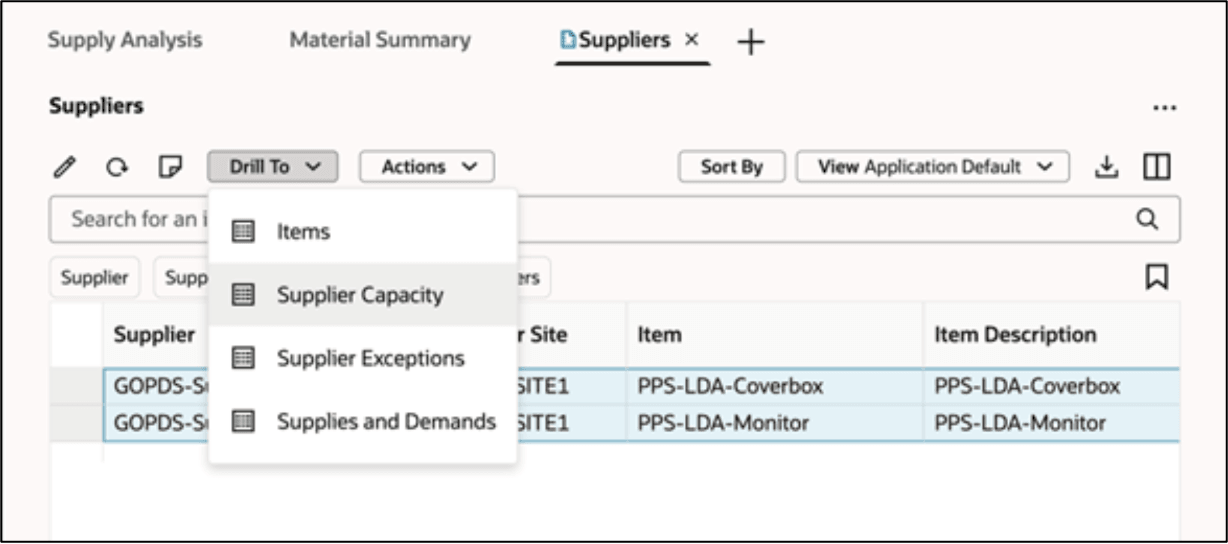
Navigating to Supplier Capacity
Supplier Capacity is available in:
- Plan (Output)
- Plan Inputs
- Simulation Sets
The pivot table columns represent time buckets, that are determined by plan parameters such as:
- Plan Horizon: Defines how far into the future the plan extends, for example, number of days.
- Planning Calendars: Uses Gregorian, fiscal, or organization calendars for time-phased calculations.
- Time Levels and Buckets:Configures daily, weekly, or monthly segmentation.

Supplier Capacity
Note: In Plan Inputs, the time horizon is based on collected time entities and may differ from the plan horizon.
Planning Calendar Logic
Calendar determination follows this logic:
- Plan Input and Simulation Set Modes: Calendar code is derived from the profile option MSC_DEFAULT_CAPACITY_CALENDAR.
- Plan Mode: Uses the default time dimension hierarchy from the plan’s dimension catalog.
- Fallback Logic: If no valid calendar is found, the system uses the first available Gregorian calendar.
Editing Supplier Capacity
You can change the Supplier Capacity values by entering data directly in the pivot table cells.
For mass edits:
- Select multiple cells.
- Select the Edit icon.
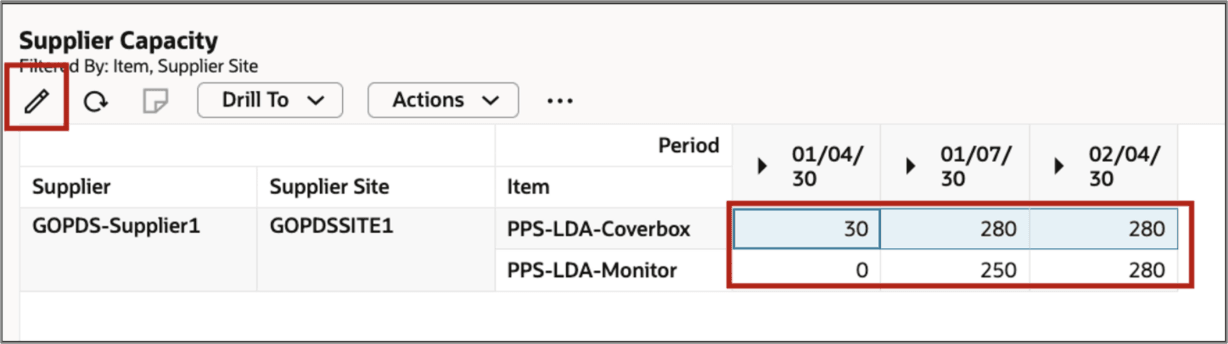
Mass Editing of Cells in Supplier Capacity
- In the drawer, enter or select the values you want to change.
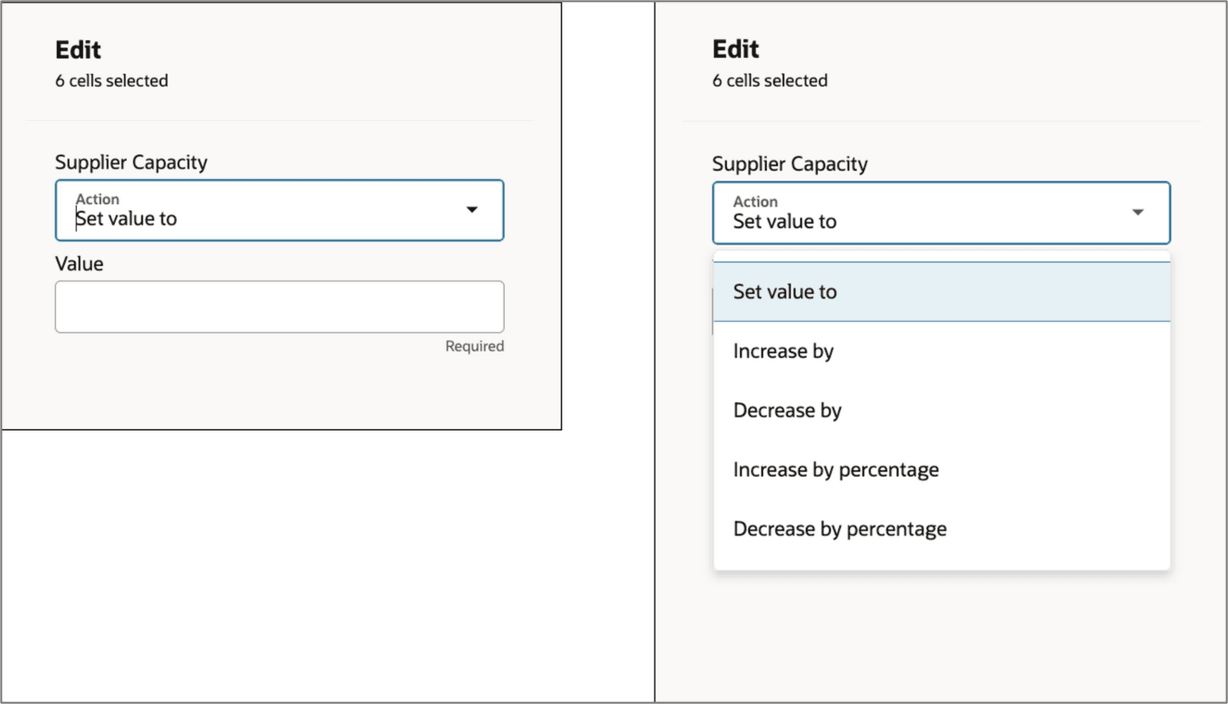
Setting Values in Mass Edit Mode
Drill to and Drill From Actions
You can use the following drill actions in Plan Output and Plan Input modes:
- Drill to the Suppliers Capacity page from the Suppliers page.
- Drill from the Supplier Capacity page to the Items, Suppliers, and Supplies and Demands pages
Create and Manage Notes
You can attach notes at the Supplier, Supplier Site, and Item level. You can add a note by clicking the Notes icon.
Summary Total Views
You can view the total summary of Supplier Capacity. You can also view the capacity roll -ups for Supplier Sites and Suppliers. This provides a consolidated view of capacity across suppliers.
To view the summary, select the Show Summary option. option from the three-dot actions menu. To remove the summary, deselect the Show Summary option.
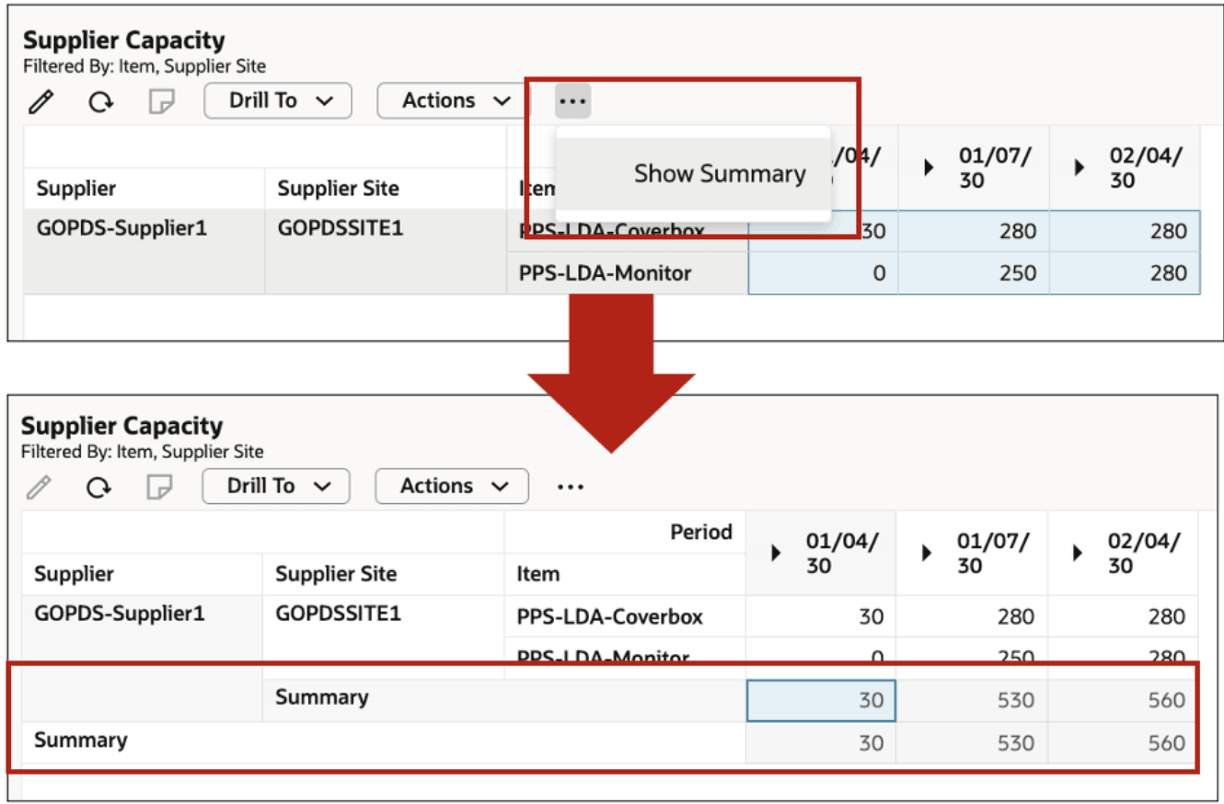
Viewing Summary
Copy to Simulation Sets
You can copy the Supplier Capacity data to Simulation Sets. On the Actions menu, select Copy to Simulation Set or Copy All changes to Simulation Set option. Only suppliers in the current context are copied to the simulation set.
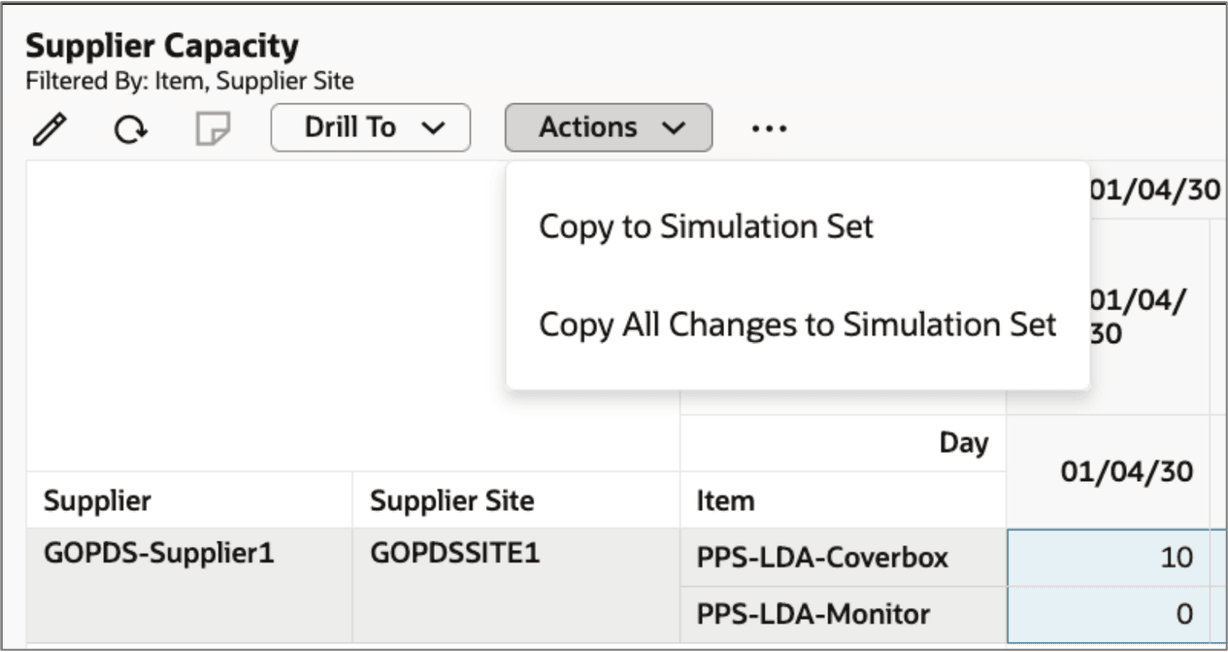
Copying to Simulation Set
Steps to enable and configure
You don't need to do anything to enable this feature.
Access requirements
Users who are assigned a configured job role that contains these privileges can access this feature:
- MSC_VIEW_PLANNING_SUPPLIER_CAPACITY_PRIV
- MSC_EDIT_PLANNING_SUPPLIER_CAPACITY_PRIV
These privileges were available prior to this update.