Redwood: Manage Supply Planning Policy Assignment Set Using a New User Experience
You can use the Redwood user experience to manage supply planning policy assignment sets, accessible from Plan Inputs, supply plans, and demand and supply plans. You can search and filter by policy assignment set name, description, and segment group. Further, you can create, edit, duplicate, or delete policy assignment sets in place. The user experience includes guardrails, such as unique segment-name validation and confirmation dialog messages before deleting policy assignment sets and segment-level parameters, while preserving the same service-level percentage formatting previously used.
A policy assignment set is a group of safety stock calculation parameters defined for each segment of a segment group.
In Oracle Supply Planning, you can activate a policy assignment set for safety stock calculation by selecting it in the Policy Assignment Set field and selecting the Apply policy overrides checkbox in Plan Options.
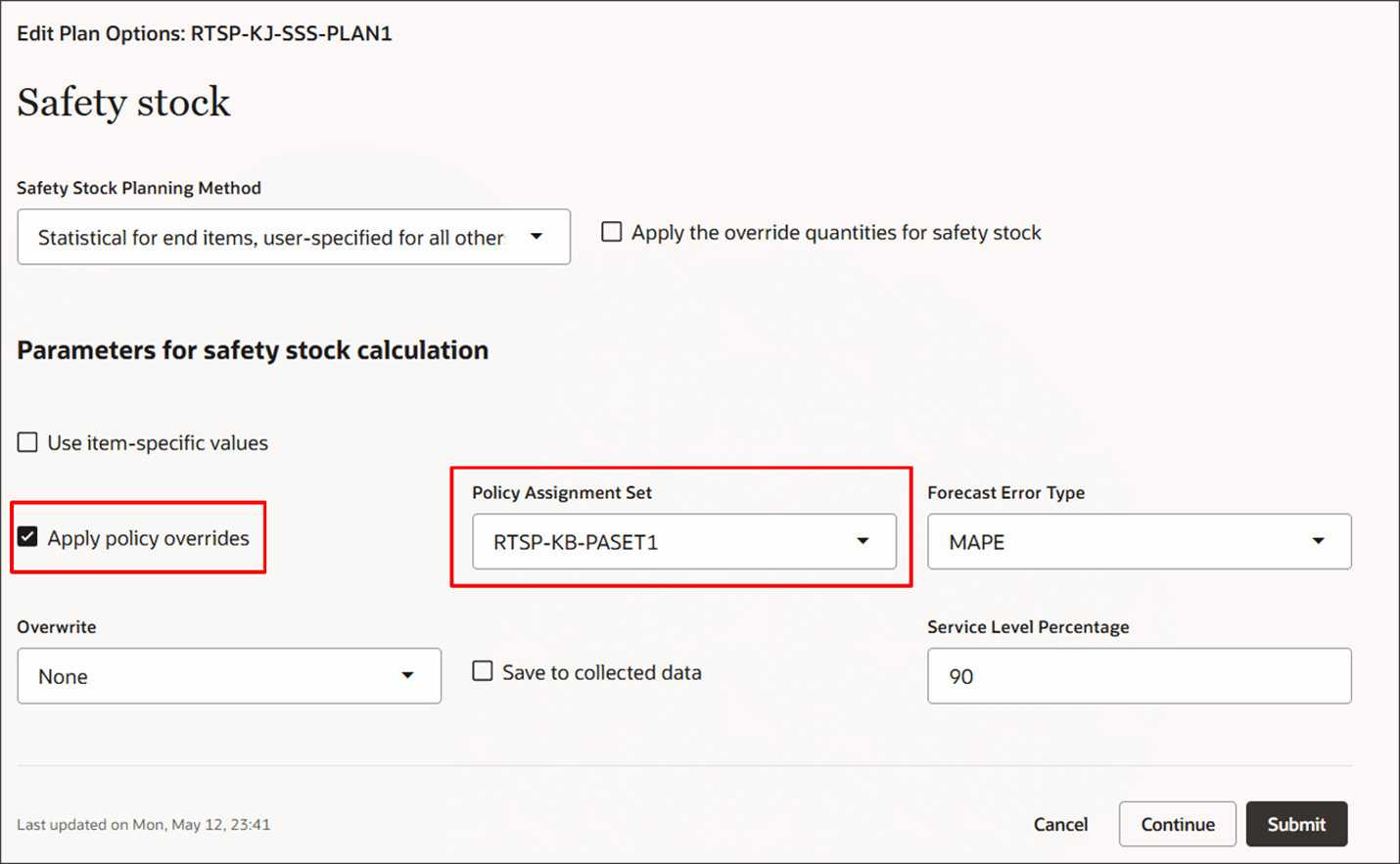
Activate a Policy Assignment Set
Accessing Supply Plan Policy Assignment Sets
You can access supply plan policy assignment sets from the plan-level Actions menu.
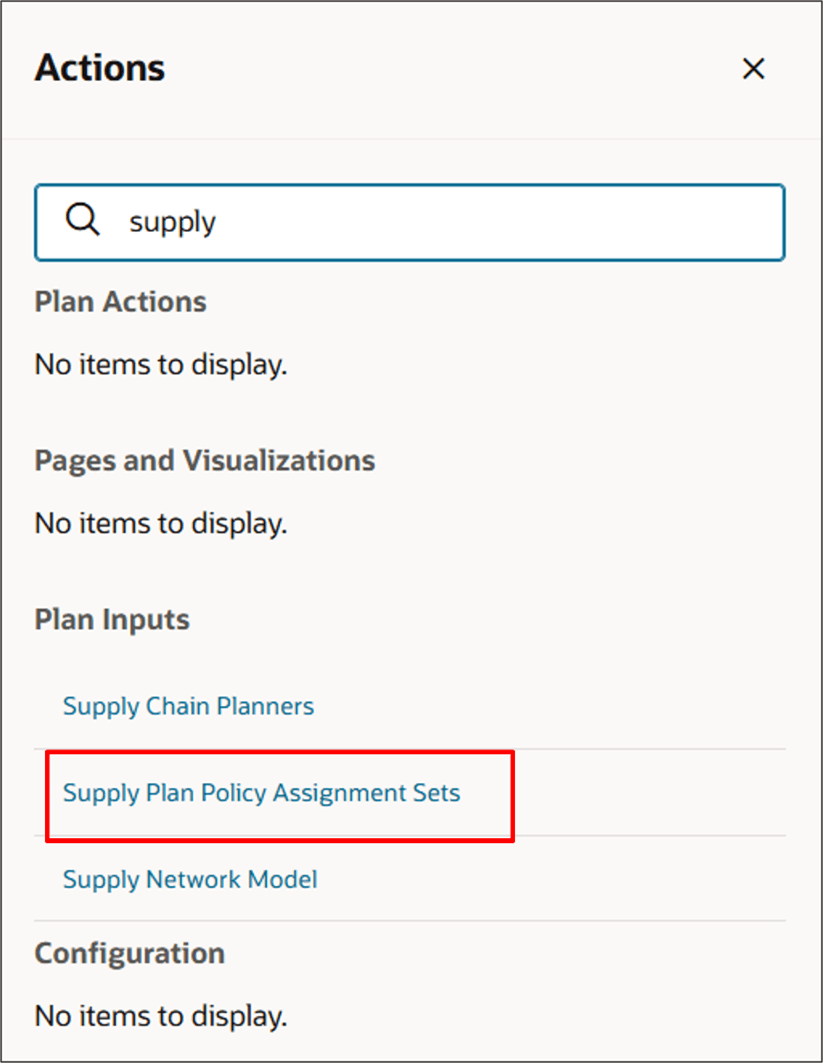
Supply Plan Policy Assignment Sets Action
Create a Supply Planning Policy Assignment Set
You can define a policy assignment set on the Supply Plan Policy Assignment Sets page.
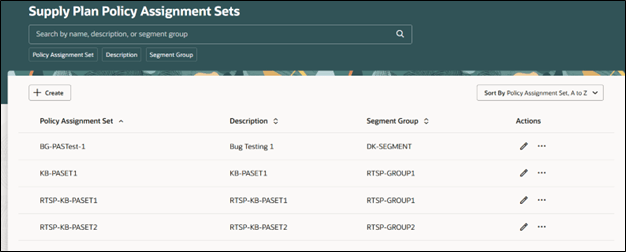
Supply Plan Policy Assignment Sets Page
To create a policy assignment set, select the Create button. From the New Policy Assignment Set drawer, enter a name and description, and then select a value from the Segment Group list.
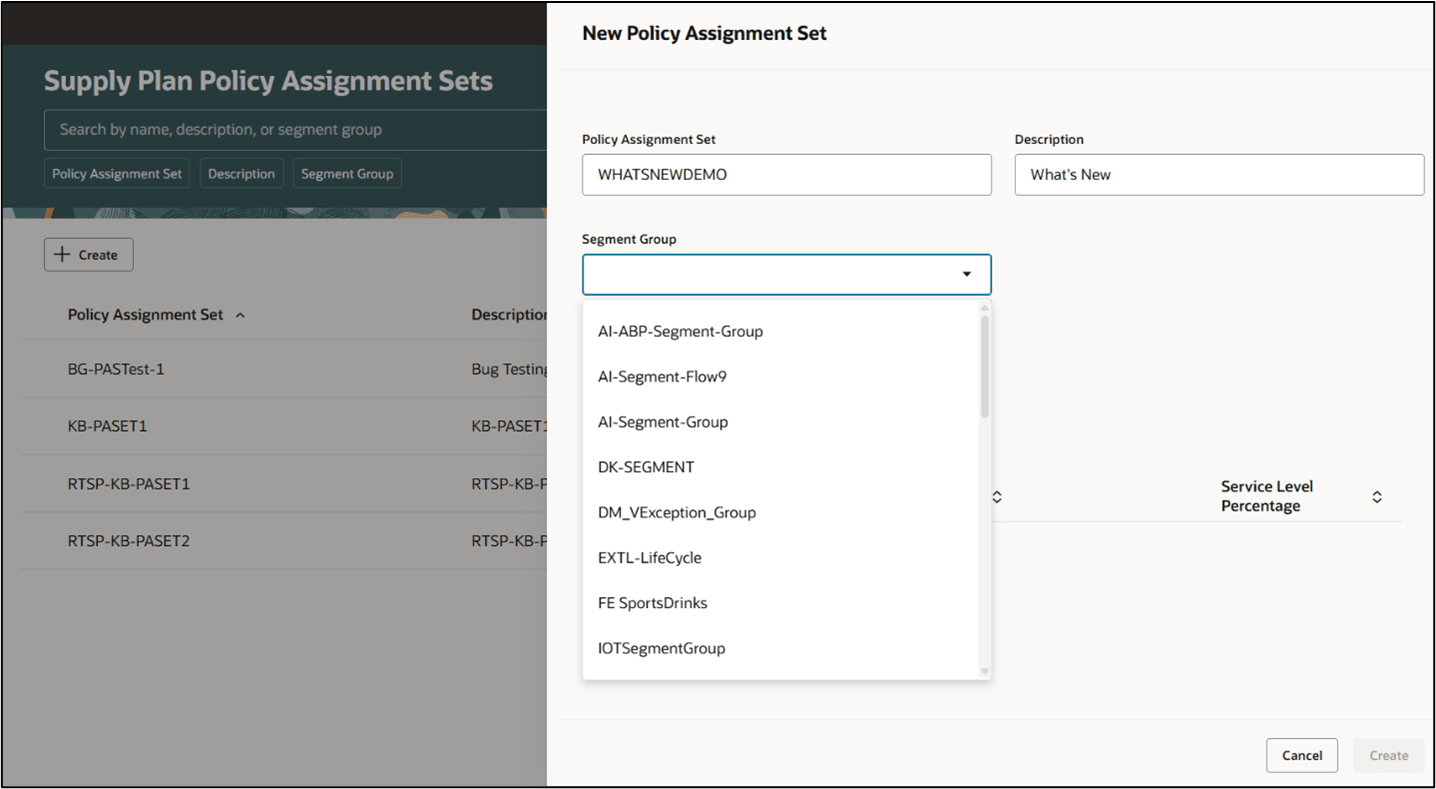
Selecting a Segment Group
After selecting a segment group, choose segments in the New Segment section. Specify a service level percentage for each selected segment. When done, select the Create button.
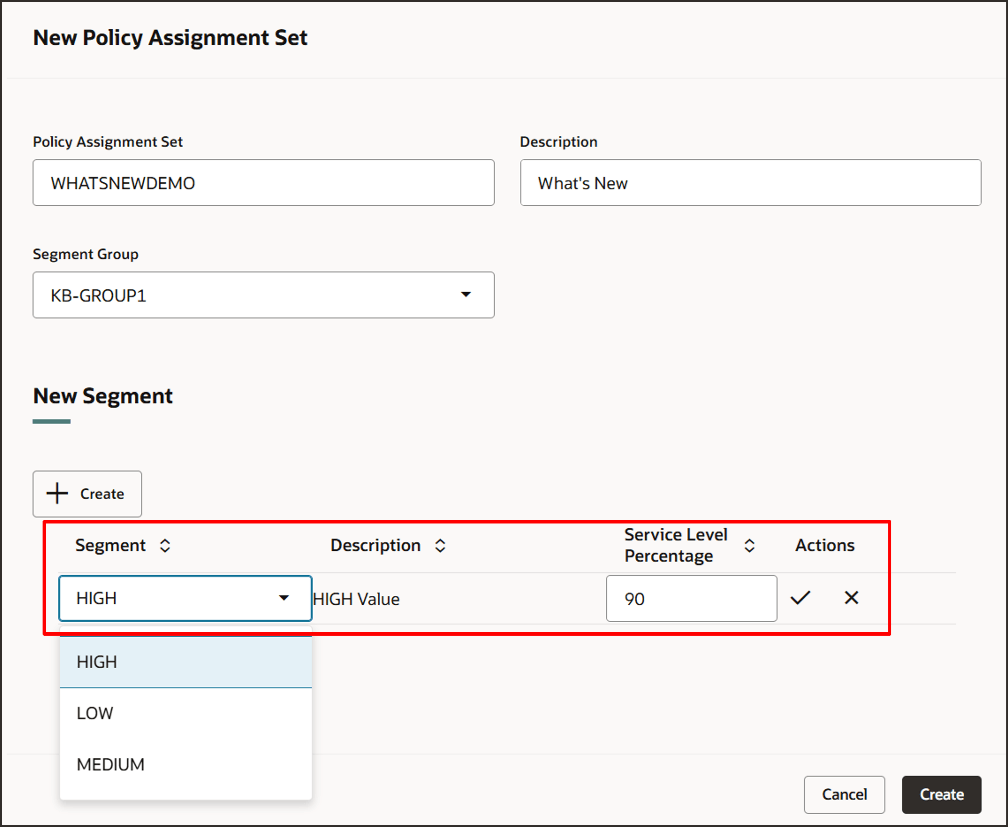
Specifying Segments
The drawer closes and the new policy assignment set now appears on the Supply Plan Policy Assignment Sets page.
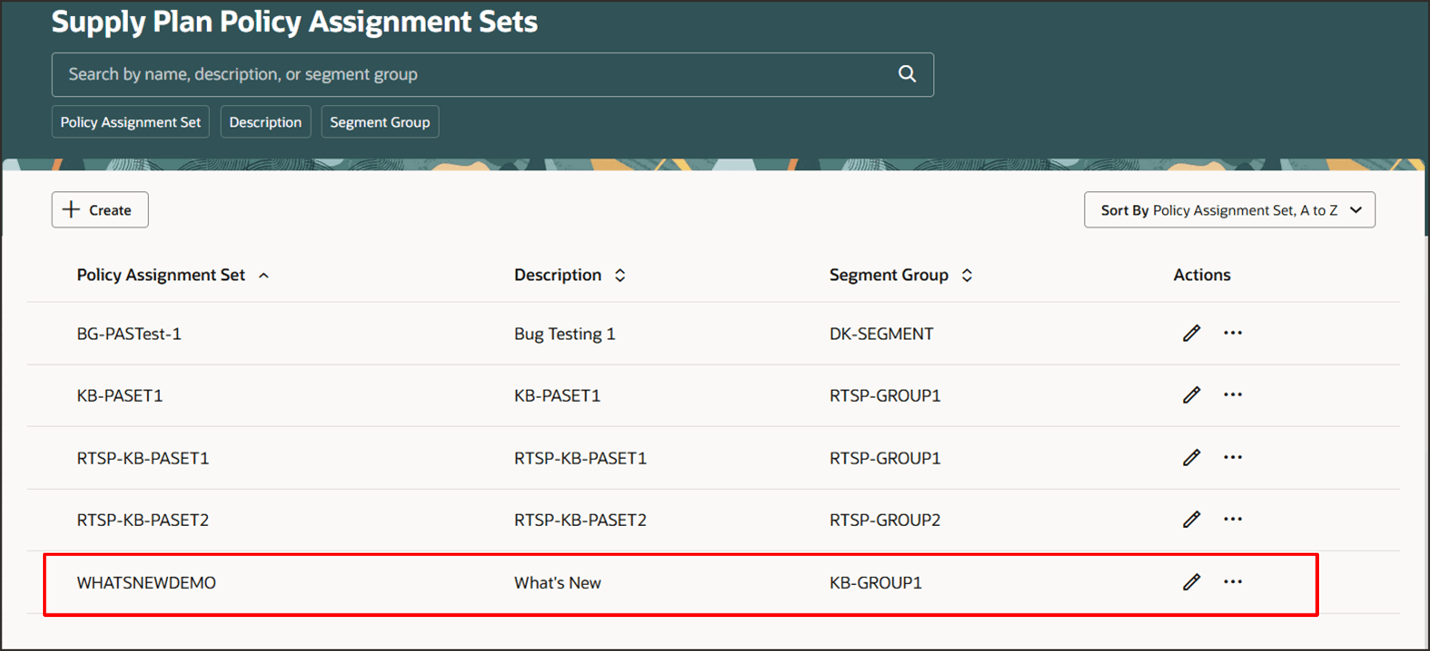
New Policy Assignment Set
You can sort the list of policy assignment sets using the Sort By selector.
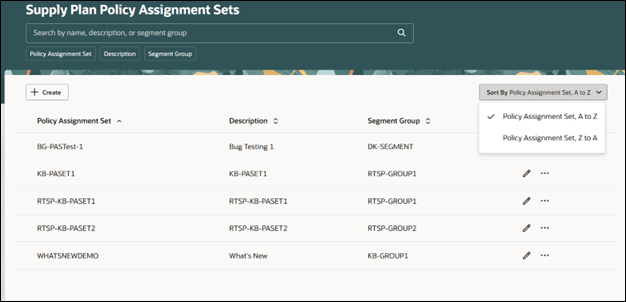
Sorting Policy Assignment Sets
Delete, Duplicate, and Edit a Supply Planning Policy Assignment Set
You can delete or duplicate a policy assignment by selecting the appropriate option from the Actions menu in the policy assignment set row.
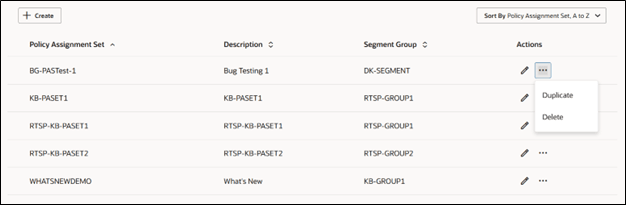
Duplicate and Delete Actions
A confirmation message appears before the policy assignment set is deleted, allowing you to cancel the action if desired.
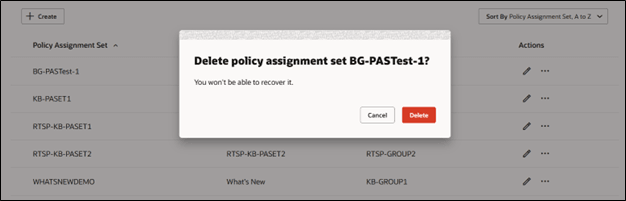
Delete Confirmation Message
If you select the Duplicate action, the Duplicate policy assignment set drawer opens. By default, the system inserts the word “Duplicate” in front of the existing name and description. Update the name and description as desired.
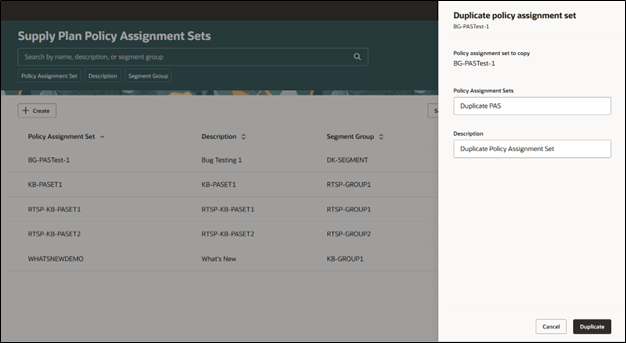
Duplicate a Policy Assignment Set
You can edit a policy assignment set by selecting the Edit icon from the Actions menu in the policy assignment set row.
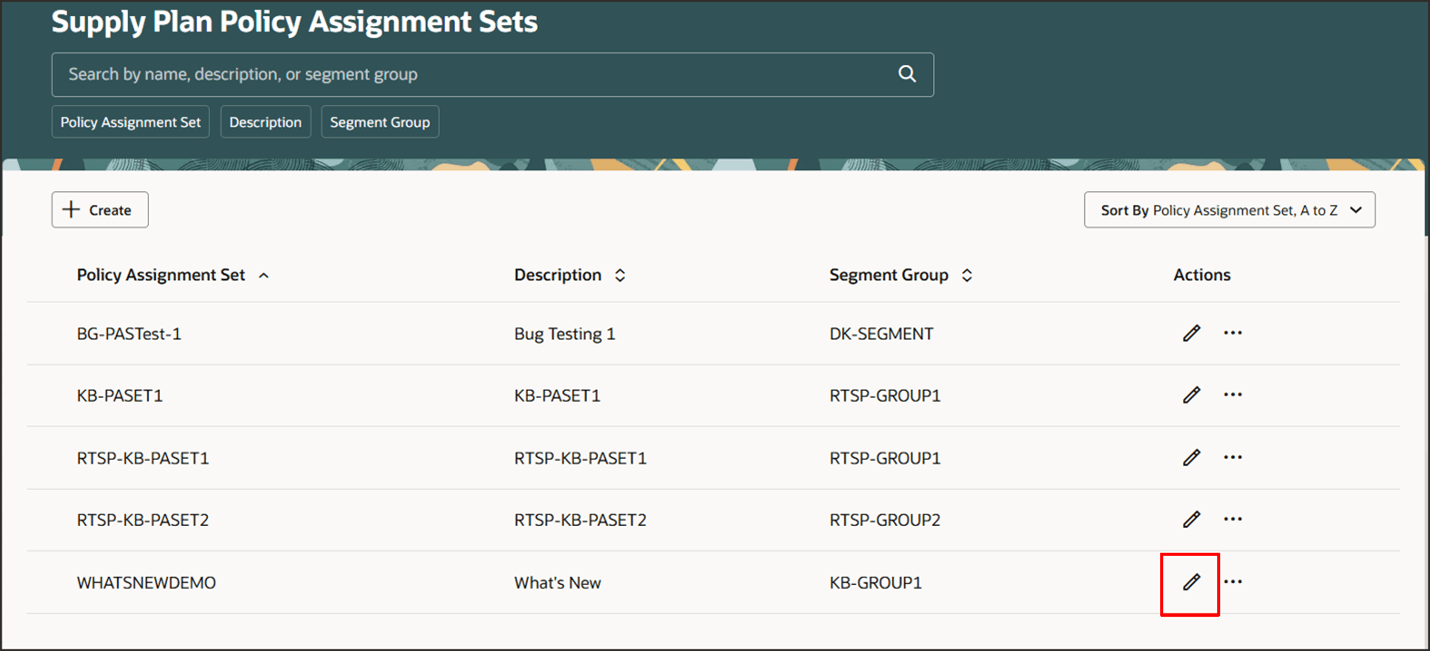
Edit a Policy Assignment Set
You can use the filter buttons at the top of the page to filter the list by specific policy assignment sets, descriptions, or segment groups.
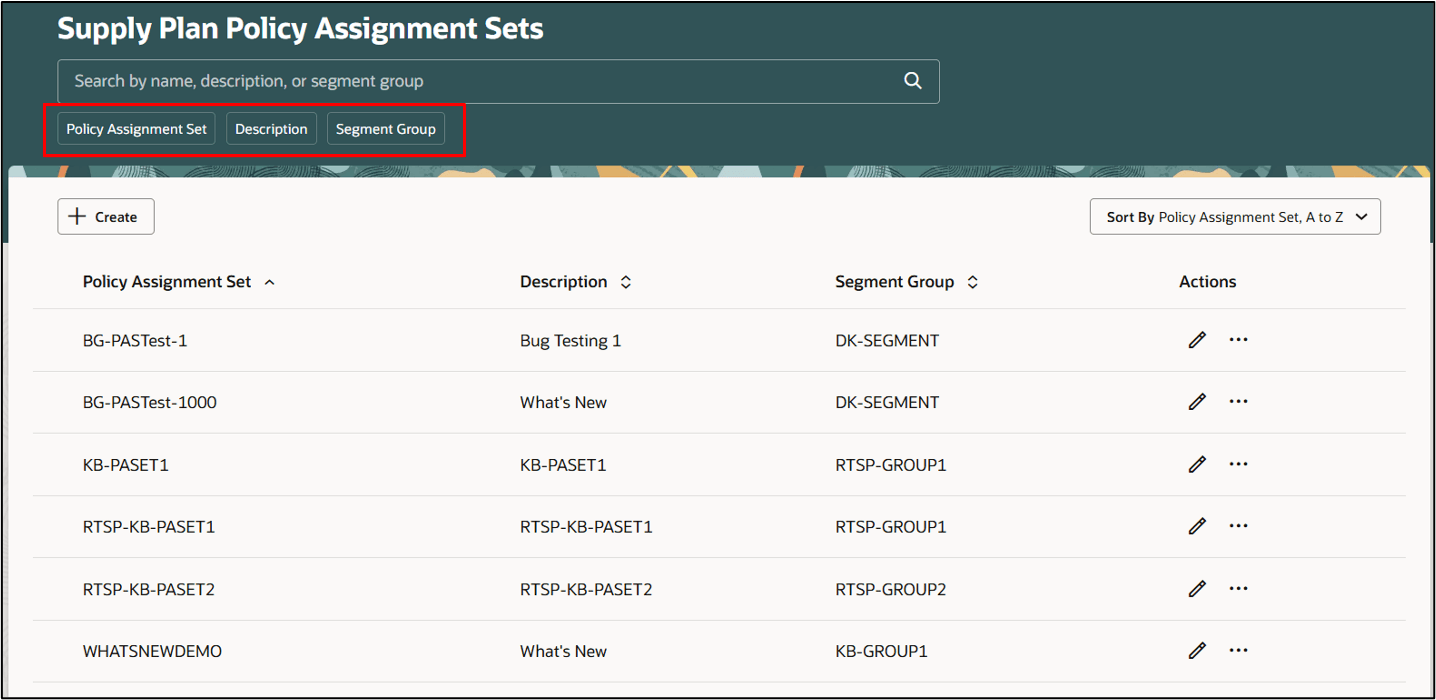
Filter Options
For example, you can click on the Policy Assignment Set filter button and then select from the list of options, to specify which policy assignment sets you want to be displayed on this page.
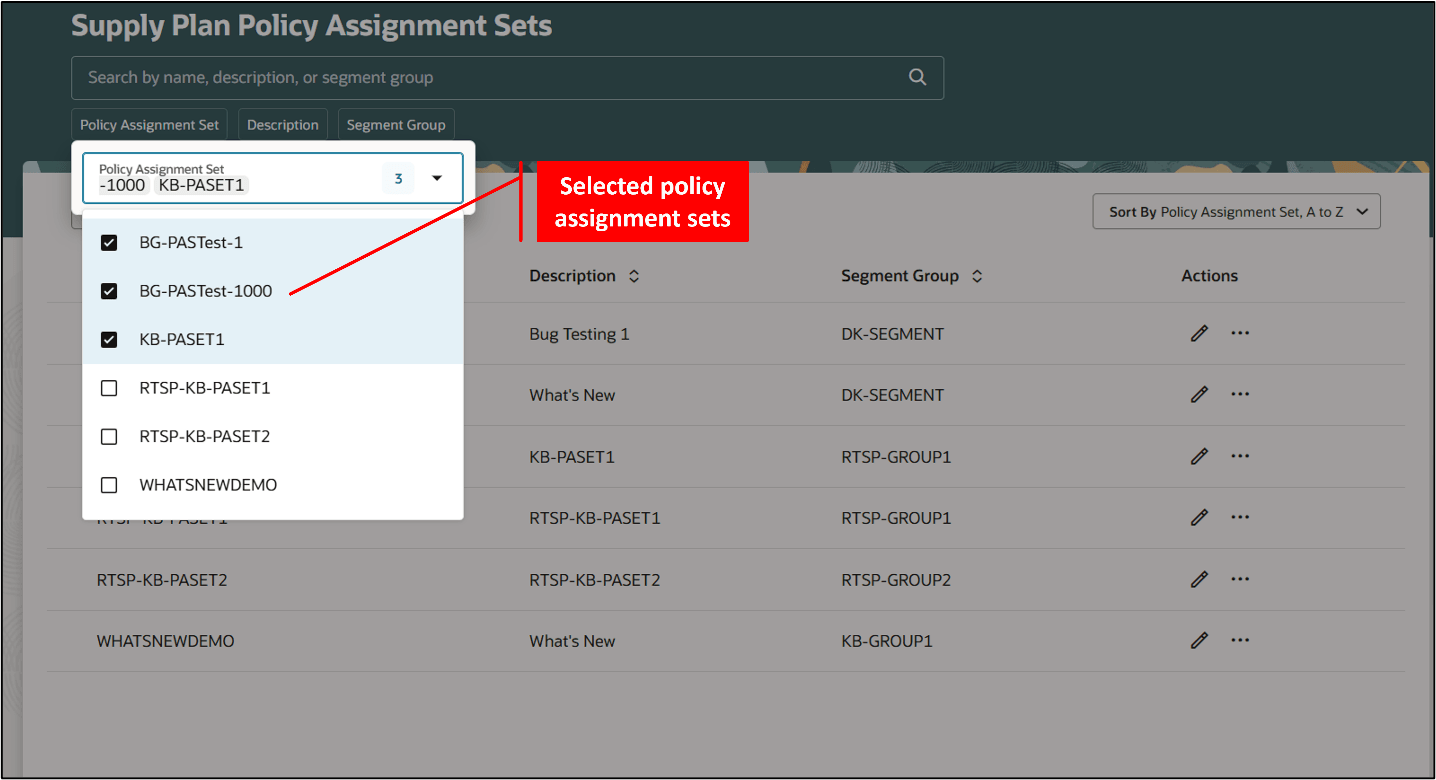
Selecting Policy Assignment Sets from the Filter Button
After you’ve selected options from the Policy Assignment Set filter, then only the selected policy assignment sets appear on the page.
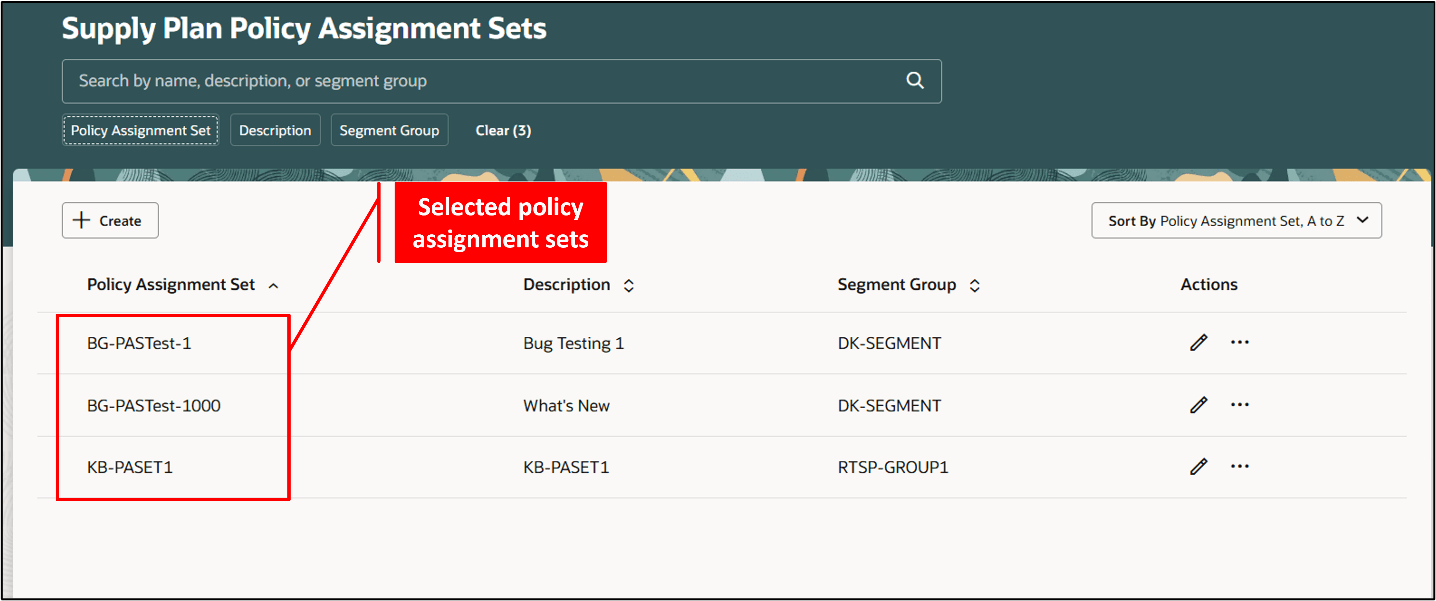
Filtered Policy Assignment Sets
Steps to enable and configure
You don't need to do anything to enable this feature.
Tips and considerations
You can create multiple policy assignment sets with the same description, as shown in the following image. However, each policy assignment set name must be unique.
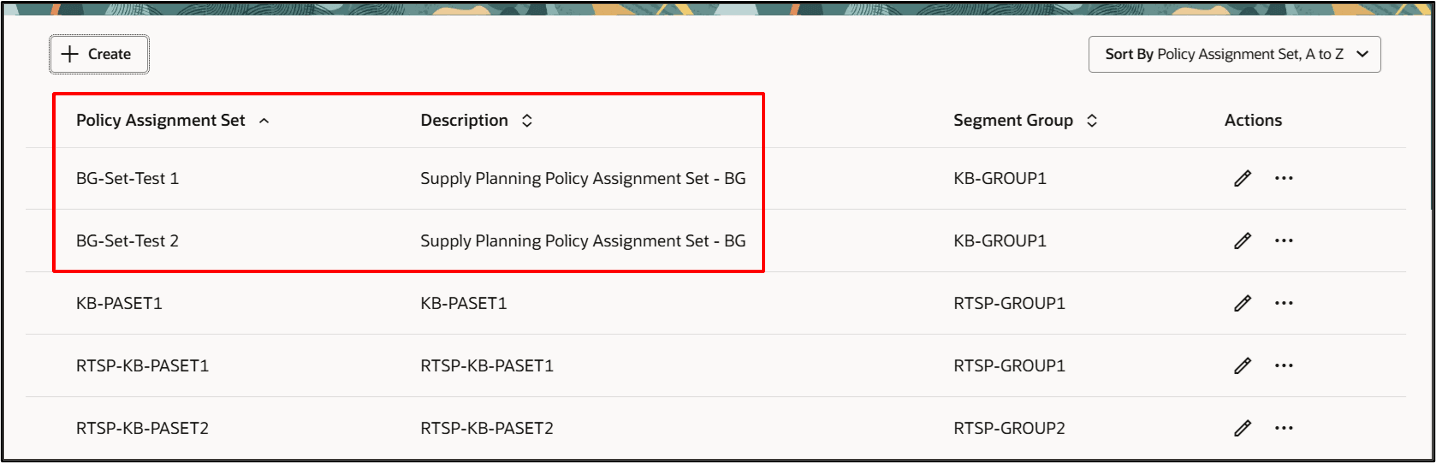
Policy Assignment Sets with Matching Descriptions
Key resources
For more information on how to use a policy assignment set in Oracle Supply Planning, see: Parameters for Safety Stock Calculation.
Access requirements
Users who are assigned a configured job role that contains these privileges can access this feature:
- View Plan Options (MSC_VIEW_PLAN_OPTIONS_PRIV)
- Edit Plan Options (MSC_EDIT_PLAN_OPTIONS_PRIV)
These privileges were available prior to this update.