Search with Multiple Filters
The filter-based search experience is now enhanced in both the Shopping Search and My Requisitions pages.
Here are the illustrations on how to use multiple filters when shopping for catalog items and requisitions.
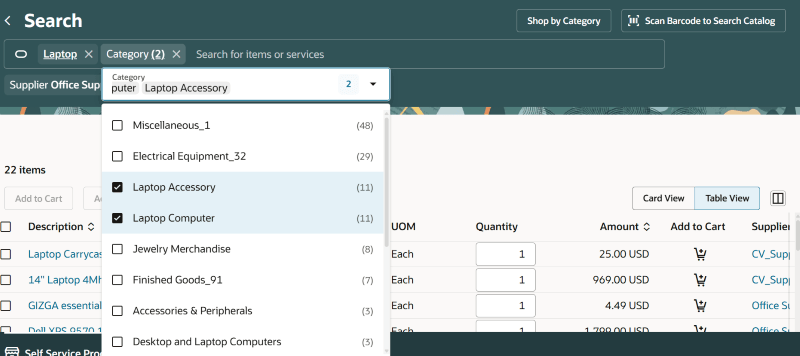
Shop for Items Using Multiple Categories
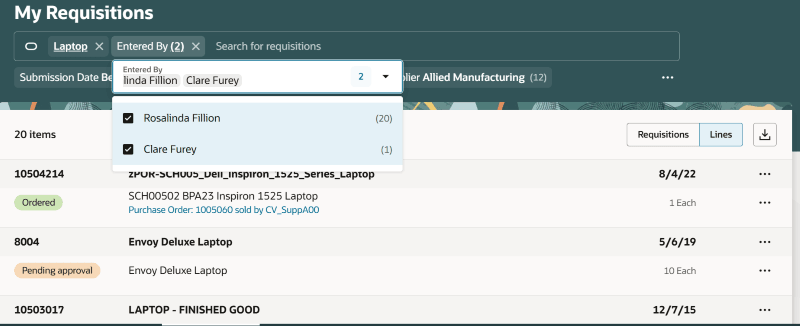
Search for Requisitions Using Multiple Requesters
You can also search with keywords (using a 'Contains' search) within these filters to narrow down the list of values and select applicable ones within.
The count of matching results for each filter (including hidden filters) is now available.
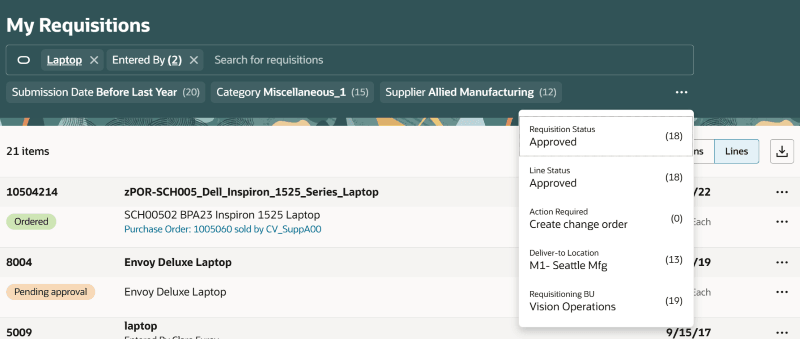
Filter Counts Display for All Matching Filters
Steps to enable and configure
You don't need to do anything to enable this feature.