Orchestrate Costing Processes Using a Predefined Process Set
You can now run end to end cost processing in Oracle Cost Management by using the predefined process set (or job set) Orchestrate Costing Processes. The process set orchestrates the prerequisite costing interface processes, cost processing and distribution creation, and period-end validations in the correct sequence, reducing the need to submit and monitor multiple scheduled processes separately.
The orchestration starts by running the costing interface processes in parallel. After the interface processes are complete, the Create Cost Accounting Distributions process runs automatically, followed by the Validate and Update Cost Accounting Periods process. This helps you move from transaction transfer to accounting distribution creation and period-end readiness checks in one controlled flow.
| Process | Purpose |
|---|---|
| Transfer Transactions from Receiving to Costing | Transfers receiving transactions into Cost Accounting |
| Transfer Transactions from Inventory to Costing | Transfers inventory transactions into Cost Accounting |
| Transfer Production Transactions to Costing | Transfers manufacturing transactions into Cost Accounting |
| Transfer Costs to Cost Management | Transfers costs from Payables into Cost Accounting |
| Import Revenue Lines | Imports revenue lines for Cost Accounting |
| Create Cost Accounting Distributions | Process transaction data to create costing distributions. |
| Validate and Update Cost Accounting Periods | Review period end exceptions for the selected period. |
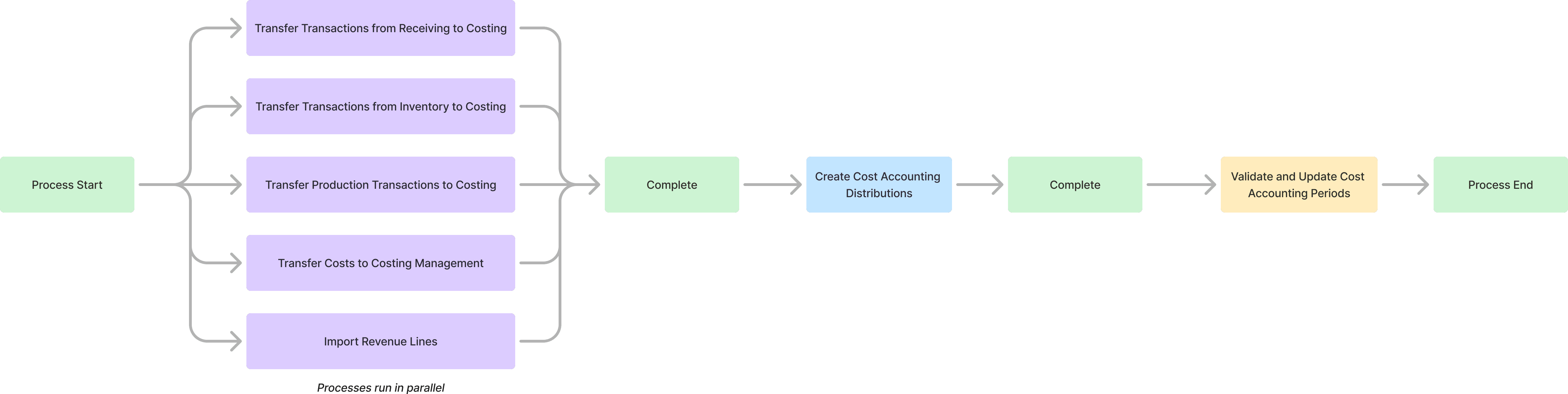
Orchestrate Costing Processes Flow
Schedule the Orchestrate Costing Processes process set from the Scheduled Processes work area. Set the process type as Job Set and enter the process set name.
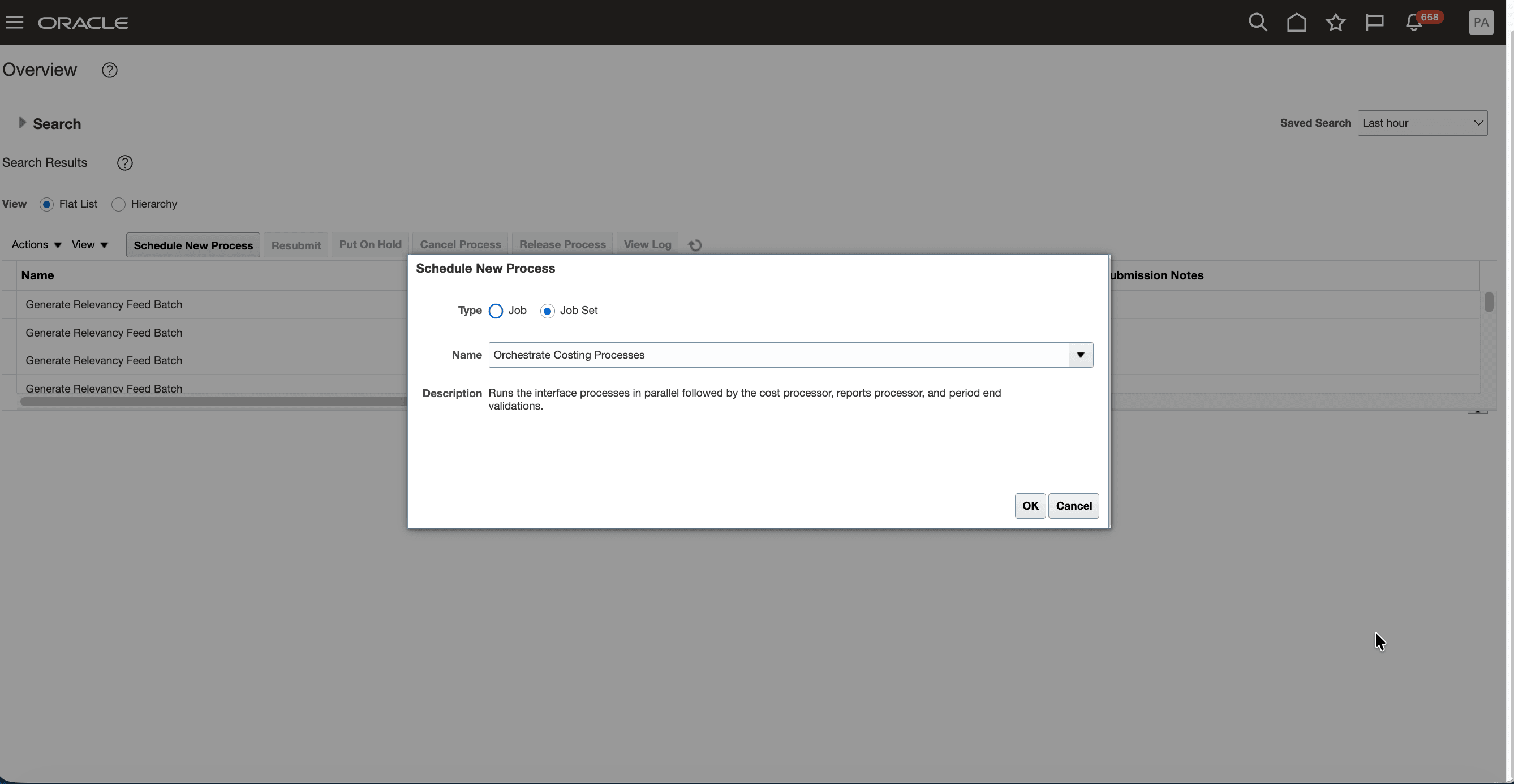
Orchestrate Costing Processes Process Set
After you select the process set, you can see all the processes included in the process set.
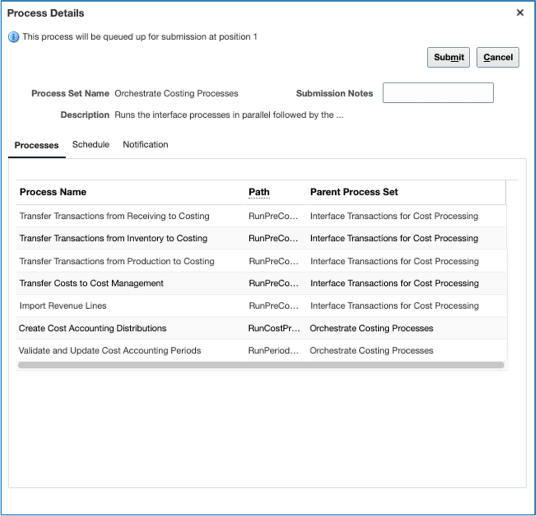
Process Set Details
Set the parameters for each of the processes by selecting them one by one.
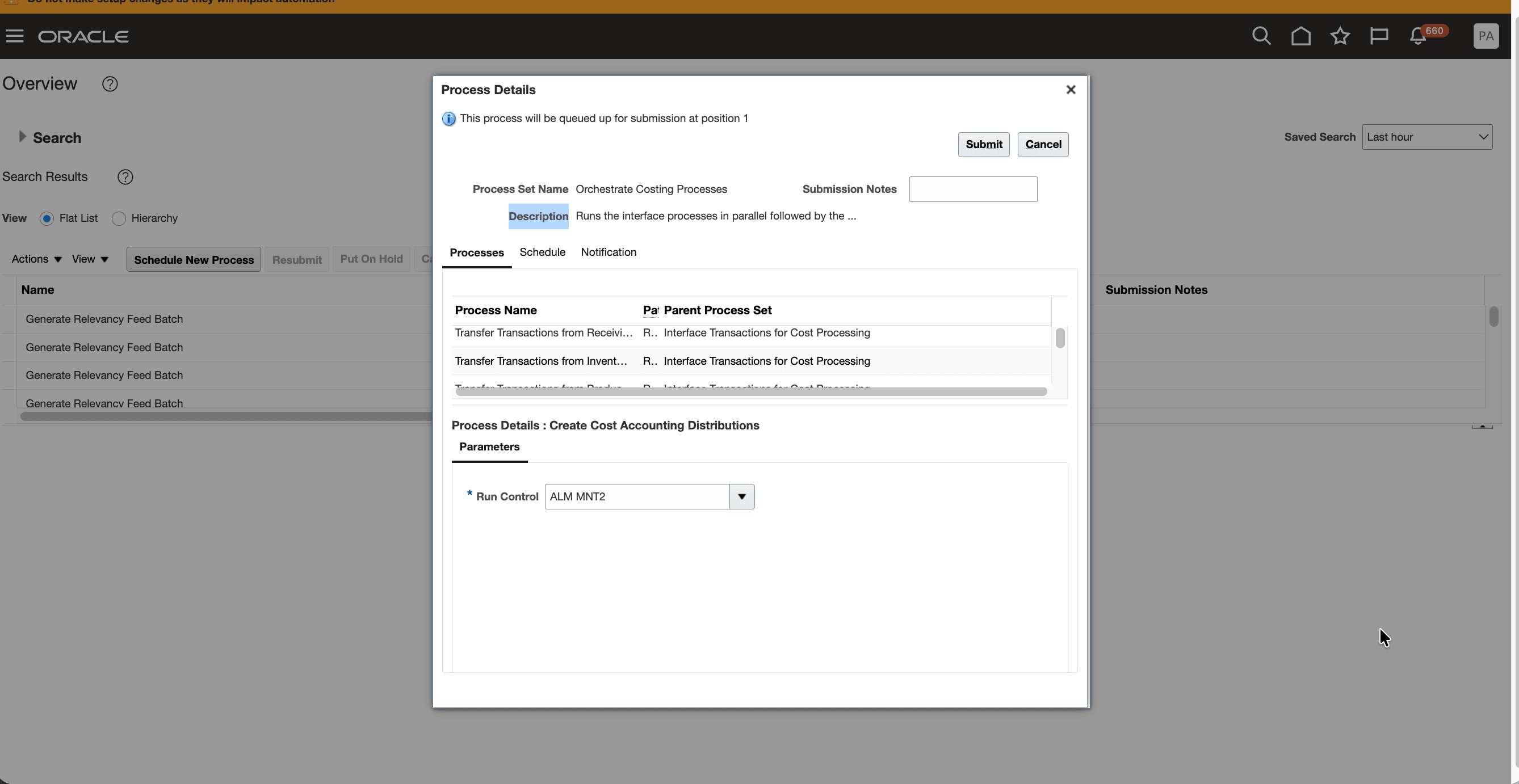
Configure Parameters for the Process Set
After you configure the process set, you can schedule it to run automatically at your preferred cadence.
Some benefits of this feature include:
- Reduce manual effort during period-end processing.
- Submit one process set instead of multiple individual processes.
- Improve processing efficiency by running prerequisite interface jobs in parallel.
Steps to enable and configure
You don't need to do anything to enable this feature.
Tips and considerations
- Schedule the end-to-end process set to run regularly to keep cost processing current. This process set serves as a comprehensive processing step that helps complete end-to-end cost processing, even when individual interface processes haven’t run recently, reducing the risk of unprocessed transactions.
-
The Cost Accounting Close Workspace AI agentic app now includes this end-to-end cost processing for period close. Running this process helps reduce period close errors caused by pending jobs or incomplete processing.
-
Run the full orchestration:
- Submit the Orchestrate Costing Processes process set when you want to run the complete period-end costing flow. The process set runs the interface processes, creates cost accounting distributions, and then performs period-end validations or
- Run interface processing independently by submitting the Interface Transactions for Cost Processing process set when you only want to transfer transactions and costs into Cost Accounting.
Key resources
- Oracle Fusion Cloud SCM: Implementing Manufacturing and Supply Chain Materials Management guide, available on the Oracle Help Center.
- Oracle Fusion Cloud SCM: Using Supply Chain Cost Management guide, available on the Oracle Help Center.
Access requirements
Users who are assigned a configured job role that contains the following privilege can access this feature:
- Create Cost Distributions (CST_CREATE_COST_DISTRIBUTIONS_PRIV)