Manage Work Requests in My Maintenance Work and Maintenance Supervision
Maintenance supervisors and technicians can now view work requests associated to a work order using integrated deep links to Help Desk service requests. Work request numbers displayed in the Document references section of a work order are shown as links, so users can open the associated work request in a new tab. Maintenance supervisors can use the work request link in the Document references section in the Edit Work Order page in Maintenance Supervision. Maintenance technicians can view the work request associated to the work order by using the link in the preview page in My Maintenance Work.
The following screenshot shows the new link that you can use to navigate to the help desk ticket from a work order in Maintenance Supervision.
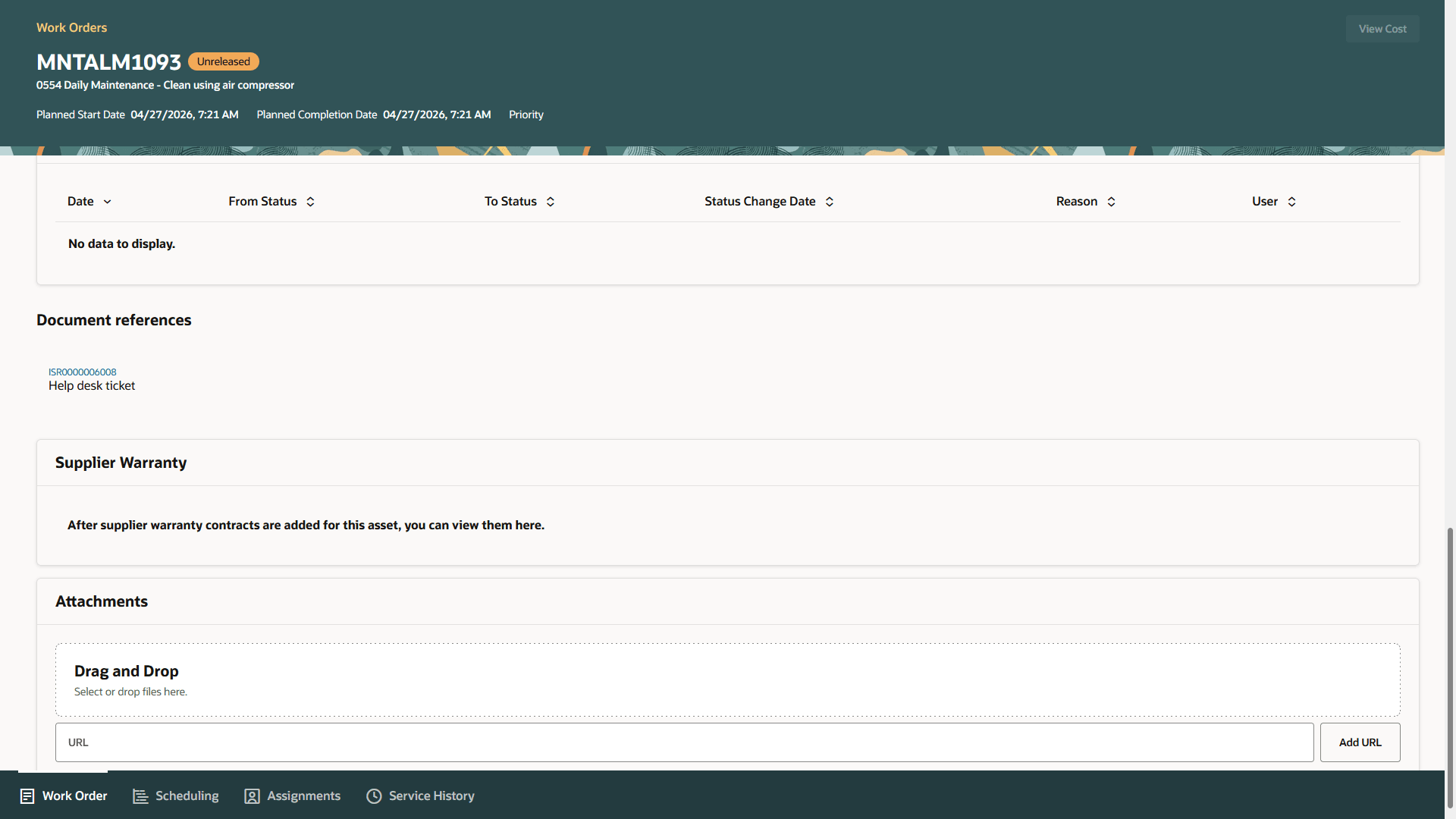
Link to navigate to the help desk ticket from Document References
Improves visibility into originating service requests, streamline navigation, and enabls quick access to related request details when reviewing or managing work orders.
Steps to enable and configure
You don't need to do anything to enable this feature.
Tips and considerations
In this update, there are certain enhancements in Help Desk for Maintenance. Refer to this What's New document for additional details: Simplify Maintenance Request and Work Order Creation with the Maintenance Help Desk
Access requirements
Users who are assigned a configured job role that contains one of the privilege can use this feature:
- SVC_VIEW_ISR_SR_PRIV (View Internal Service Request)
- SVC_EDIT_ISR_SR_PRIV (Edit Internal Service Request)