Clock In and Clock Out of Work Order Operations in My Maintenance Work
In organizations enabled for advanced scheduling, maintenance technicians can now clock in and clock out for an operation to track execution time accurately. When the first technician clocks in to an assigned and qualified operation, the operation is automatically started and the actual start date is updated. Technicians can clock in and out multiple times, but can only be actively clocked-in to one operation at a time. When all technicians assigned to an operation complete their work, the operation is automatically marked as completed.
The following screenshot shows the new Clock In and Clock Out actions for an operation:
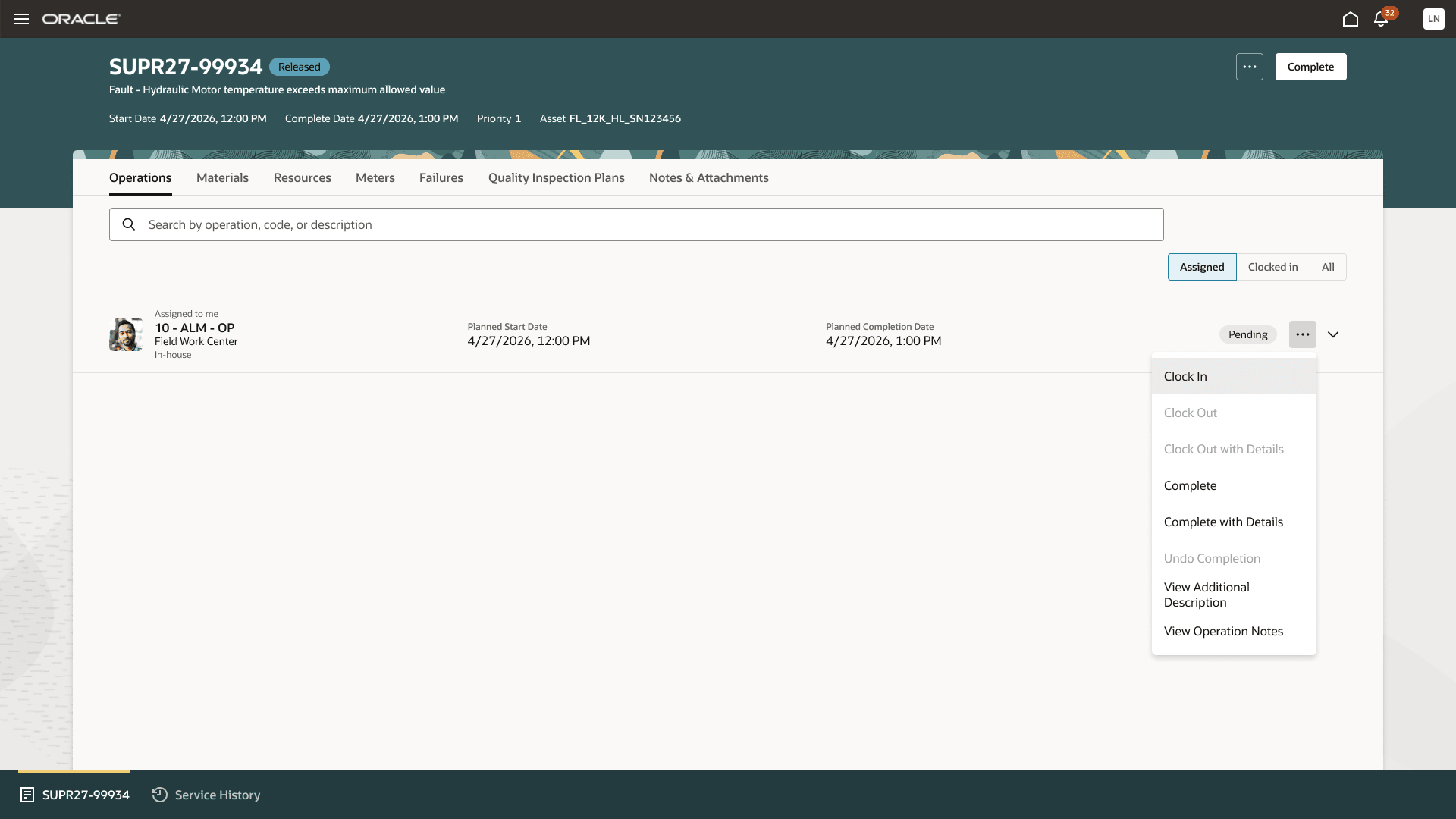
New Clock In and Clock Out actions for an operation
When a technician is clocked-in to an operation, a message informs them about it on the My Maintenance Work page. Upon completion, the application automatically clocks out technicians and generates the corresponding resource transaction. When a technician has the required privileges, they can clock out with details. They can optionally clock out and adjust their clock-in and clock-out times before submission. Also, they can not only clock out, but also complete the operation in one click. This improves accuracy in time tracking and ensures consistent recording of operation execution.
Operation-level clock in and clock out capabilities improve the accuracy and consistency of labor time tracking by enabling technicians to record actual execution time directly against maintenance operations. This helps organizations gain better visibility into resource utilization and streamline operation completion.
Steps to enable and configure
You don't need to do anything to enable this feature.
Key resources
What's New 26C: Use Advanced Scheduling and Assignments for Maintenance Work Orders
Access requirements
Users who are assigned a configured job role that contains this privilege can use this feature:
Allow Operation Clock Out With Details (MNT_ALLOW_OP_DETAIL_CLOCKOUT)