Redwood: Create and Manage Follow Up Work Orders in My Maintenance Work
Maintenance technicians can now create and manage follow-up work orders directly from a source work order to track additional maintenance issues discovered during or after execution. Additionally, they can establish a relationship between work orders, ensuring continuity, traceability, and accurate reporting across related maintenance activities. New follow-up work orders can be created both during execution and after completion of the source work order.
In My Maintenance Work, technicians can create a follow-up work order from the Work Orders page using the new Create Follow-up Work Order button. Additionally, technicians can also create a follow-up work order during work execution. When a technician uses the button to create a follow-up work order, the New follow-up work order drawer will open. The asset details default from the source work order while allowing edits, which minimizes data entry and enables fast issue capture without disrupting ongoing work. Users can optionally define the details for a new work order and use the Create and Open button to edit the work order further or the Create and Close button to close the drawer. Follow-up work orders retain a direct reference to the source work order, allowing users to easily navigate between related work, review context, and ensure complete understanding of the issue.
The following screenshot shows the New follow-up work order drawer.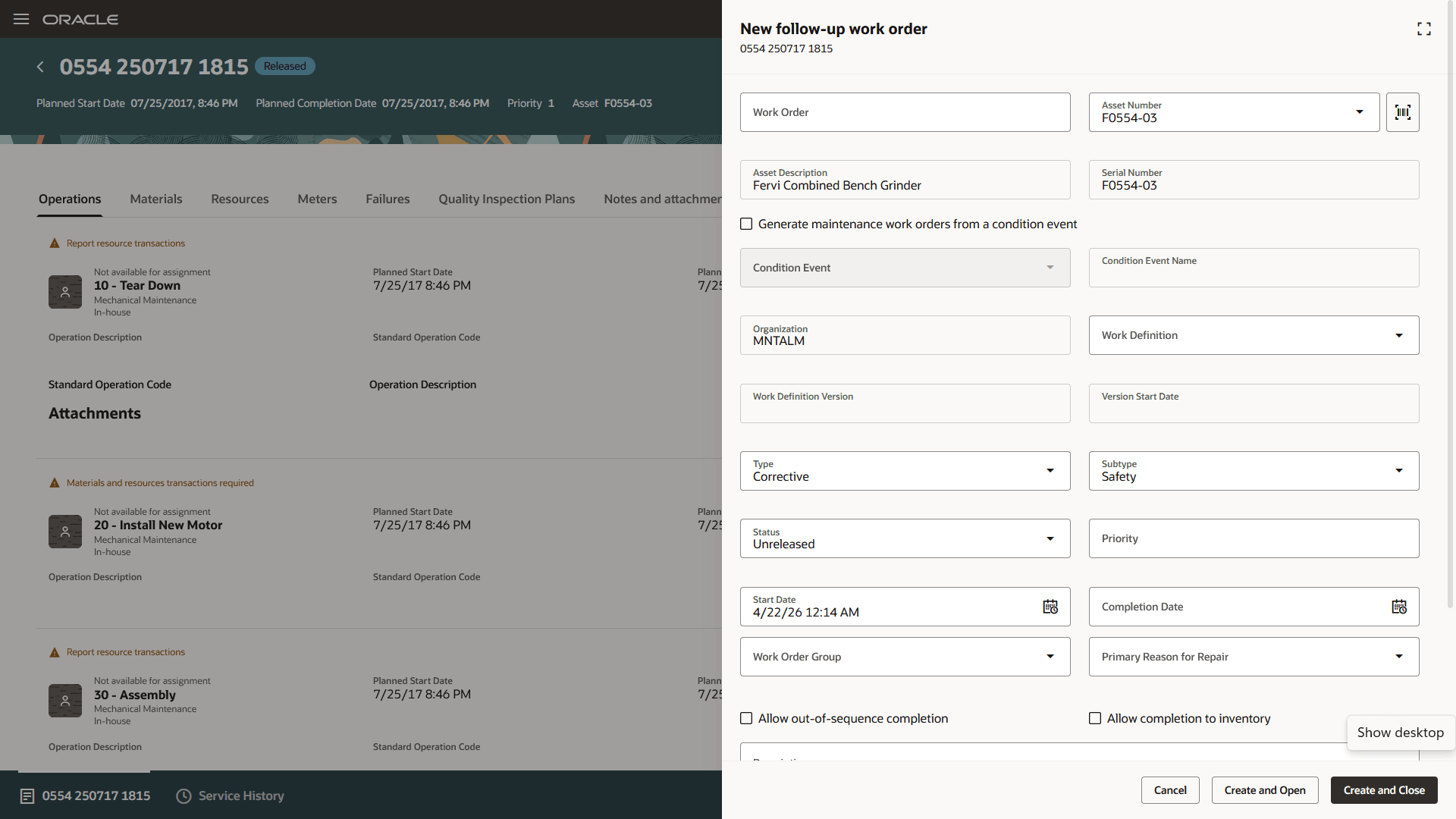
New follow-up work order drawer
This feature helps organizations ensure that all identified maintenance issues are captured, tracked, and resolved efficiently, improving visibility, reporting accuracy, and overall asset reliability.
Improve maintenance effectiveness and asset reliability by ensuring all identified issues are tracked and resolved. Increase visibility and reporting accuracy while simplifying how follow-up work is created and managed.
Steps to enable and configure
You don't need to do anything to enable this feature.
Access requirements
Users who are assigned a configured job role that contains this privilege can use this feature:
MNT_ALLOW_CREATE_FOLLOWUP_WO