Redwood: Use a Separate Operation to Track Rework in a Standard or Nonstandard Discrete Manufacturing Work Order
In the previous release, you could track rework activities and costs for materials and resources in the original work order that produces a product. For significant or complex rework, a dedicated process may be required for operational visibility and detailed tracking of the physical quantity being reworked, but without the additional steps of completing into inventory to rework in another work order.
You can now track rework activities and costs using a separate rework operation in the same work order. Production supervisors can move reject quantities to a rework operation, track the progress of the rework operation, and charge materials and resources for the rework.
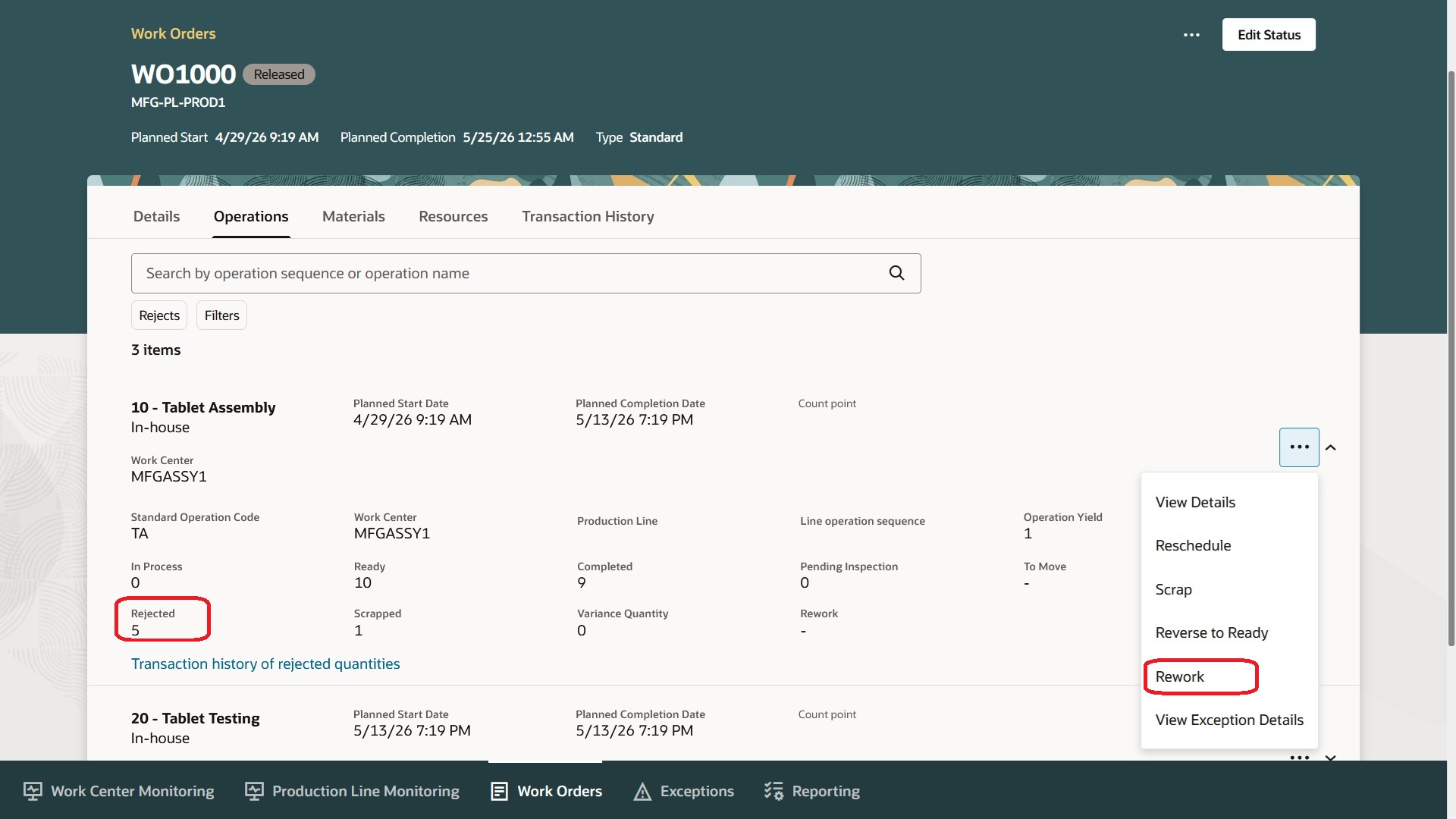
Production Supervisor Moves the Rejected Quantity to a Rework Operation
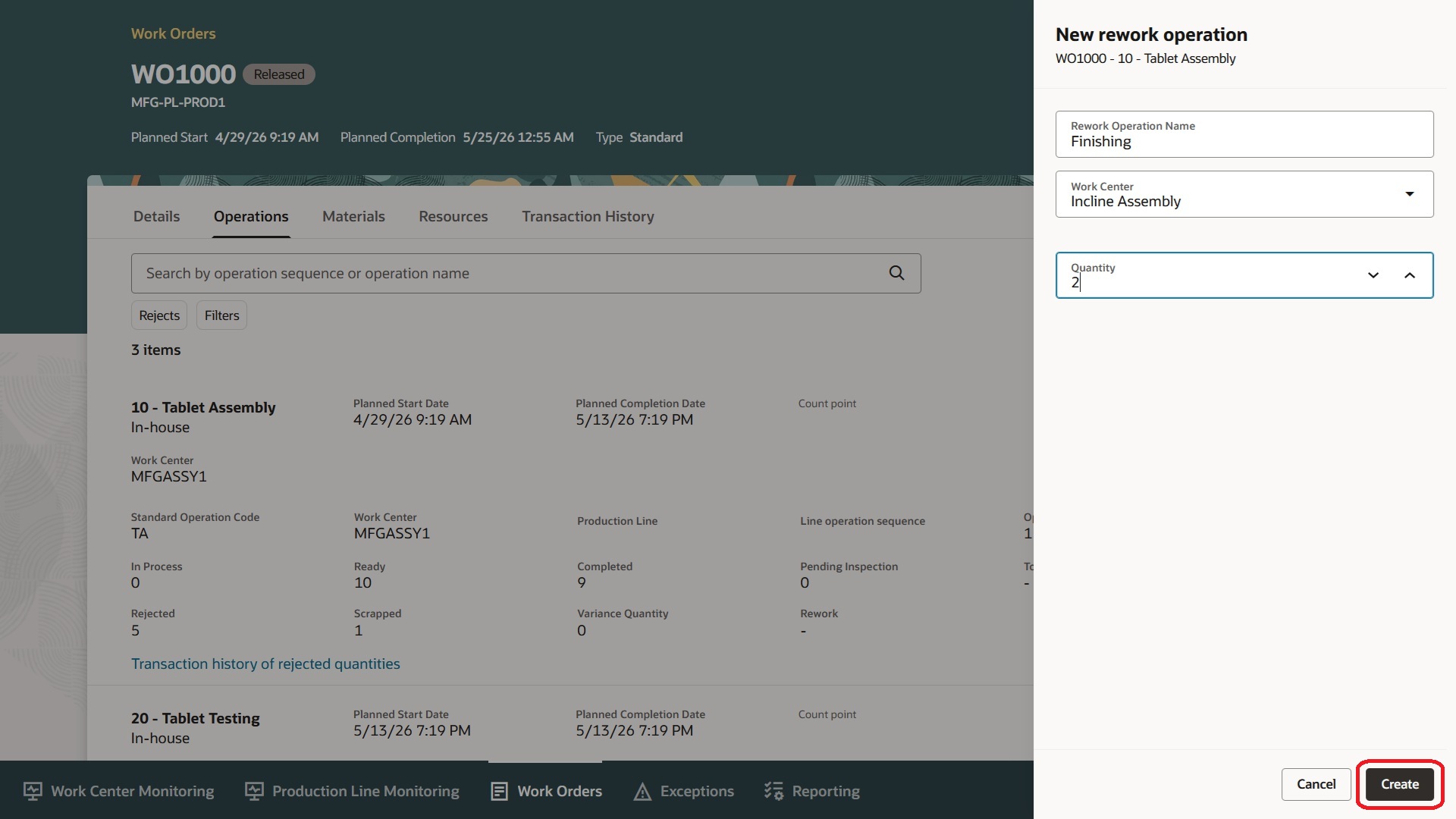
Adding a New Rework Operation for Reworking Rejected Quantities
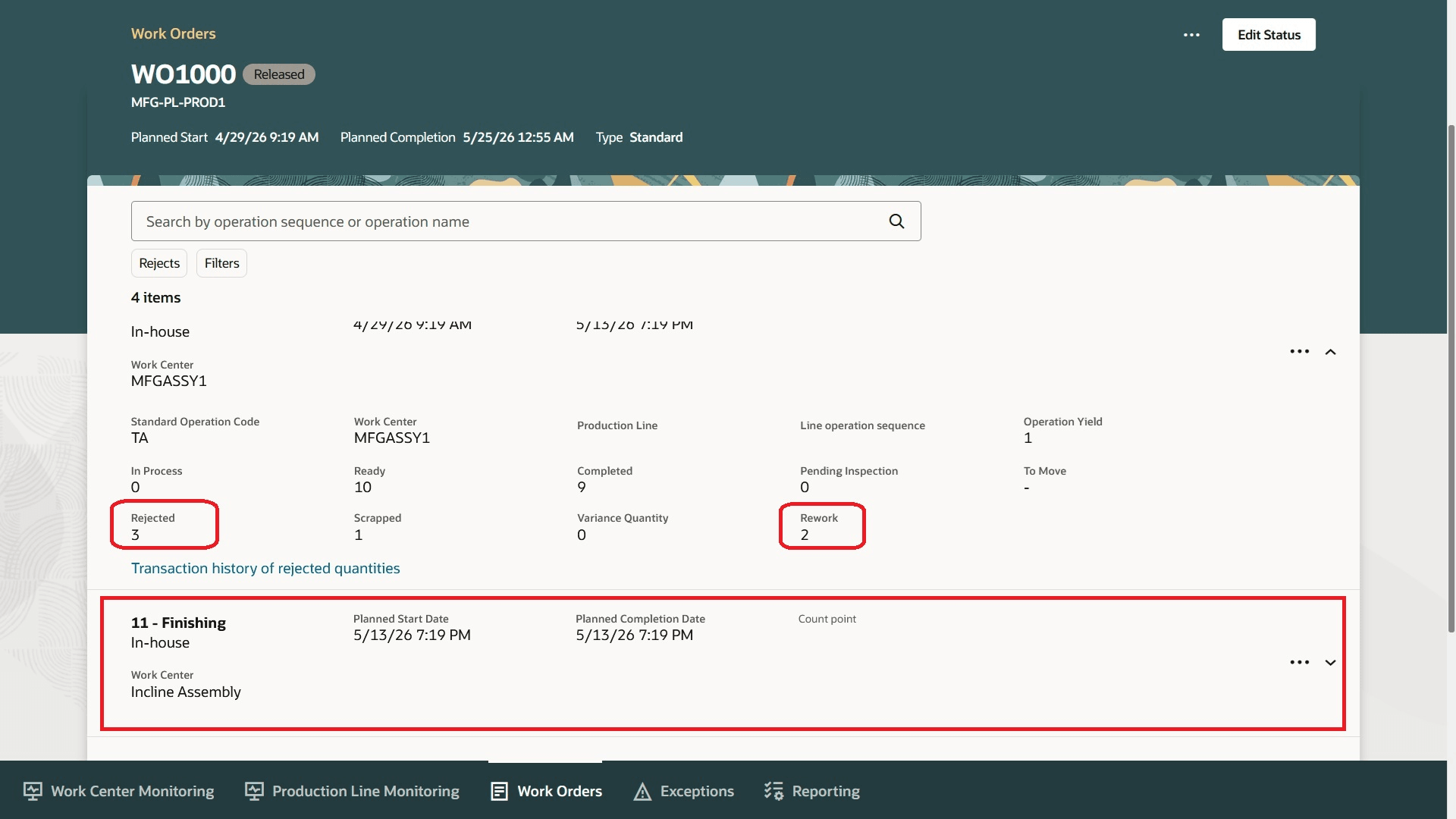
Rejected Quantity to Be Reworked is Assigned to the Newly Created Rework Operation
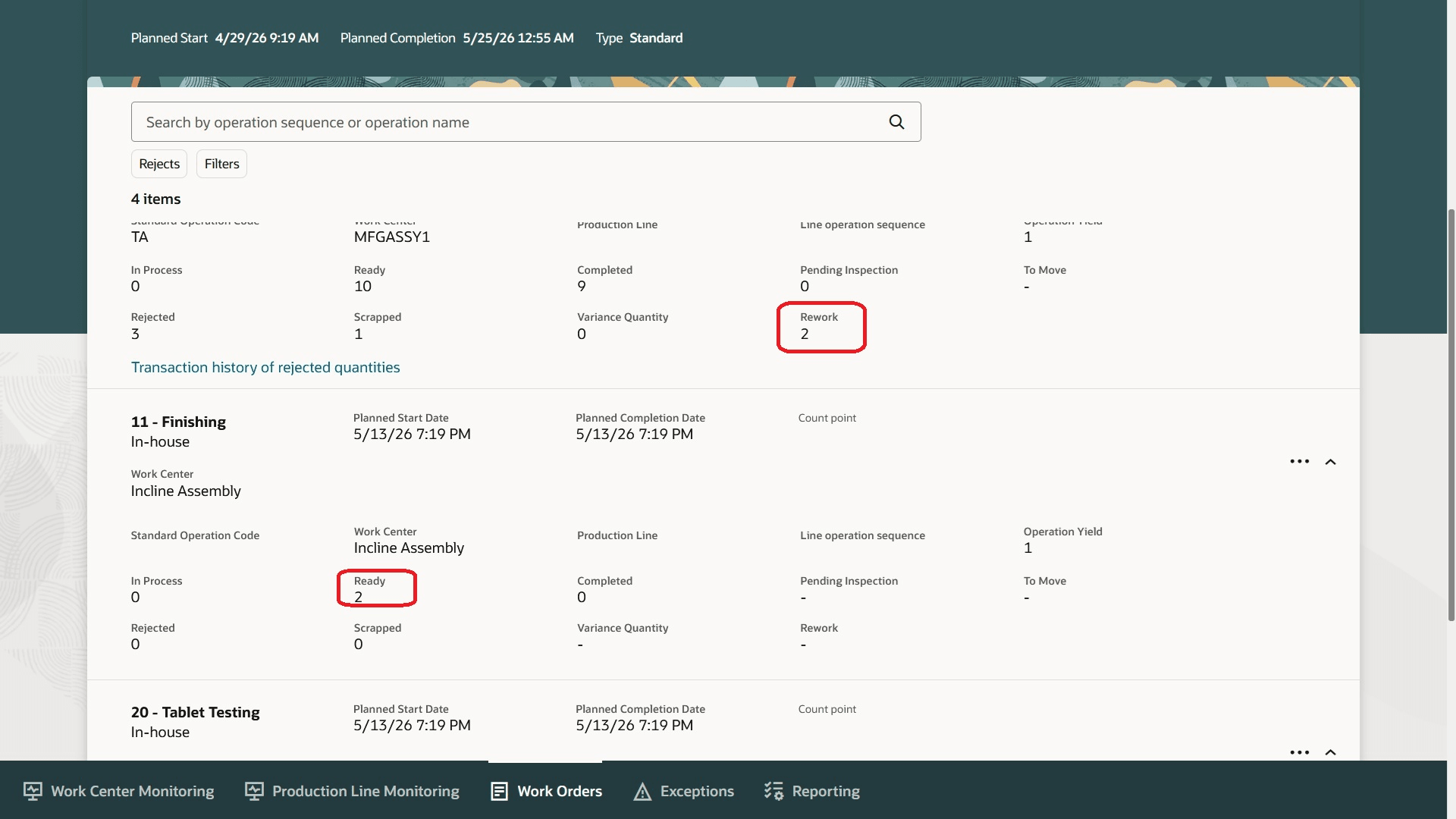
Rework Quantity in the Ready State for the Rework Operation
This feature provides the following benefits:
- Distinct rework reporting of operation duration, material and resource usage, and rework costs, neatly segregated from the original work order activities.
- Clear traceability of quality inspection and nonconformance for reworked quantities.
Here's the demo of these capabilities:
Steps to enable and configure
You don't need to do anything to enable this feature.
Tips and considerations
- Assign the full or partial rejected quantities to a rework operation from Production Supervision.
- This feature is available only in Redwood pages.
- You can transact work orders with rework quantities from Redwood pages only.
- You can rework only in one rework operation. Rejects from the rework operation must be completed or scrapped in the rework operation.
- You cannot add a rework operation after the last operation in the work order.
- This feature is supported for discrete manufacturing work orders only.
Key resources
- Watch the Redwood: Use a Separate Operation to Track Rework in a Standard or Nonstandard Discrete Manufacturing Work Order demo.
- Oracle Fusion Cloud SCM: Refer to the Using Manufacturing guide, available on the Oracle Help Center.
- Oracle Fusion Cloud SCM: Refer to the Implementing Manufacturing and Supply Chain Materials Management guide, available on the Oracle Help Center.
Access requirements
Users who are assigned a configured job role that contains these privileges and codes can access this feature:
- Privileges :
- Supervise Production (WIP_SUPERVISE_PRODUCTION_PRIV)
- Manage Work Orders by Service (WIP_UPDATE_WORK_ORDERS_SERVICE_PRIV)
- Guided Journeys : Role Codes
- Use REST Service - Guided Journeys Read Only (Role Code ORA_PER_REST_SERVICE_ACCESS_GUIDED_JOURNEYS_RO)
- Use REST Service - Guided Journey Responses (Role Code ORA_PER_REST_SERVICE_ACCESS_GUIDED_JOURNEY_RESPONSES)
These roles and privileges were available prior to this update.