Redwood: Report Material Transactions for Multiple Product Serial Numbers at a Time
In high-volume serialized manufacturing, operators need to efficiently report material transactions for multiple assembly serial numbers tied to the same work order. Previously, after completing each transaction, they had to query again for the work order, operation, and serial number—adding repetitive steps and slowing down execution tasks.
In the Redwood Report Material Transaction flow, users can now remain in the same transaction context after submitting a transaction for one product serial. After the transaction is completed, the page retains the same work order, operation, and transaction type context so that users can select another product serial and continue reporting material transactions. Users can select a product serial, enter component details, and save the transaction all while staying on the same page.
This enhances the Redwood experience for serialized manufacturing work orders where multiple top-level assembly serial numbers are associated with the same work order. Users no longer need to repeatedly query the work order, operation, and serial number after saving each transaction.
For nonserialized operations, the item serial number isn’t displayed, and the remaining transaction behavior remains the same.
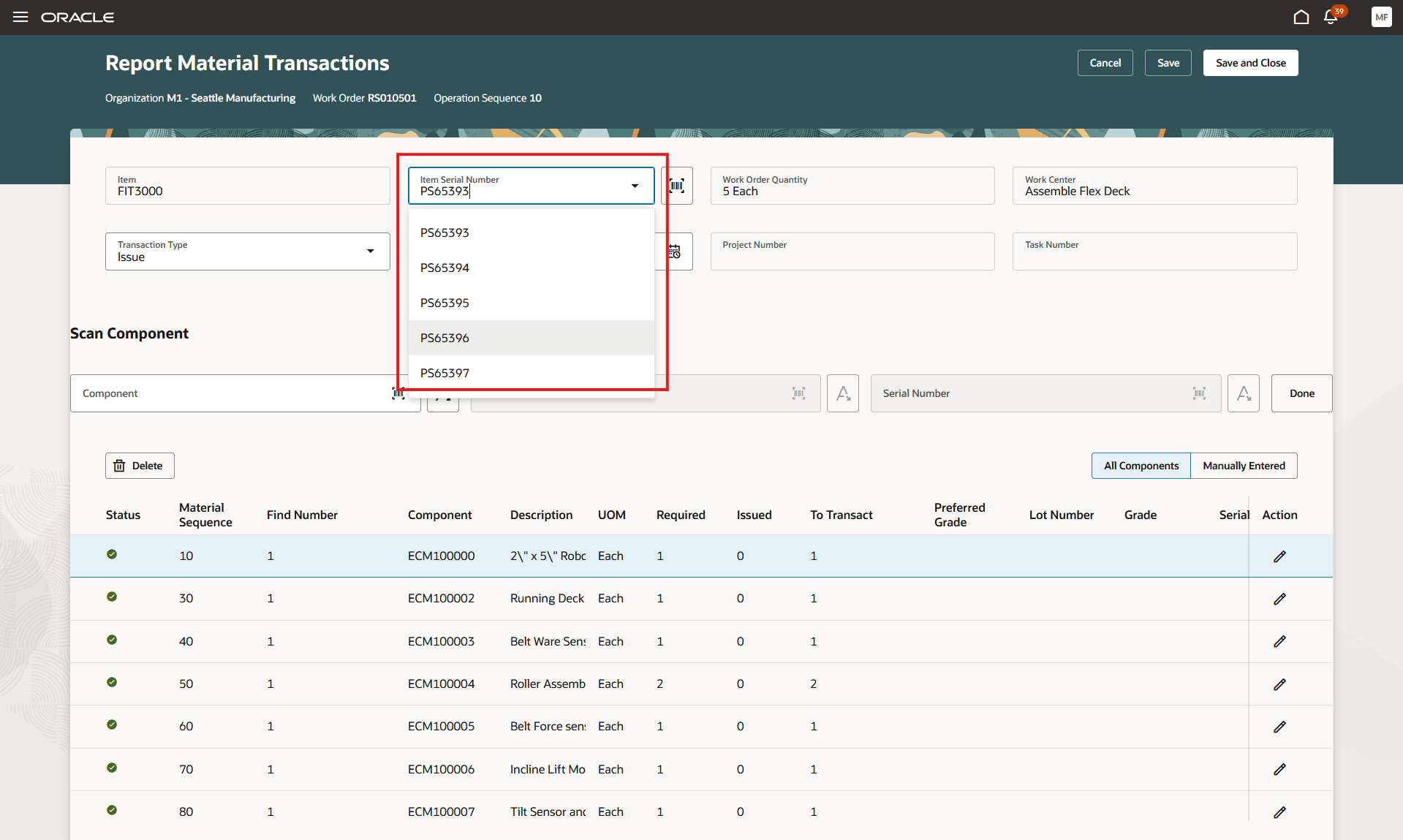
Report Material Transactions for a Serialized Operation
This feature reduces tedious navigation and data entry when users process multiple assembly serials for the same work order. It helps high-volume manufacturers process serialized material issue and return transactions efficiently in Redwood.
Here's the demo of these capabilities:
Steps to enable and configure
You don't need to do anything to enable this feature.
Tips and considerations
- Users can select another product serial and save another transaction from the same context.
- If a transaction was already reported for a product serial, users can still report an ad hoc component issue from the same page.
- Users can submit a transaction and close the page, similar to the Save and Close behavior in the classic ADF page.
- Users can choose to cancel to leave the transaction page.
Key resources
- Watch the 26C feature, Redwood: Report Material Transactions for Multiple Product Serial Numbers at a Time demo
- Oracle Fusion Cloud SCM: Refer to the Using Manufacturing guide, available on the Oracle Help Center.
- Oracle Fusion Cloud SCM: Refer to the Implementing Manufacturing and Supply Chain Materials Management guide, available on the Oracle Help Center.
Access requirements
Users who are assigned a configured job role that contains the following privileges can use this feature:
- Report Material Transactions (WIP_REPORT_MATERIAL_TRANSACTIONS_PRIV)
This privilege was available prior to this update.