Add an Item Structure or Formula to an Existing Work Definition
Manufacturing engineers may need to create work definitions without having to start with item structures or formulas, especially when the item structures or formulas are managed externally or still being worked upon. This provides the flexibility for prototyping, engineer-to-order, and formula optimization scenarios where item structures or formulas aren’t yet finalized.
This update lets you add a structure or formula name after a work definition is saved if a name wasn't initially specified. Here's how the feature works in the UI and with FBDI, ADFdi and REST:
- User Interface:
- Adding structure name
- Ad hoc operation items are automatically deleted after a warning message.
- Ad hoc outputs are retained.
- Operation items are automatically assigned based on the structure suggested operation sequence.
- Adding formula name
- Ad hoc operation items and outputs are automatically deleted after a warning message.
- Operation items and outputs are automatically assigned based on the structure or formula suggested operation sequence.
- Adding structure name
- File-Based Data Import (FBDI):
- Adding a structure name
- Ad hoc operation items are automatically deleted, and a warning is captured in the output file.
- Ad hoc outputs are retained.
- Automatic assignment of operation items isn't performed.
- Adding a formula name
- Ad hoc operation items and outputs are automatically deleted, and a warning is captured in the output file.
- Automatic assignment of operation items and outputs isn't performed.
- Adding a structure name
- Using ADFdi and REST:
- Structure name or formula name can be added only if no ad hoc operation items or outputs exist.
- If they exist, an error is captured.
- Automatic assignment of operation items and outputs isn't performed.
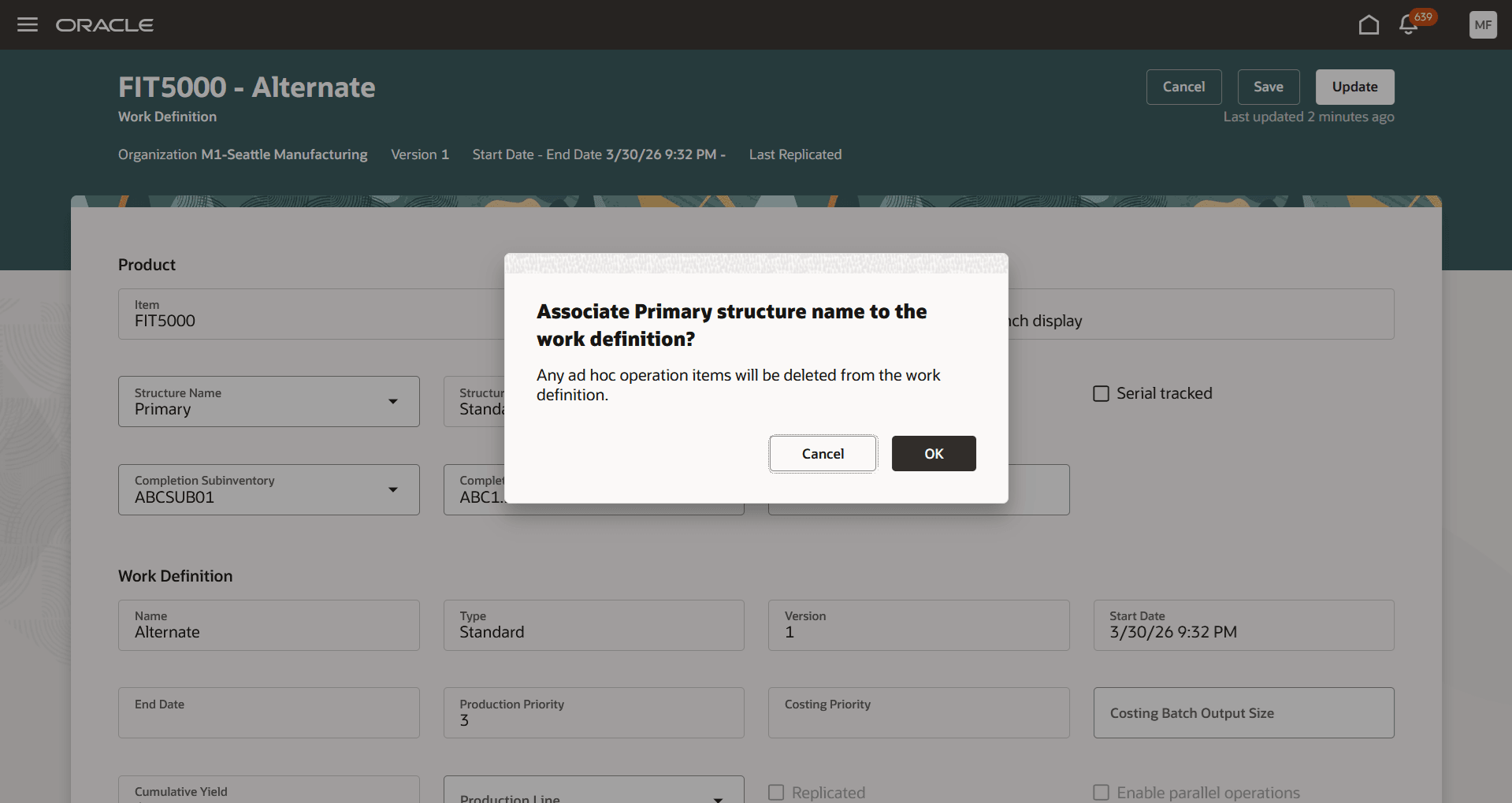
Adding a Structure Name
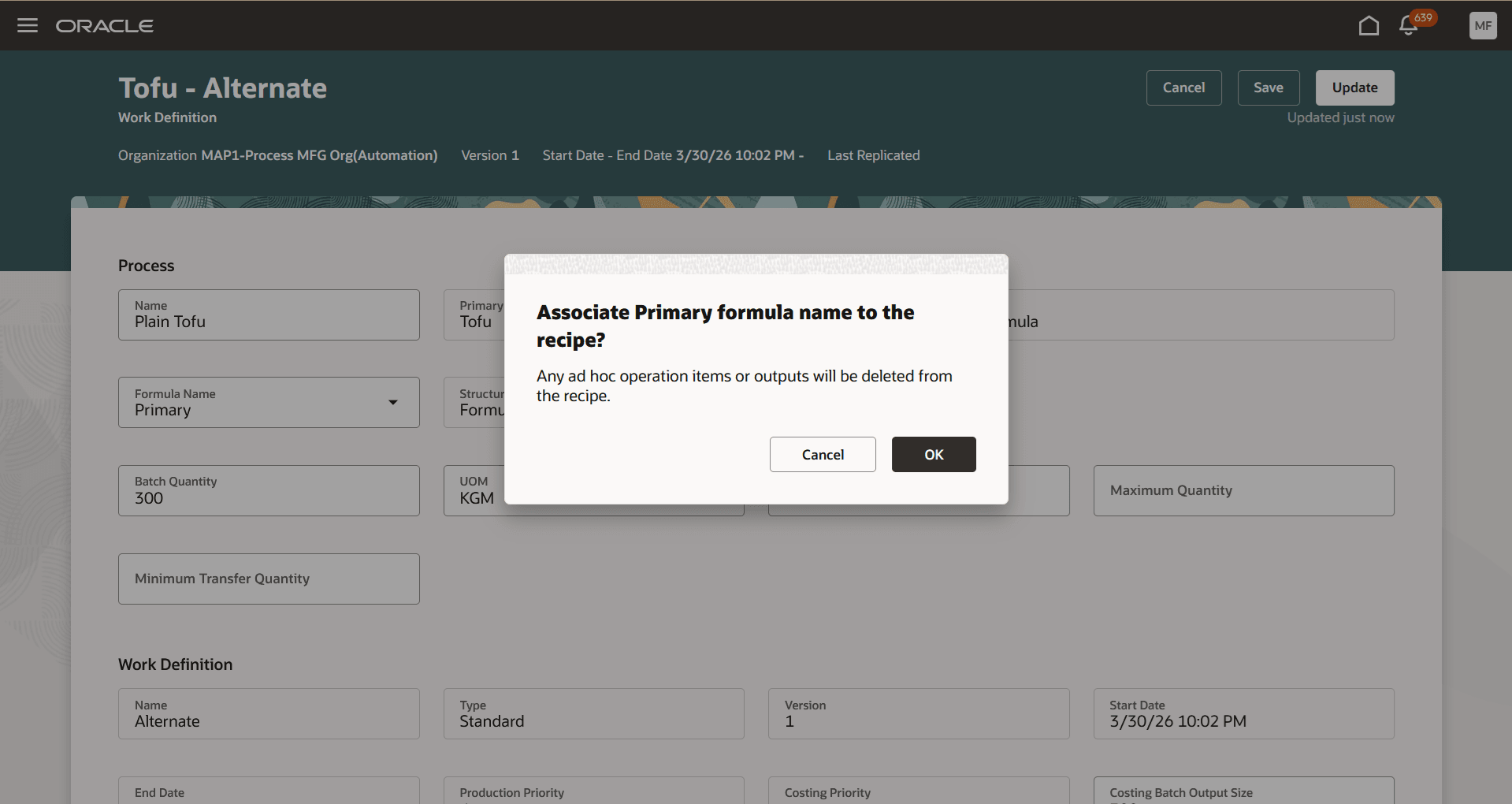
Adding a Formula Name
Enabling the addition of a structure or formula name after a work definition is saved eliminates the need for creating a new work definition. This flexibility lets you define and adjust the work definition while the item structure or formula is being optimized and finalized, enhancing the efficiency of your product build process.
Here's the demo of these capabilities:
Steps to enable and configure
You don't need to do anything to enable this feature.
Tips and considerations
- This feature is available only with the Redwood experience, which can be enabled using the profile option, Redwood Work Definitions Enabled.
- This feature is applicable to discrete manufacturing, flow manufacturing and process manufacturing work methods.
- Adding a structure or formula name is allowed only if a structure or formula name isn't initially specified during work definition creation.
- This feature isn't applicable to Assemble-to-Order (ATO) model as you must specify the primary structure name when defining ATO model work definitions.
- This feature isn't applicable if Electronic Records and Electronic Signatures (ERES) are enabled for manufacturing work definitions. You must create a new work definition to add a structure or formula name.
Key resources
- Watch the Add an Item Structure or Formula to an Existing Work Definition demo.
- Oracle Fusion Cloud SCM: Refer to the Using Manufacturing guide, available on the Oracle Help Center.
- Oracle Fusion Cloud SCM: Refer to the Implementing Manufacturing and Supply Chain Materials Management guide, available on the Oracle Help Center.
Access requirements
Users who are assigned a configured job role that contains these privileges can access this feature:
- Manage Work Definitions (WIS_MANAGE_WORK_DEFINITIONS_PRIV)
- View Work Definitions (WIS_VIEW_WORK_DEFINITIONS_PRIV)
- Get Work Definitions by Service (WIS_GET_WORK_DEFINITIONS_SERVICE_PRIV)
- Manage Work Definitions by Service (WIS_MANAGE_WORK_DEFINITIONS_SERVICE_PRIV)
These privileges were available prior to this update.