Consolidate Kanban Replenishment
High-volume lean manufacturers need a way to reduce the overhead of managing large numbers of individual Kanban replenishment orders while maintaining visibility into each card’s progress. Consolidating replenishments into fewer documents streamlines procurement and logistics processing without sacrificing tracking accuracy or process clarity.
You can now group multiple Kanban replenishments into a single consolidated order while still tracking the status of each individual Kanban. Kanban cards associated with pull sequences enabled for consolidation are grouped and placed in an awaiting consolidation status until processed. A new scheduled process for Kanban Replenishment Order Consolidation creates consolidated purchase orders, transfer orders, or movement requests with one document line per item and multiple shipment lines representing individual Kanbans.
Kanban cards progress through supply statuses—from awaiting consolidation, to in process when replenishment begins, to full upon receipt or allocation—enabling precise tracking of each card’s progress.
Changes to REST: kanbanPullSequences REST can create pull sequences with consolidation of replenishment enabled.
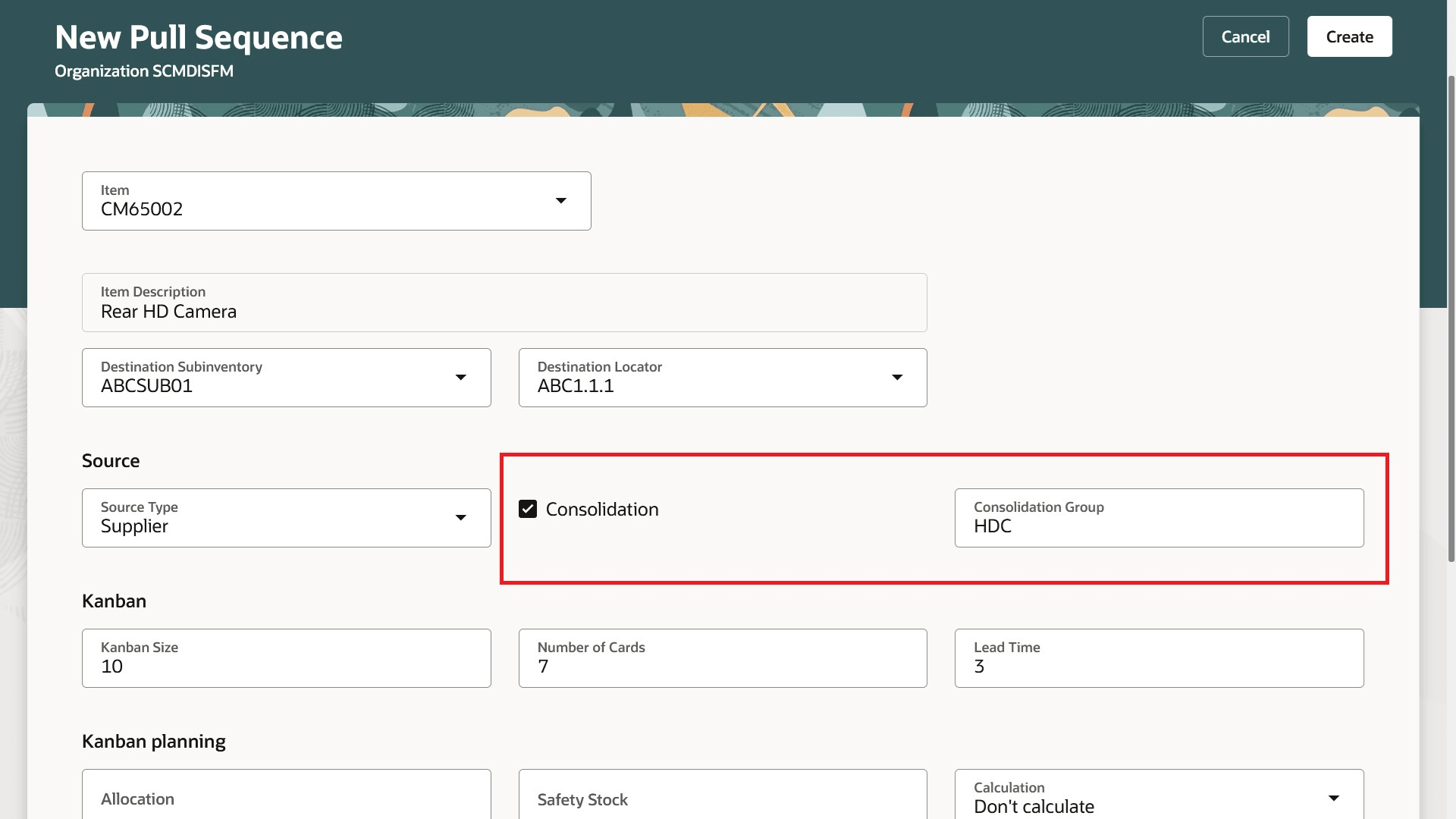
Pull Sequence Setup for Replenishment Order Consolidation
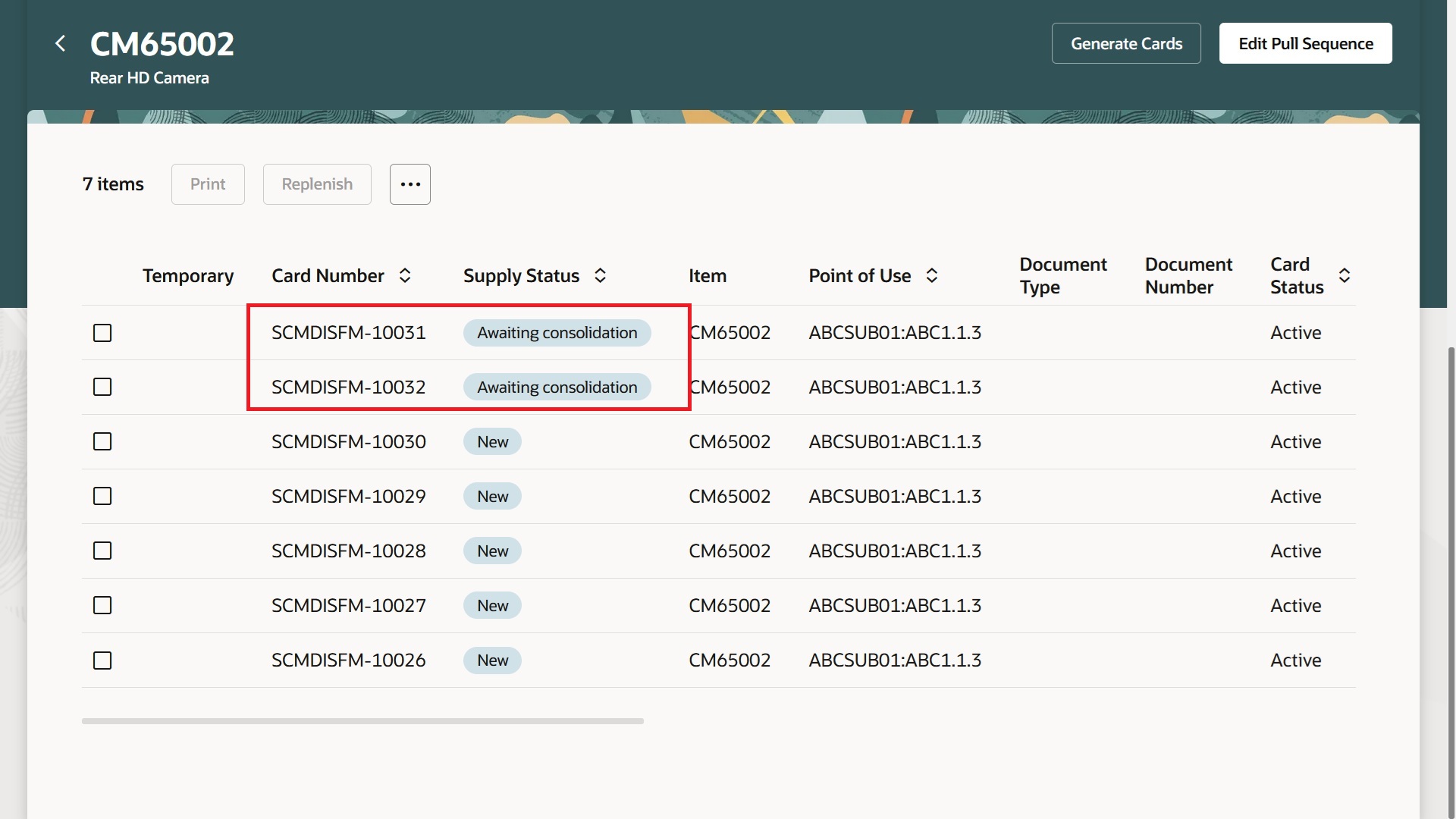
Kanban Cards Awaiting Consolidation on Replenishment
Consolidating multiple Kanban replenishments reduces order volumes for more efficient order management.
Here's the demo of these capabilities:
Steps to enable and configure
You don't need to do anything to enable this feature.
Tips and considerations
- Replenishment process starts only when the scheduled process is run, approved replenishment documents are created, and the Kanban card is put in "In Process" status.
- Only Kanban cards for a pull sequence are consolidated.
- Consolidation of Kanban cards is supported only for pull sequences with source type as supplier, interorganization, and intraorganization.
Key resources
- Watch the Consolidate Kanban Repelnsihment demo.
- Oracle Fusion Cloud SCM: Refer to the Using Manufacturing guide, available on the Oracle Help Center.
- Oracle Fusion Cloud SCM: Refer to the Implementing Manufacturing and Supply Chain Materials Management guide, available on the Oracle Help Center.
Access requirements
Users who are assigned a configured job role that contains these privileges and codes can access this feature:
- Privileges :
- Manage Pull Sequences (WIS_MANAGE_PULL_SEQUENCES _PRIV) to define pull sequences.
-
Manage Kanban Cards (WIS_MANAGE_KANBAN_CARDS_PRIV) to generate Kanban cards.
- Guided Journeys : Role Codes
- Use REST Service - Guided Journeys Read Only (Role Code ORA_PER_REST_SERVICE_ACCESS_GUIDED_JOURNEYS_RO)
- Use REST Service - Guided Journey Responses (Role Code ORA_PER_REST_SERVICE_ACCESS_GUIDED_JOURNEY_RESPONSES)
These roles and privileges were available prior to this update.