Redwood: Use Built-in KPIs to Filter Work Execution Objects
Currently, the list of work execution objects on the Work Execution Overview page is static. It displays past due work orders that are expedited. With this update, the list of work execution objects displayed is determined by the selected KPI. The following KPIs are available on the Work Execution Overview page:
- Past-Due Work Orders - Through today.
- Past-Due Operations - Through today.
- Open Exceptions - Through today.
- Past-Due and In-Progress Supplier Operations - Through today.
- WIP Inspections - Past 7 days.
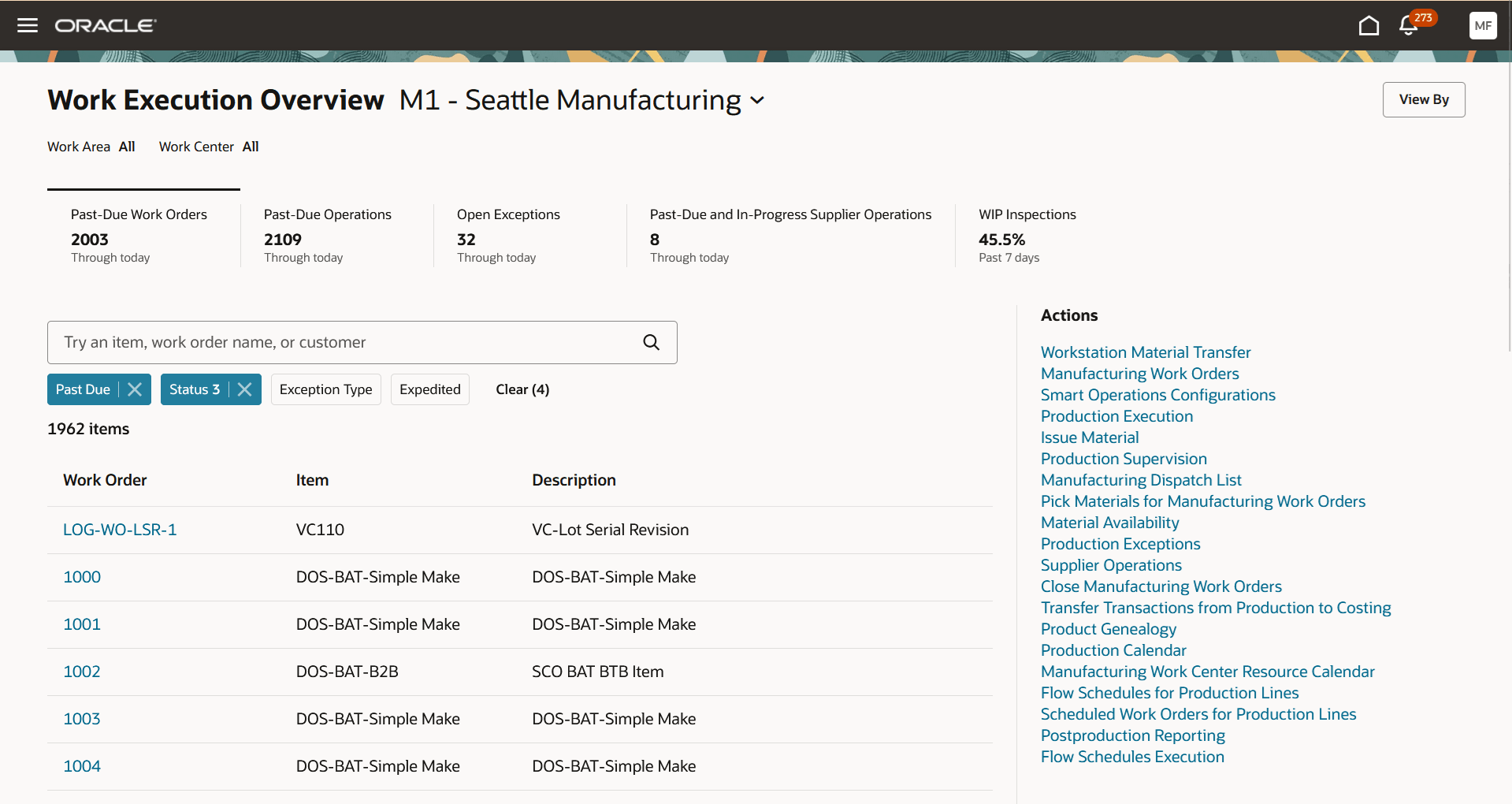
Past-Due Work Orders Through Today
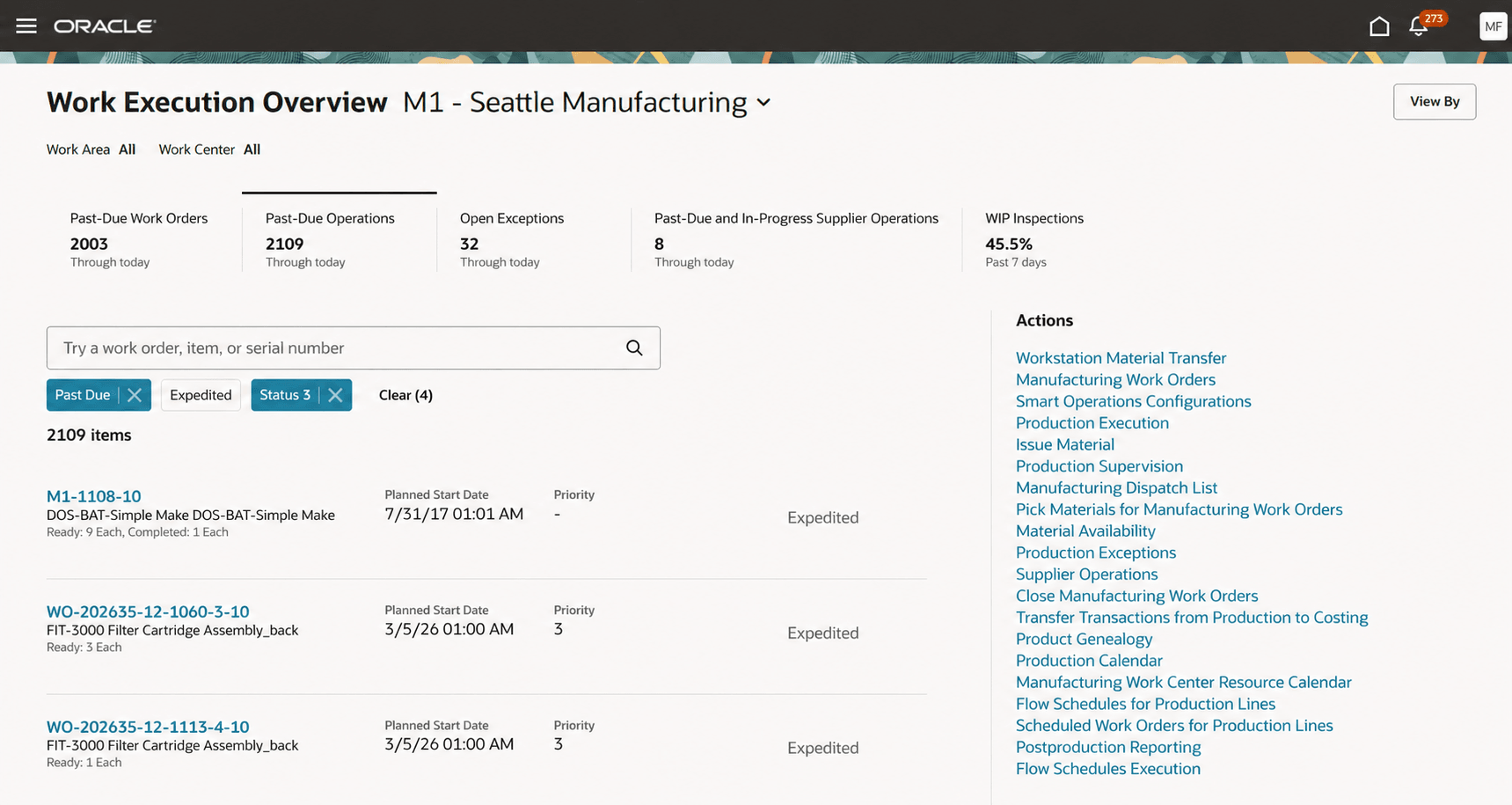
Past-Due Operations Through Today
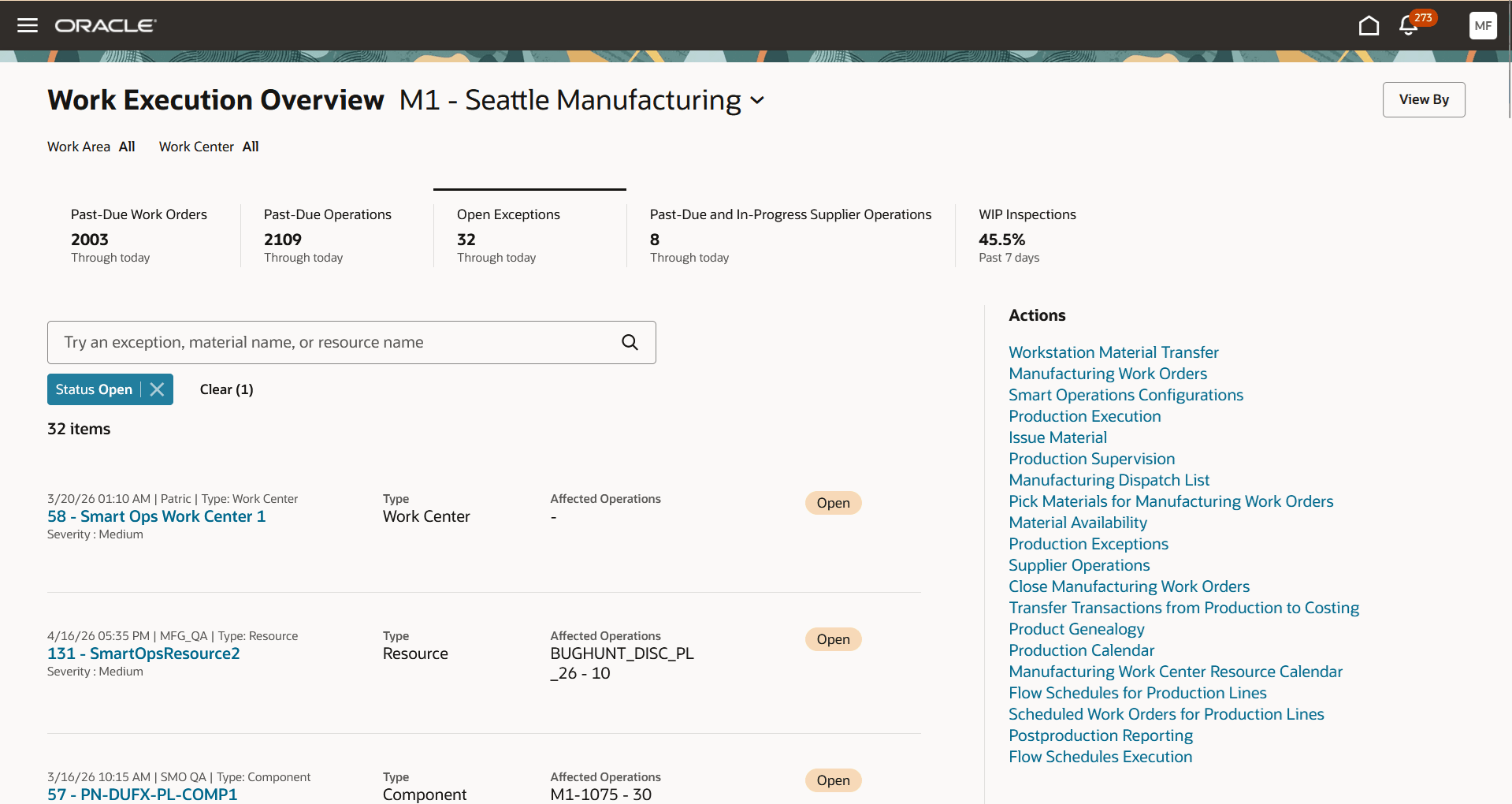
Open Exceptions Through Today
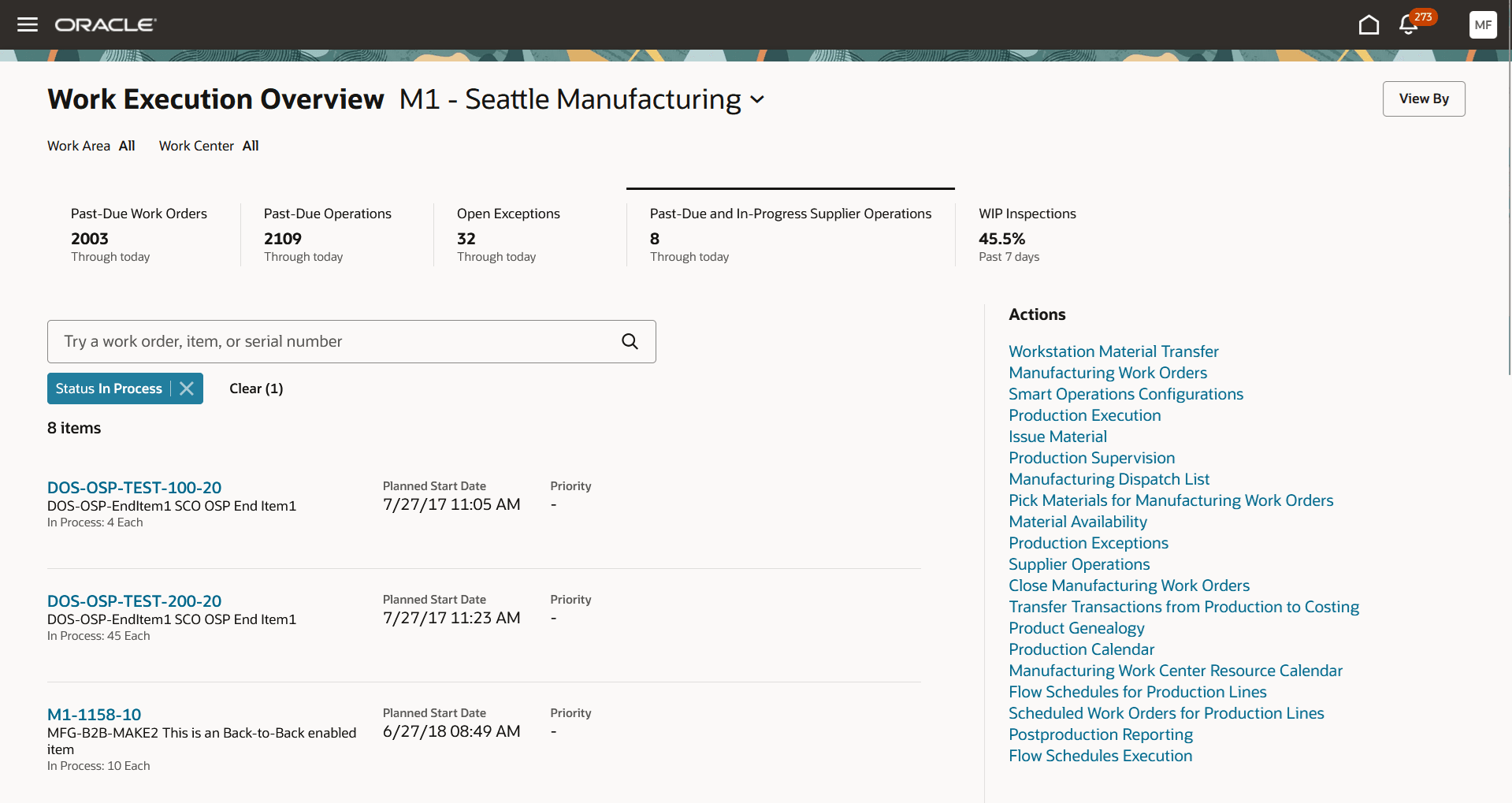
Past-Due and In-Progress Supplier Operations Through Today
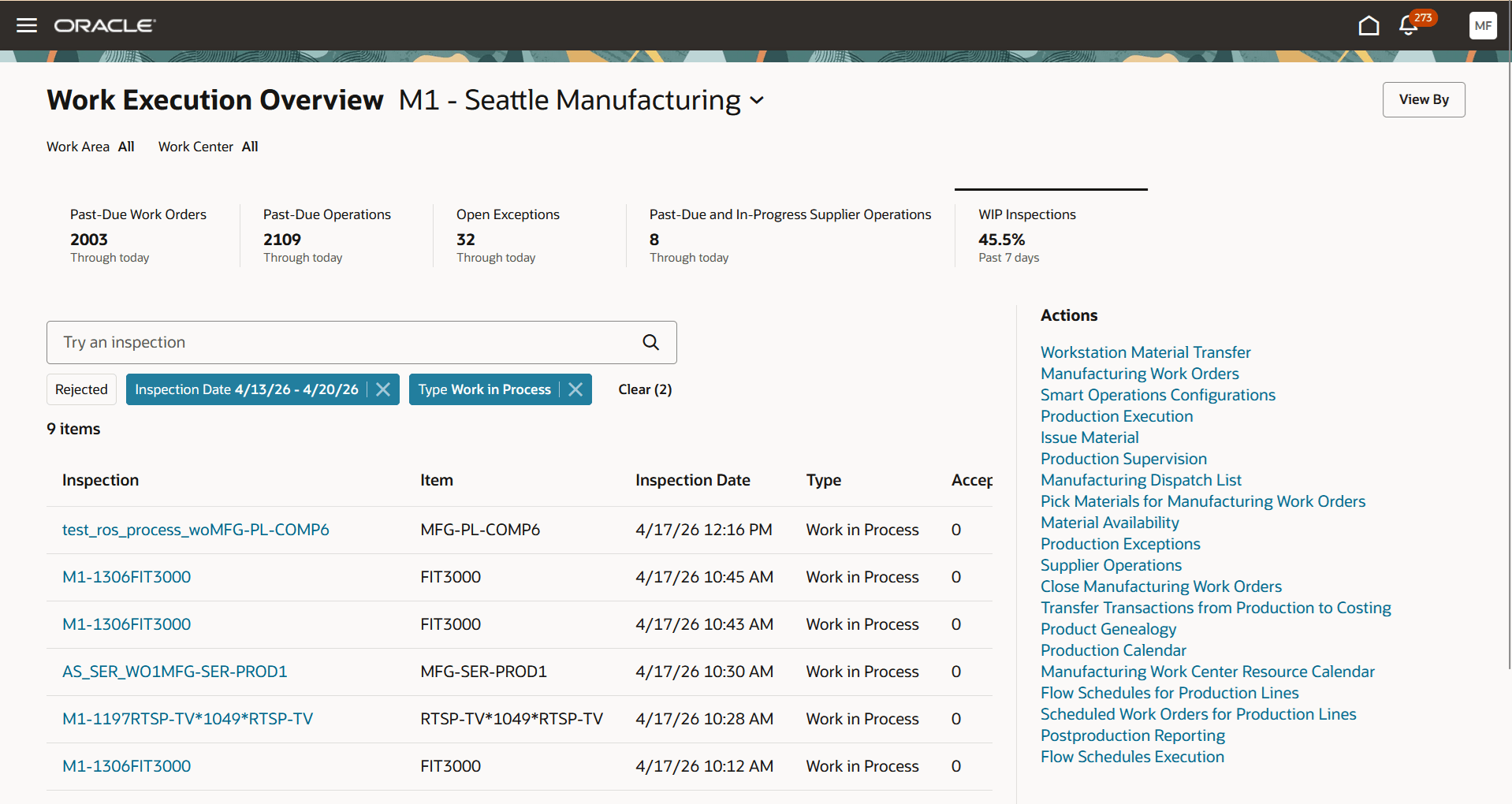
WIP Inspections Through Today
Replacing a static list of expedited, past-due work orders with a dynamic KPI-driven view that surfaces the relevant items in real time enables users to focus on what needs their attention. It simplifies user experience by eliminating manual filtering and makes KPIs actionable.
Steps to enable and configure
Follow these steps to enable or disable this feature:
- In the Setup and Maintenance work area, search for and select the Manage Administrator Profile Values task.
- On the Manage Administrator Profile Values page, search for and select the ORA_WIS_WORK_EXECUTION_LANDING_PAGE_REDWOOD_ENABLED profile option code.
- In the Profile Values section, set the Site level to Y or N. The default value of the profile option is N.
- Y = enables the feature
- N = disables the feature
- Click Save and Close. Changes in the profile value will affect users the next time they sign in.
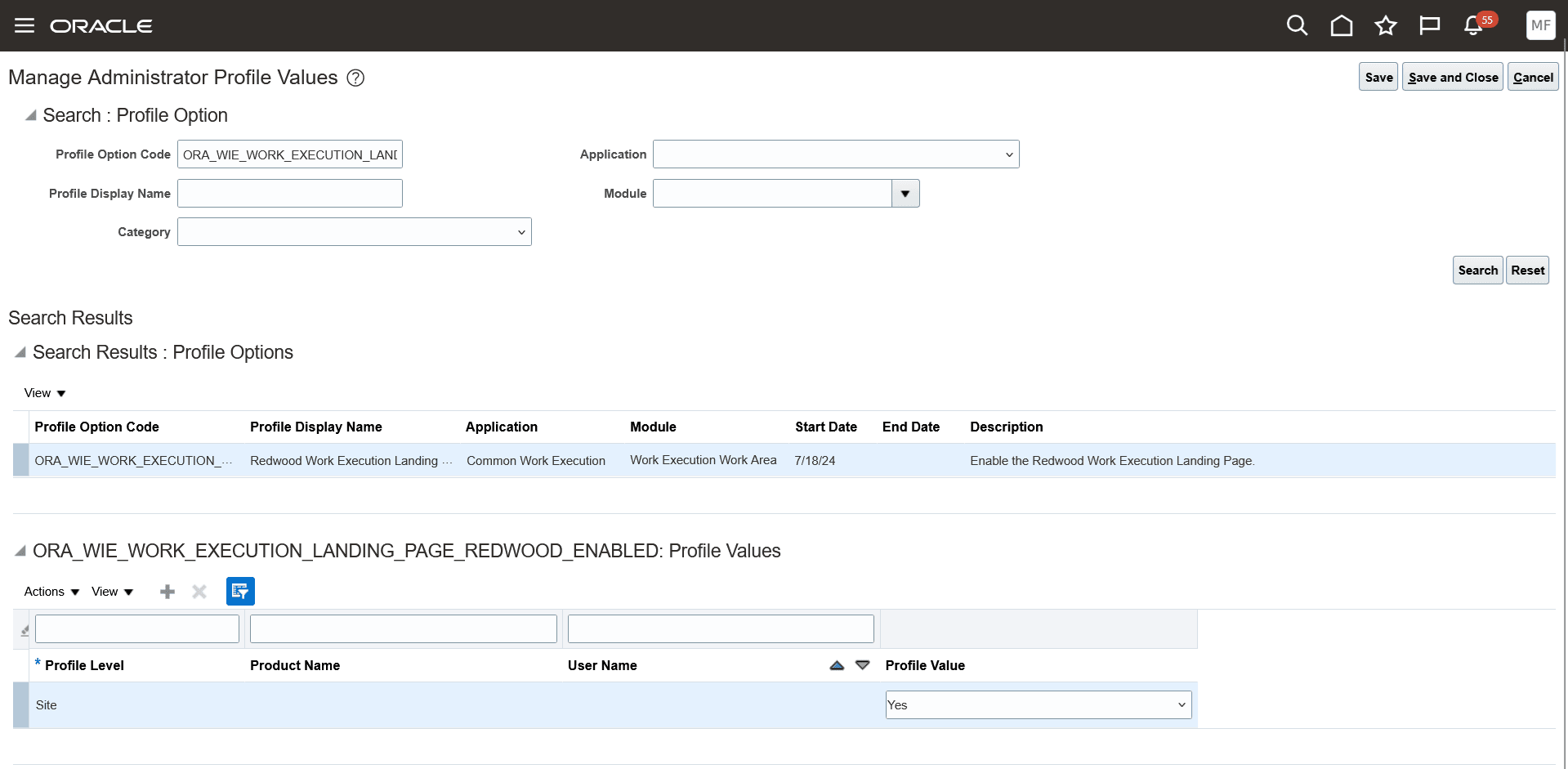
Profile Option to Enable the Work Execution Landing Page in Redwood User Experience
Tips and considerations
- The count in the Past-Due Work Orders KPI may be different from the count in the search results table. To reflect the latest work order data in the search results table, you need to run the following scheduled process:
- Program name: ESS job to create index definition and perform initial ingest to OSCS
- Index Name to Reingest: fa-scm-mfg-work-order
- The Past-Due Operations KPI displays only in-house operations.
- WIP Inspections displays the percentage of Total Rejected Quantity out of the Total Inspected Quantity in the past 7 days.
- Use the Redwood Work Orders page for additional filters and keyword search. Refer to the 25B feature "Redwood: Search and Perform Mass Actions for Work Orders Using a New User Experience".
Key resources
- Oracle Fusion Cloud SCM: Refer to the Using Manufacturing guide, available on the Oracle Help Center.
- Oracle Fusion Cloud SCM: Refer to the Implementing Manufacturing and Supply Chain Materials Management guide, available on the Oracle Help Center.
Access requirements
Users who are assigned a configured job role that contains this privilege can use this feature:
- Manage Work Execution Work Area (WIE_MANAGE_WORK_EXECUTION_WORK_AREA_PRIV)
This privilege was available prior to this update.