Redwood: Diagnose Scheduling Delays for Configure-to-Order, Allocated, and Source-Promised Items
Run and review the Scheduling Diagnostics report to analyze promising delays for across a broader range of order lines. The report now displays results for configure-to-order items, including assemble-to-order, pick-to-order, and pick-to-order kits. It also provides visibility into allocation consumption for allocated items and extends diagnostic capabilities to include source-promised items.
This update extends the capabilities of the Scheduling Diagnostics tool to the following areas:
- Supply Allocations
- Assemble-to-Order (ATO)
- Pick-to-Order (PTO)
- Standard Source Side Promised Items
You can use the Scheduling Diagnostics tool to identify the component, supplier, resource, or other constraints that delay an order line for ATO, PTO, or item under supply allocation, helping explain why the requested date can’t be met. It also enables analysis of delays for items configured for Source Side Promising.
Similar to standard items, Scheduling Diagnostics can be executed on demand for ATO, PTO, and Allocations orders while running Check Availability from Oracle Fusion Cloud Order Management. Alternatively, it can be automatically calculated for qualified orders during regular order submission (auto schedule) and then later viewed.
Items With Supply Allocations
Scheduling Diagnostics provides additional insights into how supplies were identified to meet demand, while respecting allocation constraints.
In the graphical view, tooltips display supply quantities sourced from one or more allocation nodes, along with indicators showing whether supplies were inherited or redeployed, wherever applicable.
For example, in scenarios where supply is first consumed directly from the allocation node, then supplemented by inheritance from parent nodes, and redeployed from peer nodes, the representation displays the breakup of supplies by allocation node. It also identifies the nature of each supply contribution (inherited or redeployed), enabling clearer analysis of how demand fulfillment is achieved.
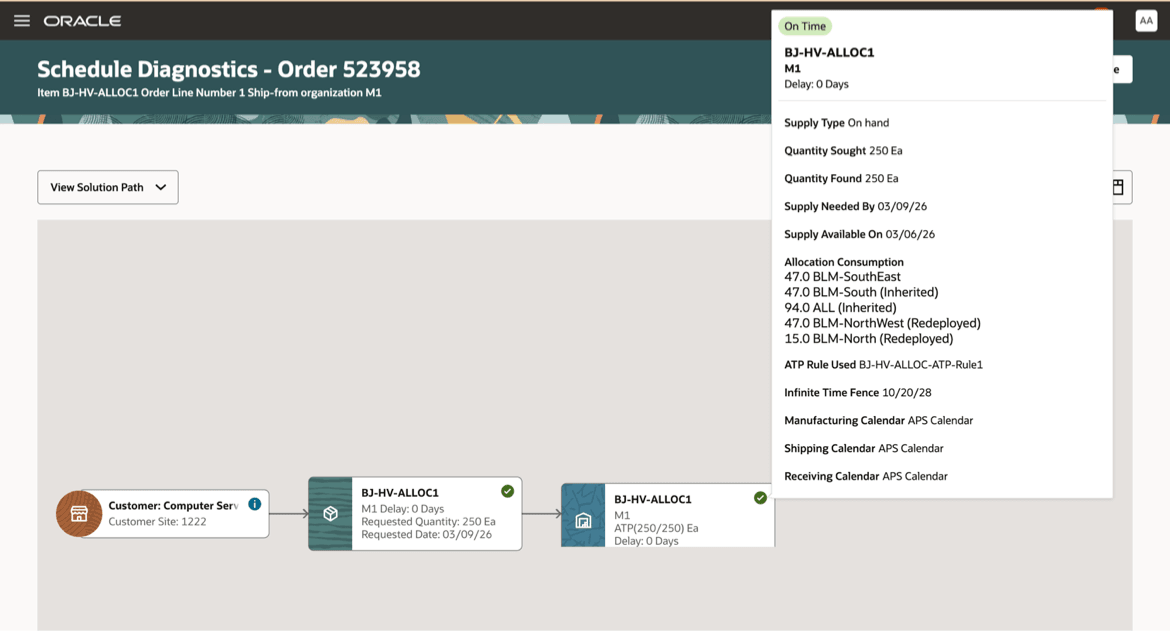
Allocation Consumption Information Displayed on Tool Tip
ATO and PTO Items
For ATO and PTO items, the Scheduling Diagnostics page displays both the model and option level items in the graphical view. Option items are displayed in the same manner as standard items, while model items are considered similar to assembly items. Option class items are not currently represented in Scheduling Diagnostics reports.
The graphical view also supports multi-level structures. For example, in a PTO model that includes nested ATO and PTO, Oracle Order Management passes the order lines representing the entire structure in the call to Oracle Global Order Promising.
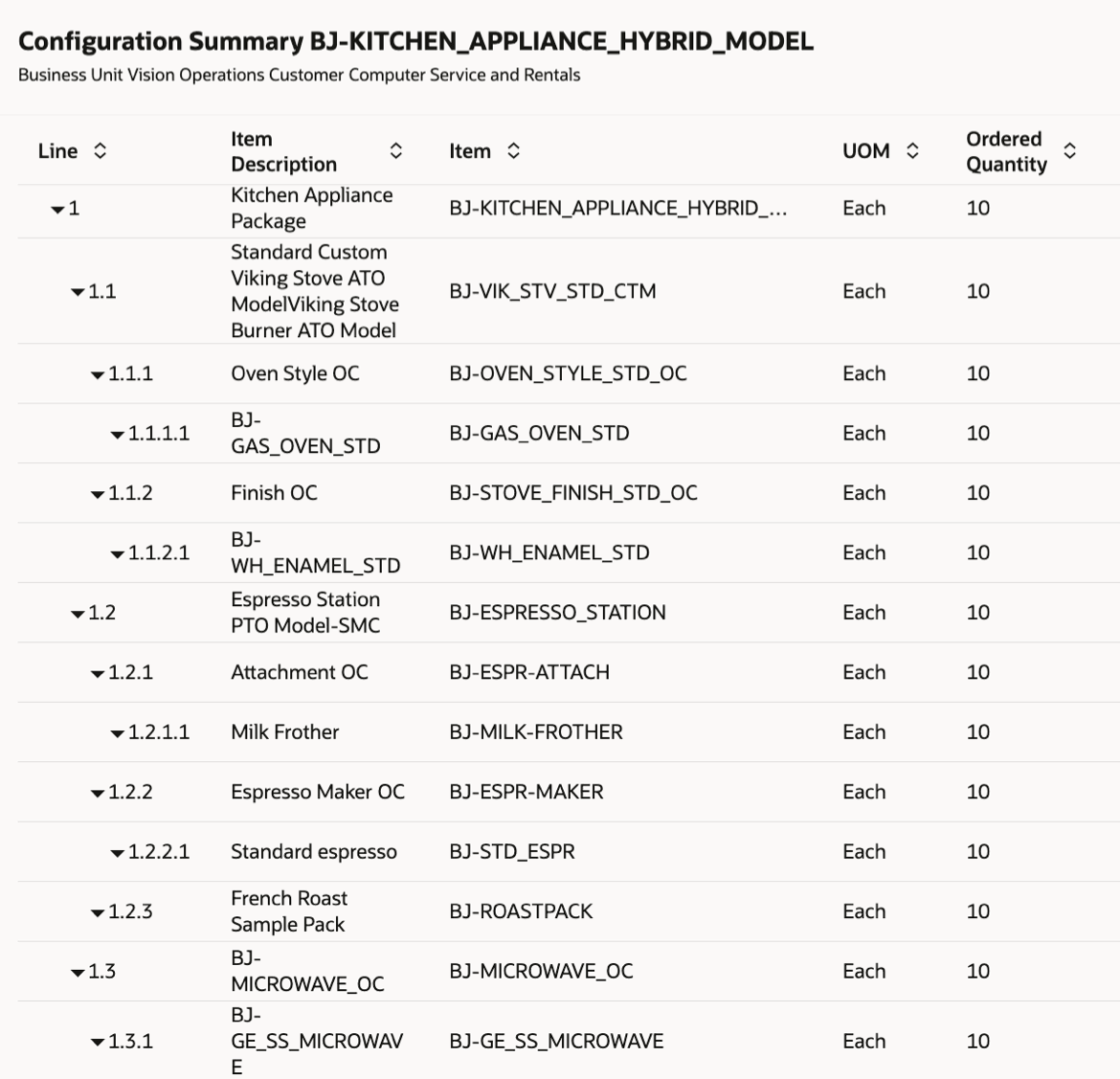
Hybrid PTO Model Structure Represented in Order Management
The corresponding Scheduling Diagnostics picture represents the structure in its graphical display.
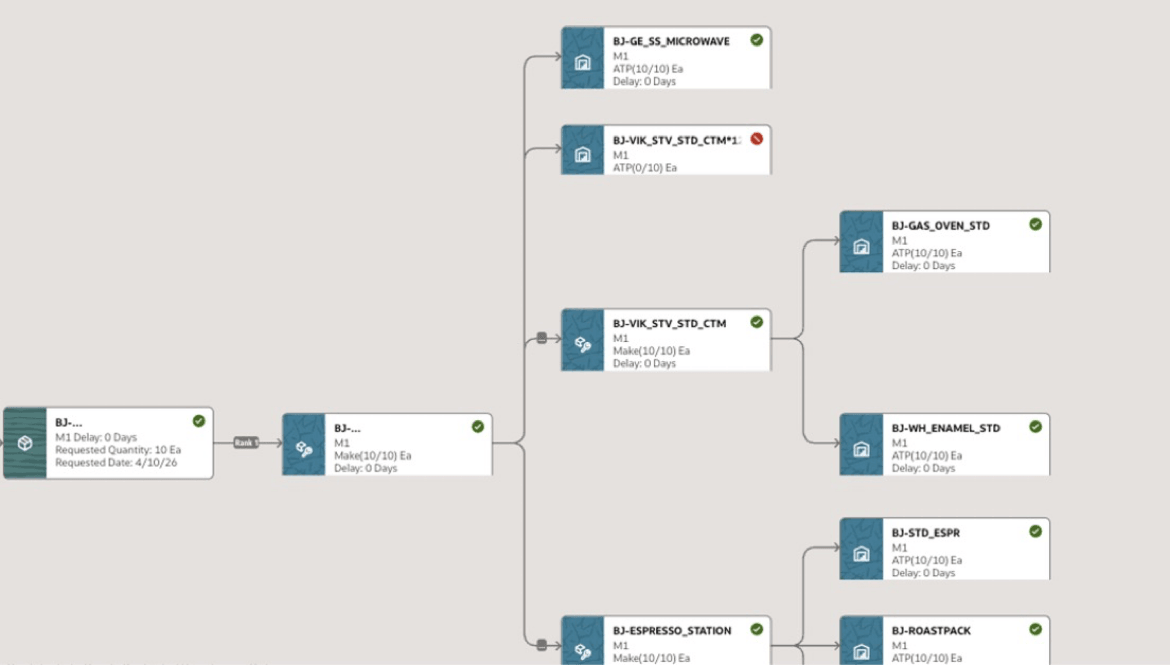
Multi Level PTO/ATO Model Structure Displayed in Scheduling Diagnostics Page
Tabular display also displays the sequence of steps during the promising process.
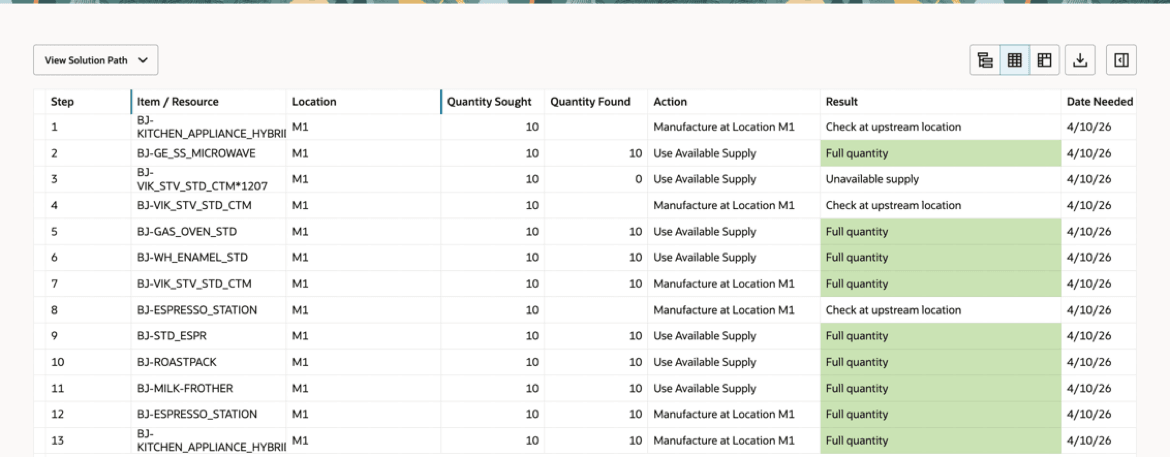
Summary Tabular View
Items Promised by Source Side Promising Solution
For standard items promised using the Source-Side Promising solution, the Scheduling Diagnostics report can be reviewed from the Check Availability page from Oracle Order Management.
You can click either Run Scheduling Diagnostics to initiate a real-time request or Review Scheduling Diagnostics to review the report for an already promised order.
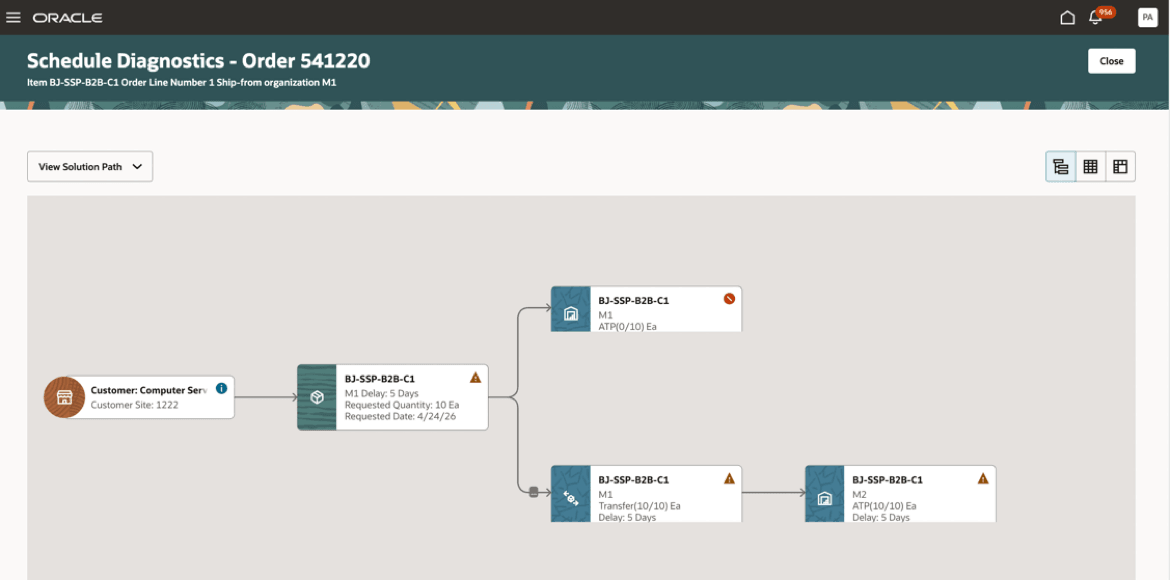
Scheduling Diagnostics Report for Item Promised by Source Side Promising Solution
Note that item-based filters defined on the Order Promising Options page are not be considered as valid criteria for generating the Scheduling Diagnostics report for Source Side Promised items. Source Side Promising is designed to promise orders without item-collection dependencies; therefore, item-level configuration are not recognized as valid configurations.
Steps to enable and configure
To enable Scheduling Diagnostics for real-time promising during order submission from Fusion Order Management (Auto Schedule invocation), select the Scheduling Diagnostics checkbox and define order attributes as filter criteria on the Order Promising Options page.
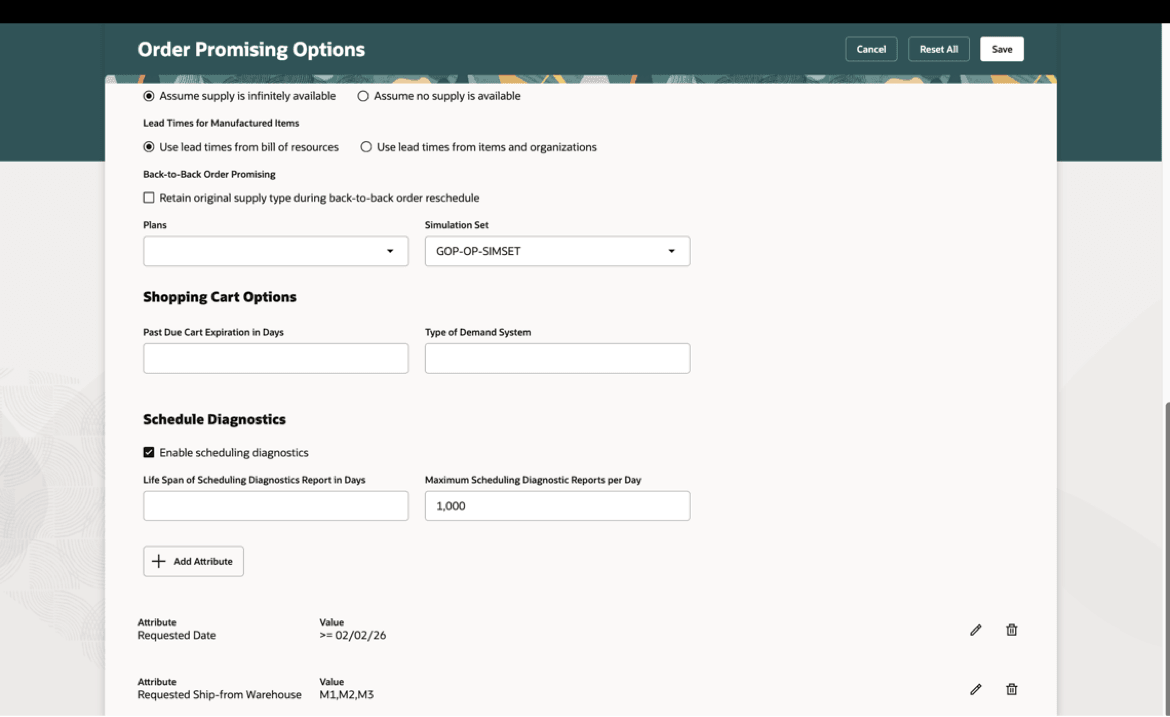
Scheduling Diagnostics Configuration in Order Promising Options Page
No additional configuration steps are required to enable Scheduling Diagnostics when using Check Availability in Fusion Order Management.
Tips and considerations
- The Scheduling Diagnostics graphical view for PTO and ATO items currently does not display Option Class items.
- Allocation information are shown in tooltips for nodes associated with items that have allocated supplies.
- Source Side Promising solution supports promising of standard items only.
- Item-based filter criteria defined in the Order Promising Options page are not considered for Source Side Promised items in Scheduling Diagnostics.
Key resources
- 26.04 Global Order Promising feature “Redwood: Diagnose Scheduling Delays In Order Promising”
Access requirements
Users who are assigned a configured job role that contains this privilege can access this feature:
- View Supply Allocation Report (MSP_VIEW_SUPPLY_ALLOCATION_REPORT_PRIV)
This privilege was available prior to this update.