Support More Pricing Entities in Pricing Formulas
Use the Redwood Formulas page to create and manage pricing formulas with a richer expression builder that now supports additional item entities, such as item class, item categories, item attributes in addition to price list and cost list while you create a pricing formula. You can also use predefined functions and constants when you create your formula.
Get these benefits:
- Create formulas that apply different pricing logic based on item class.
- Create formulas that adjust pricing for products in specific item categories.
- Create formulas that use item attributes or item user type values to tailor pricing for products with different characteristics.
- Search within the selected formula entity to quickly find the value that you want to add to the expression.
- Combine formula entities with price list or cost list values, predefined functions, and constants to calculate consistent pricing adjustments.
Pricing teams can build richer formulas faster, apply pricing logic more consistently, and respond more quickly to pricing or cost changes with less manual rework.
When you build a formula, you can now use more item entities in addition to price list and cost list. The Formula Entities list now shows item class, item category, item user type, item attribute, and constants, so you can choose the type of business data you want to use in the expression.
After you select a formula entity, use the Search field to find the value that you want to add to the formula. For example, after you select Item Category, you can search for a category, such as Computers, and then use that result in your pricing logic.
You can also use predefined functions from the Functions menu and combine them with the selected formula entity and constants to create more flexible pricing logic.
See the new entities that are available from the Formula Entities list:
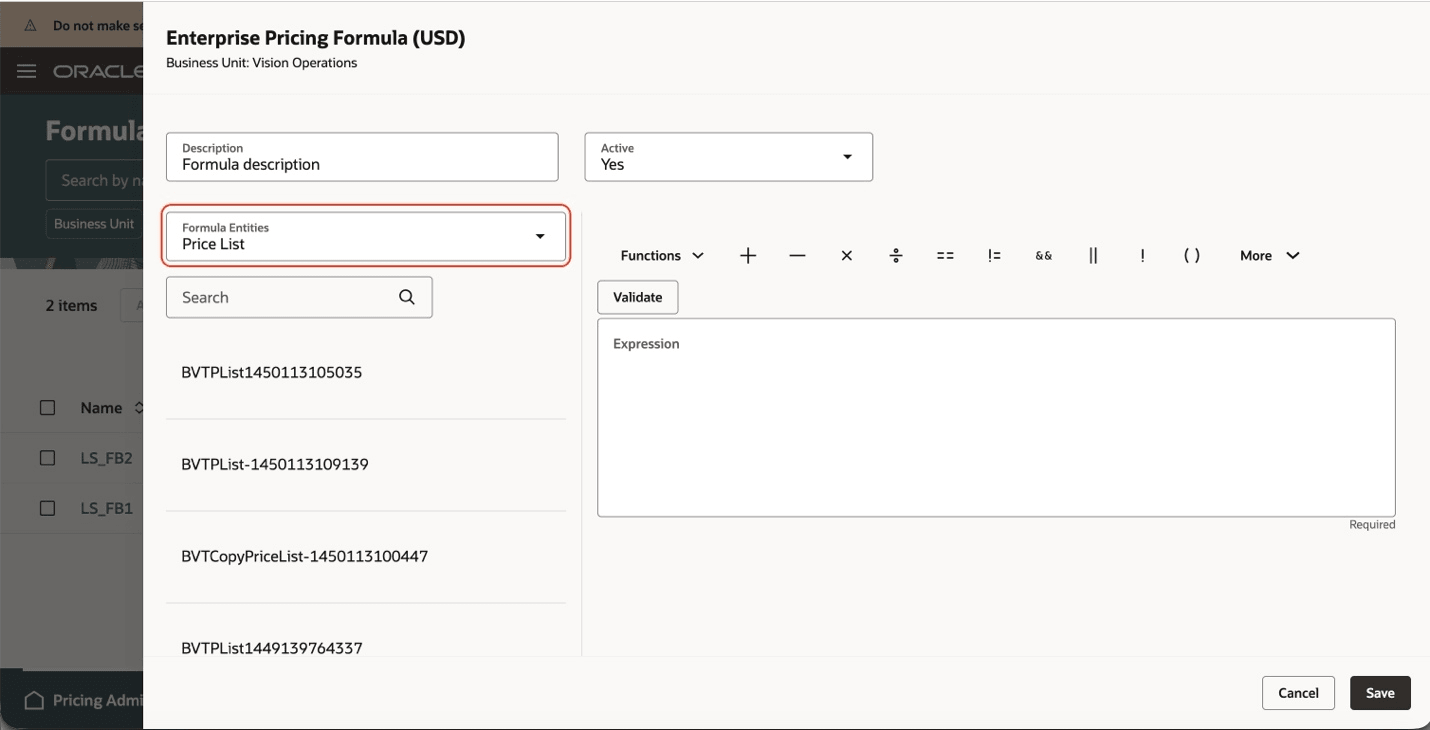
Enterprise Pricing Formula with the Price List Formula Entity Selected
Select a formula entity, and work with the returned values in the expression builder:
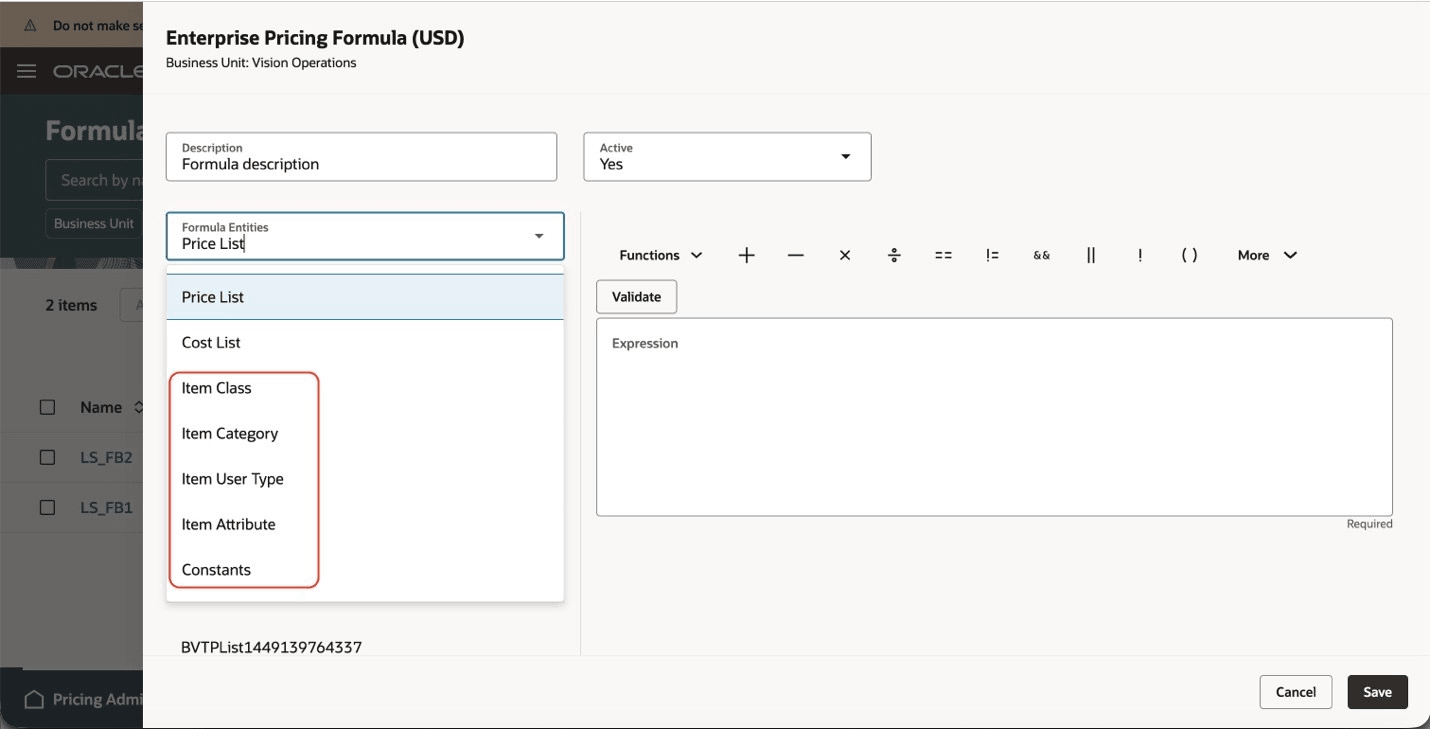
New Formula Entities That Are Available for Selection
Search within the selected formula entity to find the value that you want to use in the formula:
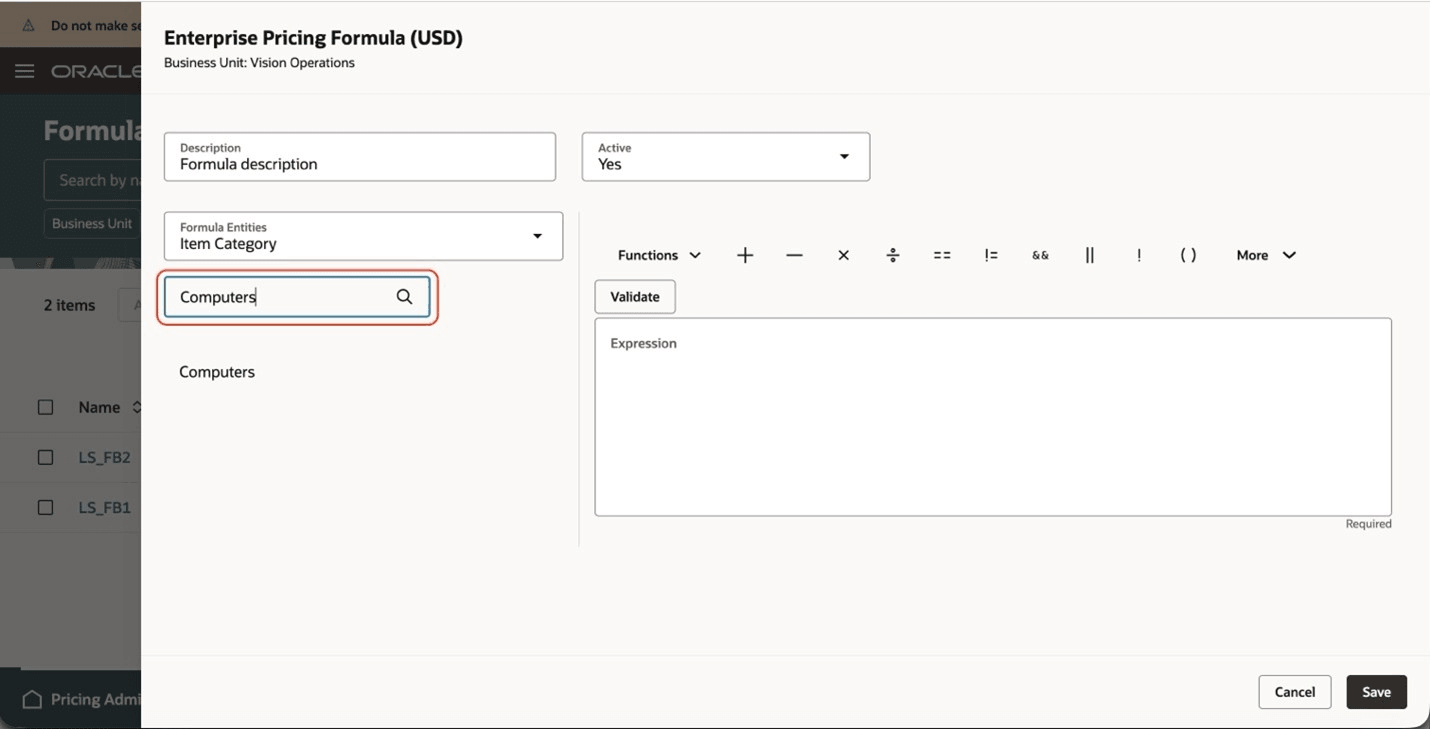
Item Category Formula Entity Is Selected, and Computers Category Is Selected in the Search Field
Steps to enable and configure
You don't need to do anything to enable this feature.
Tips and considerations
The values that you can search for depend on the formula entity that you select.
- Use the Search field to quickly find the value that you want to include in the formula.
- You can combine the new item-based entities with price list, cost list, predefined functions, and constants in the same formula.
- Validate the formula before you save it to confirm that the expression is complete and syntactically correct.
- After you change a formula, review impacted items and recalculate prices where needed.
Key resources
Access requirements
Users who are assigned a configured job role that contains these privileges can access this feature:
- Manage Formulas (QP_MANAGE_FORMULAS_PRIV)
- View Formulas (QP_VIEW_FORMULAS_PRIV)
These privileges were available before this update.