Redwood: Submit Components to Delete Group
The following two features have been added to Structures:
- A new action to add components to a Delete Group
- Exposed Inverse Quantity attribute for Structure Management
In this release, you can remove components by adding them to a delete group in the current revision. The behavior is identical for engineering and commercial items. In the UI, a new icon, Remove replaces the existing Delete (Trash icon) action and additionally, a new secondary action: Add to Deletion Group is available. You can select one or more component rows and initiate the delete action. This will open a side panel to create a delete group. The selected components will appear in the Components tab of the delete group, clearly distinguishing them for deletion.
Add to Deletion Group Action in the Structure
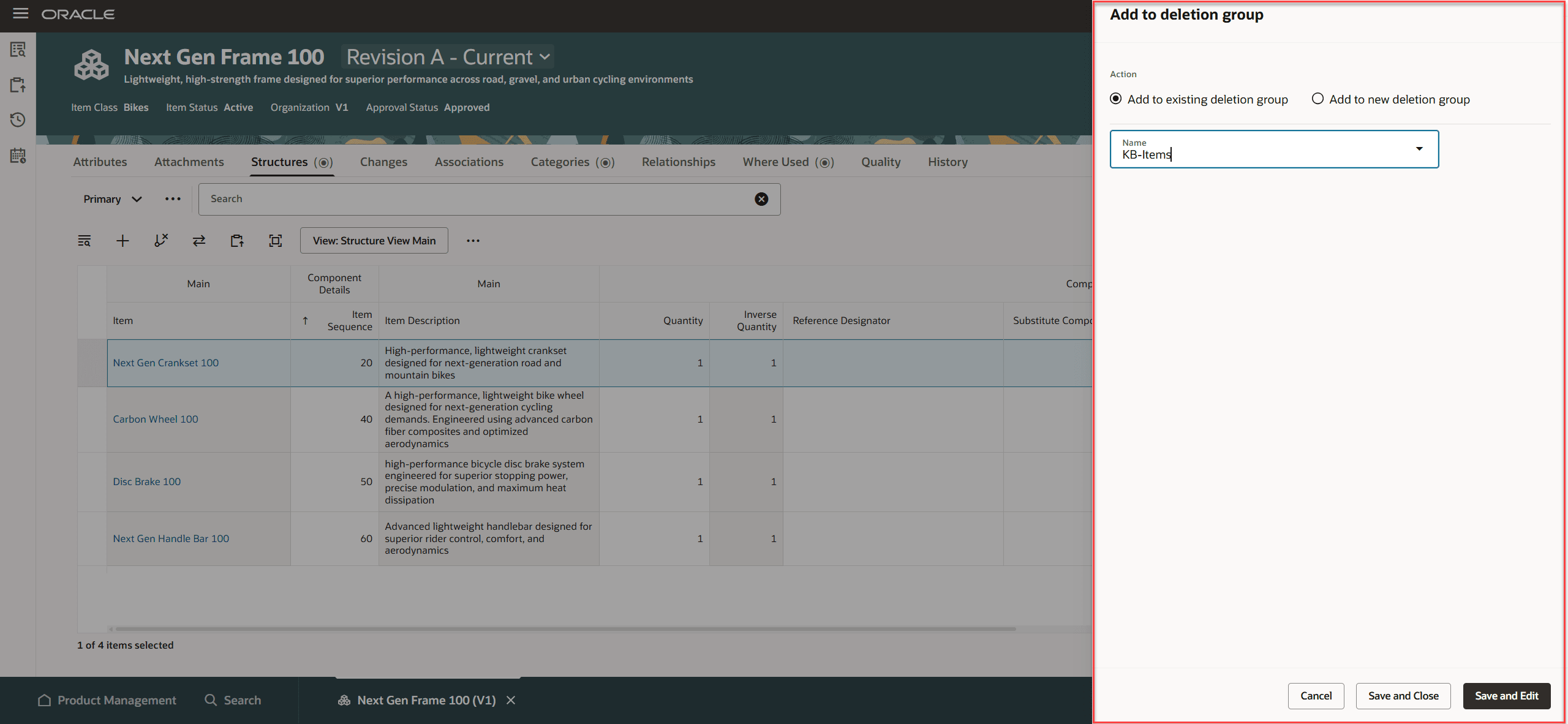
Add to Deletion Group in the Side Panel
The Inverse Quantity attribute is now visible in the Structure, Substitute Component, and Where Used views, if exposed.
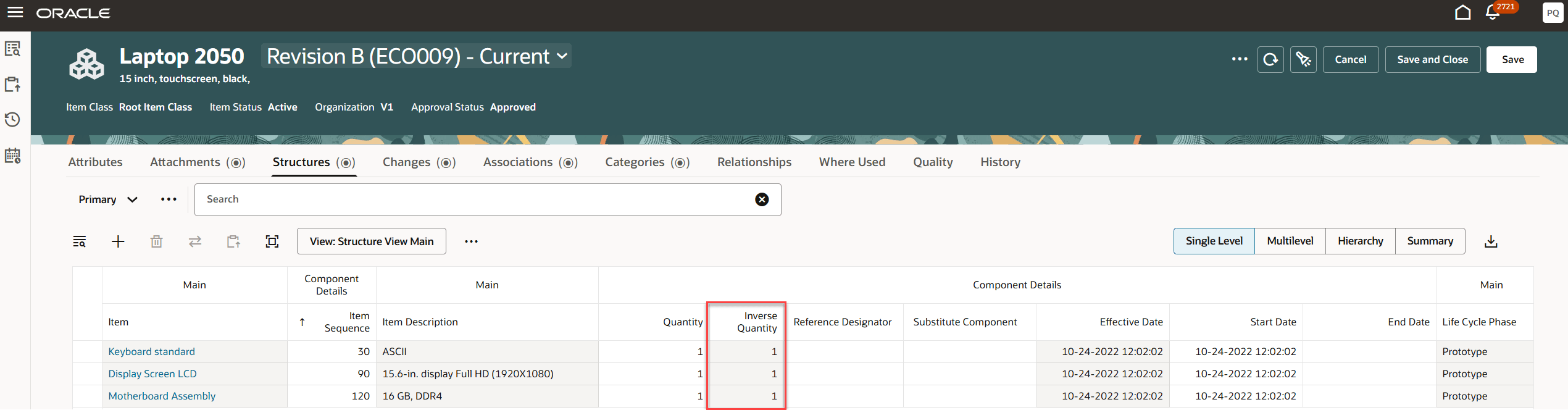
Display Inverse Quantity in the Structure
This feature benefits your business by providing the following:
- Stronger control and auditability: Delete Groups provide a clear, trackable list of components marked for deletion, improving governance and review.
- Faster bulk cleanup: Multi-select lets users add multiple components to a delete group in one action, reducing repetitive work.
- Lower risk and fewer errors: Restricting actions to the current revision and using a deliberate 'Add to Deletion Group' flow helps prevent accidental or incorrect deletions.
Steps to enable and configure
Modify or configure to add the Inverse Quantity attribute in:
- Index Management for Structures
- View Management for Structures
Tips and considerations
- When you click the Remove icon, the component is end-dated. This behavior is consistent across preliminary and non-preliminary items, as well as engineering and commercial items.
- Delete constraint will be run when the delete group is processed.
Key resources
Oracle Fusion Cloud SCM Using Product Development Guide, available on the Oracle Help Center.
Oracle Fusion Cloud SCM Using Product Master Data Management Guide, available on the Oracle Help Center.
Oracle Fusion Cloud SCM Implementing Product Management Guide, available on the Oracle Help Center.
Access requirements
Users who are assigned a configured job role that contains these privileges can access this feature:
-
- Manage Item Redwood Structures (EGP_MANAGE_REDWOOD_ITEM_STRUCTURE_PRIV)
- Manage Item Delete Group (EGP_MANAGE_ITEM_DELETE_GROUP_PRIV)
These privileges were available prior to this update.