Automatically Populate Descriptive Flexfields Using Reference Parameters for Purchase Orders Created from Backing Requisitions
Automatically populate descriptive flexfields, including Project descriptive flexfields, using reference parameters when creating purchase orders from backing requisitions. Before this update, the application could automatically populate these flexfields only when creating purchase orders without a requisition.
You can use these reference parameters to default descriptive flexfields on purchase orders created from backing requisitions:
- Header: SoldtoLegalEntityId, ProcurementBUId, SupplierId, SupplierSiteId, RequisitioningBUId, DocumentType, DocumentStyleId
- Lines: SoldtoLegalEntityId, ProcurementBUId, SupplierId, RequisitioningBUId, DocumentType, DocumentStyleId, SupplierSiteId, LineTypeId, SourceAgreementId, CategoryId, ItemId
- Schedules: SoldtoLegalEntityId, ProcurementBUId, SupplierId, RequisitioningBUId, DocumentType, DocumentStyleId, SupplierSiteId, LineTypeId, SourceAgreementId, CategoryId, ItemId, ShipToOrganizationId
- Distributions: SoldtoLegalEntityId, ProcurementBUId, SupplierId, RequisitioningBUId, DocumentType, DocumentStyleId, SupplierSiteId, LineTypeId, SourceAgreementId, CategoryId, ItemId, ShipToOrganizationId, RequesterId
You can use these reference parameters to default project descriptive flexfields on purchase orders created from backing requisitions:
- RequisitioningBUId, RequestedDeliveryDate, CategoryId, RequesterId, DestinationTypeCode, InventoryItemId.
Example 1: Default a purchase order header descriptive flexfield using the SoldtoLegalEntityId reference parameter when the requisition doesn’t include a descriptive flexfield value.
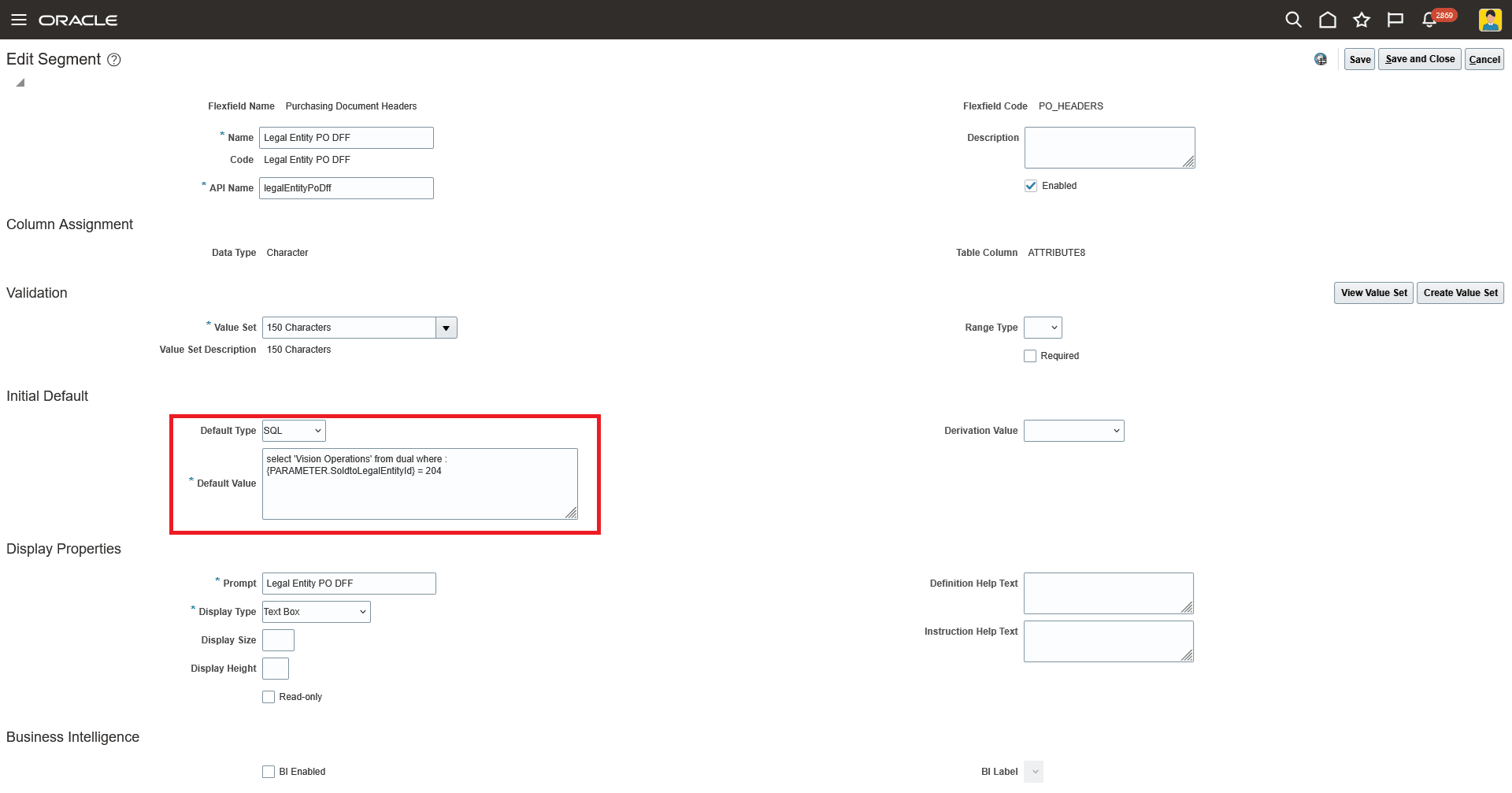
Purchase Order Header Descriptive Flexfield Setup Using SoldtoLegalEntityId as the Reference Parameter
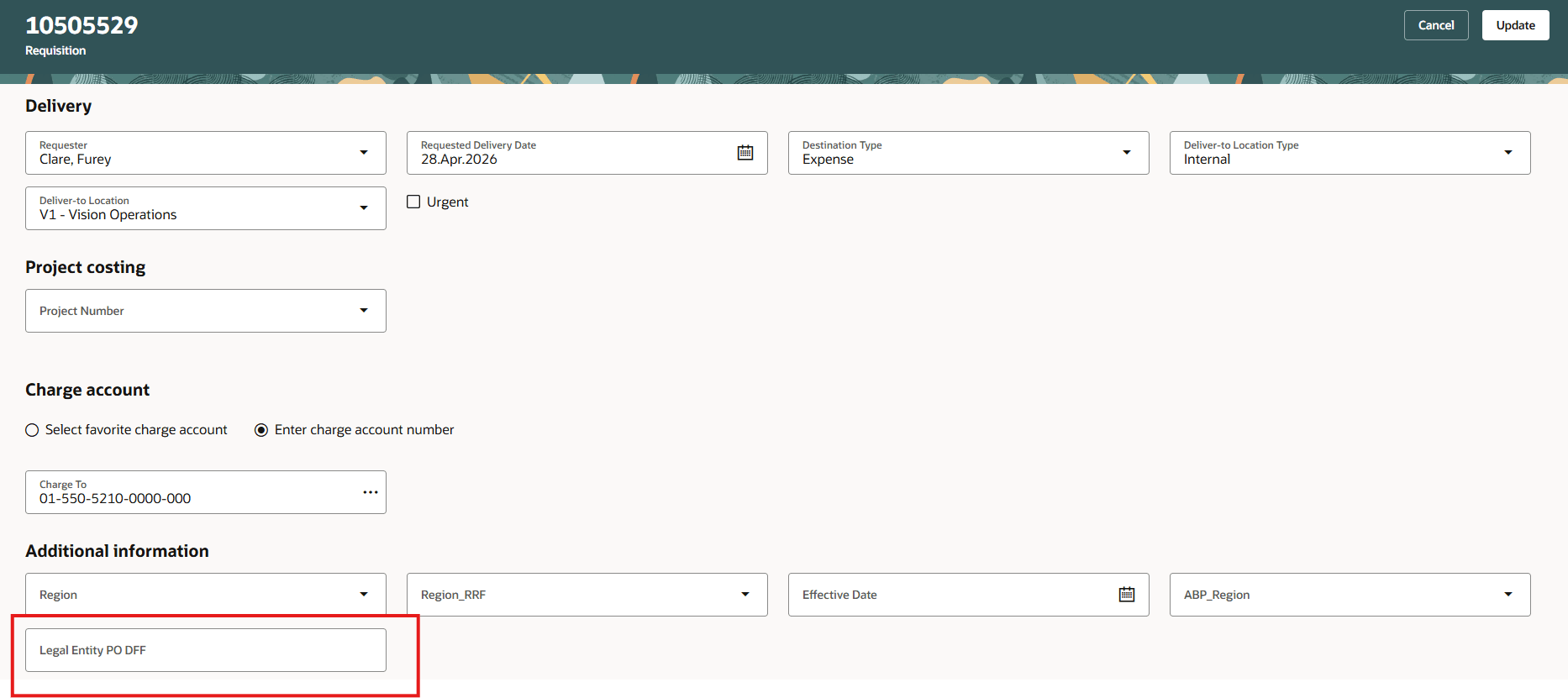
Requisition with Empty Header Descriptive Flexfield
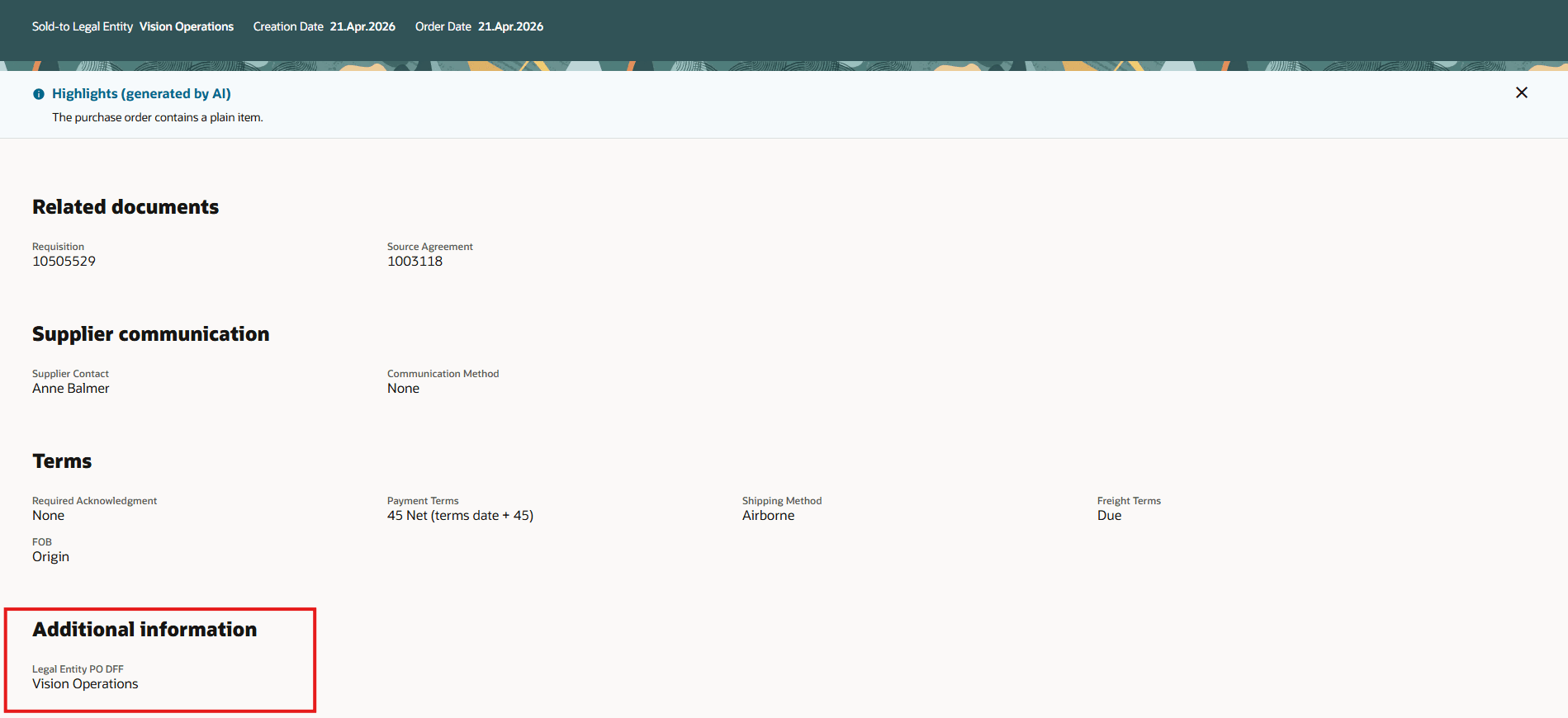
Purchase Order Header Descriptive Flexfield Is Defaulted Based on SoldtoLegalEntityId
Example 2: Default the Expenditure Type project descriptive flexfield using the InventoryItemId reference parameter when the requisition doesn’t include a project descriptive flexfield value.
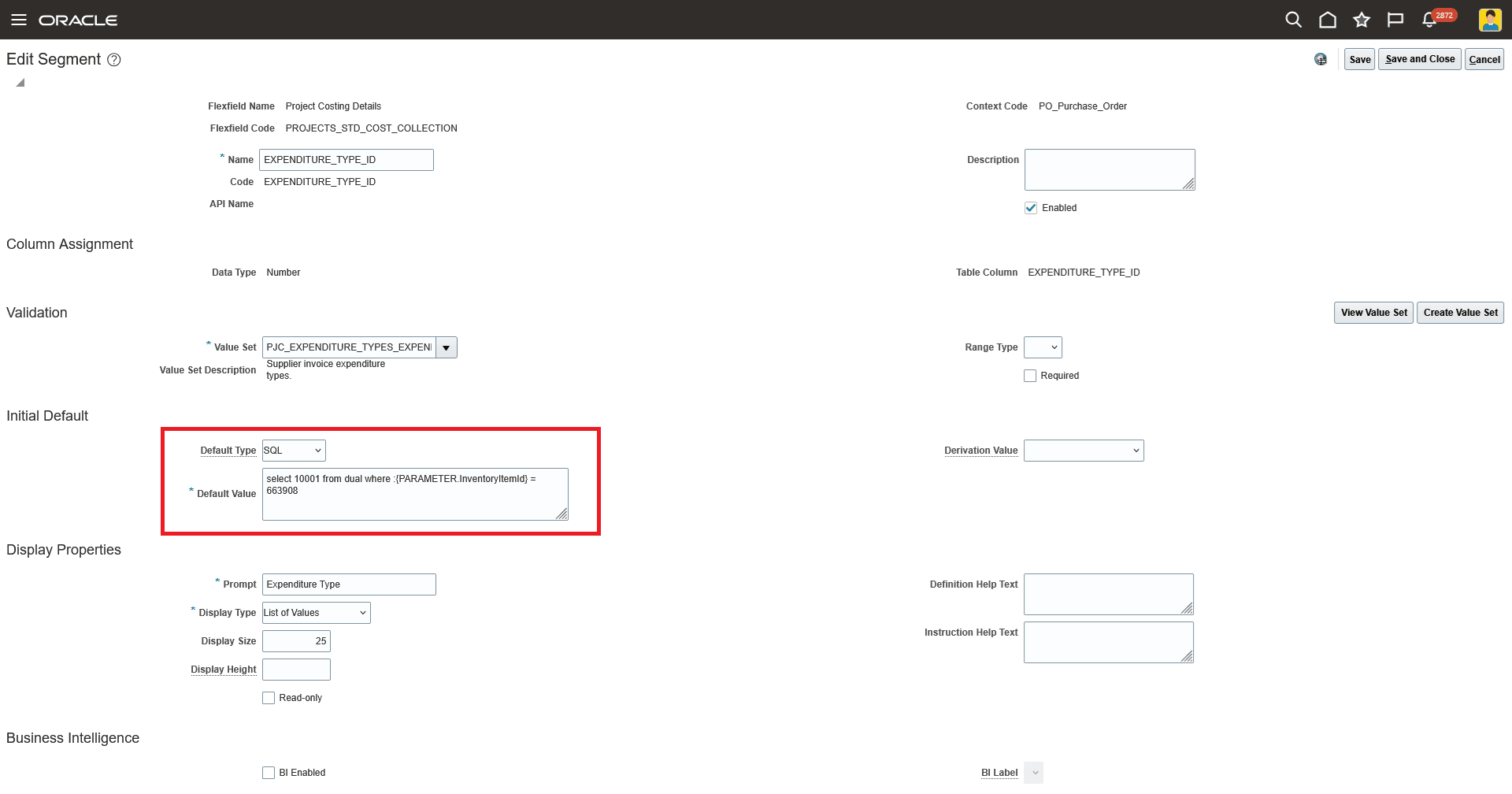
Project Descriptive Flexfield Setup Using InventoryItemId as the Reference Parameter
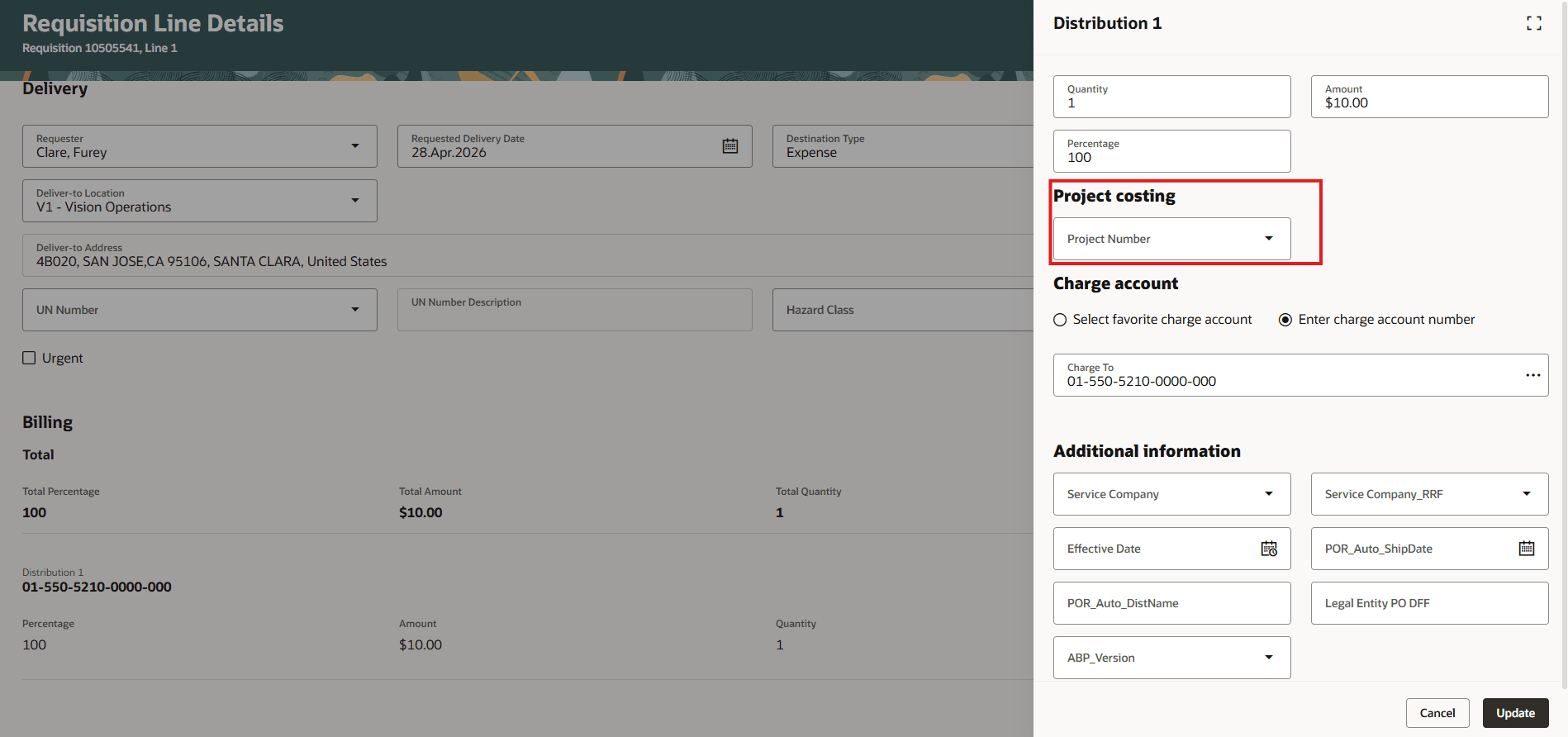
Requisition with No Project Descriptive Flexfield Value
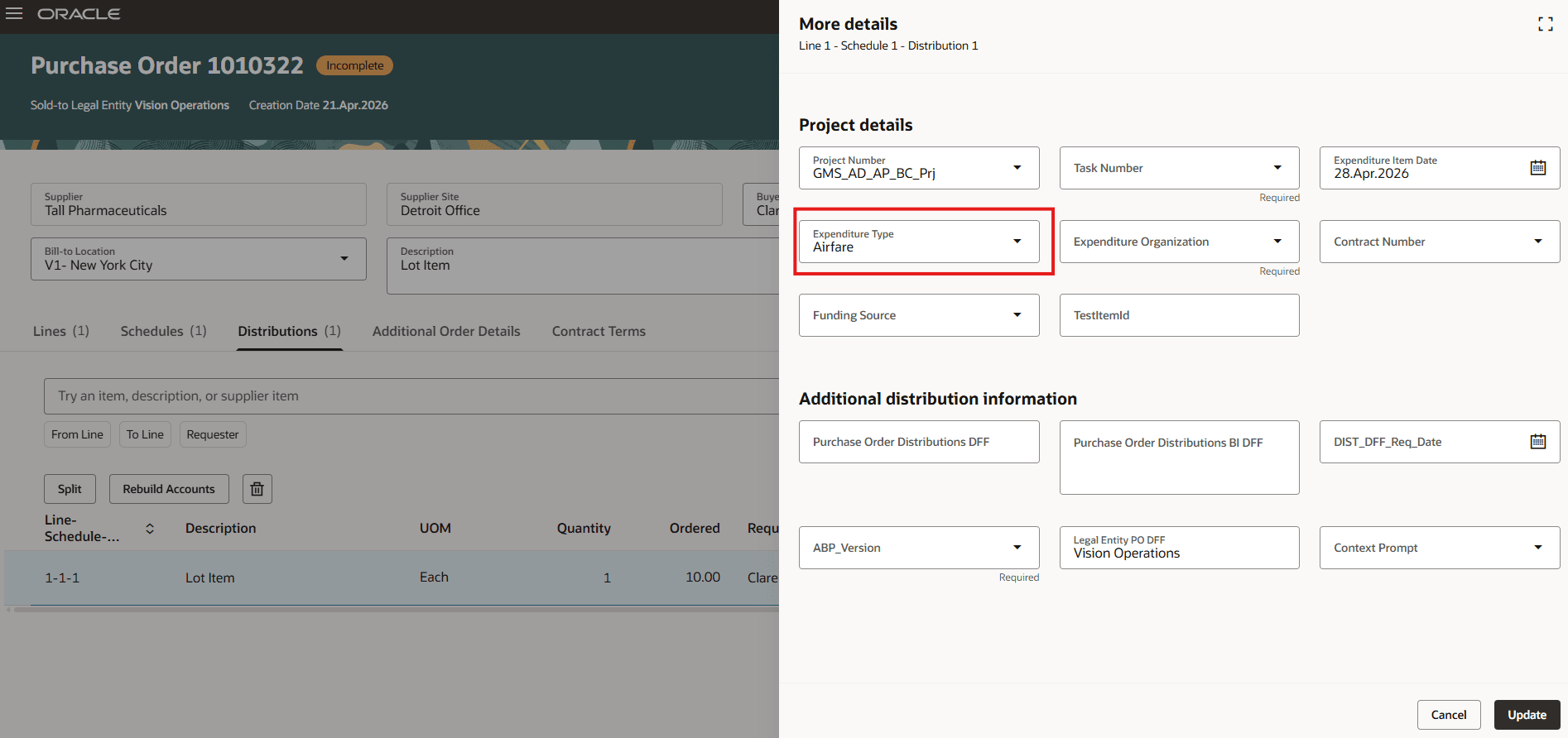
Purchase Order Project Descriptive Flexfield Showing a Default Value Based on InventoryItemId
Steps to enable and configure
You must create and enable the PO_ENABLE_PO_DFF_DEFAULTING_FOR_BACKING_REQS profile option to access this feature.
- To create the profile option, follow the steps in the Create and Edit Profile Options topic.
- After you have created the profile option, follow these steps to enable it:
- In the Setup and Maintenance work area, search and select the Manage Administrator Profile Values task.
- On the Manage Administrator Profile Values page, search for and select the profile option name or code.
- In the Profile Values section, set the Site level to Yes.
- Click Save and Close. Changes in the profile value will affect users the next time they sign in.
Tips and considerations
- Descriptive flexfields on purchase orders created from backing requisitions are defaulted only when this feature is enabled and one of these conditions is met:
- Requisition flexfield values aren’t provided.
- Requisition flexfields have values, but the application isn't configured to copy the requisition flexfield values to purchase orders.
-
Reference-parameter-based defaulting is also supported for descriptive flexfields and project descriptive flexfields on purchasing documents created from negotiations.
-
Descriptive flexfields on purchasing documents created from negotiations are defaulted only when this feature is enabled and one of these conditions is met:
- Negotiation flexfield values aren’t provided.
- Negotiation flexfields have values, but the application isn't configured to copy the negotiation flexfield values to purchasing documents.
- For purchase agreements created from negotiations, you can use these reference parameters to default descriptive flexfields at the header and line levels:
- Header: ProcurementBUId, SupplierId, SupplierSiteId, DocumentType, and DocumentStyleId
- Lines: ProcurementBUId, SupplierId, DocumentType, DocumentStyleId, SupplierSiteId, LineTypeId, CategoryId, and ItemId
- Project descriptive flexfields on purchase orders created from backing requisitions are defaulted only when this feature is enabled and the requisition doesn't have a value for project descriptive flexfields.
-
If a descriptive flexfield segment on a purchase order or purchase agreement is configured as required, provide a value in one of these ways:
-
Configure a default value for the required segment.
-
Provide the value when the document is created:
- For documents created online, enter the value in the application before you save or submit the document.
- For documents created using REST API, provide the value in the REST payload.
- For documents created from an upstream requisition or negotiation, copy the value from the source document.
-
-
If descriptive flexfield values are copied from an upstream requisition or negotiation, ensure that the corresponding source and target segments:
- Use the same data type.
- Use the same table column for global segments.
- Use the same context and table column combination for context-sensitive segments.
- Use the same value set definitions.
Access requirements
No specific privileges are required to default descriptive flexfields and project descriptive flexfields on purchase orders created from backing requisitions by using reference parameters.