Redwood: Use Extensibility Capabilities to Default Document Styles When Creating Purchasing Documents
Use extensibility capabilities to set a default document style when creating purchasing documents using the Redwood experience. You can now define a default document style for the New purchase order and New agreement drawers, as well as for staged documents. For staged documents, the default document style is applied only at the time of document creation and isn't reapplied afterward.
To set a default document style:
- For the New purchase order drawer, specify the document style ID in the Create Purchase Order section of the Purchase Order - Search page in Oracle Visual Builder Studio.
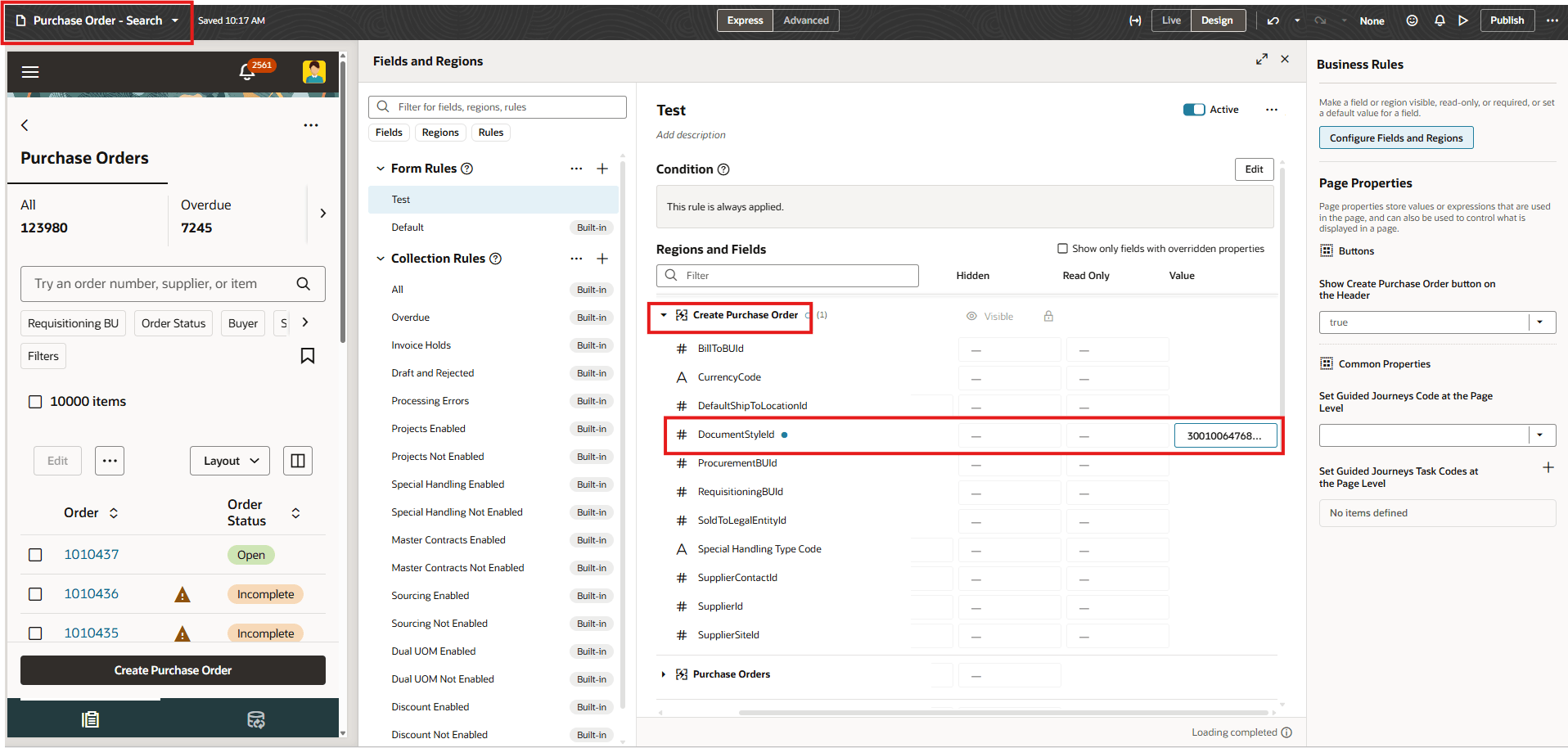
Specify the Document Style ID in the Create Purchase Order Section of the Purchase Order Search - Page in Oracle Visual Builder Studio
- For the New purchase agreement drawer, specify the document style ID in the Create Purchase Agreement section of the Purchase Agreement - Search (New) page in Oracle Visual Builder Studio.
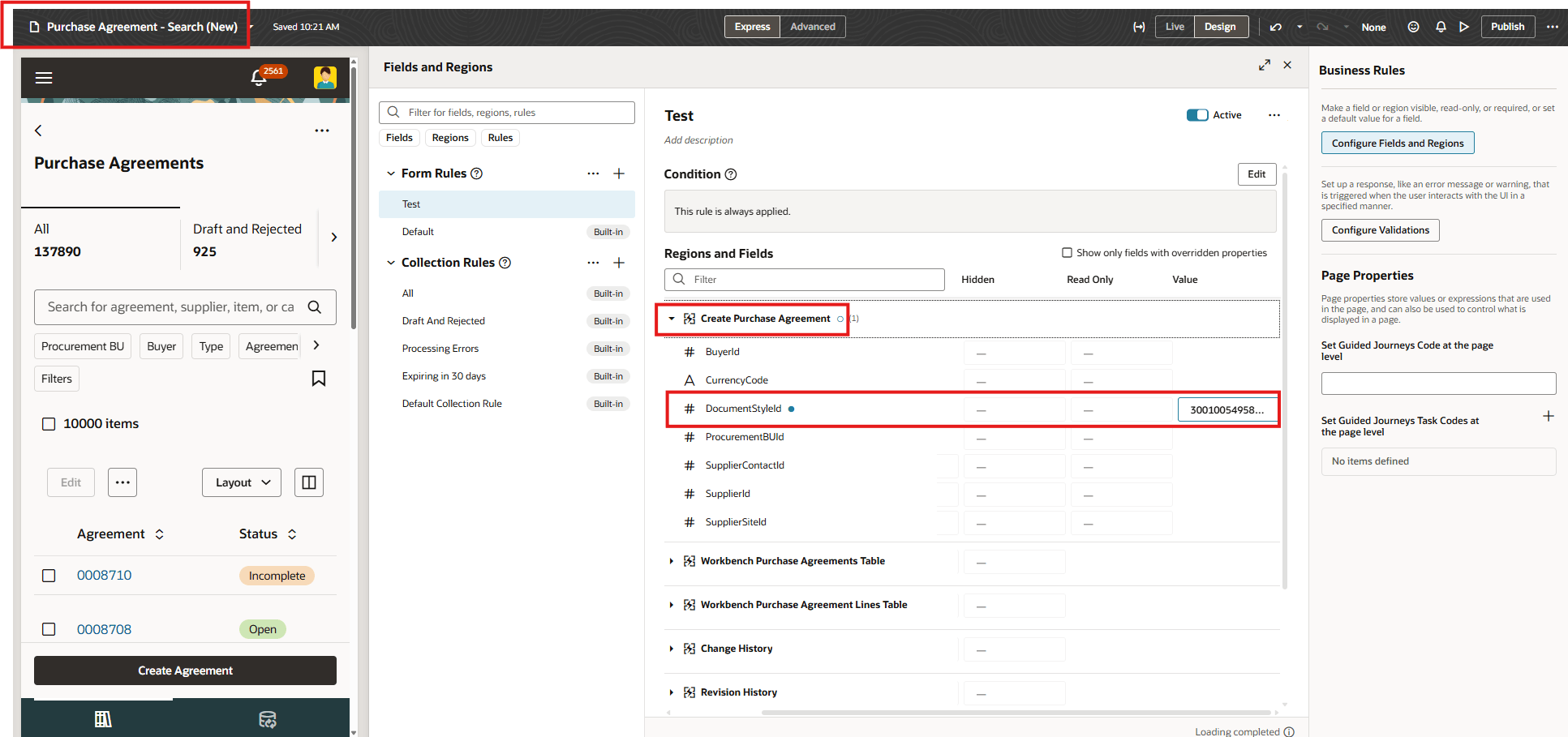
Specify the Document Style ID in the Create Purchase Agreement Section of the Purchase Agreement - Search (New) Page in Oracle Visual Builder Studio
- For staged documents, specify the document style ID in the Sourcing Details section of the Staged Document page in Oracle Visual Builder Studio.
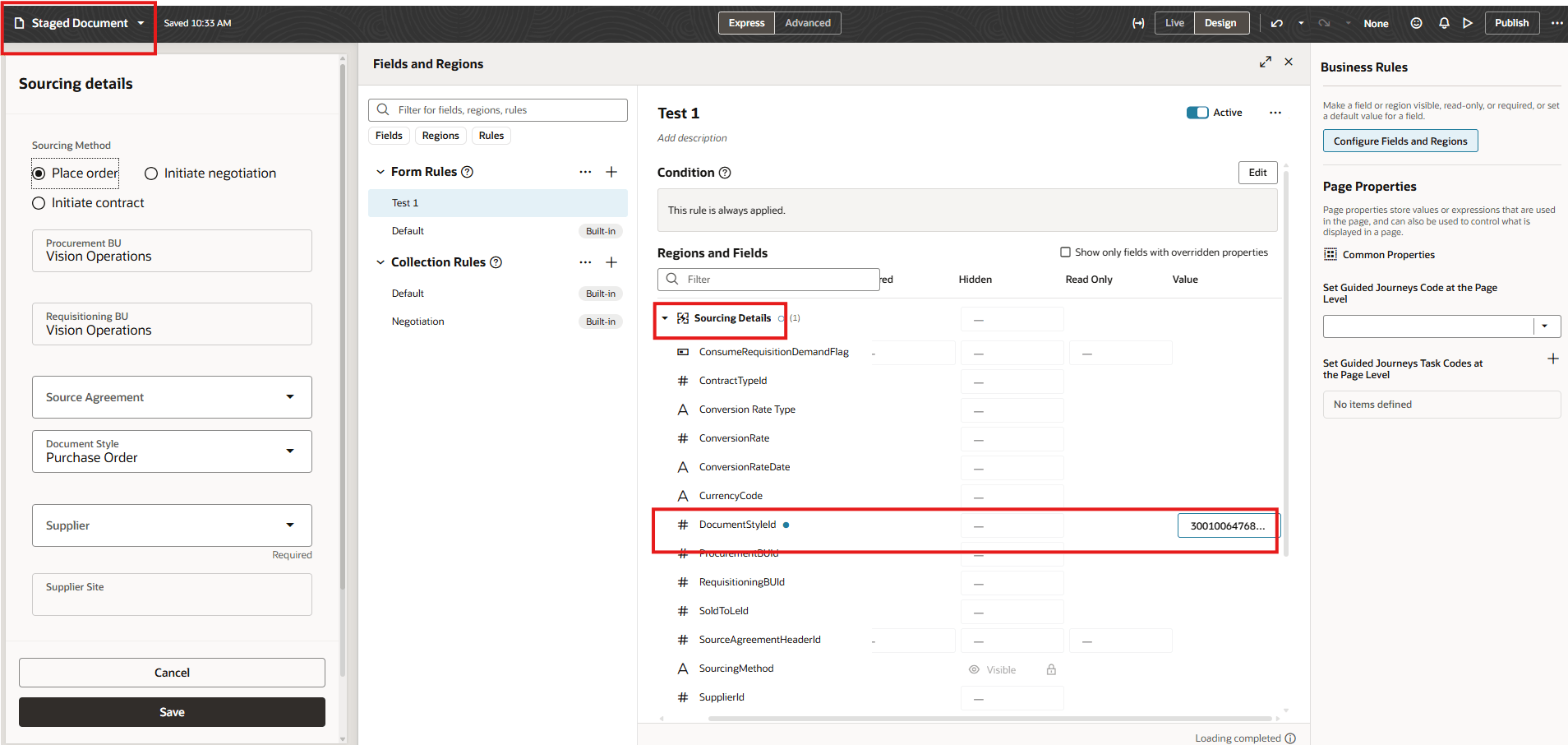
Specify the Document Style ID in the Sourcing Details Section of the Staged Document Page in Oracle Visual Builder Studio
This enhancement reduces manual effort and ensures that users start with the appropriate document style when creating purchasing documents.
Steps to enable and configure
- If you haven't enabled Redwood for Purchasing, see the Getting Started with Redwood in Purchasing topic on the SCM Resource Center in Customer Connect.
- To extend a page, navigate to the applicable Redwood page, edit it in Oracle Visual Builder Studio to configure the document style ID using form rules.
Tips and considerations
- You can set a default document style for staged documents created either online or through scheduled processes.
- If you specify an invalid document style ID in Oracle Visual Builder Studio for staged documents, the document style defaults to the standard document style.
- If a source agreement is specified for a staged document, the application derives the document style from the source agreement instead of Oracle Visual Builder Studio.
- If you specify an invalid document style ID in Oracle Visual Builder Studio for the New purchase order or New agreement drawer, the document style defaults to null.
- If the document style ID specified in Oracle Visual Builder Studio is enabled for both blanket purchase agreements and contract purchase agreements, the blanket purchase agreement style is used by defaulted in the New purchase agreement drawer. If the document style ID is enabled only for contract purchase agreements, then the contract purchase agreement style is used.
- Attributes in forms must be modified using form rules.
Key resources
For information about using Oracle Visual Builder Studio to extend your Redwood application pages, see Oracle Fusion Cloud HCM and SCM: Extending Redwood Applications for HCM and SCM Using Visual Builder Studio.
Access requirements
Users who are assigned a configured job role that contains these privileges can access this feature in Purchasing:
- View Administration Link (FND_VIEW_ADMIN_LINK_PRIV)
- Administer Sandbox (FND_ADMINISTER_SANDBOX_PRIV)
These privileges were available prior to this update.