Redwood: Set Up Buyer Assignment Rules and Approved Supplier List Statuses
Use Redwood pages to manage buyer assignment rules and approved supplier list statuses in Oracle Fusion Cloud Procurement.
On the Buyer Assignment Rules page, as a procurement administrator, you can create, update, view, delete, and test buyer assignment rules that automatically route requisition lines to the appropriate buyer based on rule criteria such as requisitioning business unit, procurement business unit, commodity, deliver-to organization, project, cost center, supplier, noncatalog request, and line amount. You can search for rules, review matching rule details, create rule sets, duplicate existing rules, and manage rules in a spreadsheet.
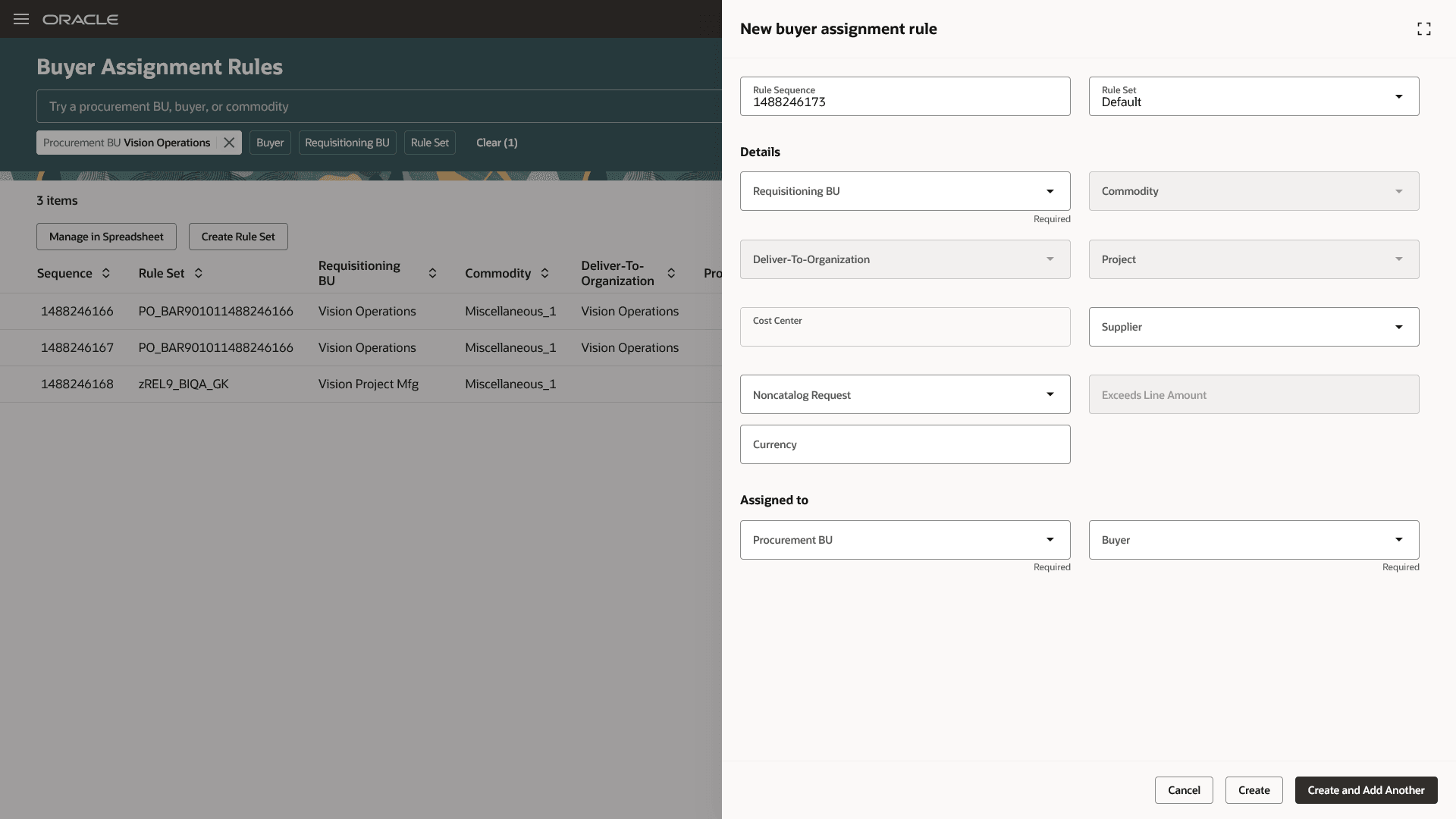
Buyer Assignment Rules
On the Approved Supplier List Statuses page, you can create, update, view, and delete statuses that describe the condition of approved suppliers. You can define statuses, assign a default status, and set end dates to control when a status becomes inactive.
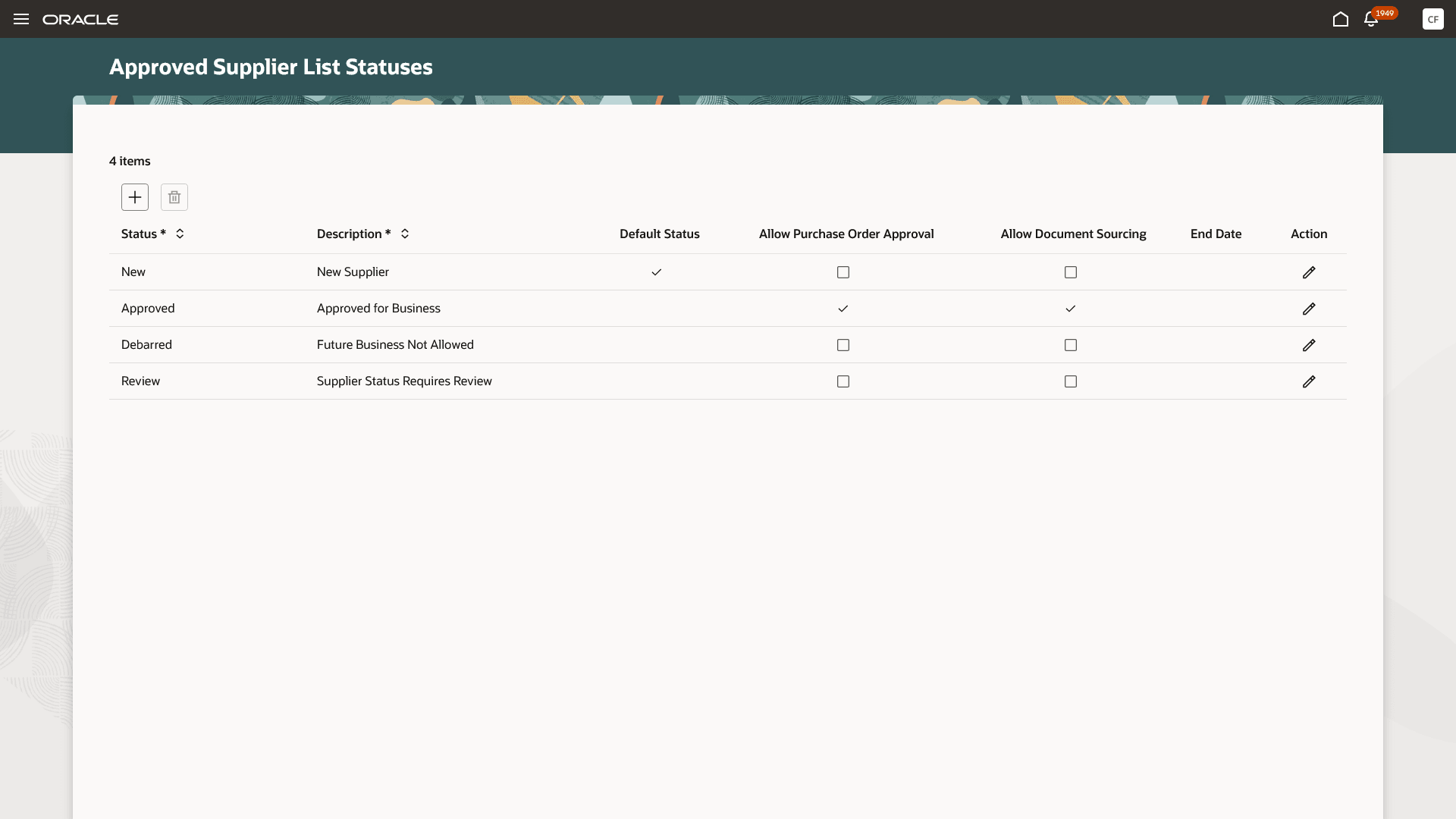
Approved Supplier List Statuses
Steps to enable and configure
Use the Opt In UI to enable this feature. For instructions, refer to the Optional Uptake of New Features section of this document.
Offering: Procurement No Longer Optional From: Update 27A
Note: The feature is enabled by default.
To manage the Purchasing setup pages, follow these steps:
- In the Setup and Maintenance work area, search for and select one of these tasks:
- Manage Buyer Assignment Rules
- Manage Approved Supplier List Statuses
- On the setup page, make the required changes.
- Click Save or Save and Close.
Access requirements
Users who are assigned a configured job role that contains these privileges can access these features:
- Manage Buyer Assignment Rules (PO_MANAGE_BUYER_ASSIGNMENT_RULES_PRIV)
- Manage Approved Supplier List Status (PO_MANAGE_APPROVED_SUPPLIER_LIST_STATUS_PRIV)
These privileges were available prior to this update.