Redwood: Communicate Purchase Agreements to Multiple Email Recipients
Add multiple email recipients when communicating purchase agreements to suppliers.
You can now notify internal stakeholders and additional supplier contacts through the same email sent when a new purchase agreement or change order is issued.
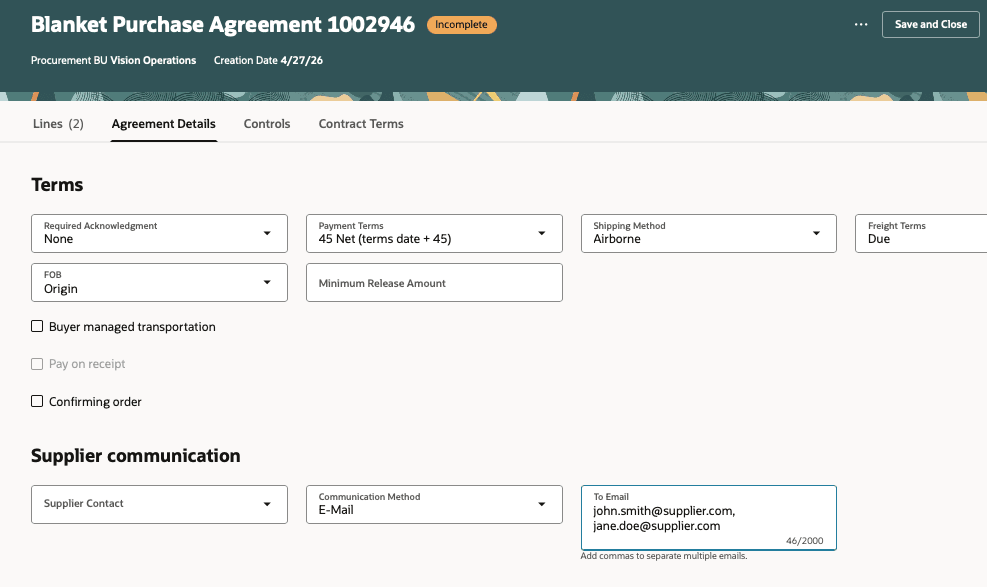
Communicate Agreements to Multiple Emails
Steps to enable and configure
If you haven't enabled Redwood for Purchasing, see the Getting Started with Redwood in Purchasing topic on the SCM Resource Center in Customer Connect.
Tips and considerations
- When the email field is defaulted from the supplier site, all email addresses configured for email communication at the supplier site are automatically populated in the email field.
- You can also provide multiple emails when uploading agreements using file-based data import.
Key resources
For details on how the application defaults the email field, refer to the How Purchasing Document Header Defaults Work topic.
Access requirements
No specific privileges are needed to add multiple emails when editing a purchase agreement.