Redwood: Mark Collaboration Task as Complete
You can now mark collaboration team tasks that are assigned to you as complete. The option to mark your task as complete is available in the View Negotiation, Edit Negotiation, and Monitor Negotiation Redwood pages.
When a collaboration team task is assigned, you can see a message on the View Negotiation page when it's pending along with the due date and link to take action. Once you complete the task, you can select the action Complete My Task from the message banner or the page actions menu. Upon selecting the Complete My Task action, you will be provided with an option to confirm your decision to mark the task as complete.
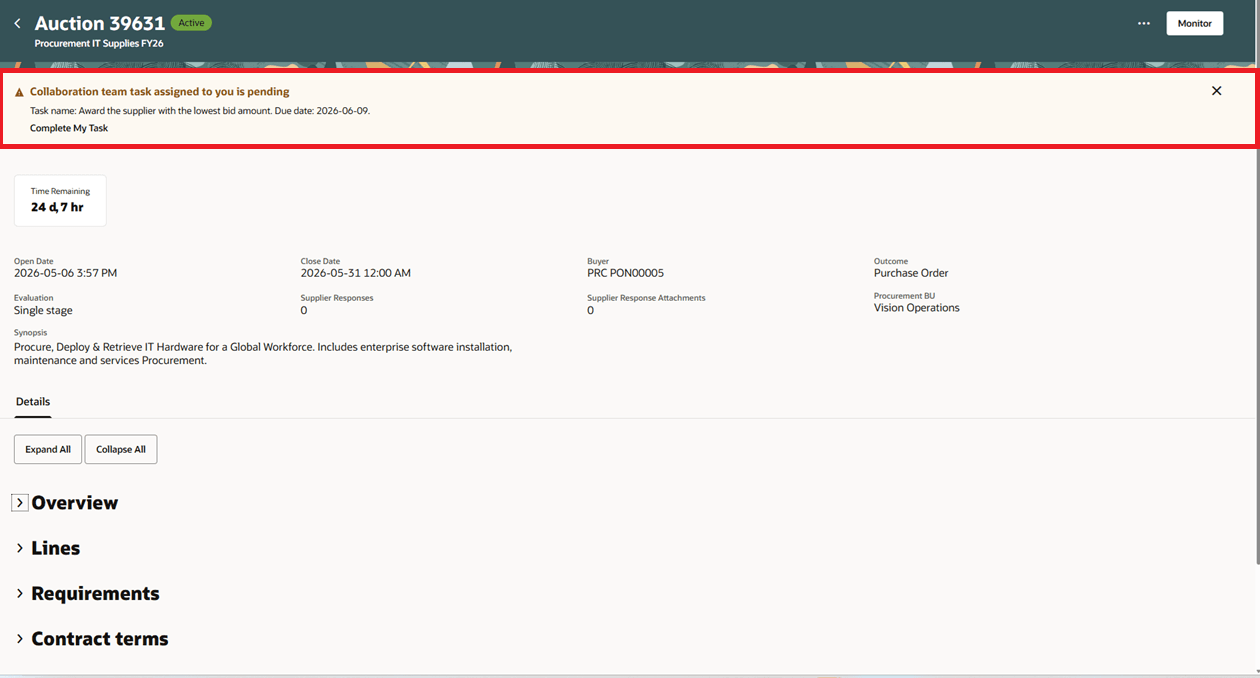
Complete My Task from Banner
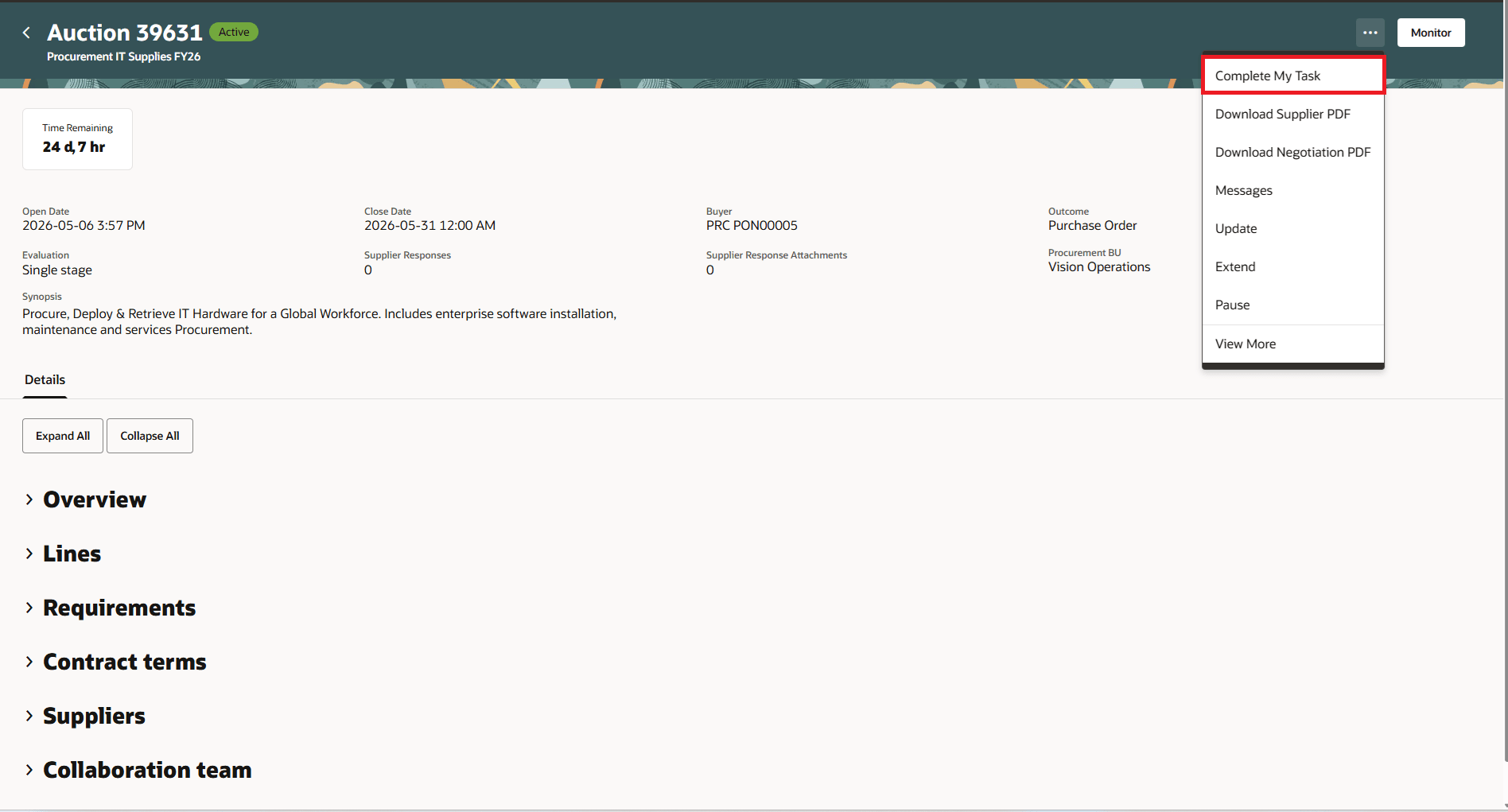
Complete My Task from View Negotiation page
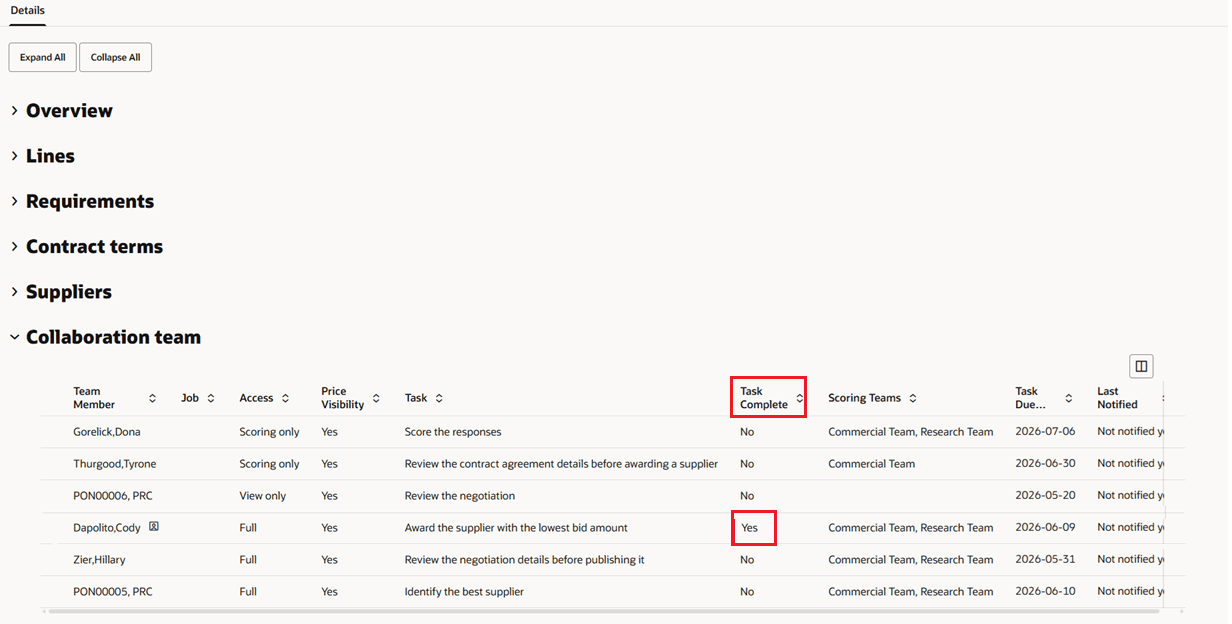
Task Complete Status Updated
Collaboration team members have better visibility to the assigned tasks and when they are due. The reminder message on the page can prompt timely action and easy updates to provide the owner an accurate picture of tasks in progress.
Steps to enable and configure
To use this feature, you must enable these profile options if you haven't already.
- Redwood Pages for Sourcing Enabled (ORA_PON_SOURCING_REDWOOD_ENABLED).
- Redwood Page to Create Negotiation Enabled (ORA_PON_CREATE_NEGOTIATION_REDWOOD_ENABLED)
For instructions on enabling a profile option, refer to the Set Profile Option Values topic.
Tips and considerations
- The Complete My Task action is available only when the user has an assigned collaboration team task that isn’t already completed.
- The action is available to eligible collaboration team members with full, scoring-only, or view-only access.
- The action isn’t available for negotiations in certain amended or canceled statuses.
- If the collaboration team task completion notification is enabled for the negotiation document type, the buyer receives a notification when the task is completed.
Access requirements
Users who are assigned a configured job role that contains these existing privileges can access this feature.
- Create Supplier Negotiation (PON_CREATE_SUPPLIER_NEGOTIATION_PRIV)
- Edit Supplier Negotiation (PON_EDIT_SUPPLIER_NEGOTIATION_PRIV)