Redwood: Associate Item to Awarded Alternate Line
Associate an inventory item to an awarded alternate line when staging purchasing documents.
After finalizing an award, you have the option to review staged orders or agreements. For awarded alternate lines proposed by suppliers, you can now select any item from the same purchasing category to streamline fulfillment.
For negotiations linked to requisitions, the selected item can impact how quantities are allocated. If the selected item matches the item on the requisition line, the awarded alternate line quantity can be allocated to that requisition. If the items don't match or if no item is selected, the quantity can't be allocated to the requisition line.
When item changes affect allocations, the application prompts you to recreate the staged purchasing documents so that the default allocations are updated before submission.
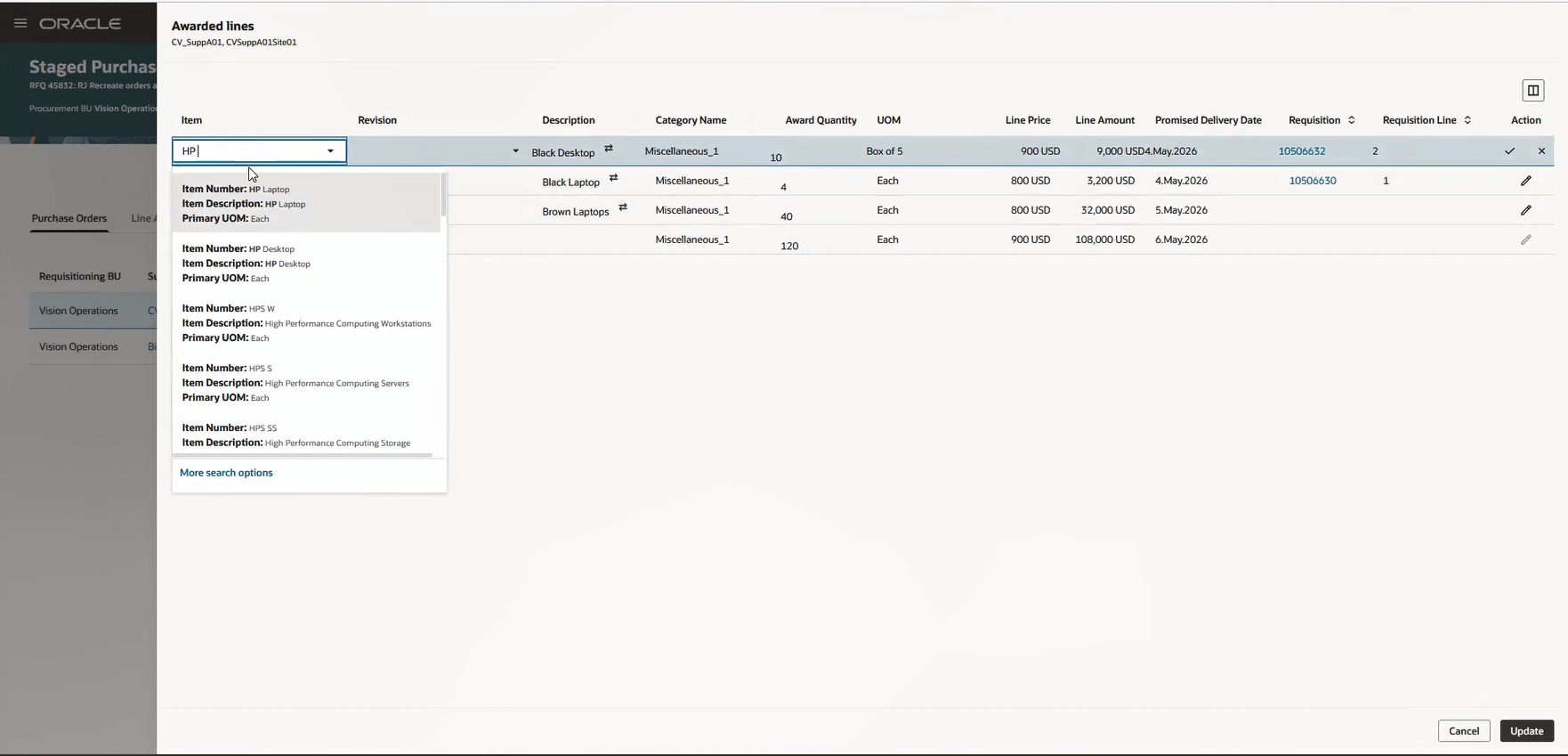
Search and Associate Item to Awarded Alternate Line
Category managers complete awarded alternate line processing in the Redwood experience. This feature also helps improve purchasing document accuracy by validating the item selected for an alternate line and updating allocations when applicable.
Steps to enable and configure
To use this feature, you must enable these profile options if you haven't already.
- Redwood Pages for Sourcing Enabled (ORA_PON_SOURCING_REDWOOD_ENABLED)
- Redwood Page to Create Negotiation Enabled (ORA_PON_CREATE_NEGOTIATION_REDWOOD_ENABLED)
- Redwood Page to Award Negotiation Enabled (ORA_PON_AWARD_NEGOTIATION_REDWOOD_ENABLED)
For instructions on enabling a profile option, refer to the Set Profile Option Values topic.
Tips and considerations
- You can associate an item to awarded alternate lines only. Regular awarded negotiation lines can't be edited for this purpose.
- In the item search, only items in the same purchasing category as the awarded alternate line are available for selection.
- If the selected item's description is different from the supplier's alternate line description and the item description can't be edited based on Purchasing and Inventory constraints, the supplier's description is replaced with the selected item's description.
Key resources
For information about using Oracle Visual Builder Studio to extend your Redwood application pages, see Oracle Fusion Cloud HCM and SCM: Extending Redwood Applications for HCM and SCM Using Visual Builder Studio.
Access requirements
Users who have been assigned a configured job role that contains these existing privileges can access this feature:
- Complete Supplier Negotiation Award (PON_COMPLETE_SUPPLIER_NEGOTIATION_AWARD_PRIV)
- Create Purchase Order (PO_CREATE_PURCHASE_ORDER_PRIV)
- Create Purchase Agreement (PO_CREATE_PURCHASE_AGREEMENT_PRIV)