View Additional Information About Deliver-to Locations
You can now view additional information about the deliver-to location on a requisition line, including the address of the location and location code.
To use this feature, use the link for the deliver-to location when viewing a requisition line. The location details includes the location name, location code, and deliver-to address.
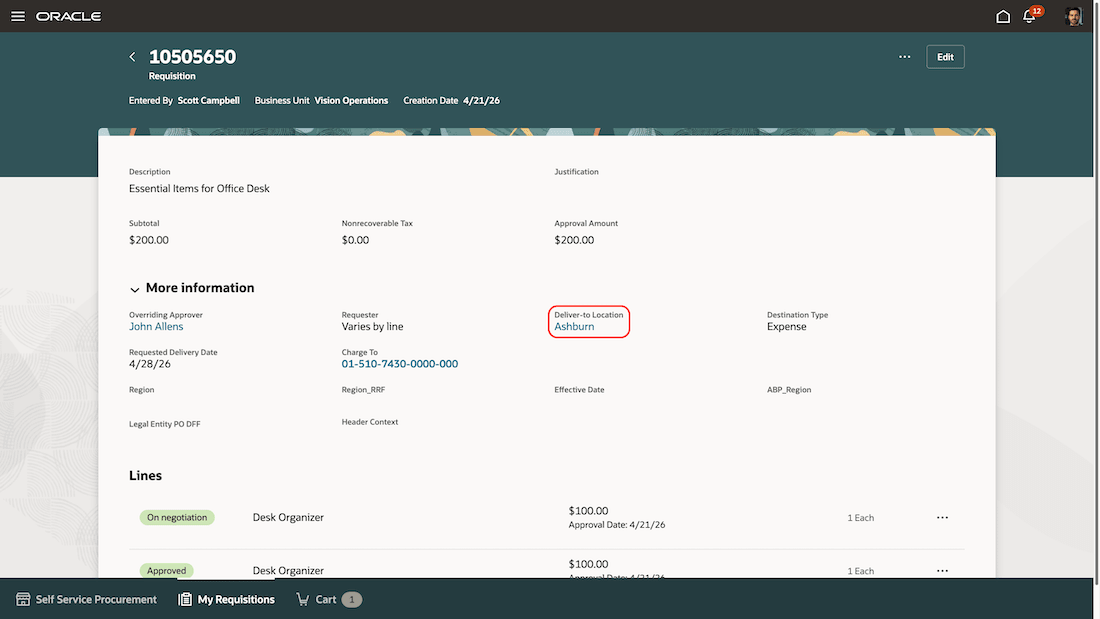
Deliver-to Location Link on a Requisition
You can view additional information about deliver-to locations from these pages:
- Shopping Cart
- List View
- Table View
- Summary List View
- More Information Table View
- Requisition Details
- More Information
- Lines List View, when the Deliver-to Location field is added using extensibility
- My Requisitions Lines, when the Deliver-to Location field is added using extensibility
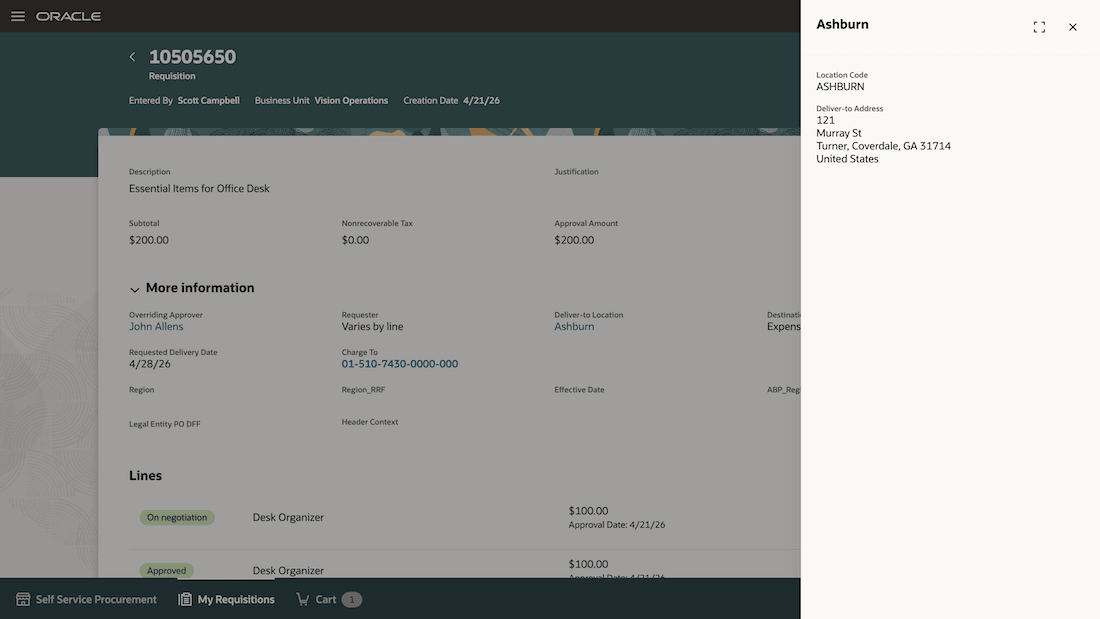
Location Details Drawer Showing Location Name, Location Code, and Deliver-to Address
Steps to enable and configure
You don’t need to do anything to enable this feature.
Tips and considerations
- The deliver-to location link is available for internal locations when the field is read-only.
- This feature doesn’t apply to one-time locations because the full address is already displayed.
- The link isn’t displayed in the Line details drawer because the deliver-to location and deliver-to address are already shown there.
- If an internal location is inactive, you can still view the available location details.
Key resources
- To know more about how to use the Redwood Self Service Procurement application, refer to the Procure Goods and Services Using the Redwood Self Service Procurement Application readiness training.
- To know how to provide the required privileges to your requesters to use your own configured role instead of the Requisition Self Service User role, refer to the Privileges Required for a Predefined Role for a Requisition Self Service User topic.
Access requirements
Users who are assigned a configured job role that contains this privilege can access this feature:
- Use REST Service - Locations List of Values (ORA_PER_REST_SERVICE_ACCESS_LOCATIONS_LOV).
This is an aggregated privilege added using the Role Hierarchy step in the create or edit role flow.
This privilege was available prior to this update.