Edit spreadsheets in supplies and demands
You can now edit supply and demand orders on the Supplies and Demands page using the Edit in Spreadsheet option. You can bulk update order attributes, create new orders, update simulations, and upload the changes back to the plan.
This capability improves your efficiency by enabling bulk updates to Supplies and Demands through a familiar spreadsheet interface while preserving Oracle Supply Chain Planning validations and controls.
In Oracle Fusion Supply Planning, Edit in Spreadsheet, an Excel-based desktop integration enables you to download planning data, update it in a spreadsheet, and upload the changes back to the application. To use this integration, download and install the Desktop Integration Installer from Tools > Download Desktop Integration Installer.
With this update, you can create or edit supply and demand records directly in a spreadsheet. Navigate to the Supplies and Demands visualization, then select Actions > Edit in Spreadsheet.
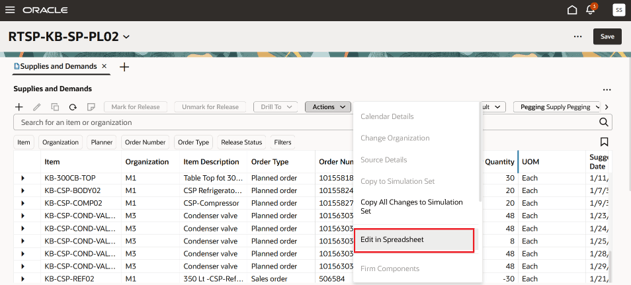
Edit supplies and demands in a spreadsheet
The records after applying filters, if any, are published to the spreadsheet. You can select the records to edit and click on Edit in Spreadsheet.
You can open the spreadsheet directly or you can save it in a local storage directory. You need to provide user credentials for connecting to Fusion applications.
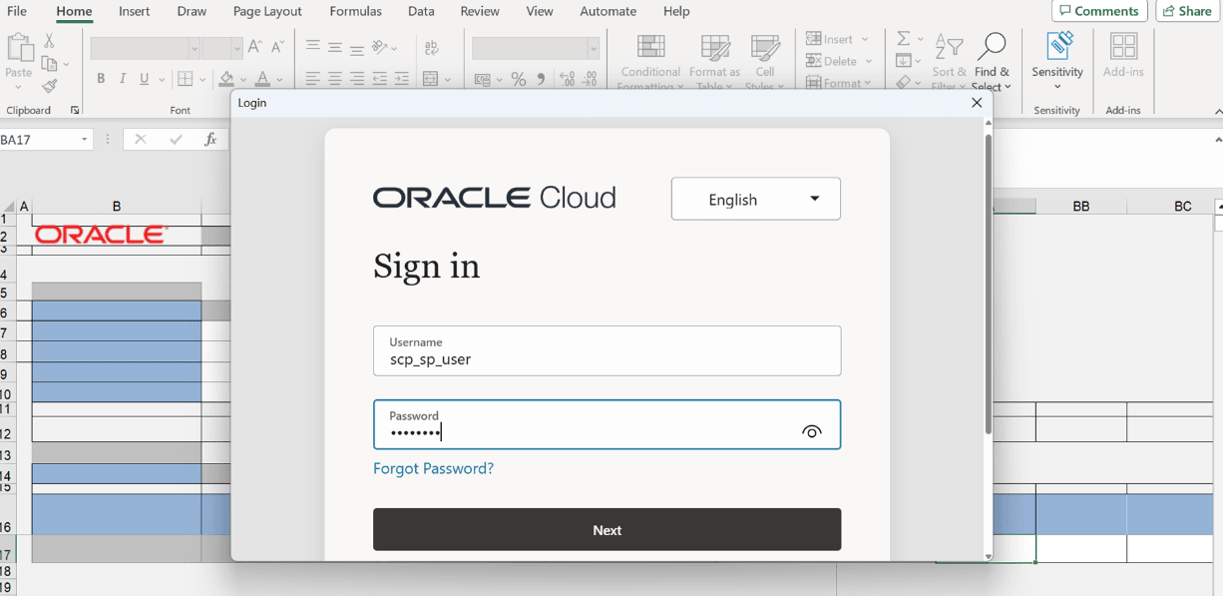
Credentials to connect to Fusion applications
After the connection is established, the spreadsheet opens with Supplies and Demands records.
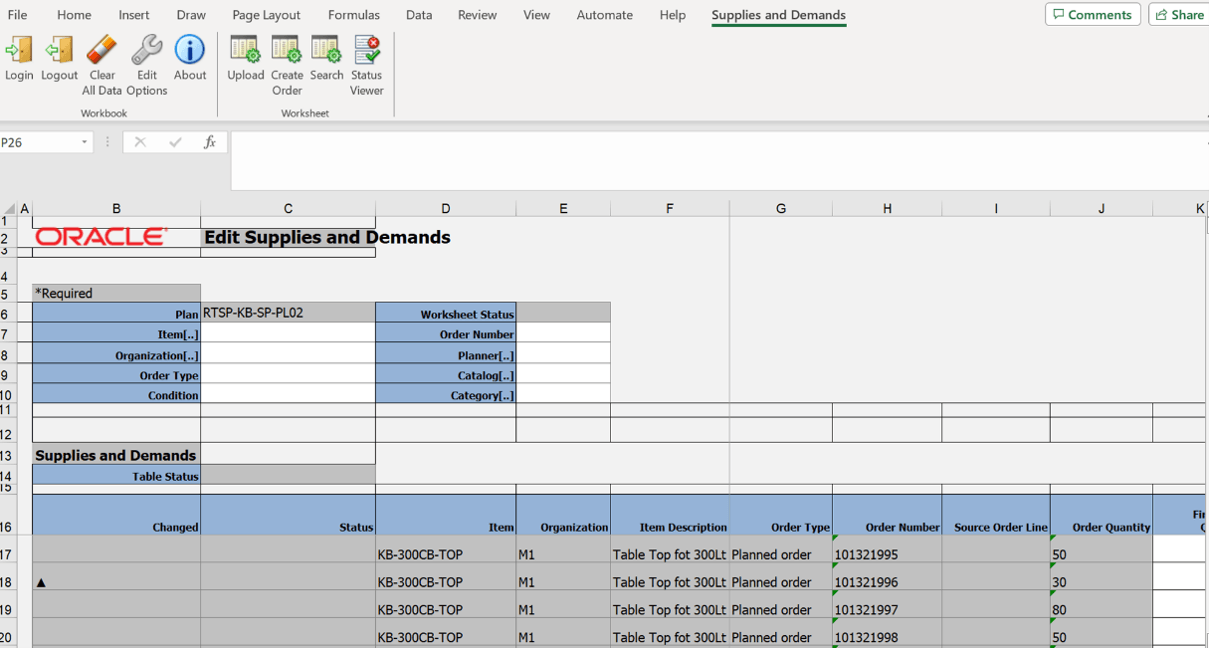
Supplies and Demands records in Excel
You can update one or more records. Update the columns which are not grayed out and upload the spreadsheet.
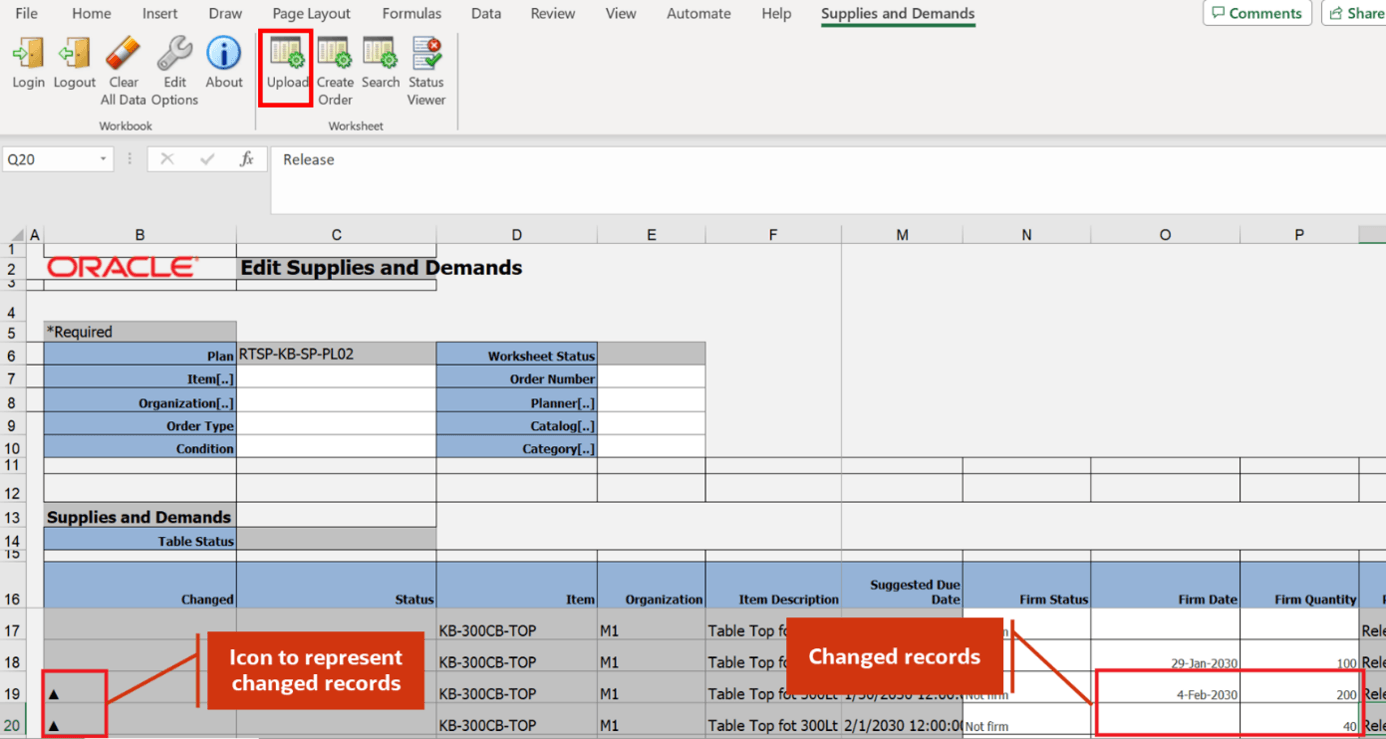
Update the supplies and demands in spreadsheet
After you upload the spreadsheet, the record gets updated in the Supplies and Demands table in the application.
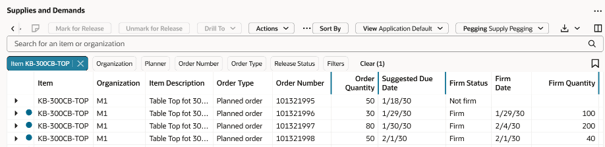
Updated records in Supplies and Demands
While editing, you can select values from predefined lists for editable columns. For example, you can choose values for Source Organization, Supplier, Supplier Site, Implement Supplier, and Implement Supplier Site.
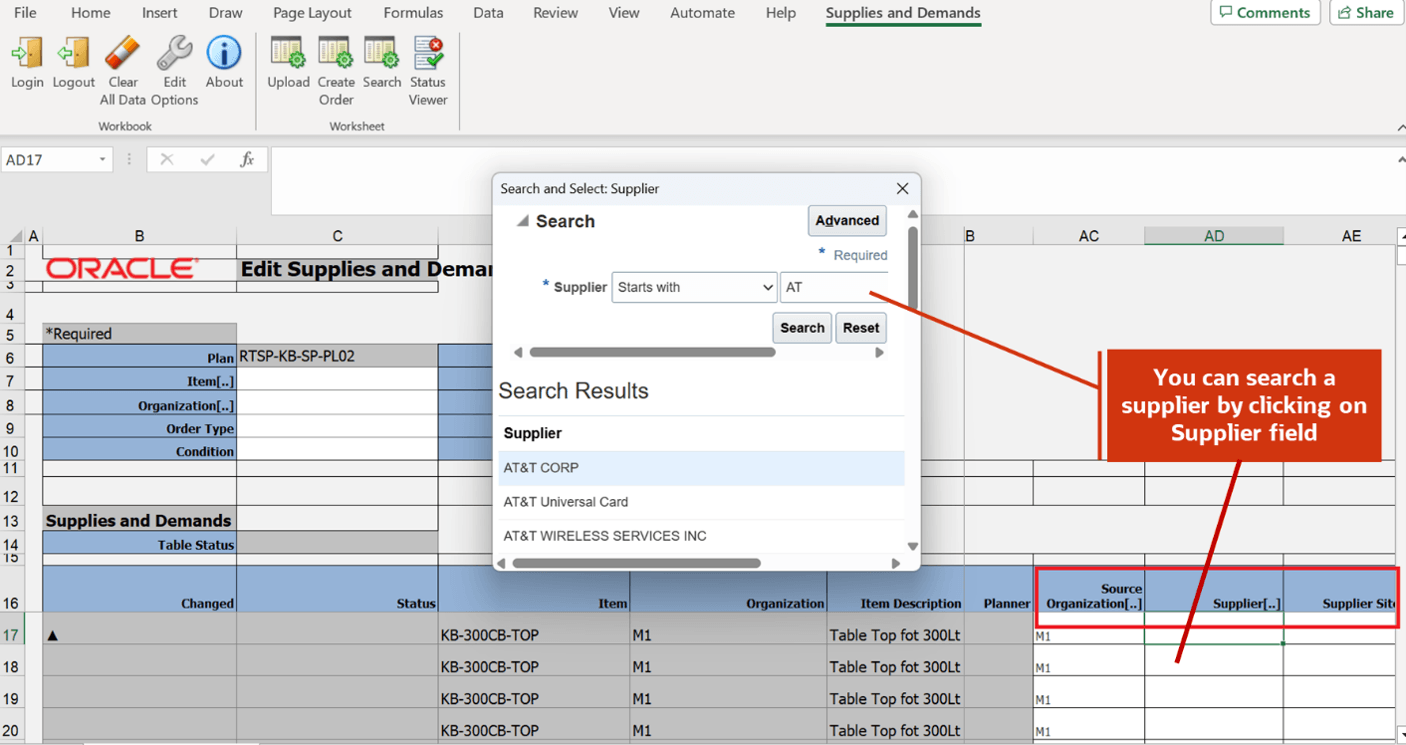
Predefined list for editable columns
You can create new orders, such as Planned Orders, On Hand, and Manual Demand, directly from the spreadsheet by selecting Create Order from the menu.
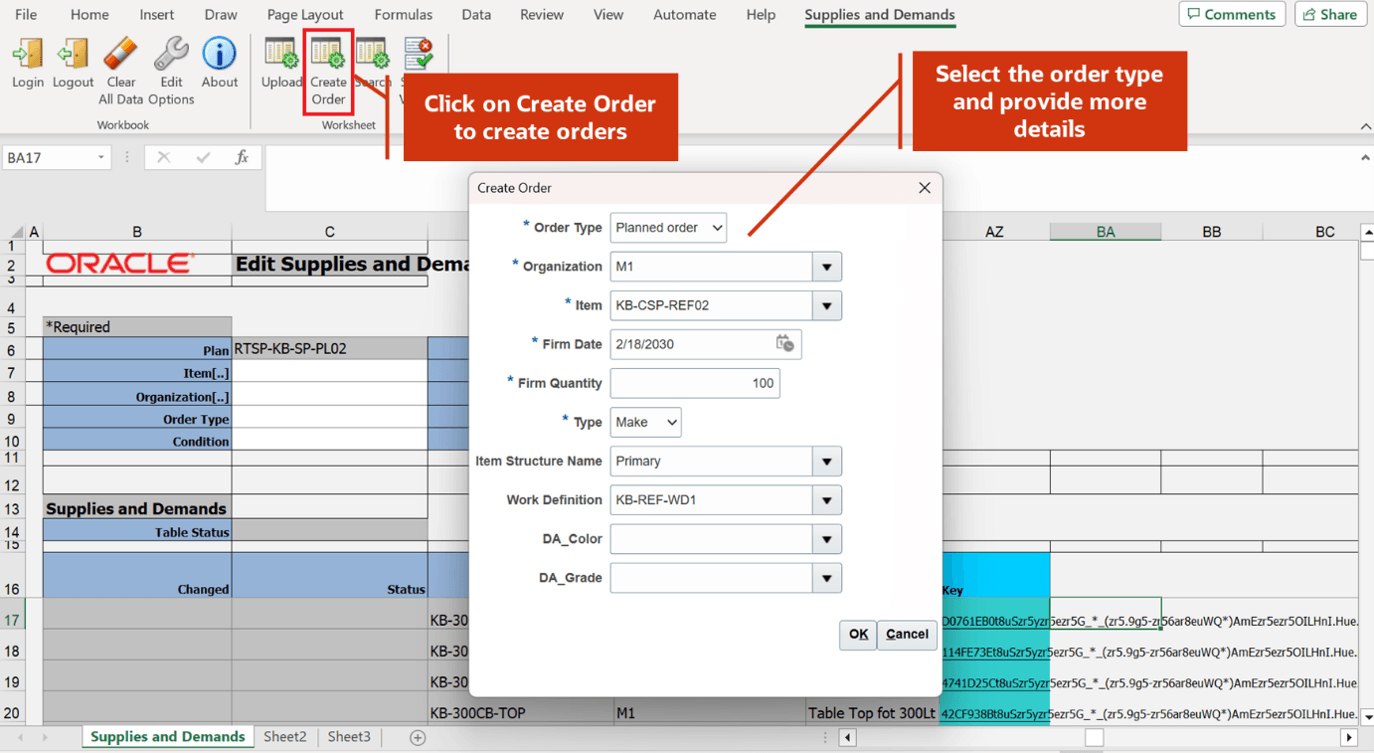
Create new order in spreadsheet
After you select OK, the new order is created in both spreadsheet and the Redwood Supplies and Demands table.
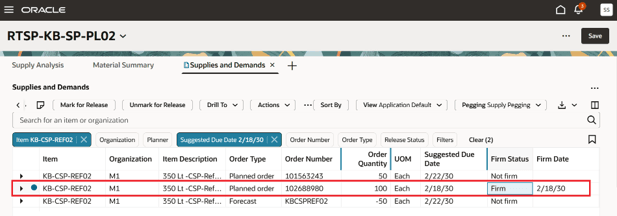
New orders in supplies and demands
You can search in the spreadsheet using certain filters. When you select on a filter column, the search page for that entity opens. Provide the filter criteria and select Search.
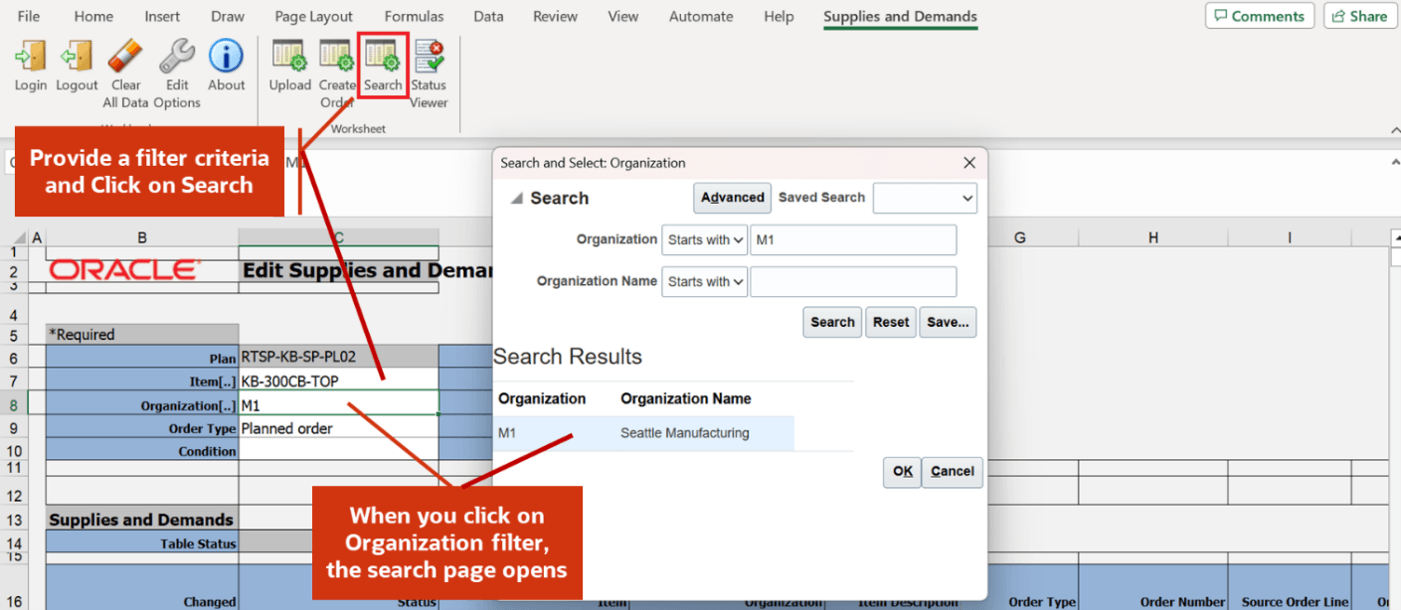
Search in spreadsheet
When you select Search, the search results are displayed in the Excel sheet.
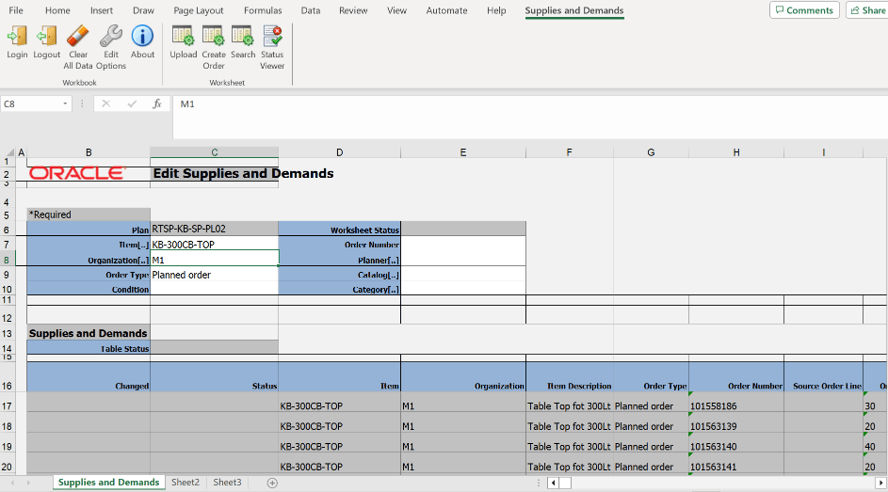
Search results
You can also update the supplies and demands entries in a simulation set using the spreadsheet.
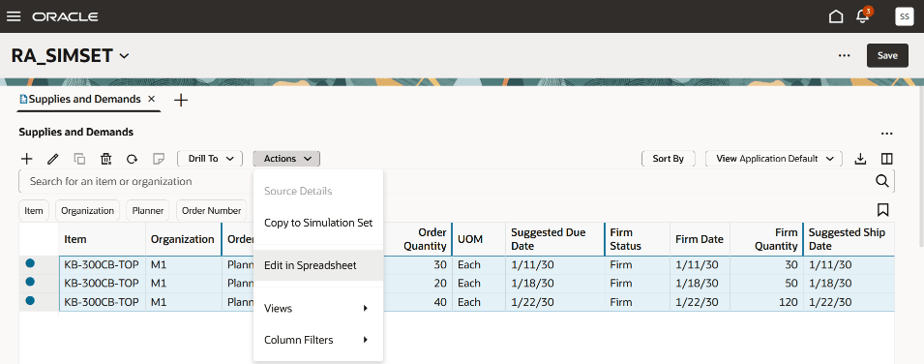
Update simulations through Excel
After you select the Edit in Spreadsheet option, the simulation records are shown in the spreadsheet.
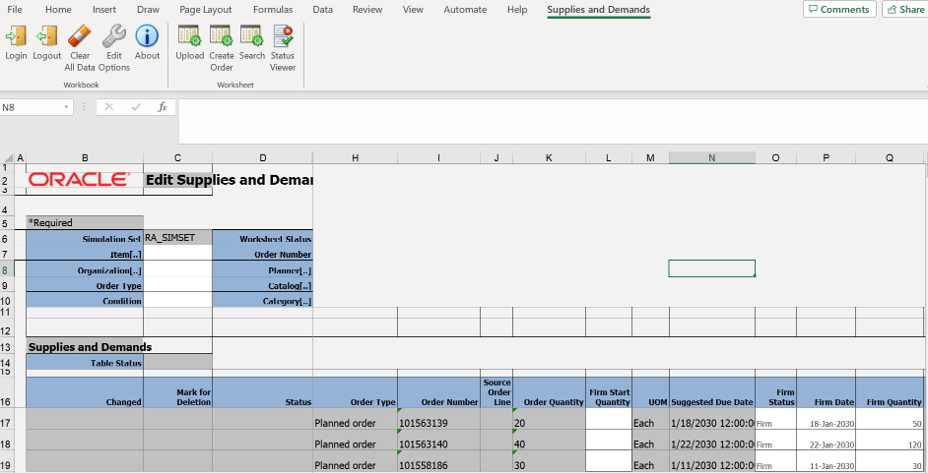
Edit simulations in spreadsheet
After updating the simulations, you can upload the spreadsheet contents back to the Redwood Supplies and Demands table.
Steps to enable and configure
To use this integration, download and install the Desktop Integration Installer from Tools > Download Desktop Integration Installer.
Tips and considerations
- Edit in Spreadsheet is supported for the Windows operating system.
- Edit in Spreadsheet isn’t supported for Windows Server, MacOS, iOS, Linux, Windows RT operating systems, or any other operating system.
Access requirements
Users who are assigned a configured job role that contains these privileges can access this feature:
Privileges
|
Privilege status |
Privilege name and code |
|---|---|
| Previously delivered | Edit Plans (MSC_EDIT_PLANS_PRIV) |
| Previously delivered | Monitor Supply Planning Work Area (MSC_MONITOR_SUPPLY_PLANNING_WORK_AREA_PRIV) |
| Previously delivered | Edit Demands and Supplies (MSC_EDIT_DEMANDS_AND_SUPPLIES_PRIV) |