Include substitutions and supersessions in automatic parts search
The Parts Search, that is automatically invoked upon the creation or update of a part requirement, will now look for substitutes and supersessions items in addition to the item on the part requirement. The winning sourcing option (item, stocking location, and shipping method) will continue to be the option with the lowest shipping cost that is closest to the ship-to address.
Previously, substitutes and supersessions were only searched for when the user selected the Alternates button on Parts Search UI.
This feature eliminates the need for manual intervention by automatically searching for alternates when the ordered item isn't available.
Steps to enable and configure
Item substitutes and supersessions are set up in the Relationships tab of the Manage Items UI.
To set up the item relationship, select Superseded or Substitute from the Type LOV.
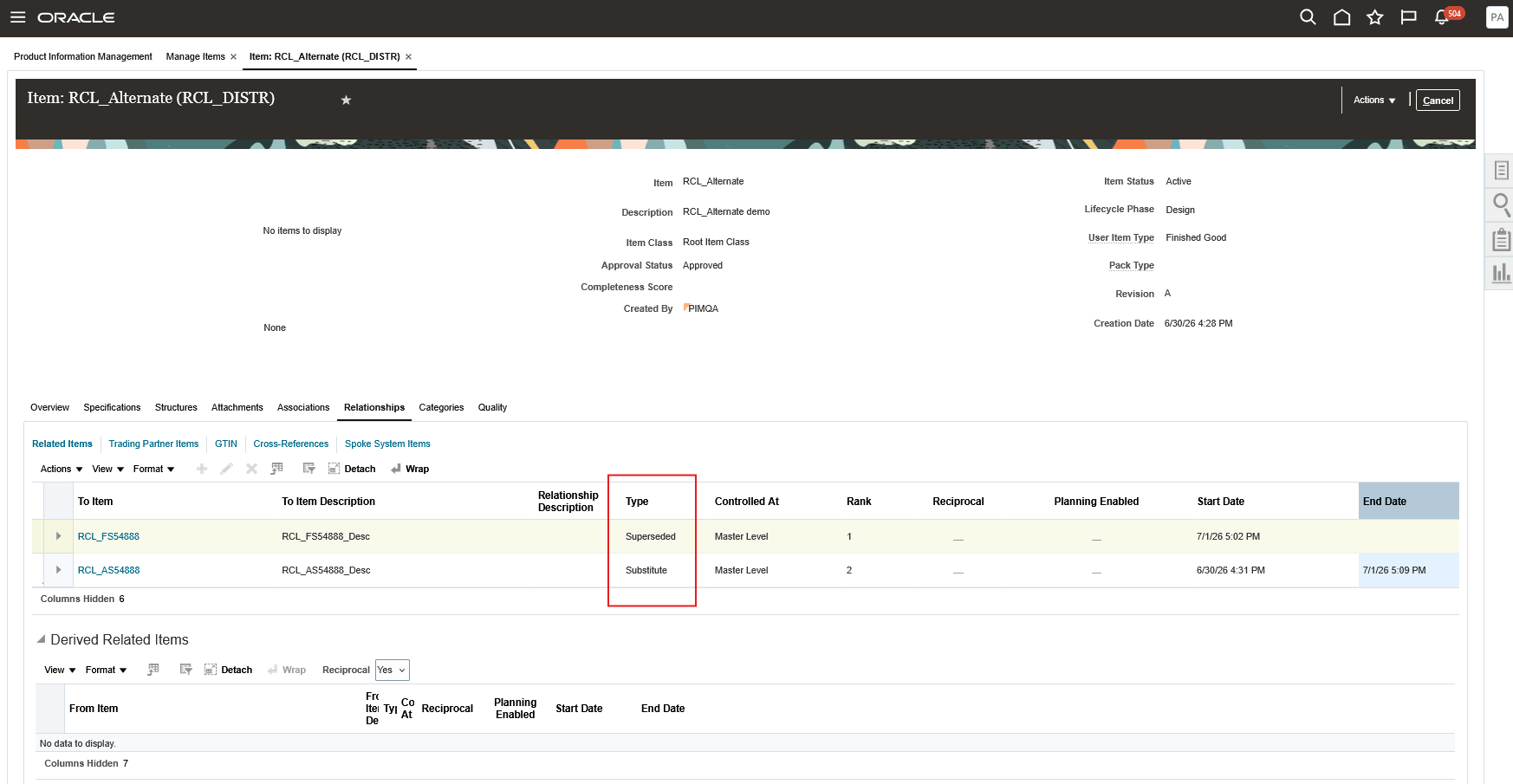
Manage Items - Relationship tab
Access requirements
Users need all the privileges listed below to access this feature:
access requirements
| Privilege status | Privilege name and code |
|---|---|
| Previously delivered | Access Standalone Parts Ordering Page (RCL_PARTS_ACCESS_STANDALONE_PAGE) |
| Previously delivered | View Requirement Lines (RCL_PARTS_REQ_VIEW) |